
Outreach
Optimize sales, enhance workflows, boost efficiency with AI-powered tools.
Key Takeaways
- What it is
- Optimize sales, enhance workflows, boost efficiency with AI-powered tools.
- Best for
- AI-powered Selling
- Deal Management
- Rep Coaching and Performance Insights
- Rating
- 4.6/5
What is Outreach?
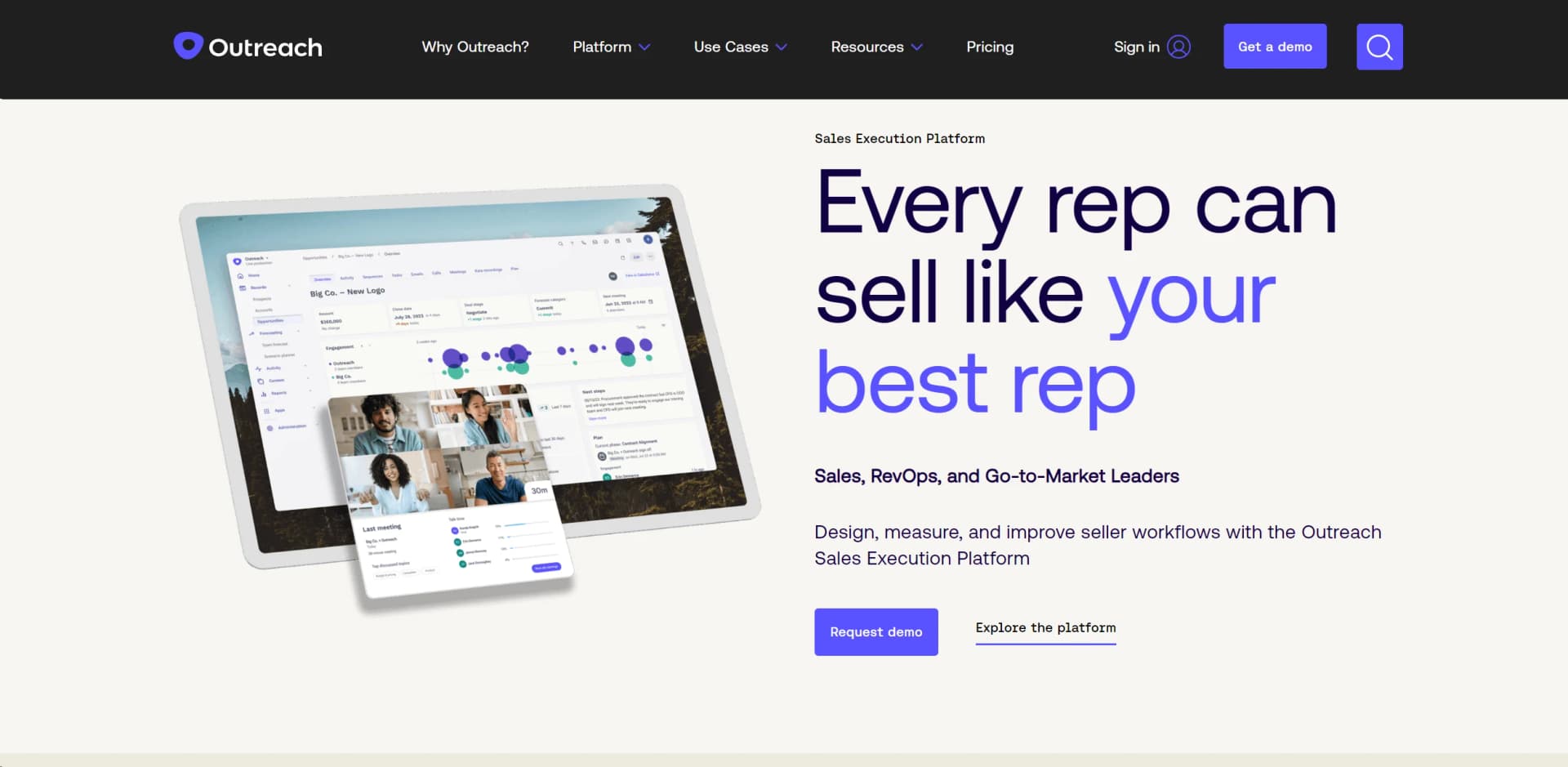
Outreach is a dynamic Sales Execution Platform designed to optimize the sales process from start to finish. Built with the goal of making every sales representative as effective as the best ones, Outreach provides an array of tools to design, measure, and enhance seller workflows. This platform is particularly valuable for Sales, RevOps, and Go-to-Market leaders looking to streamline their operations, close skill gaps, and boost overall sales efficiency.
Outreach sets itself apart with its comprehensive approach to sales execution. Its standout feature is the AI-powered selling capabilities, which not only automate but also intelligently guide sales processes to ensure maximum efficiency and effectiveness. The platform's ability to seamlessly integrate coaching and performance management into daily workflows makes it invaluable for sales teams aiming to improve continuously.
Outreach excels in empowering sales teams to operate at peak efficiency, significantly enhancing win rates and forecast accuracy. Its robust AI-driven capabilities and comprehensive suite of tools not only automate but also refine the sales process, making it an essential asset for any forward-thinking sales organization. The platform's emphasis on security and customization further enhances its appeal, positioning Outreach as a leader in the sales execution domain.
Who is Using Outreach?
Sales Teams
To enhance engagement and close deals more effectively.
Revenue Operations Managers
For strategic planning and revenue maximization.
Account Executives
To manage client relationships and pipeline efficiently.
Customer Success Managers
To ensure ongoing customer satisfaction and retention.
Uncommon Use Cases
Used by educational institutions for practical sales training; utilized by consulting firms to improve client engagement strategies.
Key Features
Rating Breakdown
Pricing Plans
Free Demo
- Outreach offers a free demo to explore its capabilities before committing
Custom Pricing
- Specific pricing plans are tailored to meet the diverse needs of different organizations
Which Outreach plan should you pick?
Start with Amplify Essentials for conversation intelligence and coaching; upgrade to Core or Plus for broader sales execution and AI agents, or Pro for advanced forecasting and managed services.
Amplify Essentials
Good for teams that need conversation intelligence, coaching, deal insight, and rep-performance visibility.
Amplify Core
Good for teams that need AI agents, multi-channel sequences, account planning, engagement reporting, and sales-execution workflows.
Amplify Plus
Good for teams that need advanced agents, live coaching, deal health, meeting intelligence, and broader AI-assisted workflows.
Amplify Pro
Good for enterprise revenue teams that need advanced forecasting, scenario planning, forecast rollups, multi-currency, and managed services.
Outreach Use Cases
Automated inbound lead follow-up
Use triggers and sequences to qualify inbound leads and automatically place matching prospects into the right outreach sequence.
Outcome: A more consistent and faster lead-response process.
Multi-channel prospect engagement
Build sequences combining email, voice, SMS, meetings, and manual tasks for prospect follow-up.
Outcome: Coordinated engagement across multiple communication channels.
Pipeline and forecast review
Inspect opportunities, review deal health, drill into rep or team forecasts, and adjust forecast calls.
Outcome: More informed pipeline reviews and forecast submissions.
AI-assisted meeting preparation
Generate briefings using account history, recent activity, open opportunities, participants, and suggested talking points.
Outcome: Less manual preparation before customer meetings.
Knowledge-grounded personalization
Upload approved sales collateral and reference it through Account Assist or Personalization to produce more relevant messaging.
Outcome: More consistent, on-brand sales communication.
Workflow Ideas with Outreach
Automate inbound lead sequencing
- 1Define trigger conditions for newly created or updated leads
- 2Add matching prospects to a selected Outreach sequence
- 3Use rulesets to control follow-up, stages, and task creation
Run a pipeline risk review
- 1Open Forecast Rollup and select a team or rep
- 2Review opportunity health, engagement, meetings, and next steps
- 3Adjust forecast categories or forecast calls and submit the updated forecast
Validate and deploy Knowledge content
- 1Upload approved documents into Outreach Knowledge
- 2Test them in the Playground channel
- 3Promote validated documents to Account Assist or Personalization
How Outreach fits into your stack
CRM Integration
Works seamlessly with popular CRM systems to maintain data consistency and accessibility.
Email and Communication Tools
Integrates with major email platforms and communication tools to streamline outreach efforts.
Analytics Tools
Supports integration with analytics tools for advanced data analysis and reporting.
Custom API Access
Offers API access for custom integrations tailored to specific organizational needs.
Pros
- +Increased Win Rates: Users report up to a 26% increase in win rates through the use of Outreach.
- +Forecast Accuracy: Tools like automated and flexible forecasting improve forecast accuracy significantly.
- +Time Efficiency: The platform provides a board-ready forecast in minutes, not hours, saving valuable time.
- +Scalability: Suitable for organizations of various sizes, from small teams to large enterprises.
Cons
- −Complexity of Features: Some users may find the rich feature set overwhelming initially.
- −Cost: Might be considered expensive for smaller businesses or startups.
- −Integration Learning Curve: Integrating with existing systems can require a learning period.
Limitations & when to consider alternatives
Known limitations
- Knowledge file and storage limits. Knowledge may limit files to 10 MB, total storage to 500 MB, and documents to 1,000 depending on the plan and configuration.
- Knowledge language limitation. Knowledge currently supports documents written in English only.
- Mobile app scope. The mobile app does not replace the primary web application and cannot manage complex admin tasks such as triggers or sequence-content creation.
- Mobile task limitations. Only call and email tasks can currently be executed in the mobile app; other task types may be viewable but not actionable.
- Forecasting CRM limitation. Forecasting and pipeline-management capabilities are currently available for Salesforce only in the documented requirements.
Look elsewhere when
- You need a desktop installer rather than a web application.
- Your AI workflow requires fine-tuning model weights on proprietary data.
- You need image analysis rather than text-document retrieval.
- You need forecasting that works independently of Salesforce.
How to Use Outreach
- 1
Explore a variety of tutorials available on the Outreach website, covering everything from basic setup to advanced features, ensuring users can make the most out of the platform.
Who is Outreach For?
Sales leaders
Outreach provides pipeline visibility, team performance insights, forecasting, and AI-supported revenue execution.
Account executives
AEs can manage opportunities, prepare for meetings, update deal fields, and use AI-generated deal insights.
Sales development representatives
SDRs can run multi-step sequences, manage prospecting tasks, and engage prospects through email, voice, SMS, and meetings.
Revenue operations teams
RevOps teams can configure users, governance, integrations, workflows, custom objects, and Knowledge content.
Customer success managers
Customer success teams can use Outreach workflows, account context, relationship information, and engagement data across the customer lifecycle.
Frequently Asked Questions
How does Outreach pricing work?
Outreach combines seat-based access with consumption-based pricing for AI-powered workflows. Pricing is customized according to team size, workflows, and usage.
What packages does Outreach offer?
The current packages are Amplify Essentials, Amplify Core, Amplify Plus, and Amplify Pro, each providing progressively broader AI, engagement, deal, and forecasting capabilities.
Does Outreach support single sign-on?
Yes. Outreach supports SSO providers including Okta, OneLogin, Salesforce, and SAML identity providers.
What can Outreach’s mobile app do?
The iOS and Android app supports task management, Outreach Voice calls, email tasks, prospect and account lookup, inbox access, and SMS conversations.
Can Outreach connect to other tools?
Outreach supports integrations including Salesforce, Microsoft Dynamics, Slack, Intercom, Zoom, Microsoft Teams, Google Meet, and Cisco Webex.
What documents can be added to Outreach Knowledge?
Admins can upload sales collateral such as Word files, PDFs, Markdown, text files, PPTX files, case studies, FAQs, white papers, and battlecards.
Community reviews
Be the first to share your experience.
Sign in to leave a review for Outreach.
Outreach Alternatives
Looking for alternatives to Outreach? Here are similar tools in the same category:
Learn to Master Outreach
With Skill Leap courses
Get in-depth training on Outreach and 50+ other AI tools with our expert-led video courses.
Start 7-Day Free Trial