
Painnt
Transform photos into high-res art with 1000+ filters.
Key Takeaways
- What it is
- Transform photos into high-res art with 1000+ filters.
- Pricing
- Freemium · $4.99 per month
- Best for
- Extensive Filter Library
- High-Resolution Output
- Real-Time Preview
- Rating
- 4.6/5
What is Painnt?
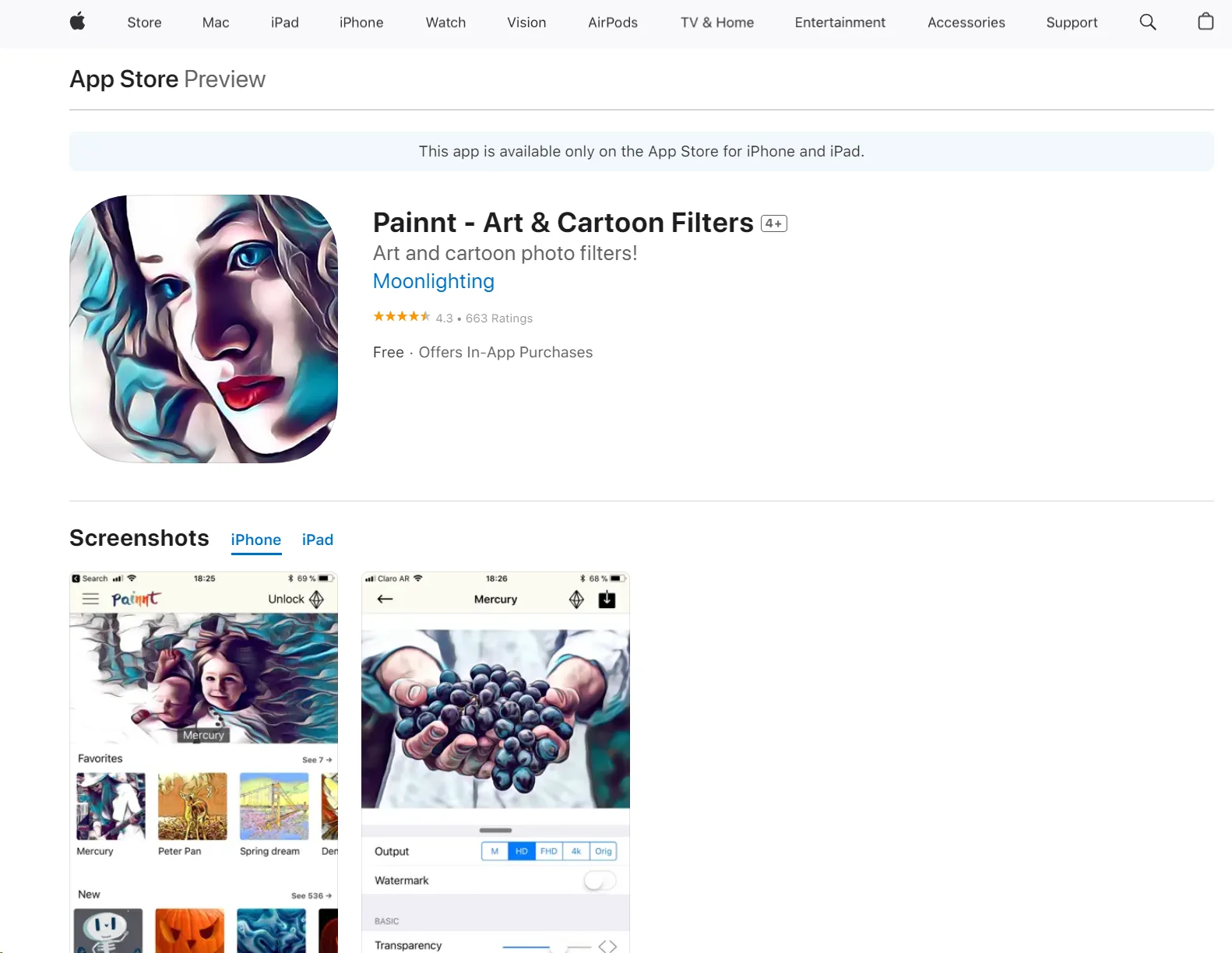
Painnt, developed by Moonlighting Apps LLC, is an innovative AI-driven tool designed to transform ordinary photos into extraordinary art pieces. It offers users the ability to apply over 1,000 filters ranging from classical to modern art styles, turning snapshots into high-resolution paintings. This tool is crafted for artists, photographers, designers, and anyone looking to add a unique, artistic touch to their digital images. With its user-friendly interface and powerful features, Painnt simplifies the process of digital art creation, making it accessible to both novices and professionals alike.
Painnt sets itself apart with its comprehensive library of over 1,000 filters, allowing users to transform photos into artworks resembling the styles of famous painters and unique art movements. Its ability to render images in high resolution makes it a powerful tool for both digital and print media applications.
Painnt excels in transforming everyday photographs into stunning pieces of art. Its extensive filter library and high-resolution output make it an invaluable tool for photographers, designers, and art enthusiasts. The ease of use and cross-platform availability further enhance its appeal, making it a top choice for anyone looking to explore the intersection of technology and art.
Who is Using Painnt?
Professional Photographers
Enhancing their photos to create visually striking images for exhibitions or sale.
Digital Artists
Experimenting with different styles and textures to create unique digital artworks.
Graphic Designers
Incorporating artistic elements into commercial projects like advertisements, posters, and brochures.
Social Media Enthusiasts
Creating eye-catching posts that stand out on social media platforms.
Uncommon Use Cases
Educational institutions use Painnt for teaching students about the intersection of technology and art; real estate agents use it to beautify property photos for listings.
Key Features
Rating Breakdown
Pricing Plans
Free Tier
Free
- Users can explore basic functionalities and a selection of filters without any cost
Pro Tier
$4.99 per month
Which Painnt plan should you pick?
Start with the free version to test filters, then upgrade to the one-month or one-year premium option when you need HD output, full filter access, custom styles, or watermark removal.
Unlock everything for ONE WEEK
Good for short experiments or temporary access to premium filters and features.
Unlock everything for A MONTH
Good for users who need premium access for a limited project or occasional creative work.
Unlock everything for ONE YEAR
Good for regular users who want the best stated value and ongoing access to premium features.
Painnt Use Cases
Turn photos into paintings
Select an artistic filter and apply it to a photo.
Outcome: A stylized painting-like image.
Create cartoon images
Use cartoon and comic-book filters on photographs.
Outcome: A cartoon-style version of the original photo.
Create a custom style
Use an image, painting, or photograph as the source for a custom-style filter.
Outcome: A personalized filter style.
Prepare high-resolution artwork
Fine-tune a filter and render the result in high resolution.
Outcome: Higher-resolution artwork suitable for sharing or display.
Share artwork with a community
Publish artwork, view other users' creations, and engage with artists.
Outcome: Feedback and community interaction around finished images.
Workflow Ideas with Painnt
Photo-to-painting workflow
- 1Choose a photo
- 2Select and preview an artistic filter
- 3Fine-tune settings and render the result
Custom-style workflow
- 1Choose a source image, painting, or photograph
- 2Create a custom-style filter
- 3Apply the style to another photo and save or share it
Community-sharing workflow
- 1Create an artwork with a Painnt filter
- 2Save or share the finished image
- 3Display it in the Painnt community for feedback
How Painnt fits into your stack
Cross-Platform Availability
Works across iOS, Android, Mac, and Windows devices.
File Compatibility
Supports a wide range of image file formats for import and export.
Social Media Integration
Easily share your creations directly to social media platforms like Facebook and Instagram.
Cloud Storage Services
Integrates with popular cloud storage services for easy access and storage of artworks.
Pros
- +Diverse Artistic Styles: Offers a vast selection of filters, allowing for endless creative possibilities.
- +User-Friendly Interface: Designed to be intuitive, making it easy for users of all skill levels to navigate and use.
- +High-Quality Results: Produces professional-grade artistic images that are both visually appealing and high in quality.
- +Cost-Effective: Provides a cost-efficient way to create art without the need for expensive traditional art supplies.
Cons
- −Performance Variation: Depending on the device, the app’s performance might vary, especially in rendering high-resolution outputs.
- −In-App Purchases: Some premium filters require additional purchases, which might not be preferable for all users.
- −Limited Offline Functionality: Requires an internet connection for maximum functionality, which might be limiting in areas without reliable internet access.
Limitations & when to consider alternatives
Known limitations
- Free output has restrictions. The free version limits output resolution, displays ads, and adds a watermark.
- Premium features require a subscription. Full library access, HD processing, custom styles, and watermark removal are premium features.
- Some features use credits. The App Store listing includes separate purchases for packs of training credits.
Look elsewhere when
- You need a documented developer API.
- You need browser-based access or a browser extension.
- You need shared workspaces with roles and invites.
- You need model fine-tuning on your own data.
How to Use Painnt
- 1
Explore a variety of tutorials available on the Painnt website and YouTube, covering everything from basic setup to advanced artistic techniques.
Who is Painnt For?
Digital art enthusiasts
Painnt is designed for people who want to transform photos into paintings, cartoons, mosaics, and other artistic styles.
Photographers
Photographers can apply and fine-tune large numbers of artistic filters on their photos.
Artists
Artists can create custom-style filters and share artwork with the Painnt community.
Frequently Asked Questions
What is Painnt?
Painnt turns photos into paintings, cartoons, and other artistic images using a large collection of customizable filters.
How many filters does Painnt offer?
The official site advertises more than 1,000 filters, while the App Store listing advertises more than 2,000 filters.
Can users customize filters?
Users can preview and fine-tune settings, and premium users can create custom-style filters from another image, painting, or photograph.
Can Painnt export high-resolution images?
Painnt can render paintings in high resolution; the free version limits output resolution, while premium access enables HD processing.
Can users share their artwork?
Users can save or share finished artwork by email or social networks and participate in the Painnt community.
Community reviews
Be the first to share your experience.
Sign in to leave a review for Painnt.
Painnt Alternatives
Looking for alternatives to Painnt? Here are similar tools in the same category:
Learn to Master Painnt
With Skill Leap courses
Get in-depth training on Painnt and 50+ other AI tools with our expert-led video courses.
Start 7-Day Free Trial