
Paintit
Restyle rooms, test layouts, and shop photoreal designs.
Key Takeaways
- What it is
- Restyle rooms, test layouts, and shop photoreal designs.
- Pricing
- $6.99 per week · $24.99 per month
- Best for
- AI Room Analysis
- Style Tracks and Presets
- Real-Time Regeneration
- Rating
- 4.3/5
What is Paintit?
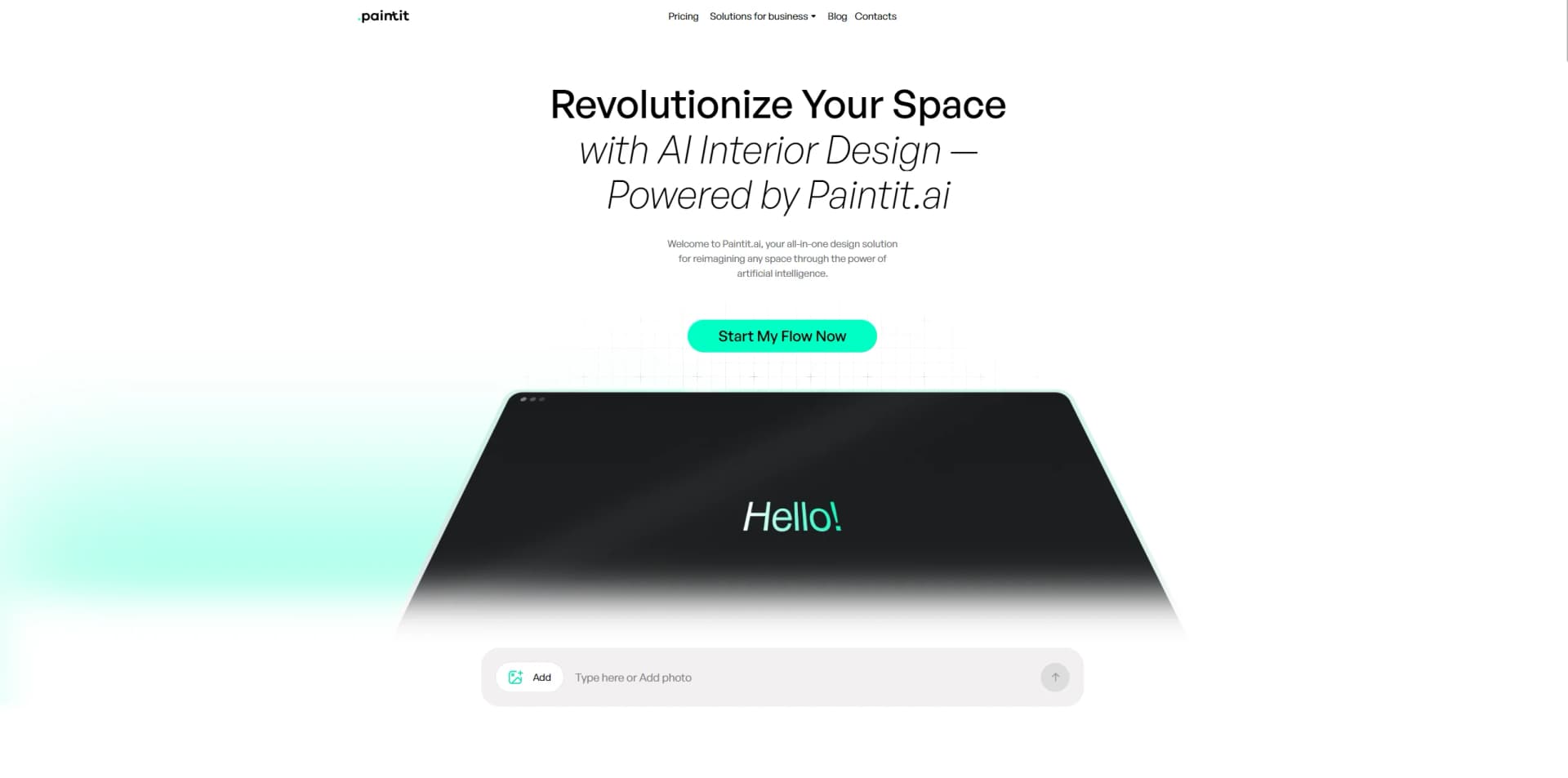
Paintit is an AI interior design tool that helps users restyle rooms, test layouts, and preview furniture in realistic 3D visuals. By analyzing photos, sketches, or room dimensions, it proposes complete room concepts, suggests furniture that fits the space, and supports both quick experiments and more serious renovation planning. It targets homeowners, interior designers, real estate professionals, and businesses that want to refresh interiors or add virtual staging without hiring a full design team every time.
Paintit leans heavily into an “intuitive playlist” metaphor for design. Rather than forcing users through complex CAD style steps, it treats interior styles like tracks to scroll through, which makes exploration quick and surprisingly fun even for people with no design background. They also emphasizes empathy and lifestyle fit. It responds to use cases such as families with children, rental units, or home offices, and adapts layouts and materials accordingly. Combined with Sketch to Render, strong 3D visualization, and a direct path from concepts to shoppable items, it covers the full journey from idea to actionable plan in a single flow. The website widget extends this experience to other businesses, turning AI interior design into a service that can live inside retail and real estate platforms.
Paintit offers a focused AI interior design experience that balances speed, realism, and approachability. Home users gain a low risk playground to try bold ideas, while professionals and businesses get practical tools for virtual staging, concept generation, and customer engagement. The combination of style tracks, real furniture suggestions, and realistic 3D scenes gives it clear practical value, even if complex or highly bespoke projects still benefit from human design judgment on top of what the AI generates.
Who is Using Paintit?
Homeowners and Renters
Testing color schemes, furniture swaps, and layout changes before spending money on real items.
Interior Designers and Decorators
Speeding up concept development, client presentations, and quick “what if” explorations.
Real Estate Agents and Property Managers
Using virtual staging to present empty or outdated properties in a more appealing way.
Retailers and E-commerce Brands
Embedding the widget so shoppers can visualize products in realistic interiors.
Uncommon Use Cases
Adopted by design and architecture programs for teaching spatial thinking; used by content creators to generate on brand room scenes for social media backdrops and marketing visuals.
Key Features
Rating Breakdown
Pricing Plans
Weekly
$6.99 per week
- 20 high-resolution renders, unlimited AI chats, unlimited suggested prompts, real furniture suggestions, mix and match from dozens of styles, and a commercial usage license
Monthly
$24.99 per month
- 100 high-resolution renders, unlimited AI chats, unlimited suggested prompts, real furniture suggestions, mix and match from dozens of styles, and a commercial usage license
Which Paintit plan should you pick?
Start with Free for testing; choose Starter for personal projects, Pro for regular professional work, and Max for high-volume commercial or team workflows.
Free
Good for testing AI design generation with 30 credits, 1K resolution, chat guidance, styles, and furniture suggestions.
Starter
Good for personal projects and lighter regular use requiring 500 credits, 2K resolution, advanced models, and Private Mode.
Pro
Good for professional users who need 1,500 credits, 4K upscaling, Pinterest connection, watermark-free output, and commercial usage.
Max
Good for high-volume commercial, client, agency, and team workflows requiring 4,500 credits, priority generation, and shared projects.
Paintit Use Cases
Room Redesign
Upload an existing room photo and redesign its style, colors, furniture, lighting, or layout.
Outcome: Generate realistic concepts for comparing design directions.
Virtual Staging
Furnish empty rooms for real estate listings, rentals, and presentations.
Outcome: Create visuals that help viewers understand a property's potential.
Exterior Renovation
Upload a house or facade photo and test architectural styles, siding, colors, and exterior updates.
Outcome: Preview renovation directions before physical work begins.
Commercial Space Visualization
Mock up design changes for cafes, restaurants, hotels, offices, showrooms, and lobbies.
Outcome: Align stakeholders visually before deeper production work.
Furniture and Decor Discovery
Use generated designs to receive suggestions for purchasable furniture and decor.
Outcome: Move from visual inspiration toward shopping decisions.
Workflow Ideas with Paintit
Room Redesign Concept
- 1Upload a room photo
- 2Describe the desired style, mood, materials, or constraints
- 3Generate and refine concepts through chat
Real Estate Virtual Staging
- 1Upload an empty-room property photo
- 2Choose furniture, style, and staging direction
- 3Export a polished listing visual
Renovation Direction Testing
- 1Upload an interior or exterior photo
- 2Generate multiple color, material, or layout options
- 3Use the preferred concept to guide client or contractor discussions
How Paintit fits into your stack
Browser
Paintit.ai is delivered through its web app, where users upload photos, sketches, floor plans, or models and generate or refine interior, exterior, and commercial designs.
Knowledge and files
The product processes visual inputs including JPG, PNG, WebP, HEIC, floor plans, hand-drawn sketches, SketchUp files, Blender files, CAD models, and high-resolution images.
Automation and APIs
For business use, Paintit.ai offers an embeddable design widget with lead capture, PDF downloads, CRM integration, Zapier pushes, and API-based custom solutions.
Pros
- +Fast Concept Exploration: Generates multiple high quality room options in minutes, which significantly shortens the ideation phase.
- +User Friendly Flow: The “music playlist” style interface is approachable for beginners and helps reduce the fear of making wrong design choices.
- +High Visual Fidelity: Photorealistic 3D scenes with attention to lighting and scale help users trust that the design will work in real life.
- +Flexible Granularity: Handles both full room makeovers and targeted tasks such as repainting walls, changing flooring, or testing lighting.
- +Business Ready: Commercial usage rights, virtual staging, and an embeddable widget make it useful for agencies, realtors, and retailers.
Cons
- −Design Nuance Still Needed: AI suggestions may require manual refinement, especially for very specific stylistic briefs or unusual spaces.
- −Render Quotas: Weekly and monthly plans cap the number of high resolution renders, which power users may find limiting.
- −Primarily Interior Focused: Exterior and landscape design are mentioned as future ambitions rather than fully developed capabilities today.
Limitations & when to consider alternatives
Known limitations
- Not a replacement for CAD or technical documentation. Paintit.ai is intended for visual concepts and exploration before final technical production.
- Credits are consumed by image operations. Generation, redesign, modification, upscale, and other image operations use credits, with costs varying by model and quality.
- Unused subscription credits expire. Credits refresh each billing period and do not roll over to the next month.
- Private Mode is not complete invisibility. Paintit.ai may still process content and allow limited need-to-know access for support, security, bug fixing, or service operation.
- Commercial rights depend on the plan. Commercial usage, watermark-free output, and higher-resolution exports are available only on qualifying plans.
Look elsewhere when
- You need a native iOS or Android app.
- You need a Chrome, Firefox, or Safari extension.
- Your project requires final CAD or technical documentation.
- You need guaranteed outputs without visual errors or artifacts.
How to Use Paintit
- 1
Open the web app
Use the official Paintit.ai web app at app.paintit.ai because Paintit.ai documents the product as web-based.
- 2
Upload a reference
Add a room photo, exterior photo, floor plan, or sketch to preserve the context of the space.
- 3
Describe the direction
Use a natural-language prompt or choose a style, specifying colors, furniture, materials, lighting, and constraints.
- 4
Generate an initial concept
Select an available model and quality level, then generate a design using credits.
- 5
Refine in chat
Ask for targeted changes such as repainting walls, swapping furniture, changing lighting, or trying another style.
- 6
Export or source products
Download the result at the resolution allowed by your plan and review suggested furniture or decor for purchasing direction.
Who is Paintit For?
Design Professionals
Create client-ready concepts, explore multiple directions, and iterate quickly during early and middle project stages.
Real Estate and Staging
Produce listing visuals, stage empty rooms, and generate marketing-ready variations for properties.
Short-Term Rentals
Test furniture, colors, and decor changes to create cohesive visuals intended to improve a property's presentation.
Home and DIY Projects
Compare renovation and decorating ideas before spending money on materials, furniture, or professional services.
Commercial Spaces
Visualize updates for offices, cafes, restaurants, hotels, showrooms, and other commercial environments.
Frequently Asked Questions
Can I use Paintit.ai for free?
Yes. The Free plan includes 30 credits, basic AI design generation, AI chat guidance, style browsing, and real furniture suggestions.
What can I upload?
Paintit.ai supports standard image formats including JPG, PNG, WebP, and HEIC. You can upload room photos, floor plans, or rough sketches.
Can I use Paintit.ai for commercial projects?
Yes, when the selected plan includes commercial usage rights. The site identifies Pro and Max as suitable for commercial and client work.
Can I refine a generated design?
Yes. Users can request changes in natural language, such as changing wall colors, replacing furniture, adjusting lighting, or trying another style.
Do unused credits roll over?
No. Unused subscription credits do not roll over and refresh at the start of the next billing period.
Does Paintit.ai replace 3D rendering or CAD software?
No. Paintit.ai says it is best for concepts, visual exploration, mood alignment, and client feedback before final technical documentation.
Community reviews
8 reviews from people who use Paintit.
Sign in to leave a review for Paintit.
Dmitry Stepanenko
Koka Kertsman
Alex Krasilnikov
deleightfull a
Anton Leshchenko
Владислав Соколенко
Маша Целик
Ravi Senthazal
Paintit Alternatives
Looking for alternatives to Paintit? Here are similar tools in the same category:
Learn to Master Paintit
With Skill Leap courses
Get in-depth training on Paintit and 50+ other AI tools with our expert-led video courses.
Start 7-Day Free Trial