
Palette.fm
Revive monochrome photos with AI-driven, authentic colorization and high-resolution outputs.
Watch Palette.fm in Action
Key Takeaways
- What it is
- Revive monochrome photos with AI-driven, authentic colorization and high-resolution outputs.
- Pricing
- Freemium · $72/year. users receive 480 credits
- Best for
- Realistic Colorization
- User-Friendly Interface
- Multiple Filter Options
- Rating
- 4.7/5
What is Palette.fm?
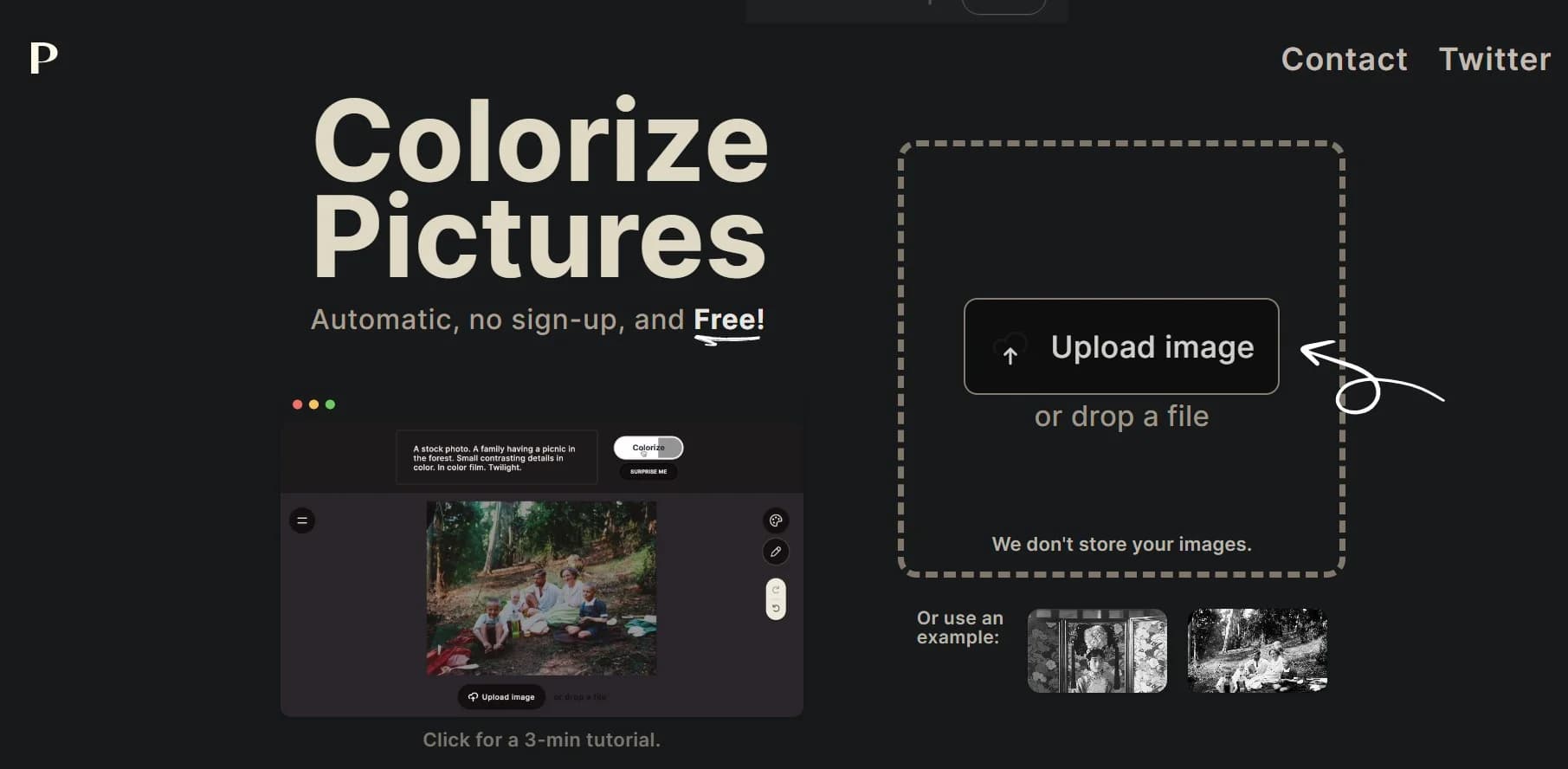
Palette.fm is an innovative AI tool designed to add lifelike colors to black and white photos, bringing them to life with remarkable realism. It utilizes artificial intelligence to seamlessly transform monochrome images into vibrant colored masterpieces in just seconds. Tailored for photographers, digital artists, historians, and enthusiasts alike, Palette.fm simplifies the process of enhancing or restoring old photographs with authenticity and precision.
Palette.fm sets itself apart with its high-quality, realistic colorization capabilities, prioritizing authenticity and attention to detail. The AI-driven tool excels in capturing intricate details such as skin tones, textures, and lighting, challenging aspects for colorization software.
Palette.fm excels in effortlessly transforming black and white photos into vivid colorized images with astonishing realism. Its user-friendly interface, coupled with high-resolution outputs, makes it invaluable for a wide range of users. While the free version has limitations, Palette.fm offers flexible pricing plans to suit different needs, with its unique selling point lying in the quality and authenticity of its colorization results.
Who is Using Palette.fm?
Historians and Researchers
Adding color to historical photos for educational and presentation purposes.
Photographers
Enhancing portfolios by colorizing black and white images to showcase versatility.
Graphic Designers
Incorporating colorized images into designs for unique and engaging visuals.
Film and Media Professionals
Using Palette.fm to colorize stills and footage for documentaries and period pieces.
Uncommon Use Cases
Hobbyists restoring family photo albums; Real estate agents reviving archival images for property history displays.
Key Features
Rating Breakdown
Pricing Plans
Free Plan
Free
- Start with 1 free trial credit to colorize one photo without a watermark at full resolution
Subscription Plan
$72/year. users receive 480 credits
- Each allowing for one high-resolution
- Logo-free colorization
One-Time Purchase
- 75 credits
- Valid for two years
- Offering a one-time payment option for infrequent users
Which Palette.fm plan should you pick?
Start with the free plan for previews and one full-resolution trial; upgrade to Subscribe for recurring volume or Pay once for occasional projects.
Try it for free
Good for users who need unlimited watermarked previews, over 21 filters, and one full-resolution trial credit.
Subscribe
Good for regular users who need recurring credits, watermark-free previews, faster processing, and no ads.
Pay once
Good for occasional projects requiring a fixed number of watermark-free, full-resolution colorizations.
Palette.fm Use Cases
Restore old photographs
Upload black-and-white photos, choose a color filter, and refine the result with keywords.
Outcome: A colorized version of the original photograph.
Colorize historical images
Process historical black-and-white images using realistic color filters and manual prompt adjustments.
Outcome: A more lifelike color interpretation of archival material.
Process large image archives
Use scripts or bulk-processing integrations to colorize many images at scale.
Outcome: High-volume automated colorization.
Colorize video frames
Use the beta Video API to process SD, Full-HD, or 4K video frames.
Outcome: Colorized video-frame outputs.
Integrate colorization into an app
Use Palette’s API with image uploads, prompts, filters, and reference images.
Outcome: A custom application with Palette-powered colorization.
Workflow Ideas with Palette.fm
Single-photo colorization
- 1Upload a photo or drag and drop it into Palette
- 2Choose a color filter
- 3Download the result or edit the color keywords
Custom color refinement
- 1Select a standard or artistic filter
- 2Adjust the prompt, temperature, saturation, or white balance
- 3Colorize and download the preferred version
Bulk archive processing
- 1Connect Palette through Google Drive, Dropbox, Google Colab, or the API
- 2Submit many images using a script or batch workflow
- 3Download the processed colorized images
How Palette.fm fits into your stack
Web-Based Platform
Access Palette.fm through web browsers, compatible with various operating systems.
Multiple File Formats
Supports a range of image formats for upload and download.
API Access
Offers API integration for developers and businesses looking to incorporate the tool into workflows.
Partner Integrations
Palette.fm's technology is available through partner platforms, expanding its reach and usability.
Pros
- +Speed and Efficiency: Palette.fm swiftly transforms photos, saving users significant time in the colorization process.
- +Accessibility: The tool caters to users of all skill levels, from novices to professionals.
- +Batch Processing: Users can upload and colorize multiple photos simultaneously, enhancing productivity.
- +One-Time Payment Options: Palette.fm offers one-time payment plans, providing cost-effective options for users with sporadic needs.
Cons
- −Limited Free Trial: The free version has restrictions such as image size limits and watermarks.
- −Learning Curve for Adjustments: While the interface is user-friendly, mastering the color adjustment tools may require some time.
- −Ads and Promotions: The free plan includes ads and promotions, potentially affecting the user experience.
Limitations & when to consider alternatives
Known limitations
- Free outputs are watermarked. Free previews include the Palette logo and larger images are resized to a maximum of 500x500 pixels.
- Free high-resolution access is limited. The free plan includes one logo-free full-resolution trial credit; additional watermark-free downloads require paid credits.
- Image file size limit. The documented maximum image file size is 10MB.
- Video consistency is limited. Palette says its algorithm is not specifically designed for video-frame consistency.
- Video support is beta. The Video API is documented as a beta integration.
Look elsewhere when
- You need a native Windows, Mac, or Linux app from Palette itself.
- You need shared workspaces, user roles, or team invitations.
- You need SSO or SAML authentication.
- You need code-generation features.
How to Use Palette.fm
- 1
Explore a 7-minute tutorial video on the Palette.fm website, guiding users from basic photo colorization to advanced workflows.
Who is Palette.fm For?
Photographers and creators
The web app provides fast photo colorization, filters, customization, and high-resolution downloads.
Professional colorists
Bulk processing and extensive API capabilities support large image archives and professional workflows.
Large archives
Palette documents scripts capable of colorizing more than one million images per day.
Production companies and TV channels
The Video API is positioned for organizations colorizing video frames at SD, Full-HD, or 4K resolutions.
App developers
The API supports integrating Palette’s colorization engine into new or existing applications.
Frequently Asked Questions
How accurate is the colorization?
Palette presents its results as accurate and realistic, while offering multiple filters and customization controls.
What are credits and how do payments work?
One credit colorizes one photo without the logo at high resolution; subscriptions refresh credits, while one-time credits remain available for two years.
What image resolutions are supported?
Images can be processed up to 4K through the API, while high-resolution web outputs support up to 5000x5000 pixels.
Can Palette process multiple images?
Yes. Users can upload multiple images, and the API supports bulk colorization workflows.
Can Palette colorize video?
Yes. Palette offers a beta Video API for colorizing SD, Full-HD, or 4K video frames.
What happens to uploaded files?
Uploaded files are processed for the service and deleted shortly after results are provided.
Community reviews
Be the first to share your experience.
Sign in to leave a review for Palette.fm.
Palette.fm Alternatives
Looking for alternatives to Palette.fm? Here are similar tools in the same category:
Learn to Master Palette.fm
With Skill Leap courses
Get in-depth training on Palette.fm and 50+ other AI tools with our expert-led video courses.
Start 7-Day Free Trial