
Papers Pro
AI-enhanced academic research and literature management tool.
Watch Papers Pro in Action
Key Takeaways
- What it is
- AI-enhanced academic research and literature management tool.
- Pricing
- Freemium · $7 per month
- Best for
- AI-Powered Search
- Reference Management
- Annotation and Highlighting
- Rating
- 4.6/5
What is Papers Pro?
Papers Pro is a cutting-edge AI tool designed to revolutionize academic research and literature management. This tool offers a comprehensive suite of features aimed at simplifying the process of managing, organizing, and analyzing academic papers. Designed for researchers, students, and academics, Papers Pro streamlines the often cumbersome task of handling extensive research materials, making it an indispensable tool for anyone involved in scholarly work.
Papers Pro stands out with its AI-powered search functionality, a game-changer for academic research. Its ability to provide highly relevant search results quickly and efficiently sets it apart, offering users a significant advantage in managing and organizing research materials.
Papers Pro excels in providing a robust solution for academic research and literature management, making it an essential tool for researchers, students, and academics. Its AI-powered search feature, in particular, offers an unmatched advantage in finding and organizing relevant academic materials efficiently.
Who is Using Papers Pro?
Academic Researchers
Utilizing the tool for managing extensive bibliographies and staying updated with the latest research.
University Students
Employing Papers Pro to organize research papers and streamline the writing process.
Librarians
Using it to assist patrons in finding and managing academic resources.
Corporate Researchers
Leveraging its features for efficient literature review and knowledge management.
Uncommon Use Cases
Adopted by legal researchers for managing case studies and references; Used by healthcare professionals for organizing medical literature.
Key Features
Rating Breakdown
Pricing Plans
Free Tier
Free
- Experience Papers Pro with a 30-day free trial
Pro Tier
$7 per month
Which Papers Pro plan should you pick?
Start with Plus, the current successor to Papers Pro, if you need library chat, higher PDF-chat limits, and AI-assisted search; upgrade to Team or Enterprise for larger collaboration groups, permissions, or SSO.
Essentials
Good for individual students and academic professionals who need PDF storage, basic AI PDF chat, browser importing, and up to five shared libraries.
Plus
Good for academic power users who need extended PDF chat, library chat across up to 20 articles, AI-assisted search, and collaboration for up to 10 users.
Team
Good for groups needing up to 25 users, advanced library permissions, shared workflows, and AI email summaries.
Enterprise
Good for organizations needing unlimited users or libraries, SSO, group management, administrative controls, and advanced research-assistant features.
Papers Pro Use Cases
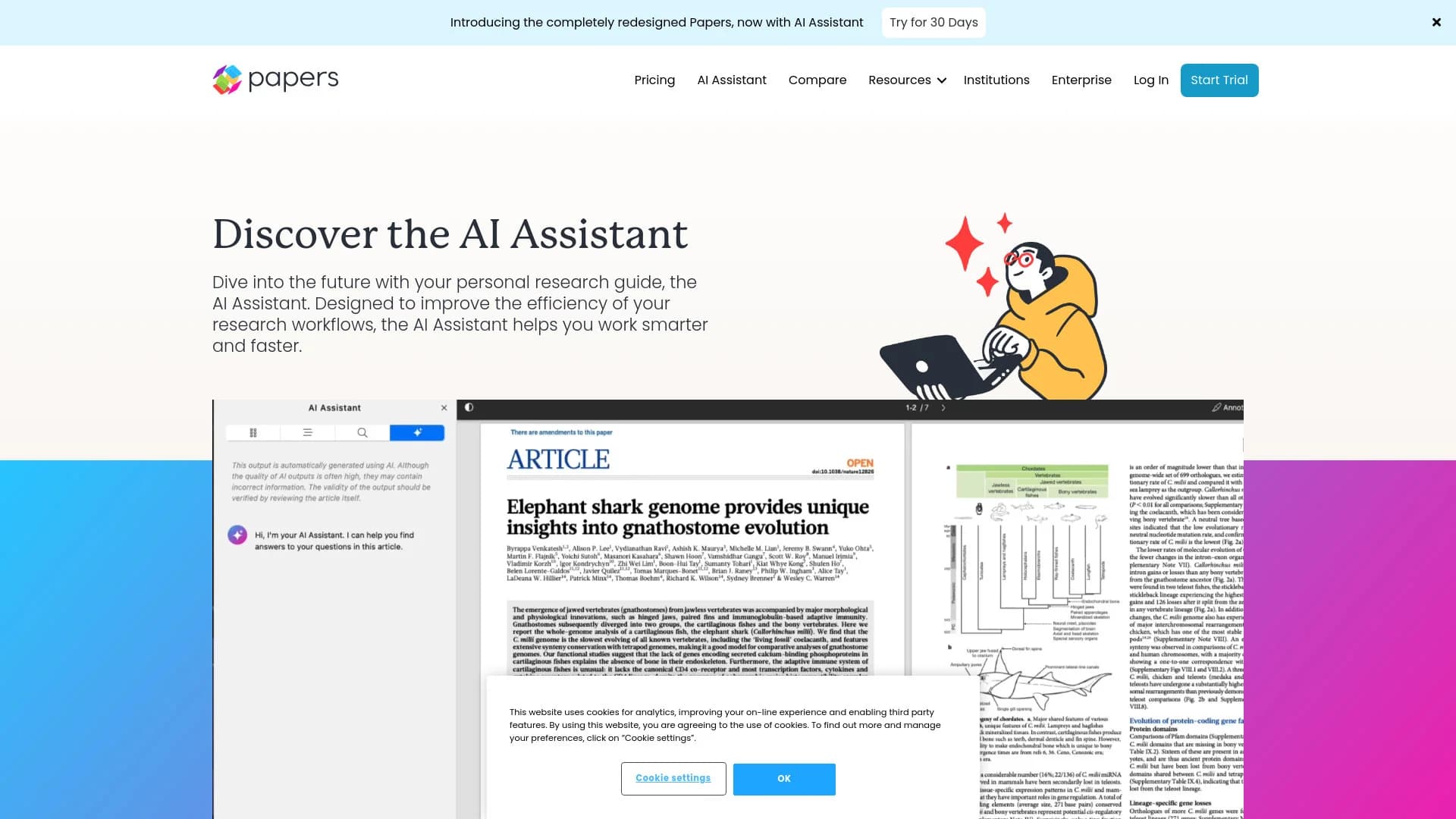
Chat with a PDF
Open a full-text article and ask the AI Assistant questions about its contents.
Outcome: Get summaries, explanations, and cited answers without reading every line.
Compare a research library
Ask questions across multiple full-text articles in a shared or personal library.
Outcome: Identify common themes, gaps, and insights across papers.
Build literature searches
Describe a research topic in plain language and let AI convert it into a search query.
Outcome: Create a precise search without manually writing Boolean syntax.
Monitor new research
Save searches and configure alerts for newly published or newly added content.
Outcome: Stay current with relevant literature.
Prepare citations
Use SmartCite with Microsoft Word or Google Docs to insert references and bibliographies.
Outcome: Create formatted bibliographies using supported citation styles.
Workflow Ideas with Papers Pro
Analyze a single paper
- 1Import or open the article PDF in Papers.
- 2Open the AI Assistant from the PDF reader.
- 3Ask for a summary, explanation, translation, or evidence-backed answer.
Compare multiple papers
- 1Add full-text PDFs to a library or shared library.
- 2Select up to 20 articles for library chat.
- 3Ask about themes, gaps, methods, or differences and inspect the cited sources.
Monitor a research topic
- 1Create a saved search using keywords or AI Query Builder.
- 2Configure alerts for new content in the relevant library.
- 3Attach AI-generated summaries and custom prompts to the notifications.
How Papers Pro fits into your stack
Browser
The browser extension captures articles, webpages, references, and available PDFs into personal or shared Papers libraries.
Knowledge and files
Papers organizes research libraries, PDFs, annotations, supplementary files, shared collections, and AI conversations over articles.
Docs and writing
SmartCite works with Microsoft Word and Google Docs, providing citations and bibliographies across more than 10,000 styles.
Desktop / IDE
Native Mac and Windows desktop applications provide library management, PDF reading, annotation, synchronization, and citation workflows.
Pros
- +Enhanced Research Efficiency: The AI-powered search drastically reduces the time spent searching for relevant literature.
- +User-Friendly Interface: Intuitive design makes it accessible even for users new to digital reference management tools.
- +Comprehensive Citation Support: Supports a wide range of citation styles, ensuring compatibility with various academic requirements.
- +Seamless Integration: Works well with popular word processors, enhancing workflow efficiency.
Cons
- −Learning Curve: Some users may require time to fully explore and utilize all advanced features.
- −Limited Offline Functionality: Requires an internet connection for optimal performance, which may be a drawback for some users.
Limitations & when to consider alternatives
Known limitations
- AI Assistant web-only. The pricing FAQ says the AI Assistant is currently available only in the web version of Papers.
- Daily AI limits. The Essentials and Plus plans state that daily limits apply to AI Assistant usage.
- Full-text dependence. Library questions and PDF chat depend on full-text articles being available in the library.
- AI accuracy is not guaranteed. The help center warns that the assistant may misinterpret questions or fail to extract the correct context, so users should verify answers against the full text.
- Desktop operating-system coverage. The documented desktop application supports Mac and Windows; Linux is not listed.
Look elsewhere when
- You need Linux desktop support
- You need public developer API documentation
- You need image analysis or code generation
How to Use Papers Pro
- 1
Create or access your library
Sign in to the web app or install the Mac, Windows, iOS, or Android application, then import references and PDFs from supported sources.
- 2
Add research materials
Use drag-and-drop, imports from EndNote, Zotero, or Mendeley, or the browser extension to save references and associated PDFs.
- 3
Chat with a PDF
Open a full-text article and select the AI button to ask questions, request summaries, simplify terminology, or translate content.
- 4
Chat with your library
Use the Plus plan's library chat to analyze up to 20 full-text articles and inspect the references supporting each answer.
- 5
Search with AI
Open Search, choose the AI Query Builder, describe your topic in natural language, and review the generated Boolean query.
- 6
Cite your work
Install SmartCite for Microsoft Word or Google Docs and insert references from your Papers library using supported citation styles.
Who is Papers Pro For?
R&D Teams
Use shared research libraries, literature search, and AI-assisted analysis to support research and innovation.
Medical Affairs
Organize and retrieve scientific literature for evidence-based communications and field support.
Pharmacovigilance
Manage and monitor literature relevant to drug-safety research workflows.
Corporate Libraries and Knowledge Centers
Centralize scholarly content and make it searchable and shareable across teams.
Regulatory Agencies
Organize, review, and verify scientific evidence with citations and shared libraries.
Frequently Asked Questions
What is Papers Pro?
Papers Pro, now represented by the ReadCube Plus plan, is a reference-management and AI research workspace for organizing, reading, searching, and analyzing scholarly literature.
What can the AI Assistant do?
It can chat with PDFs, answer questions about a library, build search queries from natural language, filter search results, and generate summaries.
How many papers can I analyze together?
The Plus plan supports questions across up to 20 articles at a time, subject to daily limits.
Is there a free trial?
The pricing page offers a 30-day Plus trial without requiring a credit card.
Which platforms are supported?
Papers is available through the web app, Mac and Windows desktop apps, iOS and Android apps, and browser extensions.
Is the AI Assistant available on every device?
The pricing FAQ states that the AI Assistant is currently available only in the web version of Papers.
Community reviews
Be the first to share your experience.
Sign in to leave a review for Papers Pro.
Papers Pro Alternatives
Looking for alternatives to Papers Pro? Here are similar tools in the same category:
Learn to Master Papers Pro
With Skill Leap courses
Get in-depth training on Papers Pro and 50+ other AI tools with our expert-led video courses.
Start 7-Day Free Trial