Paxton AI
Matter-grounded legal research and drafting for litigation attorneys.
Key Takeaways
- What it is
- Matter-grounded legal research and drafting for litigation attorneys.
- Pricing
- $499 per user per month
- Best for
- Matter-Based Workspace
- AI Legal Research
- Document Analysis
- Rating
- 4.1/5
What is Paxton AI?
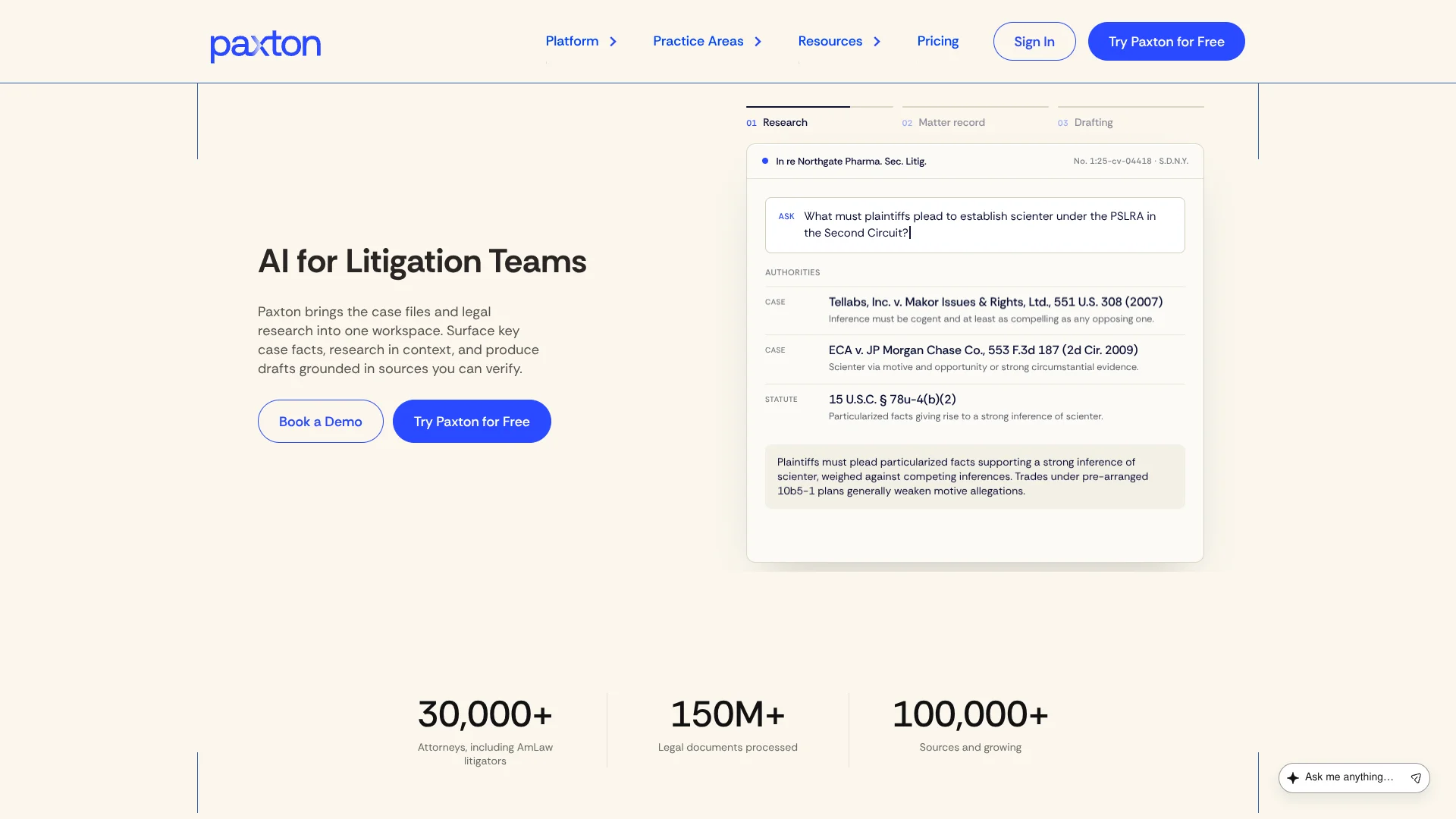
Paxton brings legal research, case files, and document drafting into a shared workspace for attorneys and legal teams. Its strongest use is matter-grounded work: you can analyze pleadings, contracts, medical records, or other case materials, then draft documents using the facts and legal authorities connected to that matter. Research covers U.S. federal law, state laws, regulations, and appellate-level case law.
Paxton connects to Claude for Legal, where Claude can call Paxton to find statutes, regulations, court opinions, agency decisions, source text, and case-status information with links back to the underlying authority.
Paxton fits attorneys handling research-heavy litigation and matters with large document sets. It is less suitable for casual legal questions, offline work, or teams needing a public API and native mobile app. Its value comes from keeping the matter record and legal sources close to the drafting process.
Who is Using Paxton AI?
Litigation Attorneys
Case strategy, legal research, motion drafting, and discovery work stay connected to the record.
Personal Injury Lawyers
Medical records and billing materials can be organized into chronologies and summaries for case review.
Legal Researchers
The research tools locate statutes, regulations, opinions, agency decisions, and related authorities with source links.
Paralegals
Document analysis and first-pass drafting help prepare materials for attorney review.
In-House Counsel
Policy documents, contracts, and legal questions can be reviewed against relevant law in the same workspace.
Uncommon Use Cases
Draft marketing material from legal prompts; use uploaded policy documents to identify potential issues and prepare a memo draft.
Key Features
Rating Breakdown
Pricing Plans
Individual
$499 per user per month
- The annual option costs $2,999.00 per user per year.
- Annual billing is listed as 50% less than monthly billing.
- Includes legal drafting, U.S. federal and state legal research, file analysis, medical chronologies, and billing summaries.
- Includes a 7-day free trial.
Enterprise
- Firm-wide access across multiple users.
- Shared document sets and administrative controls.
- Dedicated onboarding and workflow setup.
- Priority support and an account manager.
Which Paxton AI plan should you pick?
Start with Individual if you are a solo attorney or need one user, and choose Enterprise when your firm needs shared workspaces, administration, onboarding, or multiple users.
Individual
Good for an individual attorney who needs legal research, document analysis, drafting, and access to Paxton's research library.
Enterprise
Good for firms and legal departments that need multiple users, shared document sets, administrative controls, onboarding, and priority support.
Paxton AI Use Cases
Case File Review
Large sets of pleadings, records, or correspondence are analyzed for relevant facts, missing information, and contradictions.
Outcome: A faster first pass over the matter record with source sections available for review.
Litigation Drafting
Motions, briefs, discovery responses, deposition outlines, and demand letters can be drafted from matter facts and legal research.
Outcome: A reviewable first draft grounded in the case context.
Legal Research
Questions about statutes, regulations, court opinions, and agency decisions are researched by jurisdiction and legal context.
Outcome: Linked legal authorities that attorneys can open and verify.
Medical Chronologies
Medical records can be organized into chronological summaries for personal injury and other matters involving treatment history.
Outcome: A clearer timeline for evaluating the record.
Claude-Based Legal Research
Claude can call Paxton's research connector while working through legal questions, case summaries, or client updates.
Outcome: Claude responses supported by Paxton authorities and source links.
Workflow Ideas with Paxton AI
From Case Files to Draft
- 1Create or open the matter workspace.
- 2Upload pleadings, records, and other case documents.
- 3Ask Paxton to identify key facts and draft the required document.
Research and Citation Check
- 1Describe the legal question and jurisdiction.
- 2Review the authorities returned by Paxton.
- 3Open the linked source text and check the cited passage before using it.
Medical Record Summary
- 1Add the relevant medical records to the matter.
- 2Request a chronology or billing summary.
- 3Review the source sections and export the result for further editing.
How Paxton AI fits into your stack
Legal Research
Paxton sits between a legal question and the underlying authority, returning statutes, regulations, opinions, and agency decisions with links for verification.
Matter Files
Uploaded case documents provide the factual context for analysis, summaries, and drafting.
Drafting and Editing
AI-generated documents move into Canvas for manual edits and can be exported as .docx files for Microsoft Word workflows.
Claude
The Paxton connector lets Claude call Paxton's legal research tools and include links to the authorities used.
Firm Collaboration
Enterprise accounts support multiple users, shared document sets, administrative controls, onboarding, and account management.
Pros
- +Matter context: Research and drafts can draw from the same case files and legal background.
- +Source verification: Legal answers include linked authorities and highlighted source material for review.
- +Large-file analysis: Multiple documents can be analyzed together, with the most relevant sections surfaced.
- +Legal coverage: The research library includes federal and state law plus appellate-level case law.
- +Security posture: Encryption, SOC 2, ISO 27001, HIPAA alignment, and access controls support sensitive legal work.
Cons
- −High starting price: Individual access costs $499 per user per month.
- −Web-only access: There is no native mobile app or offline mode.
- −Human review required: Paxton's output and citations still need attorney verification.
Limitations & when to consider alternatives
Known limitations
- Web Application Only. Paxton requires an active internet connection and does not provide a native mobile app or offline access.
- Bluebook Support. Bluebook citation support is listed as being on the roadmap rather than as a current feature.
- Canvas Collaboration. Canvas currently supports individual editing; multi-user live editing is on the roadmap.
- Formatting Limits. Some advanced formatting options, including tables, footnotes, and Bluebook citations, are not fully supported in Canvas.
- Legal Review Required. Paxton advises users to critically examine important results and verify legal citations before relying on them.
Look elsewhere when
- You need a native iOS or Android app.
- You need offline access.
- You need a public developer API.
- Your team needs live multi-user editing inside the document editor.
How to Use Paxton AI
- 1
Start a Matter
Set up the matter so later research and drafting can use the case's facts, files, and history.
- 2
Add Source Documents
Upload pleadings, contracts, medical records, emails, or other relevant materials for analysis.
- 3
Choose a Research Path
Ask a question in the AI workspace or open the dedicated legal research tools for a deeper authority search.
- 4
Review the Evidence
Check highlighted document passages, linked authorities, and the AI Citator before relying on a result.
- 5
Draft or Refine the Work
Generate a legal document, then revise it in Canvas and add matter-specific details.
- 6
Export for Final Work
Download the completed result as a .docx file for continued editing, sharing, or filing preparation.
Who is Paxton AI For?
Litigation Attorneys
Case-focused research, document review, and drafting support fit litigation work from intake through trial.
Personal Injury Practices
Medical chronologies, billing summaries, and medical-record analysis support high-volume injury matters.
Law Firm Teams
Enterprise accounts add shared document sets, multiple users, onboarding, and account support.
Legal Departments
In-house teams can review contracts, policies, regulations, and case materials in a controlled workspace.
Attorneys in Specialized Practice Areas
Paxton lists corporate, criminal, employment, family, and personal injury law among its supported practice areas.
Frequently Asked Questions
Does Paxton have a free plan?
No. Paxton offers a 7-day free trial for new users, but its published pricing lists paid Individual and Enterprise plans.
How much does Paxton cost?
The Individual plan costs $499 per user per month or $2,999 per user per year. Enterprise pricing is custom and volume-based.
What legal sources does Paxton cover?
Paxton covers U.S. federal and state laws, regulations, and U.S. case law at the appellate level and above. Its research tools also include EEOC and NLRB decisions.
Can Paxton analyze multiple documents?
Yes. Multiple files can be uploaded for analysis, and Paxton can summarize the 10 most relevant sections.
Does Paxton work with Claude?
Yes. Paxton is available through the Claude connector directory, where Claude can call Paxton for legal research and linked authority sources.
Is Paxton available as a mobile app?
No. The Help Center describes Paxton as a web application only.
Community reviews
2 reviews from people who use Paxton AI.
Sign in to leave a review for Paxton AI.
Thibault BM
Kaushik Rambhotla
Paxton AI Alternatives
Looking for alternatives to Paxton AI? Here are similar tools in the same category: