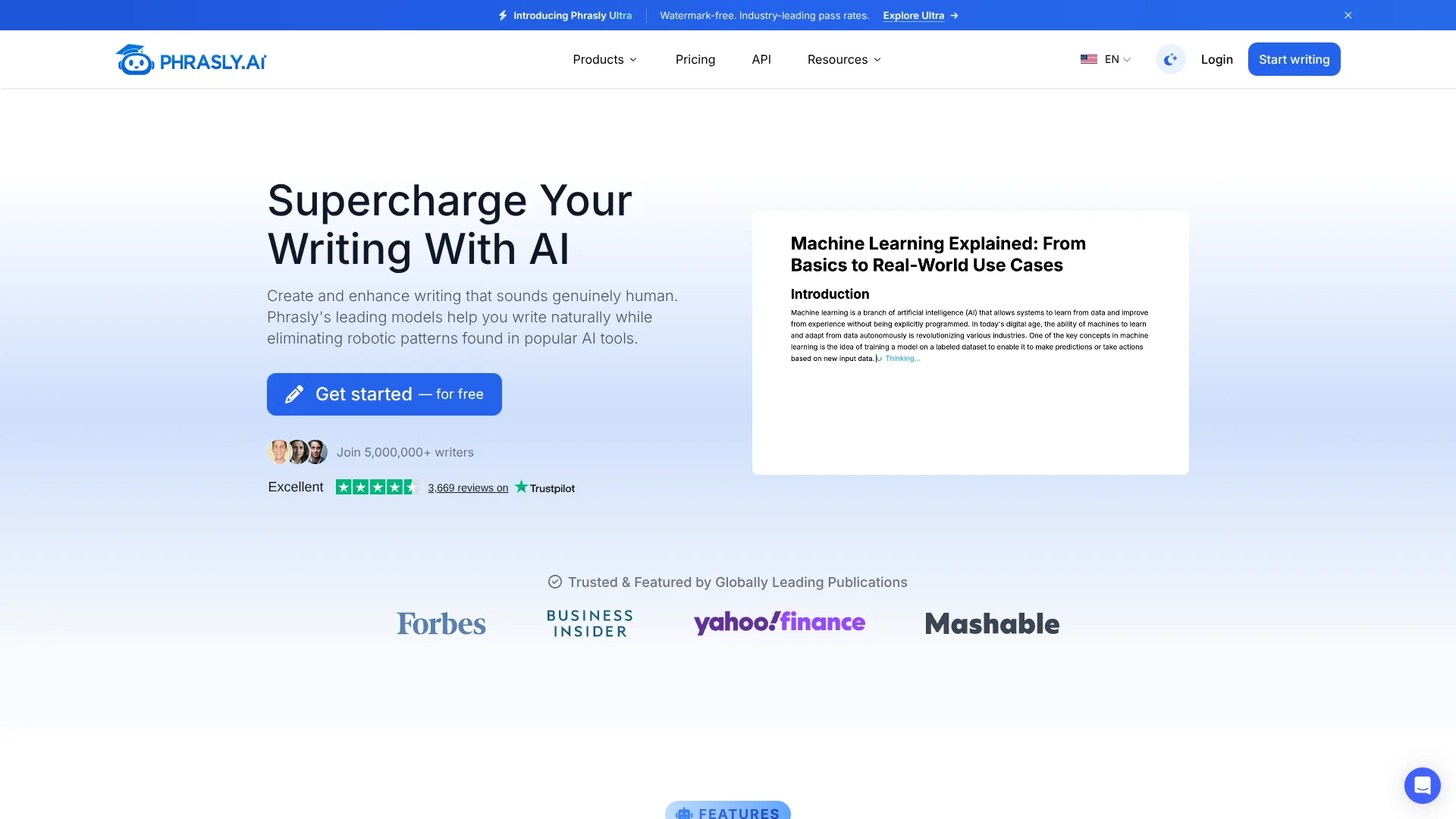
Phrasly
Make AI-assisted drafts sound more like natural human writing.
Key Takeaways
- What it is
- Make AI-assisted drafts sound more like natural human writing.
- Pricing
- Freemium · $2 for 3 days · $20 per month
- Best for
- AI Humanizer and Phrasly Ultra
- AI Detector
- Phrasly Docs
- Rating
- 4.1/5
What is Phrasly?
Phrasly helps writers revise AI-assisted drafts so they read more naturally and keep the writer’s meaning. Its main tool, the AI Humanizer, offers different rewrite strengths and lets you compare up to five drafts; an AI Detector highlights sentences that may read as AI-written. Phrasly also includes a document editor, content generator, plagiarism checker, image detector, and chatbot for writing and research tasks.
Phrasly Ultra is built on Phrasly’s own models, trained on human writing. In Phrasly’s published test of 72 English texts, Ultra received a 99.8% average human score from Pangram and passed all 72 texts. That is a specific result from Phrasly’s benchmark, not a promise that every rewrite will pass a detector.
The tool suits content writers, professionals, students working within their school’s AI rules, and people who want help making stiff writing sound more natural. It is less suited to anyone who needs guaranteed detector results: scores vary by text, and Phrasly says no result is guaranteed. Its clearest role is helping you revise and review a draft, not replacing your judgment.
Who is Using Phrasly?
Content writers
A natural-sounding revision helps them take an AI-assisted article from draft to publication.
Marketing specialists
The content generator and humanizer help shape web copy that fits a brand’s voice.
Business professionals
Clearer, more personal-sounding revisions support emails, reports, and proposals.
Students
Drafting and revision tools help them develop their own papers and check their writing before submission.
Educators
Sentence highlights and AI-likelihood estimates can inform a broader review of student work.
Uncommon Use Cases
Checking whether an image may have been made or edited with AI; turning a YouTube video into a transcript
Key Features
Rating Breakdown
Pricing Plans
Free
Free
- 300 humanizer words per account as a one-time balance
- Unlimited AI Detector checks while signed in
- Phrasly Neo daily allowance and one free plagiarism scan
3 Day Access
$2 for 3 days
- Paid trial with Phrasly Ultra access
- 1,000 humanizer words during the trial and up to 800 words per run
- Up to 6,000 Content Generator words
Unlimited
$20 per month
- Annual billing is $131.88 per year, equivalent to $10.99 per month.
- Unlimited humanizations, with up to 5,000 words per process
- Includes Phrasly Ultra and 100,000 plagiarism-check words per month
- Includes up to 50,000 Content Generator words per month
Which Phrasly plan should you pick?
Try the free account for limited humanizing and detector checks; choose Unlimited when you need Phrasly Ultra and a larger monthly allowance for other tools.
Free
Good for writers testing the humanizer, checking AI signals, or using the free writing tools.
3 Day Access
Good for trying Phrasly Ultra for three days with a paid trial and limited usage.
Unlimited
Good for regular writing and revision that needs Ultra, unlimited humanizations, and higher per-run limits.
Phrasly Use Cases
Revise an AI-assisted draft
A choice of rewrite modes helps adjust how much of the original wording stays in a draft.
Outcome: A revised passage with up to five versions to compare.
Review writing for AI signals
Sentence highlights point to passages that the detector estimates may read as AI-written.
Outcome: An AI-likelihood estimate and highlighted sentences.
Draft a sourced article or paper
The AI Writer develops a prompt into a draft and can include citations in MLA, APA, or Chicago style.
Outcome: A draft of up to 2,000 words.
Work with collaborators on a document
Shared editing lets collaborators revise a document together and export the finished work.
Outcome: A shared document with Word or PDF export.
Check an image for AI signs
The image detector checks signals such as embedded credentials and metadata alongside its own detection model.
Outcome: A verdict, confidence score, and heatmap for clear results.
Workflow Ideas with Phrasly
Revise and review a draft
- 1Paste text into the AI Humanizer or import a document.
- 2Choose a rewrite mode and compare the available drafts.
- 3Run Check for AI, review the highlighted sentences, and edit the result.
Build a sourced document
- 1Start a document from a prompt or an existing draft.
- 2Develop the writing with AI commands and research sources in the editor.
- 3Review citations, invite collaborators if needed, and export to Word or PDF.
Check an image
- 1Open the AI Image Detector and provide an image.
- 2Review the verdict, confidence score, and any marked AI areas.
- 3Consider the result alongside the image’s source and context.
How Phrasly fits into your stack
Web writing workspace
Phrasly runs on the web, including mobile browsers. It does not offer a native mobile app.
Documents and writing
Phrasly Docs places AI editing, humanization, citations, and collaboration inside a shared document.
Files and review
The Humanizer can import TXT, DOCX, and PDF files, while Phrasly Neo can read attached files.
AI tools and research
The AI Writer drafts text with optional citations, and Phrasly Neo can research, summarize, and translate.
Developer connections
Phrasly offers an API and an MCP server that connects its humanizer and detector to tools including Claude, ChatGPT, and Cursor.
Pros
- +Rewrite choices: Ultra offers five modes, from Gentle to Max, to control how much a draft changes.
- +Draft comparison: See up to five versions of a rewrite without spending words on extra drafts.
- +Built-in review: Check AI signals in rewritten text and inspect highlighted sentences.
- +Shared documents: Invite collaborators to view or edit a document in real time.
- +Free detection: Signed-in accounts can run unlimited AI Detector checks.
Cons
- −Small free rewrite allowance: The free account includes 300 humanizer words as a one-time balance.
- −No detector guarantee: Phrasly warns that outcomes vary by text and detector.
- −Web-based access: Phrasly lists web access, including mobile browsers, and no native mobile app.
Limitations & when to consider alternatives
Known limitations
- Free humanizing balance. A free account receives 300 humanizer words as a one-time balance, not a monthly allowance.
- Maximum input per run. The help center lists a limit of 800 words per run on a free account or trial, and 5,000 words on a paid plan.
- Detector result scope. The AI Detector handles 50 to 10,000 words per check, and its third-party scores are predictions rather than scans performed by those services.
- No guaranteed detector outcome. Phrasly says results vary by text and detector and cannot guarantee a particular score.
Look elsewhere when
- You need a native iOS or Android app.
- You need a guaranteed result from a particular AI detector.
- Your organization needs a multi-seat subscription plan.
How to Use Phrasly
- 1
Start with a free account
A free account includes a one-time 300-word humanizer balance, unlimited signed-in AI Detector checks, and a daily Phrasly Neo allowance.
- 2
Open the AI Humanizer
Paste text or import a TXT, DOCX, or PDF file; the help center says text must be at least 30 words.
- 3
Choose a model and rewrite strength
Free accounts use the Balanced model; paid accounts and the trial add Phrasly Ultra and its five rewrite modes.
- 4
Compare and fine-tune drafts
Review up to five drafts and select a sentence of eight or more words to see alternatives.
- 5
Check the result and revise
Run the AI Detector for sentence highlights and estimated third-party scores, then reread the text against the original for meaning and accuracy.
- 6
Continue in Phrasly Docs
Open the result in the document editor to keep editing, collaborate, and export to Word or PDF.
Who is Phrasly For?
Content writers and marketers
Draft and refine blog posts, articles, and web copy, then review passages that may sound formulaic.
Professionals
Polish emails, reports, and proposals so the wording feels closer to their own voice.
Students
Revise papers and check writing while following their school’s rules for AI assistance.
Non-native English speakers
Make stiff or awkward phrasing more natural in English or other supported languages.
Educators
Review AI Detector results as one signal when assessing student writing, while allowing for false positives.
Frequently Asked Questions
Does Phrasly have a free plan?
Yes. A free account includes 300 humanizer words as a one-time balance, unlimited signed-in AI Detector checks, a daily Phrasly Neo allowance, and free writing tools.
What does Phrasly cost?
The official pricing page lists a $2.00 3 Day Access trial and an Unlimited plan at $10.99 per month billed annually. The monthly-billing price shown for Unlimited is $24.99 per month.
Does Phrasly guarantee text will pass an AI detector?
No. Phrasly says scores vary by text and detector, and it does not guarantee a particular result.
Can I use Phrasly on a phone?
Phrasly works in mobile browsers, but the company says it does not have a native mobile app.
Can I collaborate with someone in Phrasly?
Yes. Phrasly Docs lets you share a document with viewing or editing access, and collaborators with editing access can work in real time.
Can Phrasly connect to other AI tools?
Its business MCP server connects Phrasly’s humanizer and AI Detector to compatible clients including Claude, ChatGPT, and Cursor; Phrasly also offers an API.
Community reviews
3 reviews from people who use Phrasly.
Sign in to leave a review for Phrasly.
Daniel
andrew
Joseph Rows
Phrasly Alternatives
Looking for alternatives to Phrasly? Here are similar tools in the same category: