PicSo
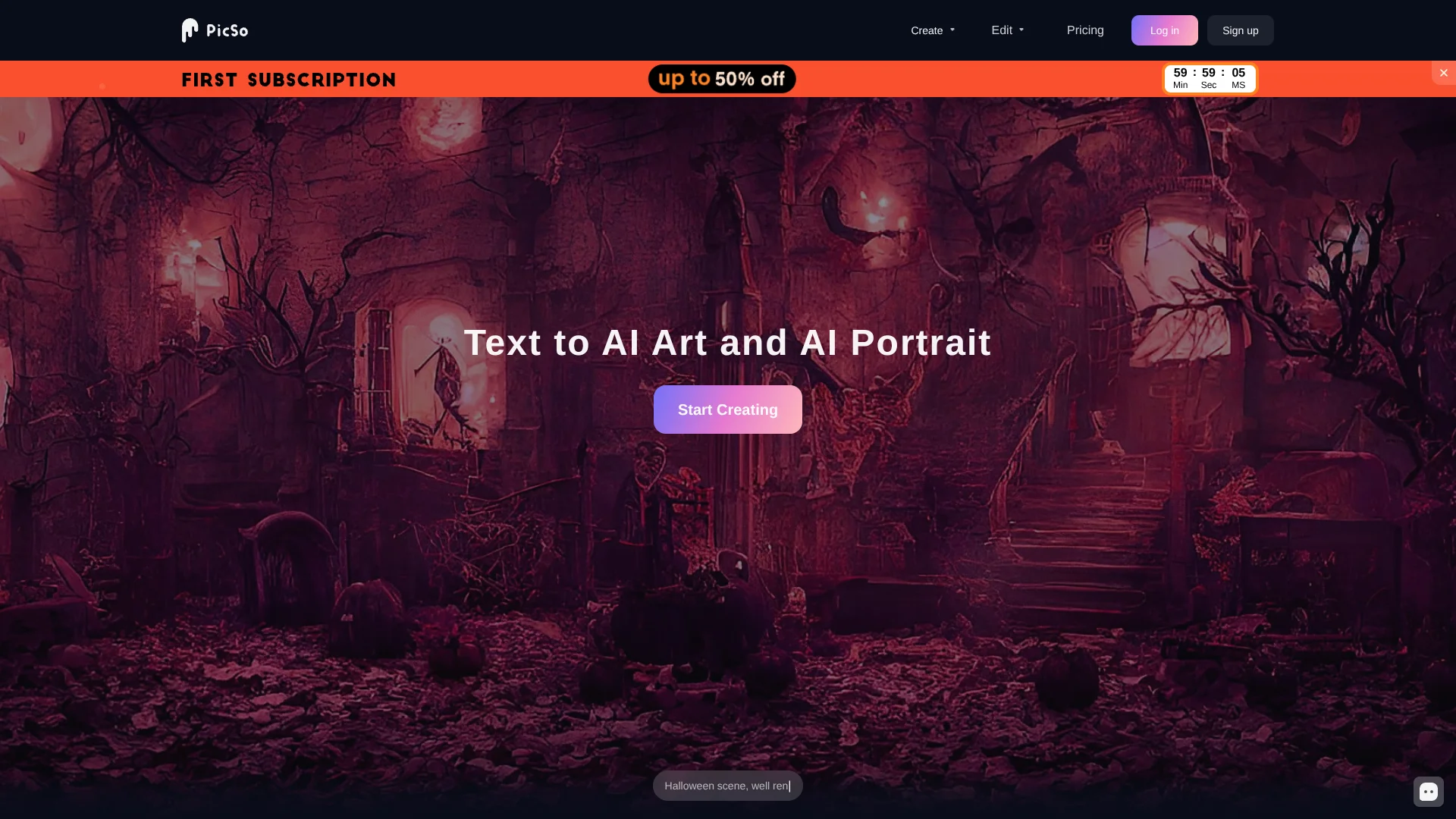
Turn prompts into stylized AI portraits and character art without drawing.
Watch PicSo in Action
Key Takeaways
- What it is
- Turn prompts into stylized AI portraits and character art without drawing.
- Pricing
- $19.99 per month
- Best for
- Text-to-Art Styles
- AI Character
- Edit Image
- Rating
- 3.8/5
What is PicSo?
PicSo turns written prompts into AI art and portraits in styles such as Anime, Cyberpunk, and Traditional Art. It is built for people who want to make character concepts, illustrations, or digital images without drawing them from scratch. Its web tools also let you edit an image by selecting an area or expand the canvas and fill the new space with AI-generated content.
A useful detail is that PicSo pairs character creation with targeted image edits: you can remove an object from a selected area or extend an image to a new shape ratio, with a prompt guiding the result.
Digital creators, artists, and design enthusiasts who want stylized images or quick edits are the clearest fit. The Premium plan includes 100 credits per month, so frequent generation is limited by a monthly credit allowance.
Who is Using PicSo?
Illustrators
A prompt and style selection can produce a visual starting point for an illustration.
Character Designers
AI Character can generate human or anime-style portrait concepts from text.
Digital Artists
Image editing and extension help test changes to an existing piece.
Social Media Creators
Cartoon-style photos and prompt-made art can supply images for posts.
Uncommon Use Cases
Extend a cropped image to fit a different layout; turn a pet photo or video clip into cartoon-style art.
Key Features
Rating Breakdown
Pricing Plans
Premium
$19.99 per month
- 100 credits per month
- Pro styles
- Priority queue
- Unlock multitask
- Auto-renewable subscription that can be canceled at any time
Which PicSo plan should you pick?
Choose Premium if you need its monthly credits, Pro styles, priority queue, or multitask access.
Premium
For creators who want 100 monthly credits and access to Pro styles, priority queue, and multitask.
PicSo Use Cases
Explore an Art Direction
A written scene description paired with a style such as Cyberpunk or Traditional Art gives creators a quick visual draft.
Outcome: A generated image in the selected style.
Build a Character Portrait
Character prompts and portrait-style choices help shape an AI-generated human or anime character.
Outcome: A character portrait based on the prompt.
Remove an Unwanted Object
A selected area and the Remove Object prompt target a specific part of an uploaded image.
Outcome: An edited image with the selected object removed.
Fit Art to a New Shape
When an image needs a different aspect ratio, Extend Image fills the added canvas area.
Outcome: An image expanded to a different ratio.
Make Cartoon-Style Media
The mobile app converts uploaded photos or video clips into cartoon-style images or animation.
Outcome: A cartoon-style result from a photo or video clip.
Workflow Ideas with PicSo
Draft a Stylized Scene
- 1Write a description of the scene in the prompt field.
- 2Choose an art style such as Anime, Sketch, or Cyberpunk.
- 3Set the image number and generate a draft.
Clean Up an Image
- 1Upload an image in Edit Image.
- 2Select the area that contains the unwanted object.
- 3Choose Remove Object and generate the edit.
Resize Without Cropping
- 1Open Extend Image and add the image.
- 2Choose the new image ratio.
- 3Add a prompt if needed and generate the extended image.
How PicSo fits into your stack
Web creation
PicSo's website provides prompt-based art and AI character creation. It also includes image editing and extension tools.
Image editing
Edit Image targets a selected area, while Extend Image adds AI-generated content beyond the original canvas.
Mobile art making
The Android app offers text-to-art, character creation, and photo or video cartoon conversion.
Pros
- +Distinct image tools: Edit selected areas or extend an image to a new ratio.
- +Named art styles: Choose from options such as Anime, Ghibli, and Van Gogh.
- +Character portraits: Generate human or anime-style characters from text prompts.
- +Mobile access: The Android app offers text-to-art and photo or video cartoon features.
Cons
- −Monthly credit budget: Premium includes 100 credits, which may constrain frequent generation.
- −One listed subscription: The website pricing page shows a single monthly Premium plan.
- −Web-focused workflow: The site does not list a downloadable desktop app or browser extension.
Limitations & when to consider alternatives
Known limitations
- Prompt length. The website's prompt field shows a 500-character limit.
- Premium credit allowance. The listed Premium plan includes 100 credits per month.
- Monthly plan listing. The pricing page lists a one-month Premium subscription and does not show an annual option.
Look elsewhere when
- You need a documented developer API for custom software integrations.
- Your workflow requires a downloadable desktop app or browser extension.
How to Use PicSo
- 1
Choose a creation tool
Start with AI Character for portraits, Edit Image for targeted changes, or Extend Image to add canvas space.
- 2
Describe the result
Enter a prompt of up to 500 characters to tell PicSo what to create or change.
- 3
Set the visual options
For text-to-art, choose an available style and image number; AI Character also offers portrait-style and image-size choices.
- 4
Generate and review
Select Create or Generate, then check whether the result fits your prompt.
- 5
Check Premium needs
The Premium page lists 100 credits per month, Pro styles, priority queue, and multitask access.
Who is PicSo For?
Digital Creators
Prompt-based art and portrait creation can provide visual material for digital projects.
Artists
Style choices and AI image edits can help explore visual directions before making finished work.
Design Enthusiasts
Character portraits and image expansion offer accessible ways to make and adjust artwork.
Frequently Asked Questions
Does PicSo have a free plan?
The official pricing page lists Premium but does not show a free plan.
What does PicSo Premium include?
The pricing page lists 100 credits per month, Pro styles, priority queue, and multitask access.
Can PicSo edit an existing image?
Yes. Edit Image lets you select an area and prompt an edit, including removing an object. Extend Image can fill added canvas space.
Is PicSo available as a mobile app?
Yes. PicSo has an Android app with text-to-art, character creation, and photo and video cartoon features.
Can I cancel the Premium subscription?
PicSo says the subscription renews automatically and can be canceled at any time.
Community reviews
Be the first to share your experience.
Sign in to leave a review for PicSo.
PicSo Alternatives
Looking for alternatives to PicSo? Here are similar tools in the same category: