
Pine AI
Offload bill hassles, win refunds and savings.
Key Takeaways
- What it is
- Offload bill hassles, win refunds and savings.
- Pricing
- Freemium · $30 per month · $200 per month
- Best for
- Autonomous calling and emailing
- Bill and fee negotiation
- Subscriptions, refunds, and complaints
- Rating
- 4.4/5
What is Pine AI?
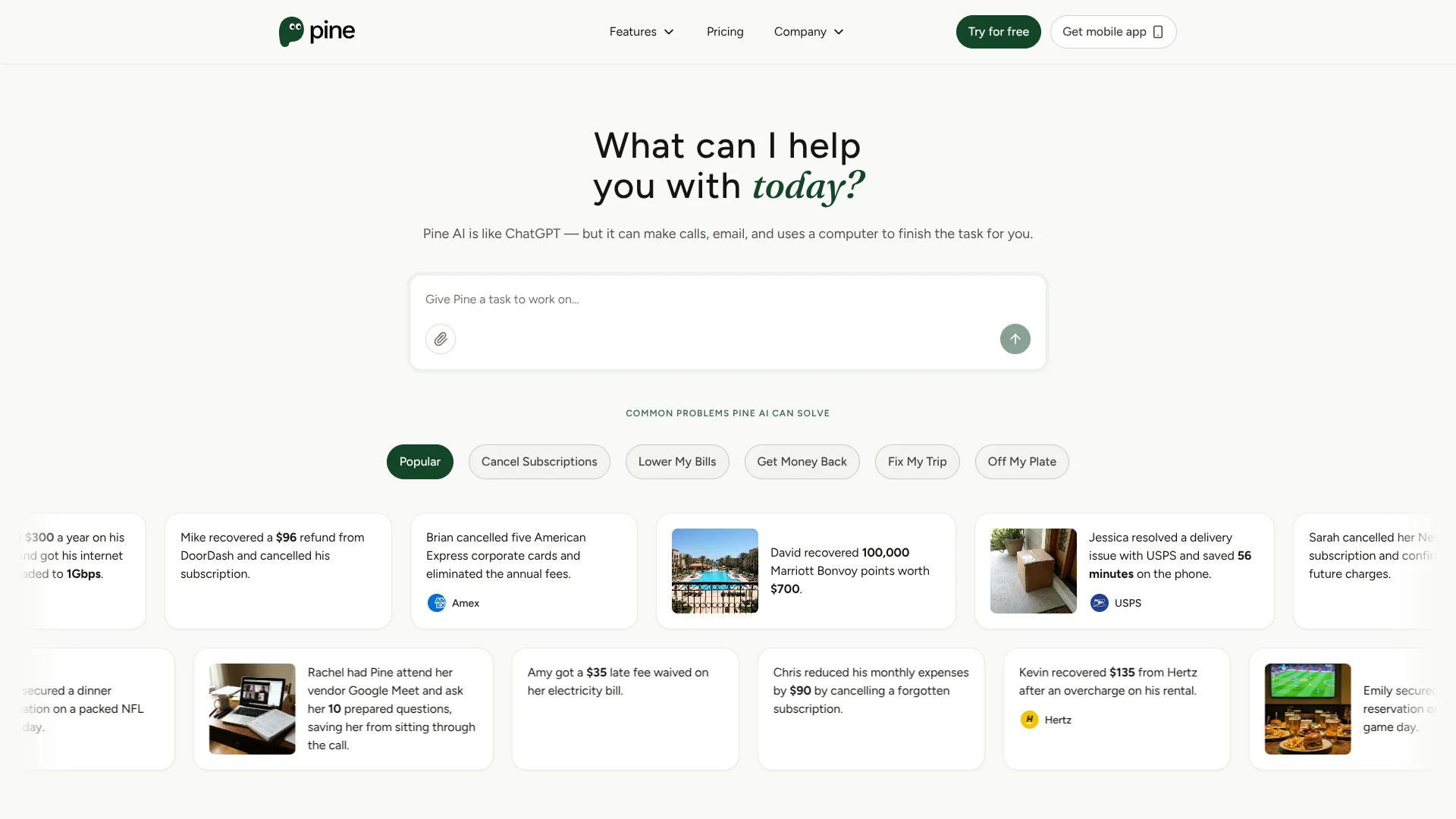
Pine AI is an autonomous AI assistant that deals with customer service so users do not have to. It combines large language models with calling, email, and browser automation to lower bills, cancel subscriptions, and resolve complaints across telecom, banking, travel, and more. With tens of thousands of users and strong reported negotiation outcomes, it aims to turn tedious support tasks into quick, outsourced jobs. The company advertises on average 270 minutes saved per user, about 20 percent savings on telecom bills, and millions of dollars recovered.
Pine AI stands out by pairing a conversational interface with an action oriented agent that actually phones companies, writes emails, and navigates customer portals. Instead of handing users scripts, it executes the negotiation on their behalf, informed by provider specific playbooks and large language models. The success only billing model, consumer friendly focus, and wide catalog of prebuilt use cases position it as a specialized assistant for reclaiming money and time from everyday customer service friction.
Pine AI offers a focused use of artificial intelligence: turning painful customer support chores into outsourced mini projects that usually pay for themselves. For consumers and small teams drowning in bills, surprise fees, and travel issues, it provides a credible way to recover cash and save time without becoming a negotiation expert. Anyone who regularly thinks "I should call about that charge" but never does will likely find real value in letting this agent do the work.
Who is Using Pine AI?
Everyday consumers with recurring bills
Individuals trying to cut costs on internet, mobile, streaming, and other monthly services.
Frequent travelers and digital nomads
People who often face airline, hotel, or car rental issues and lack time to chase compensation.
Gig workers and delivery customers
Heavy users of food delivery and ride hailing platforms who run into missing items, delays, or unfair charges.
Small business owners and solo founders
Businesses that juggle many SaaS subscriptions and vendor bills but cannot spare hours on hold.
Financially stressed households
Families disputing overdraft fees, medical bills, and other surprise charges to stretch limited budgets.
Uncommon Use Cases
Used by caregivers handling billing disputes for elderly relatives; Adopted by early stage startups to negotiate better pricing with software and telecom vendors.
Key Features
Rating Breakdown
Pricing Plans
Starter Free
Free
- Includes light usage, daily login bonus credits, and unlimited access to bill-negotiation tasks without credits
- Best for quick tests and one-off requests
Pro
$30 per month
- Includes 6,000 credits per month, unlimited bill-negotiation tasks without credits, persistent follow-ups, deep research, calls, emails, web actions, up to 5 concurrent tasks, and a dedicated Pine email inbox
- Bill negotiation also has a success fee based on savings percentage
Enterprise
$200 per month
- Includes 40,000 credits per month, everything in Pro, up to 20 concurrent tasks, batch and recurring operational work, and business/vendor negotiation for your company after KYC completion
Which Pine AI plan should you pick?
Start with Free for occasional tasks; upgrade to Pro or Premium for regular personal or household use, Plus or Max for higher volume, Team for team workloads, and Enterprise for tailored business needs.
Free
Good for occasional tasks and bill negotiation using a success-fee model.
Pro
Good for personal use with a monthly credit allowance and expanded task capacity.
Premium
Good for household use and more recurring assistant work without percentage-based bill-negotiation fees.
PINE Plus
Good for daily usage with 20,000 monthly credits and batch calling up to five.
PINE Max
Good for intense usage with 35,000 monthly credits and batch calling up to ten.
PINE Team
Good for team workloads with 60,000 monthly credits and batch calling up to twenty.
Custom for Enterprise Teams
Good for organizations needing tailored contracts for specific workflows or business requirements.
Pine AI Use Cases
Lower recurring bills
Upload or describe a bill and let Pine contact providers, request lower rates, remove fees, and follow up.
Outcome: Potential savings on telecom, internet, cellphone, insurance, and utility costs.
Cancel subscriptions
Tell Pine which subscription to cancel and let it navigate the provider’s process and confirm the result.
Outcome: The subscription is cancelled and future charges are reduced or stopped.
Recover refunds and compensation
Pine contacts merchants, airlines, hotels, delivery services, or other providers about refunds and complaints.
Outcome: Users can recover money, points, credits, or compensation.
Coordinate travel and appointments
Pine researches options, books or modifies reservations, checks availability, and confirms details.
Outcome: Travel and scheduling tasks are completed with less user effort.
Manage business operations
Pine handles vendor follow-ups, forms, compliance tasks, invoices, renewals, meetings, and recurring workflows.
Outcome: Administrative work continues with persistent follow-up and fewer manual steps.
Workflow Ideas with Pine AI
Negotiate a recurring bill
- 1Upload the bill or describe the service and target outcome
- 2Pine researches options and contacts the provider
- 3Pine negotiates, follows up, and reports the result
Resolve a refund or complaint
- 1Describe the issue and provide relevant receipts or account details
- 2Pine contacts the company and submits the complaint or refund request
- 3Pine tracks responses and follows up until resolution
Reuse a business workflow
- 1Teach Pine your context, routines, and standards
- 2Run the task while monitoring progress and taking control when needed
- 3Save, schedule, and reuse the workflow for future tasks
How Pine AI fits into your stack
Browser
Pine sits as a cloud execution layer that navigates websites, fills forms, downloads files, compares information, and completes online chores.
Knowledge and files
It reads forms, uploads approved documents, downloads invoices and statements, and returns organized PDFs or CSV files.
Team chat and tickets
Message Gateway lets users reach Pine through WhatsApp, Telegram, Slack, voice notes, phone calls, and the mobile app.
Desktop / IDE
Pine Work provides macOS and Windows applications where an agent uses its own computer to perform professional workflows.
Pros
- +Huge time savings: Average user reportedly saves around 270 minutes of waiting and arguing with customer service agents.
- +Strong results on bills: Telecom and cable bills are often reduced by about 20 percent, with many complaints yielding small cash or credit compensation.
- +Success based pricing: Users only pay when Pine AI completes a task successfully, which reduces the risk of paying for failed negotiations.
- +Broad coverage out of the box: Works across telecom, banking, airlines, hotels, utilities, subscriptions, and more without users needing custom setups or scripts.
Cons
- −Limited transparency during live interactions: Because calls and messages happen in the background, some users may wish for finer control or real time oversight of what is said.
- −Merchant specific variability: Results depend heavily on the policies of each company, so savings and outcomes can vary quite a bit between providers.
- −Unclear effective pricing per task: Tip based, pay as you go billing can make it harder to predict the total cost before a complex case is resolved.
Limitations & when to consider alternatives
Known limitations
- High-risk uses are restricted. Pine’s terms prohibit or restrict legal filings, immigration applications, financial decisions, medical decisions, government submissions, and other high-risk tasks without written approval.
- Third-party policies can limit outcomes. Pine interacts with external businesses and systems, so results may depend on those providers’ policies and availability.
- AI responses can contain errors. Pine states that AI systems are probabilistic and may misunderstand, misinterpret, or make mistakes.
- Some tasks require user authorization. Certain calls or account changes may require a three-way call, identity verification, confirmation, or additional account details.
- Desktop support is currently limited by platform. Pine Work advertises downloadable applications for macOS and Windows; Linux is not listed on the download page.
How to Use Pine AI
- 1
Describe the outcome
Tell Pine what you want done in everyday language, such as cancel, download, fill, compare, or export.
- 2
Provide the website and constraints
Add the relevant site and explain limits or requirements Pine should respect.
- 3
Watch the live cloud browser
Monitor Pine as it navigates pages, forms, portals, and authenticated workflows.
- 4
Take over sensitive moments
Enter passwords, complete 2FA, approve purchases, or confirm final submissions yourself.
- 5
Review the verified result
Receive the downloaded file, confirmation page, comparison, or exact next step.
- 6
Reuse recurring workflows
Use safe session memory for recurring statements, exports, and routine account chores.
Who is Pine AI For?
Busy professionals
Pine is positioned for people who value saving time on calls, bureaucracy, follow-ups, and administrative work.
Business owners
Pine’s business offering handles external communication, administrative work, recurring follow-ups, and operational tasks without adding headcount.
Neurodivergent consumers
Pine identifies people with phone anxiety or accessibility barriers to verbal confrontation as a target audience.
Travelers
Pine supports travel research, reservations, disputes, lost baggage, and airline or hotel compensation workflows.
People facing language barriers
Pine is positioned to help users communicate with customer-service providers when English is not their first language.
Frequently Asked Questions
What can Pine AI do?
Pine handles calls, emails, forms, negotiations, refunds, cancellations, research, bookings, and follow-ups on the user’s behalf.
How does Pine charge?
Pine offers subscription plans with monthly credits. Bill negotiation can use success-based pricing on some plans and credits on others.
Can Pine work on recurring tasks?
Yes. Pine describes recurring and batch tasks such as monitoring invoices, sending reminders, tracking renewals, and following up on claims.
Can Pine use uploaded documents?
Yes. Users can upload bills and other documents for Pine to review and process.
Where can I use Pine?
Pine is available through its website, iOS app, Android app, and Pine Work desktop applications for macOS and Windows.
Does Pine require connectors?
Pine Work says agents can operate through their own computer without connector setup or an integration map.
Community reviews
Be the first to share your experience.
Sign in to leave a review for Pine AI.
Pine AI Alternatives
Looking for alternatives to Pine AI? Here are similar tools in the same category:
Learn to Master Pine AI
With Skill Leap courses
Get in-depth training on Pine AI and 50+ other AI tools with our expert-led video courses.
Start 7-Day Free Trial