
Pixmax.ai
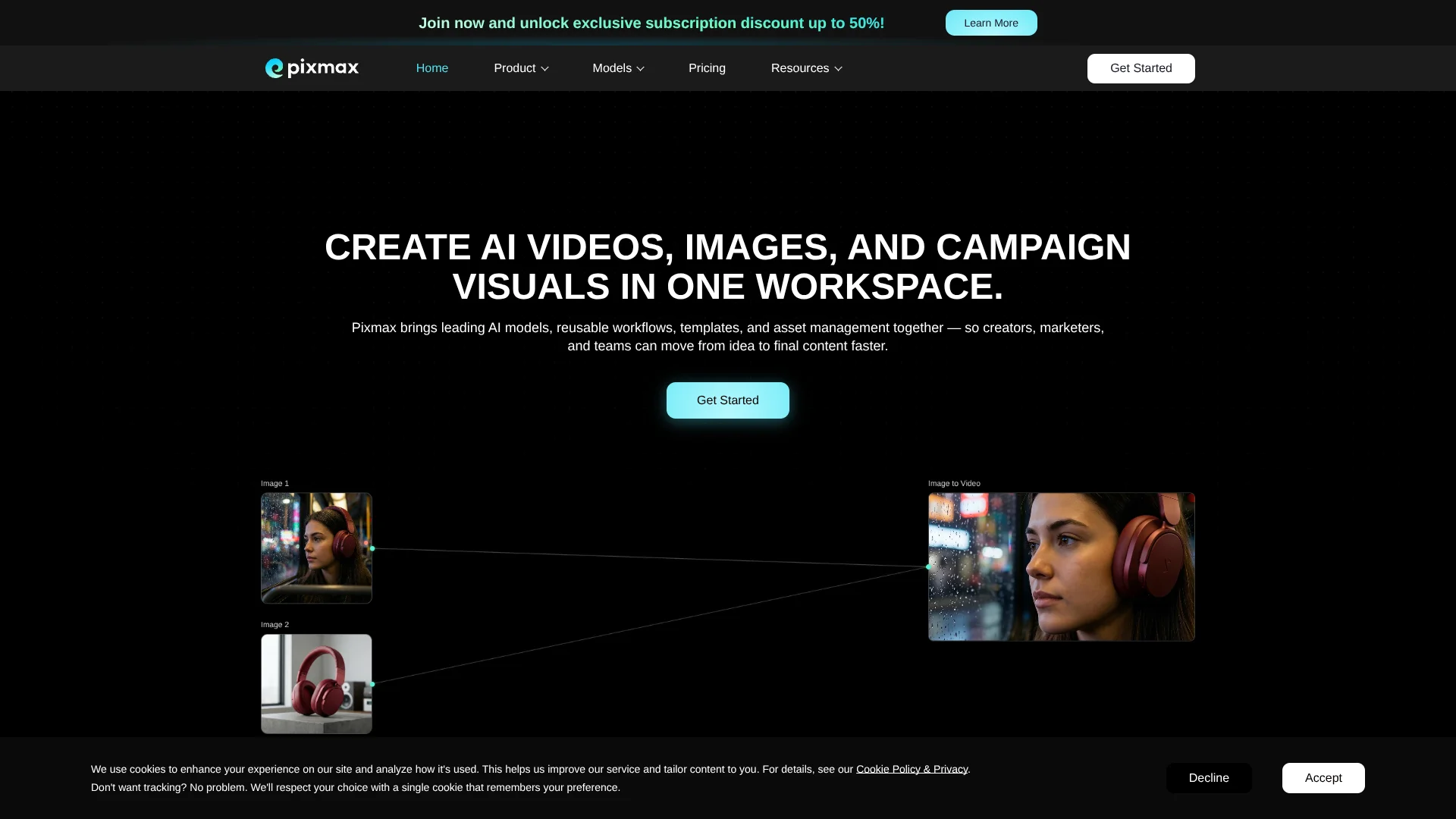
Storyboard campaign videos across many AI models.
Key Takeaways
- What it is
- Storyboard campaign videos across many AI models.
- Pricing
- Freemium · $8/mo · $42/mo · $234/mo · $468/mo
- Best for
- Unified Model Hub
- Visual Workflows
- Infinite Canvas
Who is Using Pixmax.ai?
Solo creators
Starter plans provide a low-cost entry point for individual AI content production.
Professional creators
The platform combines many creative models, asset management, workflows, and export tools.
Agencies
Pay-as-you-go credit packs and high-volume generation support recurring campaigns and batch production.
Studios
Max and enterprise offerings target studio-scale production with high credit capacity and concurrent tasks.
Enterprise teams
Enterprise plans add unlimited members, shared projects, real-time collaboration, and administrative controls.
Key Features
Pricing Plans
Free
Free
- Selected models
- 1 concurrent task
- Asset Library
- Generation History
- Storyboard
- Cloud Storage
- Batch Generations
- 1080P Image Enhancement
- 4K Video Upscale
- Panorama
Starter
$8/mo
- Access to all AI models
- Stage editor - motion library
- 1 Seat
- 5 Concurrent Tasks
- Priority Queue
- Batch Generations
- Generation History
- 1080P Image Enhancement
- 4K Video Upscale
- Voice Customizing
Pro
$42/mo
- Everything in Starter
- 10 Concurrent Tasks
- 6,000 credits/mo
- Access to all AI models
- Priority Queue
- Batch Generations
- Generation History
- Subtitle Remover
- Voice Customizing
- 4K Video Upscale
Ultra
$234/mo
- Everything in Starter
- Unlimited Concurrent Tasks
- 36,000 credits/mo
- Access to all AI models
- Priority Queue
- Batch Generations
- Generation History
- Subtitle Remover
- Voice Customizing
- 4K Video Upscale
Max
$468/mo
- Everything in Starter
- Unlimited Concurrent Tasks
- 72,000 credits/mo
- Access to all AI models
- Priority Queue
- Batch Generations
- Generation History
- Subtitle Remover
- Voice Customizing
- 4K Video Upscale
Enterprise
- Unlimited Members
- Unlimited Concurrent Tasks
- Custom Credit Packages
- Volume-Based Discounts
- Credit Usage Management
- Shared Projects & Assets
- Real-Time Collaboration
- Seat Management
- Unlimited Cloud Storage
- Watermark-Free Exports
Which Pixmax.ai plan should you pick?
Start with Free Lifetime to test models and workflows; upgrade to Starter or Pro for regular creation, then Ultra or Max for high-volume production and concurrent tasks.
Free Lifetime
Good for users who want to test Pixmax models and generation workflows without a subscription.
Starter
Good for light individual usage that needs a recurring monthly credit allowance.
Pro
Good for regular creators who need substantially more monthly generation capacity.
Ultra
Good for power users and small teams who need 36,000 monthly credits and unlimited concurrent tasks.
Max
Good for studios operating at scale that need 72,000 monthly credits and high production capacity.
Pixmax.ai Use Cases
Script-to-video production
Paste a script or idea, then generate characters, scenes, storyboards, clips, voiceovers, captions, and final exports.
Outcome: A polished, social-ready video.
E-commerce product videos
Use product references, copy, presenters, scenes, covers, and video-generation steps in a reusable template.
Outcome: Repeatable product videos for campaigns and product promotion.
Advertising and campaign variants
Create new hooks, selling points, calls to action, and channel-specific versions from existing assets.
Outcome: Multiple creative variants for testing and distribution.
Short dramas and storyboards
Manage multi-episode storyboards, generate scene assets, and batch-export production materials.
Outcome: Faster episodic content production.
Product and brand visuals
Generate posters, infographics, UI concepts, packaging mockups, brand moodboards, and product imagery.
Outcome: Rapid visual exploration and marketing assets.
Workflow Ideas with Pixmax.ai
Script to finished video
- 1Paste a script or idea into Pixmax
- 2Auto-generate characters, scenes, and storyboards
- 3Preview, refine, and export the completed video
Product image to advertising campaign
- 1Upload a product reference to the Asset Library
- 2Chain product imagery, copy, scenes, and video generation in a reusable workflow
- 3Create and export multiple ad variants
Storyboard to batch-generated clips
- 1Define a shot list and upload reference assets
- 2Generate prompts and connect storyboard nodes
- 3Trigger batch generation for grouped target nodes
How Pixmax.ai fits into your stack
Browser
Pixmax runs as a web-based creative workspace where users create projects, select models, build canvases, and export results.
Docs and writing
Text models support scripts, briefs, structured analysis, multilingual writing, document processing, and creative planning.
Knowledge and files
The workspace includes cloud storage, asset libraries, storyboards, references, and support for documents such as PDFs.
Automation and APIs
Visual workflows chain multiple generation steps, while supported models expose developer API access for workflow integration.
Pros
- +Free lifetime tier available
- +Access to many AI models in one workspace
- +Reusable visual workflows
- +Real-time team collaboration on enterprise plans
- +Supports image, video, text, audio, and 3D workflows
Cons
- −Subscription credits reset each cycle and unused credits do not roll over
- −Free plan provides access to selected models only
- −Credit usage varies by model, resolution, duration, and settings
- −Enterprise pricing requires contacting sales
- −No documented SSO or SAML support listed
Limitations & when to consider alternatives
Known limitations
- Credits vary by model and settings. The number of images or videos available depends on the selected model and generation settings.
- Subscription credits reset. Monthly subscription credits reset each billing cycle and unused subscription credits do not roll over.
- Model inputs and outputs differ. Not every model supports the same text, image, video, audio, document, or output formats.
- API access is not self-service documented. Pixmax mentions API access for supported workflow integrations but directs users to contact the team for details.
- Purchased credits and subscription credits behave differently. Pay-as-you-go credits do not expire, while subscription credits reset each cycle.
Look elsewhere when
- You need a documented, self-service developer API.
- You need a native iOS or Android app.
- You need a native Windows, macOS, or Linux desktop installer.
- You need SSO or SAML-based enterprise login.
How to Use Pixmax.ai
- 1
Create an account
Open the Pixmax console and register with Google, X, LinkedIn, or email to access the workspace.
- 2
Choose a model or template
Select a model from the model hub or clone a workflow template for commercials, e-commerce, short dramas, or animation.
- 3
Add prompts and references
Enter a script or prompt and upload images, storyboard assets, product references, or other supported materials.
- 4
Connect workflow nodes
Chain text, image, video, audio, and other nodes so the workflow is reusable and editable.
- 5
Generate and refine
Run the workflow, review generated assets, adjust prompts or settings, and use batch generation where appropriate.
- 6
Export the result
Use Pixmax's export and one-click delivery features to prepare finished videos and assets for publishing or post-production.
Who is Pixmax.ai For?
Professional creators
Pixmax combines multiple AI models, reusable assets, workflows, and export tools in one creative workspace.
Marketing and advertising teams
Teams can create product videos, campaign visuals, ad variants, and social-ready content.
E-commerce and affiliate teams
Reusable product-video templates support presenter-led content, product showcases, and frequent publishing.
Studios and enterprise teams
Higher-volume plans provide shared projects, real-time collaboration, concurrent tasks, and admin controls.
Educators and content teams
Pixmax supports scripts, storyboards, document processing, visual analysis, and multimedia content production.
Frequently Asked Questions
What AI models does Pixmax support?
Pixmax supports video, image, text, audio, and 3D models, including Seedance, Kling, Veo, GPT Image, Gemini, and ElevenLabs.
Can Pixmax compare different AI models?
Yes. The Compare AI Models section lets users review model type, input and output, visual control, speed, and audio support side by side.
Does Pixmax support AI video generation?
Yes. Pixmax includes video models such as Seedance, Kling, Veo, Hailuo, Vidu, Wan, and PixVerse for text-to-video and image-to-video generation.
Do all Pixmax models support the same inputs and outputs?
No. Different models support different inputs and outputs; some accept text prompts, some accept image input, and others generate video, images, text, audio, or 3D assets.
What are pay-as-you-go credits?
Pay-as-you-go credits are prepaid credits that can be used without starting a subscription. Purchased credits do not expire.
What happens when subscription credits run out?
Users can buy another pay-as-you-go pack or choose a monthly, annual, or enterprise plan for ongoing production capacity.
Community reviews
Be the first to share your experience.
Sign in to leave a review for Pixmax.ai.
Pixmax.ai Alternatives
Looking for alternatives to Pixmax.ai? Here are similar tools in the same category:
Learn to Master Pixmax.ai
With Skill Leap courses
Get in-depth training on Pixmax.ai and 50+ other AI tools with our expert-led video courses.
Start 7-Day Free Trial