
Pixo
Turn simple chat prompts into finished, high-quality videos.
Key Takeaways
- What it is
- Turn simple chat prompts into finished, high-quality videos.
- Pricing
- Freemium · $12.90 per month when billed annually, or $19.90 per month billed monthly · $49.90 per month when billed annually, or $84.90 per month billed monthly · $239.90 per month when billed annually, or $439.90 per month billed monthly
- Best for
- AI video agent workflow
- Multi model engine
- AI crew of agents
- Rating
- 4.3/5
What is Pixo?
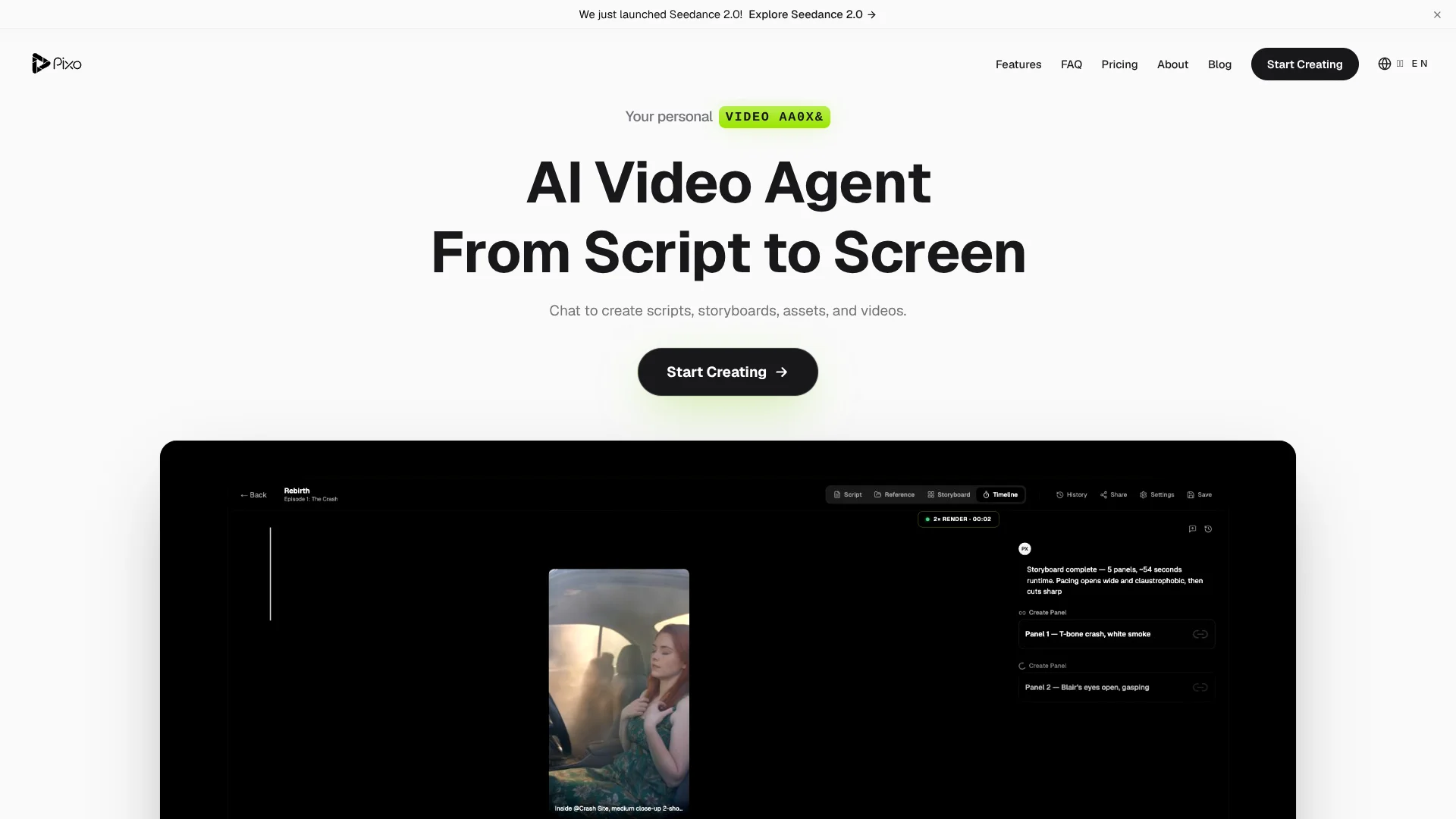
Pixo is a browser based AI video creation tool that acts as a personal AI director. Through a chat interface it turns plain language prompts into scripts, storyboards, assets, and final videos while coordinating several top tier image, video, and audio models in the background.
Unlike many prompt only video tools, Pixo covers research, scripting, storyboarding, and editing through a chat driven “AI crew.” Its multi model engine across leading video, image, audio, and enhancement systems lets users treat it more like a compact virtual studio than a single model playground.
Pixo suits creators who want structured, chat led AI video production rather than tinkering with isolated tools. The combination of a strong model stack, agent based assistance, series support, and team features makes it attractive for YouTubers, marketers, educators, and studios that need frequent content, provided they are comfortable planning around credits and tiered pricing.
Who is Using Pixo?
YouTube creators
Producing scripted videos, explainers, and channel series with consistent visual styles.
Marketing and growth teams
Spinning up short ads, product teasers, and video variants for campaigns.
Education and training teams
Building course videos, internal training, and concept visualizations from text prompts.
Music and podcast producers
Turning tracks and episodes into visual stories for major video platforms.
Uncommon Use Cases
Used by universities for teaching modern video workflows; adopted by internal communications teams for announcement recaps.
Key Features
Rating Breakdown
Pricing Plans
Free
Free
- Includes 400 credits, up to 100 images, access to all AI models, max resolution generation, 1 concurrent generation, 3 projects, and 1 team member
Basic
$12.90 per month when billed annually, or $19.90 per month billed monthly
- Includes 1,000 credits, up to 11 videos, 250 images, 1080p resolution, 2 concurrent generations, 10 projects, and 1 team member
Pro
$49.90 per month when billed annually, or $84.90 per month billed monthly
- Includes 4,200 credits, up to 50 videos, 1,050 images, 4K resolution, 5 concurrent generations, unlimited projects, 5 team members, priority support, and API access
Max
$239.90 per month when billed annually, or $439.90 per month billed monthly
- Includes 22,000 credits, up to 261 videos, 5,500 images, 4K resolution, 10 concurrent generations, unlimited projects, unlimited team members, dedicated support, and API access
Which Pixo plan should you pick?
Start with Free to test the workflow using 200 credits; upgrade to Basic for regular use, Pro for higher resolution and collaboration, or Max for unlimited projects and team members.
Free
Good for experimenting with AI video creation using 200 credits, three projects, and one team member.
Basic
Good for individual creators who need 1,000 credits, 1080p output, and ten projects.
Pro
Good for creators and small teams who need 4K output, unlimited projects, and five team members.
Max
Good for high-volume production requiring 22,000 credits, 4K output, unlimited projects, and unlimited team members.
Pixo Use Cases
YouTube videos
Generate scripts, storyboards, scenes, voiceover, and edits for publish-ready YouTube content.
Outcome: More video content with less production overhead.
Marketing videos
Create advertisements, product launches, and brand campaigns with AI-generated scenes.
Outcome: Scroll-stopping marketing creative.
Music videos
Upload a song and use an AI director to storyboard, generate, lip-sync, and edit a finished music video.
Outcome: A complete video synchronized to the track.
Educational content
Turn lessons and complex concepts into visual stories using AI-generated scenes.
Outcome: More engaging educational and training material.
Product demos
Generate professional walkthrough videos showing products, features, and use cases.
Outcome: Polished product demonstrations without screen-recording production.
Workflow Ideas with Pixo
Idea to finished video
- 1Describe the video idea or paste a script
- 2Build and review the scene-by-scene storyboard
- 3Generate assets, edit the timeline, and export the MP4
Multi-model production
- 1Create a storyboard and divide the video into shots
- 2Select the best AI model for each shot
- 3Review the combined timeline and export the final cut
Music video creation
- 1Upload the song and approve the references and storyboard
- 2Generate and review synchronized shots
- 3Assemble and export the finished music video
How Pixo fits into your stack
Browser
Pixo is a browser-based AI video workspace where teams chat with an AI director, build storyboards, generate media, edit timelines, and export finished videos.
Knowledge and files
Pixo can accept uploaded images, videos, audio, documents, spreadsheets, presentations, PDFs, text files, Markdown, and web URLs as generation inputs.
Team collaboration
Shared projects support simultaneous editing, with changes synchronized through CRDT so writers, marketers, and reviewers can work together.
Pros
- +End to end creation: Covers idea, script, visuals, and edit in one tool.
- +High quality outputs: Uses video, image, audio, and upscaling models for polished results.
- +Team friendly workflow: Shared projects, simultaneous editing, and inline comments suit agencies and teams.
- +Accessible starting point: Free tier with credits lets creators test workflows before paying.
Cons
- −Credit math can confuse: New users must understand how credits translate into different media types.
- −Cost for heavy use: Pro and Max tiers fit production more than casual hobby projects.
- −Integrations unclear publicly: API access is mentioned, yet details are not prominent on main pages.
Limitations & when to consider alternatives
Known limitations
- Free plan has limited credits. The Free plan includes 200 credits for generation.
- Free plan limits projects. The Free plan includes three projects.
- Free plan supports one team member. The Free plan lists one team member; additional collaboration requires a higher plan.
- Free plan resolution is limited. The Free plan lists maximum resolution without the 1080p or 4K resolution specified for paid plans.
- Generation concurrency varies by plan. Concurrent generations range from one on Free to ten on Max.
Look elsewhere when
- You need a native mobile app.
- You need SSO or SAML.
- You need a documented developer API.
How to Use Pixo
- 1
Create a project
Start a project from the dashboard and describe your video idea or paste a script so the AI Director can structure it.
- 2
Build the storyboard
Break the script into shots and define visuals, dialogue, camera movement, and duration for each scene.
- 3
Choose models
Select among supported video, image, voice, music, and sound-effect models for the shots that need them.
- 4
Generate content
Generate images, video clips, voiceover, and sound effects for each storyboard shot.
- 5
Review and edit
Preview the complete video on the timeline, adjust timing, add transitions, and refine the edit.
- 6
Export
Export the completed project to MP4 after reviewing the timeline and final audio-visual result.
Who is Pixo For?
Content creators
Pixo helps creators produce YouTube, social, podcast, and other video content with AI-generated scripts, visuals, audio, and editing.
Creative teams
Teams can collaborate on shared projects and edit the same storyboard simultaneously.
Hobbyists
The free plan and browser-based workflow let hobbyists experiment with AI video creation.
Marketers
Pixo creates advertising, product-launch, brand, and UGC-style videos without a traditional production crew.
Filmmakers
Storyboard-first controls and multi-model generation support short films, trailers, music videos, and cinematic scenes.
Frequently Asked Questions
What is Pixo?
Pixo is an AI-powered video creation platform with storyboard, timeline, playground, and AI-agent tools.
How do I create a video?
Create a project, build a storyboard, generate content, then review and export the finished video as MP4.
Which AI models does Pixo support?
Pixo supports models including Veo, Kling, Hailuo, Seedance, MiniMax, ElevenLabs, Suno, and others.
Can I use multiple AI models in one project?
Yes. Pixo lets users choose different AI models for individual shots in the same storyboard.
Can teams collaborate in Pixo?
Yes. Team members can edit the same project simultaneously, with changes synchronized through CRDT.
Can I export my videos?
Yes. Review the timeline, adjust timing and transitions, and export the result to MP4.
Community reviews
Be the first to share your experience.
Sign in to leave a review for Pixo.
Pixo Alternatives
Looking for alternatives to Pixo? Here are similar tools in the same category:
Learn to Master Pixo
With Skill Leap courses
Get in-depth training on Pixo and 50+ other AI tools with our expert-led video courses.
Start 7-Day Free Trial