Plask
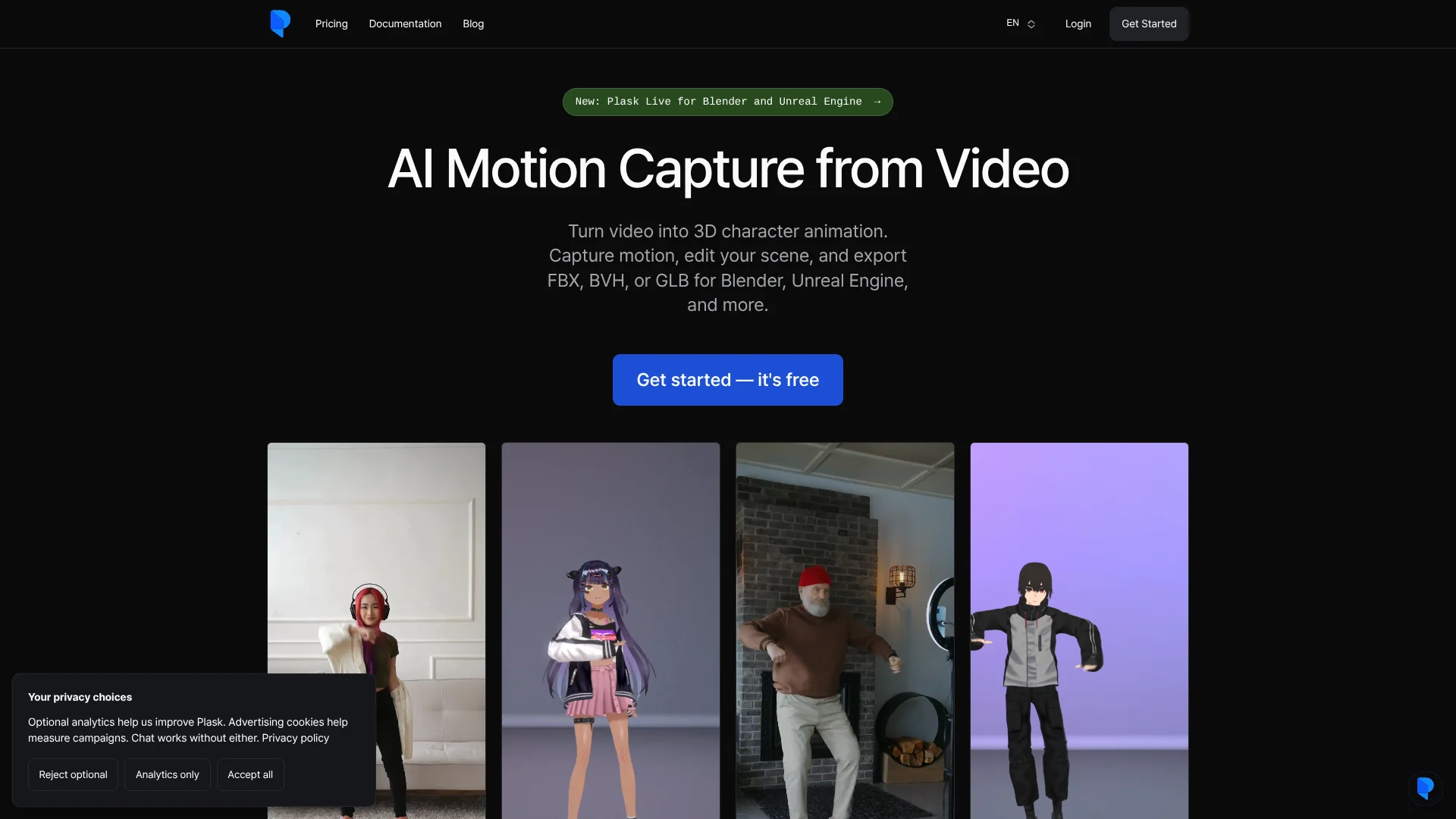
Animators can turn ordinary video footage into 3D character motion.
Watch Plask in Action
Key Takeaways
- What it is
- Animators can turn ordinary video footage into 3D character motion.
- Pricing
- Freemium · $40 per month · $50 per month billed annually
- Best for
- AI video motion capture
- Multi-person MoCap
- Motion capture options
- Rating
- 4.1/5
What is Plask?
Plask turns footage of a person into 3D character motion, giving animators and game creators a way to build movement without recording it with a motion-capture suit. In its browser-based editor, you can apply the captured motion to a 3D character, adjust the scene, and export an animation for other tools. It also supports footage with multiple people.
Plask Live can send motion from a camera into Blender or Unreal Engine so creators can preview and record a take in those tools. For developers, Plask also documents an API for processing videos and streaming pose data into their own applications.
Plask fits animators and game teams who want to turn human video references into editable character movement. It is built for human poses, and capture quality depends on clear footage with the person visible. Reach for it when you have a person to film and a character to animate.
Who is Using Plask?
Character animators
A filmed performance becomes a starting point for editable character movement.
Game developers
FBX, GLB, or BVH exports carry captured movement into a game-development workflow.
3D artists
Scene controls for camera, lighting, and effects help prepare a character animation for rendering.
Unreal Engine operators
Plask Live Link sends live motion into Unreal Engine for preview and recording.
Application developers
The API processes video jobs or streams realtime pose data into a custom application.
Uncommon Use Cases
Capture movement from several people for a group scene; stream camera-based poses into a custom application.
Key Features
Rating Breakdown
Pricing Plans
Freemium
Free
- 15 seconds of motion capture per day
- 1 GB storage
- Full body and hand capture, plus multi-person MoCap
- FBX, GLB, and BVH export, video rendering, scene sharing, and realtime collaboration
Standard
$40 per month
- 10 minutes of motion capture per month
- 3 GB storage and faster processing
- Annual billing is listed at $18.00 per month, billed annually
- FBX, GLB, and BVH export, video rendering, scene sharing, and realtime collaboration
Pro
$50 per month billed annually
- 1 hour of motion capture per month
- 10 GB storage, faster processing, and pre-release features
- Organization benefits
- FBX, GLB, and BVH export, video rendering, scene sharing, and realtime collaboration
Which Plask plan should you pick?
Start with Freemium to test short captures, then consider Standard or Pro if you need more monthly capture time or storage.
Freemium
Good for beginners testing video motion capture with a 15-second daily limit.
Standard
Good for regular projects that need 10 minutes of monthly capture time and 3 GB of storage.
Pro
Good for professional production that needs one hour of monthly capture time, 10 GB of storage, and pre-release features.
Plask Use Cases
Animate a character from video
A filmed human performance gives a 3D character movement that can be adjusted in the editor.
Outcome: An editable animation that can be exported as FBX, GLB, or BVH.
Capture a group performance
Multi-person tracking extracts movement from several people in the same footage.
Outcome: Motion capture for multiple people, with higher credit use than single-person capture.
Record live motion in a 3D tool
Plask Live connects a camera-based capture workflow to Blender or Unreal Engine.
Outcome: Preview and record a take in the connected tool.
Add motion capture to an application
The Plask API processes uploaded video or streams realtime poses to a developer's application.
Outcome: Video-derived animation data or realtime pose data for the application.
Prepare a rendered animation
Camera, lighting, and customizable effects help shape the presentation of a scene.
Outcome: A video render from the Plask scene.
Workflow Ideas with Plask
Video to character animation
- 1Import a video that shows the person's movement clearly.
- 2Generate motion capture and apply the result to a 3D character.
- 3Edit the scene, then export the animation as FBX, GLB, or BVH.
Live capture in Blender
- 1Set up Plask Live with a supported macOS camera setup and API credits.
- 2Preview the movement and record a take in Blender.
- 3Save the take as a Blender action.
Process video through the API
- 1Create a Plask API key and check the available credits.
- 2Upload a video and start a processing job.
- 3Follow job progress and download the result when processing finishes.
How Plask fits into your stack
Browser-based Plask Motion
The editor is where you import footage, apply motion to characters, and prepare scenes for rendering or export.
Blender
Bring exported animations into Blender, or use Plask Live to preview and record camera-based motion there.
Unreal Engine
Export animation for Unreal Engine or use Plask Live Link to receive live motion and record a take.
Animation exports
FBX, GLB, and BVH files let you continue working in compatible animation tools, including Maya.
Developer API
API jobs process video and return results, while realtime sessions stream poses into an application.
Pros
- +Video-based capture: Turns ordinary footage into editable character motion without a motion-capture suit.
- +Multiple people: Can extract motion for more than one person in a video.
- +Useful export formats: FBX, GLB, and BVH exports support workflows in other 3D tools.
- +Shared scenes: Scene sharing and realtime collaboration let invited collaborators work on scenes together.
Cons
- −Credit budgeting: Multi-person capture costs three credits per frame, compared with one credit per frame for one person.
- −Footage matters: Poor visibility, overlapping people, or unclear movement can affect capture quality.
- −Narrow focus: The capture system is for human poses, not animals or other moving objects.
Limitations & when to consider alternatives
Known limitations
- Video upload and frame limits. A video upload can be no larger than 100 MB, and an extraction request can be no longer than 9,000 frames.
- Human poses only. Plask's motion capture is designed to recognize human forms; movement from non-human objects is not compatible.
- Model files do not carry animation into Plask. Plask Motion does not import animations from model files.
- Live capture setup requirements. The documented native camera setup for Blender and Unreal requires macOS 14 or later, Python 3.12, an internet connection, and API credits.
Look elsewhere when
- You need motion capture for animals or other non-human objects.
- Your source video exceeds 100 MB or 9,000 frames.
- You need a downloadable Windows, Linux, or mobile editor.
How to Use Plask
- 1
Start a scene
Sign in to Plask Motion and create a new scene to open the editing workspace.
- 2
Import a video
Choose footage with the person clearly visible; Plask accepts MP4 and WebM videos.
- 3
Set capture options
Select options such as multi-person tracking or a T-pose start when they fit the footage and animation goal.
- 4
Generate and apply motion
Run motion extraction, then apply the captured movement to a 3D character in the scene.
- 5
Refine the scene
Adjust the animation and use camera, lighting, and effects controls to prepare the scene.
- 6
Export or render
Export as FBX, GLB, or BVH for another 3D tool, or render a video in Plask.
Who is Plask For?
Animators
Turn filmed movement into character animation that can be refined in Plask or exported.
Game creators
Build character movement from video and bring the result into a game engine.
3D artists
Apply captured motion to imported characters and shape the scene before rendering or export.
Developers
Process video or stream pose data into an application through the Plask API.
Frequently Asked Questions
Is Plask free?
Yes. The Freemium plan is free and includes a 15-second daily motion-capture limit, 1 GB of storage, and FBX, GLB, and BVH export.
What are the paid Plask plans?
The official pricing page lists Standard and Pro, with monthly or annual billing. It shows annual-billing prices of $18 per month for Standard and $50 per month for Pro.
What file formats can Plask export?
Plask lists FBX, GLB, and BVH animation exports.
Can Plask capture more than one person?
Yes. Multi-person MoCap is available, and it uses three credits per frame compared with one credit per frame for single-person capture.
Does Plask have an API?
Yes. The Plask API can process video jobs, report progress, and stream realtime pose data into an application.
Can a team work on the same scene?
Yes. Plask supports scene sharing and realtime collaboration, including inviting collaborators and setting permission levels.
Community reviews
Be the first to share your experience.
Sign in to leave a review for Plask.
Plask Alternatives
Looking for alternatives to Plask? Here are similar tools in the same category: