
PlotStudio AI
Ask about local data, get analyst-grade reports.
Key Takeaways
- What it is
- Ask about local data, get analyst-grade reports.
- Pricing
- Freemium · $69.99 per month · $39.99 per month
- Best for
- Agentic Multi‑Agent Workflow
- Automated Data Profiling and Cleaning Plans
- Analysis Pages and Exports
- Rating
- 4.4/5
What is PlotStudio AI?
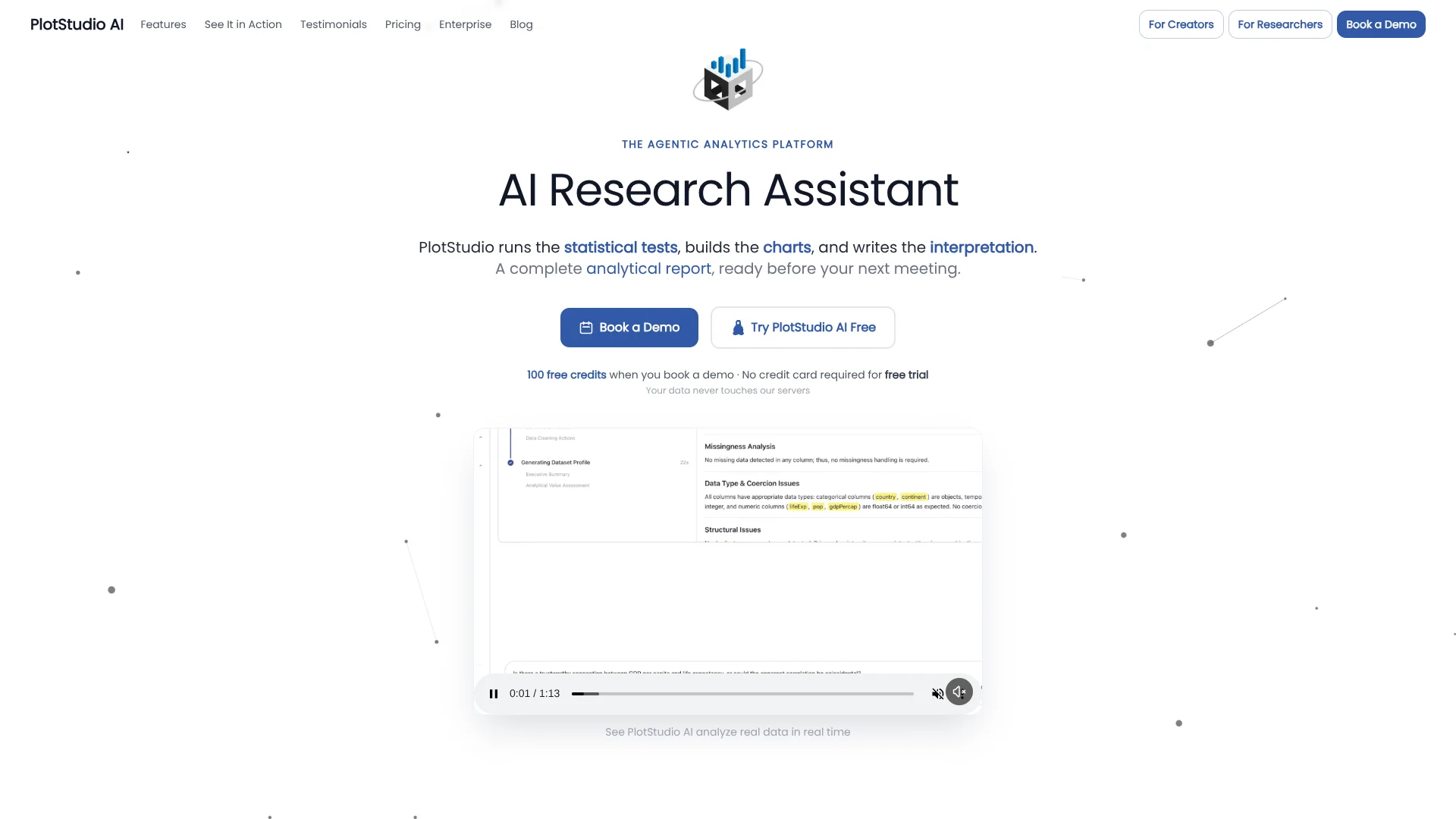
PlotStudio AI is a desktop agentic analytics tool that behaves like a hands-on data analyst rather than a chat window. Users upload CSV or Excel files, ask questions in plain language, and a team of coordinated AI agents plans the methodology, writes Python, runs the code, and narrates results. It targets analyst-grade work such as profiling, statistical testing, modeling, and report writing, while keeping data on the local machine so sensitive datasets never sit in a vendor cloud.
PlotStudio AI treats analytics as a full workflow rather than a chat reply. Its combination of multi-agent planning, domain-aware statistical methods, and permanent analysis pages yields outputs that resemble careful human work, not quick sketches. Local execution and Verification Mode make it unusually attractive for regulated data, teaching environments, and any team that cares about methodology as much as speed.
PlotStudio AI suits teams that want serious, auditable analysis without sacrificing speed or privacy. It does not replace judgment or domain expertise, but it strips out much of the mechanical work and turns plain-language questions into structured, reproducible studies. For anyone weighing AI data tools on depth, transparency, and local control rather than just quick visualizations, PlotStudio AI stands out as a strong contender.
Who is Using PlotStudio AI?
Business Analysts
Using it to answer ad hoc questions without waiting on overbooked data teams, then sharing PDF reports with stakeholders.
Data Scientists and Econometricians
Offloading boilerplate coding and repetitive tests while keeping control over model choice, controls, and specifications.
Product Managers
Turning product and usage exports into structured analyses and a living knowledge base of past investigations.
Researchers and Academics
Running reproducible, methodologically explicit studies on local machines that meet ethics and IRB data-handling rules.
Consultants and Freelancers
Rapidly producing client-ready analytics deliverables with code and notebooks that justify recommendations.
Uncommon Use Cases
Adopted by policy institutes for quick econometric prototypes on public data; used by solo founders to validate metrics before investing in traditional BI stacks.
Key Features
Rating Breakdown
Pricing Plans
Free Trial
Free
- 30 free credits, no credit card required, no API key needed, and priority support
Managed Credits
$69.99 per month
- 300 credits per month, no API key required, option to purchase additional credits, predictable billing, and priority support
Bring Your Own Key (BYOK)
$39.99 per month
- Unlimited usage with your own OpenAI API key, no token markup, lower cost at scale, and priority support
Which PlotStudio AI plan should you pick?
Start with the Free Trial to evaluate the workflow; upgrade to Managed Credits for included usage or BYOK for unlimited queries with your own OpenAI key.
Free Trial
Good for evaluating PlotStudio with 30 free credits and no credit card.
Managed Credits
Good for users who want 300 monthly credits, predictable billing, and no API key setup.
Bring Your Own Key
Good for heavy users who want unlimited queries and already manage an OpenAI API key.
PlotStudio AI Use Cases
Statistical analysis
Describe a statistical test or research question, review the proposed methodology, and let the agents execute it.
Outcome: A documented analysis with statistics, caveats, and interpretation.
Customer churn modeling
Upload customer data and ask PlotStudio to identify churn drivers and evaluate a predictive model.
Outcome: A model evaluation with charts, findings, and generated code.
Data cleaning and profiling
Upload a dataset and let PlotStudio score data quality, propose cleaning steps, and apply them during analysis.
Outcome: A cleaned, profiled dataset with an auditable cleaning plan.
Reproducible research
Run an analysis locally, inspect the generated Python, and export the complete work as a Jupyter notebook.
Outcome: A reproducible notebook containing code and outputs.
Stakeholder reporting
Convert analytical results into a formatted report with charts, tables, narrative, and rendered equations.
Outcome: A publication-ready PDF report.
Workflow Ideas with PlotStudio AI
From dataset to report
- 1Upload a CSV, Parquet, or Excel dataset
- 2Ask a research or business question in plain English
- 3Review the plan, execute the analysis, and export the PDF report
Verified statistical analysis
- 1Describe the method or hypothesis to test
- 2Review and edit the proposed plan in Verification Mode
- 3Run the final plan and inspect code, diagnostics, and interpretation
Reproducible handoff
- 1Run the analysis locally in PlotStudio
- 2Inspect the generated Python and analytical outputs
- 3Export a Jupyter notebook for a collaborator or reviewer
How PlotStudio AI fits into your stack
Desktop / IDE
PlotStudio is delivered as a macOS desktop application that runs analysis locally, writes and executes Python, and exposes the generated code for inspection. Enterprise deployments can be distributed through JAMF, Intune, or Group Policy. https://www.plotstudio.ai/download
Knowledge and files
Users upload datasets for profiling, cleaning, modeling, visualization, and cross-analysis. Supported enterprise data sources include CSV, Excel, Parquet, Snowflake, BigQuery, and Postgres. https://www.plotstudio.ai/enterprise
Docs and writing
Each question produces a persistent Analysis Page containing charts, tables, statistical tests, interpretation, code, and reasoning. Results can be exported as PDF reports or Jupyter notebooks. https://www.plotstudio.ai/
Team collaboration
Enterprise workflows support named seats, member invitations, shared analysis pages, and SAML-based organization access through Clerk, including Entra ID, Okta, and Google Workspace. https://www.plotstudio.ai/enterprise
Pros
- +Analyst‑grade depth: Produces multi-step, caveated analyses with transparent code and methods rather than superficial summaries.
- +Significant time savings: Common analytics projects that normally take hours or days often complete in minutes.
- +High transparency and auditability: Full reasoning chains, code, and data lineage support compliance reviews, peer review, and teaching.
- +Strong fit for non‑coders and experts alike: Plain-English questions work for business users, while Verification Mode and domain controls appeal to statisticians and data scientists.
Cons
- −Desktop only today: No pure web version, which may limit use on locked‑down or Chromebook environments.
- −Limited direct data connectors: The strongest support currently targets CSV and Excel files, with warehouses and live databases still emerging.
- −Best with some statistical literacy: Interpreting advanced models and editing plans benefits from users who understand methodology basics.
Limitations & when to consider alternatives
Known limitations
- macOS availability is limited. The public download page currently specifies macOS with Apple Silicon rather than Windows or Linux installers.
- Free access is trial-based. The 30-credit free option is labeled a Free Trial, and the terms state access becomes limited after the trial.
- OpenAI costs apply in BYOK mode. BYOK requires a separate OpenAI API key and makes the user responsible for OpenAI usage costs.
- Human review remains necessary. The terms warn that AI-generated analyses may contain errors, inaccuracies, or biases and require validation.
- Some enterprise connectors are not yet available. Snowflake, BigQuery, and Postgres are listed as coming soon on the enterprise page.
Look elsewhere when
- You need a native mobile app.
- You need Windows or Linux desktop support.
- You need a documented PlotStudio developer API.
- You need built-in Slack, Zapier, or Notion integrations.
How to Use PlotStudio AI
- 1
Download the desktop app
Install PlotStudio from the official download page; the currently listed public build is for macOS Apple Silicon.
- 2
Choose AI access
Start with free credits, select Managed Credits, or configure BYOK with your OpenAI API key.
- 3
Upload a dataset
Add a supported dataset such as CSV, Parquet, or Excel so PlotStudio can profile it locally.
- 4
Ask an analytical question
Describe the business, research, statistical, or modeling question in plain English.
- 5
Review and run the plan
Use Verification Mode to inspect or edit the methodology before executing the multi-step analysis.
- 6
Export the result
Export a PDF report for stakeholders or a Jupyter notebook containing code and outputs for reproducibility.
Who is PlotStudio AI For?
Business Analysts
Ask data questions in plain English and receive charts, statistical tests, and written interpretations without waiting for a data team.
Data Scientists
Use automated profiling, code generation, verification mode, and reproducible exports to reduce pandas boilerplate.
Product Managers
Turn recurring questions into persistent analysis pages and a searchable knowledge base.
Researchers and Academics
Run local, auditable analyses with visible code, statistical methods, and notebook exports suitable for review.
Consultants and Freelancers
Analyze client data locally and export publication-ready PDF reports without rebuilding the workflow manually.
Frequently Asked Questions
What does PlotStudio AI do?
PlotStudio is a desktop application where specialized agents plan, code, execute, verify, and narrate multi-step data analyses.
Does PlotStudio process data locally?
Yes. Uploaded datasets and AI-generated code execution run locally on the user’s desktop.
What file formats are supported?
Official materials document CSV, Parquet, and Excel data support, with Snowflake, BigQuery, and Postgres listed as coming soon.
Can users export analyses?
Analyses can be exported as PDF reports and reproducible Jupyter notebooks containing code and outputs.
What is BYOK?
Bring Your Own Key lets users connect their own OpenAI API key and use unlimited queries under the BYOK subscription.
Does PlotStudio offer enterprise deployment?
Enterprise deployment runs through the customer’s Azure AI Foundry environment, with SAML SSO and MDM rollout options.
Community reviews
Be the first to share your experience.
Sign in to leave a review for PlotStudio AI.
PlotStudio AI Alternatives
Looking for alternatives to PlotStudio AI? Here are similar tools in the same category:
Learn to Master PlotStudio AI
With Skill Leap courses
Get in-depth training on PlotStudio AI and 50+ other AI tools with our expert-led video courses.
Start 7-Day Free Trial