Polyhive
Revolutionize 3D modeling with AI, intuitive design, and real-time collaboration.
Key Takeaways
- What it is
- Revolutionize 3D modeling with AI, intuitive design, and real-time collaboration.
- Pricing
- Freemium
- Best for
- Generative AI Modeling
- Intuitive User Interface
- Real-time Rendering
- Rating
- 4.5/5
What is Polyhive?
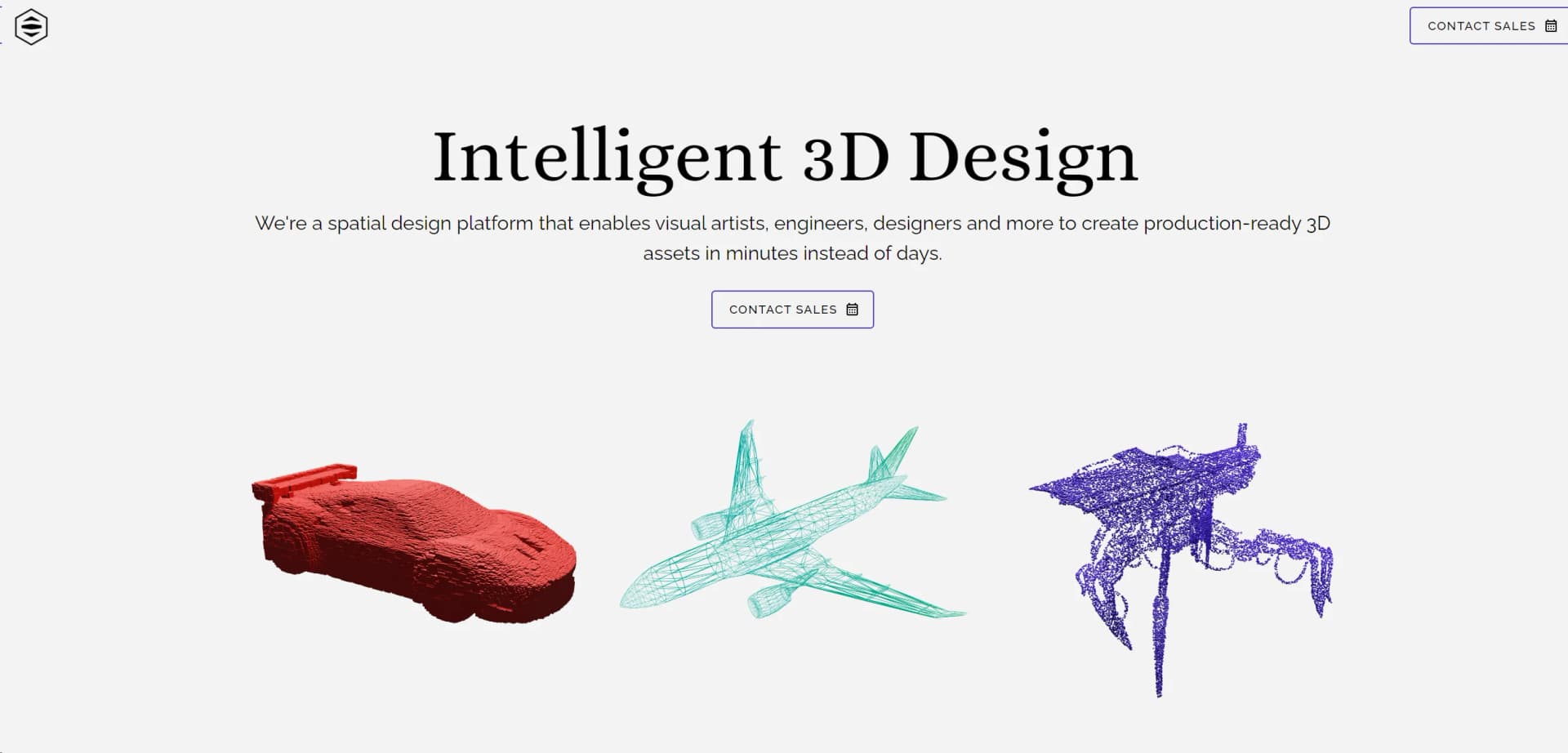
Polyhive is a groundbreaking AI tool designed specifically for the 3D professional community. At its core, Polyhive leverages generative AI technologies to revolutionize the way 3D content is created, modified, and enhanced. Aimed at architects, game developers, CGI artists, and other professionals in the 3D space, Polyhive streamlines complex processes, making 3D modeling more intuitive, efficient, and accessible.
Polyhive stands out in the crowded field of 3D design tools with its cutting-edge generative AI technology. This not only accelerates the design process but also opens new avenues for creativity and innovation. Its emphasis on real-time collaboration and feedback integration sets it apart, making it a valuable tool for teams spread across different locations.
Polyhive excels in transforming the landscape of 3D design, making it an indispensable tool for professionals seeking to enhance their productivity and creativity. Its unique generative AI technology, combined with an intuitive interface and powerful rendering capabilities, offers an unmatched advantage in the creation of detailed and innovative 3D models. Whether for individual projects or collaborative team efforts, Polyhive stands out as a leading solution in the realm of 3D professional software.
Who is Using Polyhive?
Architects
Using the tool to bring architectural visions to life with precise and innovative designs.
Game Developers
Employing Polyhive to create detailed game environments and characters more efficiently.
CGI Artists
Leveraging the tool to produce stunning visual effects and animations with a higher level of detail.
Product Designers
Utilizing Polyhive to envision and iterate on product designs in a 3D space.
Uncommon Use Cases
Academic institutions incorporate Polyhive into their curriculum for teaching advanced design concepts; Virtual reality developers use it to craft immersive environments.
Key Features
Rating Breakdown
Pricing Plans
Free Tier
Free
- Polyhive offers a basic package free of charge
- Ideal for individuals exploring its capabilities
Professional Tier
- More advanced features and capabilities
- Polyhive provides a Professional tier
- Pricing details available upon request
Which Polyhive plan should you pick?
Start with Free for experimentation, move to Plus for private higher-volume texturing, and contact Polyhive about Studio customization and team workflows.
Free
Good for individuals and hobbyists who need limited texture generation and can accept publicly visible outputs.
Plus
Good for creators who need more monthly credits, higher polygon limits, private textures, and textured-model downloads.
Studio
Good for studios that need custom AI models, collaborative production, and integration with established graphics pipelines.
Polyhive Use Cases
Game asset texturing
Apply text-prompted materials to existing 3D meshes.
Outcome: Faster production of game-ready assets.
Animation asset production
Generate and refine materials for characters, props, and environments.
Outcome: Less manual texturing work.
Architectural and product visualization
Create material and finish variations for design or visualization projects.
Outcome: More visual iterations in less time.
Custom studio art direction
Use studio assets to customize AI models for a consistent project style.
Outcome: More consistent generated results.
Game-engine integration
Move generated assets into Unity or Unreal production workflows.
Outcome: Shorter handoff and iteration cycles.
Workflow Ideas with Polyhive
Texture an existing mesh
- 1Upload a 3D mesh
- 2Describe the desired material with a text prompt
- 3Preview, refine, and export the generated texture maps
Create a tileable material
- 1Provide a text prompt or concept image
- 2Generate a tileable PBR material
- 3Use the material in a 3D or game-engine workflow
Deploy assets to a game engine
- 1Generate and review the textured asset
- 2Manage or version the asset in Polyhive
- 3Integrate it into Unity or Unreal through the SDK
How Polyhive fits into your stack
Cloud-Based Collaboration
Polyhive's cloud infrastructure facilitates easy sharing and collaboration on projects.
High-End Rendering Engines
Compatible with leading rendering engines to produce photorealistic outputs.
API Access
Offers API access for custom integrations, enabling a more tailored workflow.
Cross-Platform Support
Accessible on various platforms, ensuring flexibility in how and where users can work.
Pros
- +Increased Productivity: Significantly reduces the time needed to create complex 3D models.
- +Enhanced Creativity: AI-driven suggestions offer new possibilities in design, pushing the boundaries of creativity.
- +Ease of Use: Its user-friendly interface makes advanced 3D modeling accessible to professionals of varying skill levels.
- +Cost-Effective: By streamlining the design process, Polyhive helps reduce operational costs associated with 3D modeling projects.
Cons
- −Learning Curve: Despite its intuitive design, new users may need time to fully leverage all of Polyhive's features.
- −Hardware Requirements: High-quality rendering and AI functionalities may demand powerful hardware.
- −Limited Offline Functionality: Some features may rely heavily on online connectivity for optimal performance.
Limitations & when to consider alternatives
Known limitations
- Free-account output visibility. Free-account textures are documented as publicly visible to other site users.
- Free-account polygon limit. Free accounts are documented as supporting models up to 20,000 polygons.
- Plus-account polygon limit. The documented Plus plan raises the supported model limit to 40,000 polygons.
- Texturing-focused product. Polyhive is focused on 3D texturing, materials, and asset workflows rather than general-purpose image, writing, or code generation.
Look elsewhere when
- You need native mobile apps.
- You need a desktop installer.
- You need SSO or enterprise identity controls.
- You need programming-code generation.
How to Use Polyhive
- 1
Polyhive provides a comprehensive suite of tutorials, available directly on their website, covering everything from basic setup to advanced design techniques, ensuring users can quickly leverage the full power of the tool.
Who is Polyhive For?
Game developers
Create and iterate on game-ready 3D textures and assets more quickly.
Animators
Accelerate texturing and asset production within animation pipelines.
Designers
Explore materials, finishes, and visual variations with generative AI.
3D professionals
Reduce repetitive texturing work while retaining control over the final art direction.
Game studios
Manage shared assets, integrate with production tools, and customize models for a consistent visual style.
Frequently Asked Questions
What is Polyhive?
Polyhive is a generative AI platform for creating and managing production-quality 3D textures and assets.
What can Polyhive texture?
Polyhive applies AI-generated materials to 3D meshes while preserving mesh and UV structure.
Can Polyhive generate tileable materials?
Yes. Polyhive generates tileable PBR materials from text prompts or concept images.
Does Polyhive support game engines?
Polyhive provides integrations and SDK support for Unity and Unreal Engine workflows.
Can teams collaborate in Polyhive?
Yes. The product includes collaborative asset management for shared 3D production workflows.
Can studios customize Polyhive to their art style?
Studio workflows support custom AI models trained or fine-tuned using the studio's own assets.
Community reviews
Be the first to share your experience.
Sign in to leave a review for Polyhive.
Polyhive Alternatives
Looking for alternatives to Polyhive? Here are similar tools in the same category: