PosterMyWall
Event promotions pairing custom designs with built-in ticket sales.
Key Takeaways
- What it is
- Event promotions pairing custom designs with built-in ticket sales.
- Pricing
- Freemium · $13 per month · $30 per month
- Best for
- PosterMyWall AI
- AI Writer
- Content Planner
- Rating
- 4.1/5
What is PosterMyWall?
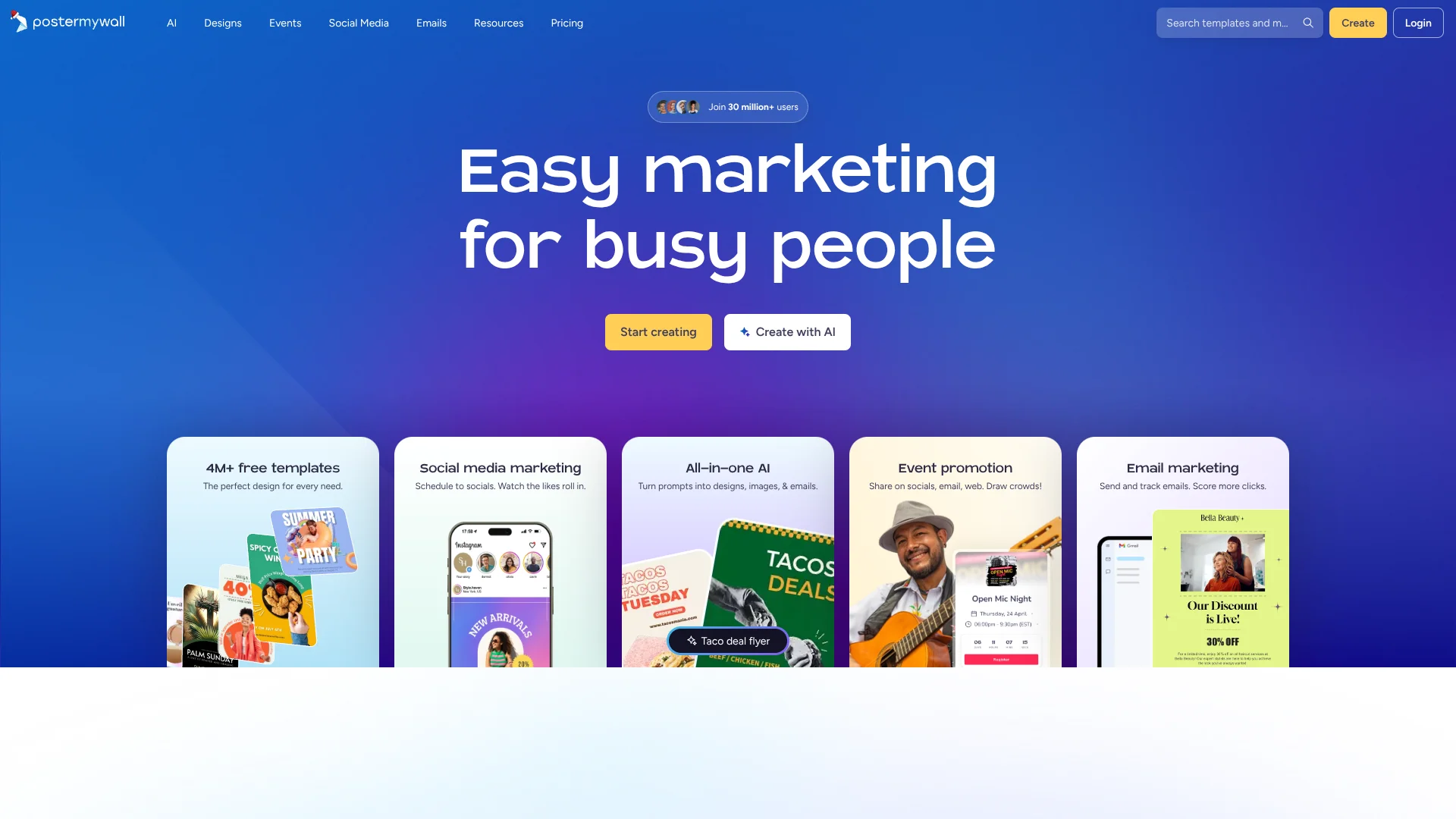
PosterMyWall turns a written idea into promotional designs such as flyers, posters, and social posts, then lets you edit and publish them. Its AI can also draft marketing copy and create or modify designs, including videos. Small businesses and organizations can use it to prepare campaign materials without starting each design from a blank page.
A design can become more than a downloaded graphic: PosterMyWall connects promotional designs to shareable event pages, ticket sales, social posts, and email campaigns, with a Content Planner to track scheduled and published marketing.
It fits small teams and business owners who need recurring promotional materials alongside event or social marketing. The free plan charges for high-quality downloads. PosterMyWall AI is included with Premium and Premium Plus; free users can try select AI tools with free credits.
Who is Using PosterMyWall?
Social media managers
A shared calendar helps them plan designs and schedule posts across connected social accounts.
Restaurant owners
Promotional flyers and social graphics help announce specials and upcoming events.
Event coordinators
Event pages and ticketing connect a promotion to registrations or ticket purchases.
Email marketers
Email templates and AI Writer help prepare campaign copy and track performance.
Uncommon Use Cases
Teachers making classroom and school-event materials; community groups embedding an events calendar on their website.
Key Features
Rating Breakdown
Pricing Plans
Free
Free
- One connected social media account
- High-quality downloads are pay per download, starting at $5.99
Premium
$13 per month
- Yearly billing: $109 per year
- 100 new credits each month
- Three connected social accounts and 3,000 monthly email sends
Premium Plus
$30 per month
- Yearly billing: $319 per year
- 250 new credits each month
- Unlimited connected social accounts and 10,000 monthly email sends
Which PosterMyWall plan should you pick?
Start with Free to try the editor and templates, then choose Premium for AI tools and regular publishing or Premium Plus for higher email, social, and event allowances.
Free
Good for occasional design work when paid high-quality downloads and limited social publishing are acceptable.
Premium
Good for marketers and small businesses that need AI design tools, scheduled social posts, and unlimited high-quality downloads.
Premium Plus
Good for growing marketing programs that need more monthly email sends, unlimited connected social accounts, and unlimited event pages.
PosterMyWall Use Cases
Create promotional designs
A text prompt can start a flyer, poster, or social post that can be refined in the editor.
Outcome: Editable promotional designs for print or digital sharing.
Promote an event
An event design can lead to a shareable event page with registration or ticketing.
Outcome: A single event promotion with a page for registrations or ticket sales.
Plan social posts
The Content Planner organizes scheduled posts and can publish them to connected social accounts.
Outcome: Planned and scheduled social content.
Prepare email campaigns
Email templates and AI-generated subject lines and copy support promotional sends.
Outcome: A designed email campaign that can be sent and tracked.
Add subtitles to videos
AI Subtitles transcribes uploaded audio or video into editable subtitles in a selected language.
Outcome: A subtitled video design.
Workflow Ideas with PosterMyWall
Build an event promotion
- 1Prompt PosterMyWall AI for a flyer or social post for the event.
- 2Edit the design and create a shareable event page.
- 3Promote the page through social channels or email.
Plan a social campaign
- 1Create campaign designs and draft captions with AI Writer.
- 2Add the posts to the Content Planner.
- 3Schedule publishing to connected social accounts.
Prepare a promotional email
- 1Choose an email template and customize its design.
- 2Use AI Writer for a subject line or revised email copy.
- 3Send the campaign and review its performance.
How PosterMyWall fits into your stack
Design and creative work
The editor combines templates, prompt-based AI design, image tools, and video features for promotional material.
Social publishing
Connect social accounts and schedule posts through the Content Planner.
Email marketing
Design and send campaigns, collect signups, and review email performance within PosterMyWall.
Events
Event pages connect promotional designs to registrations, ticket sales, and reminder emails.
External tools and development
Google Drive, Facebook, and Dropbox can provide media uploads. A documented API and embeddable editor are available for developers.
Pros
- +Campaign path: Designs can lead into event pages, social publishing, and email campaigns.
- +Prompt-based design: AI can create a starting design and revise it from follow-up instructions.
- +Built-in scheduling: The Content Planner puts scheduled and published posts and emails on a calendar.
- +Team workspace: Paid plans support collaboration on shared designs and folders.
Cons
- −AI costs extra: PosterMyWall AI and several creative AI tools require Premium or Premium Plus.
- −Credits need tracking: Monthly plan credits expire, and additional credit packs cost extra.
- −Plan comparison takes care: Download, event, email, and social limits differ between plans.
Limitations & when to consider alternatives
Known limitations
- Free high-quality downloads have a fee. The Free plan charges for high-quality downloads; Premium and Premium Plus include unlimited high-quality downloads.
- Plan credits expire. Monthly credits included with Premium and Premium Plus expire at the end of the month.
- Free plan has marketing limits. The Free plan allows one connected social account and does not include AI design tools or email sends.
- Premium ticketing fees can change at a threshold. On Premium, the event ticket service fee rises after total sales pass $50,000 or 1,000 tickets, whichever comes first.
- AI subtitles may vary in accuracy. PosterMyWall notes that subtitle accuracy can vary with the language and audio quality.
Look elsewhere when
- You need a desktop application or browser extension.
- You need single sign-on or SAML for account access.
- You need to train a custom AI model on your own data.
- You need to generate or edit programming code.
How to Use PosterMyWall
- 1
Start with a template or prompt
Choose a design from the template gallery or open Create with AI to describe what you want.
- 2
Refine the design
Edit the generated result in the design editor, or give PosterMyWall AI follow-up instructions.
- 3
Add your own assets
Upload media from your device or bring in photos from Google Drive.
- 4
Prepare the campaign copy
Use AI Writer for captions or email text, and adjust the tone or length.
- 5
Publish or download
Download the design, schedule a social post, send an email, or make an event page.
- 6
Check plan limits before scaling
Review the plan’s credit, email, social account, event, and download allowances before relying on a feature regularly.
Who is PosterMyWall For?
Small businesses
Prepare promotional graphics and campaigns without relying on a separate design team.
Restaurants and retail
Make offers and event promotions for print, email, and social channels.
Event organizers
Pair promotional designs with event pages, registration collection, and ticket sales.
Nonprofits and community organizations
Create materials for fundraisers, workshops, and local events.
Social media marketers
Draft, schedule, publish, and review social content from the Content Planner.
Frequently Asked Questions
Does PosterMyWall have a free plan?
Yes. The Free plan costs $0 per month and includes design tools, templates, and limited social publishing. High-quality downloads cost extra.
What do Premium and Premium Plus cost?
The official US pricing page lists Premium at $13 per month and Premium Plus at $30 per month. Yearly billing is $109 for Premium and $319 for Premium Plus.
Can PosterMyWall publish and schedule social posts?
Yes. Connect supported social accounts to publish or schedule posts, with the number of accounts depending on the plan.
Does PosterMyWall have a mobile app?
Yes. PosterMyWall offers a native mobile app for Android and iPhone.
Does PosterMyWall provide an API?
Yes. Its developer API supports access to templates, designs, folders, and downloads, with OAuth access for user data.
Community reviews
Be the first to share your experience.
Sign in to leave a review for PosterMyWall.
PosterMyWall Alternatives
Looking for alternatives to PosterMyWall? Here are similar tools in the same category: