
Prisma
Transform photos into art with AI, quickly and beautifully.
Key Takeaways
- What it is
- Transform photos into art with AI, quickly and beautifully.
- Pricing
- Freemium · $19.99 per year
- Best for
- Artistic Transformation
- Speed and Efficiency
- High-Resolution Support
- Rating
- 4.6/5
What is Prisma?
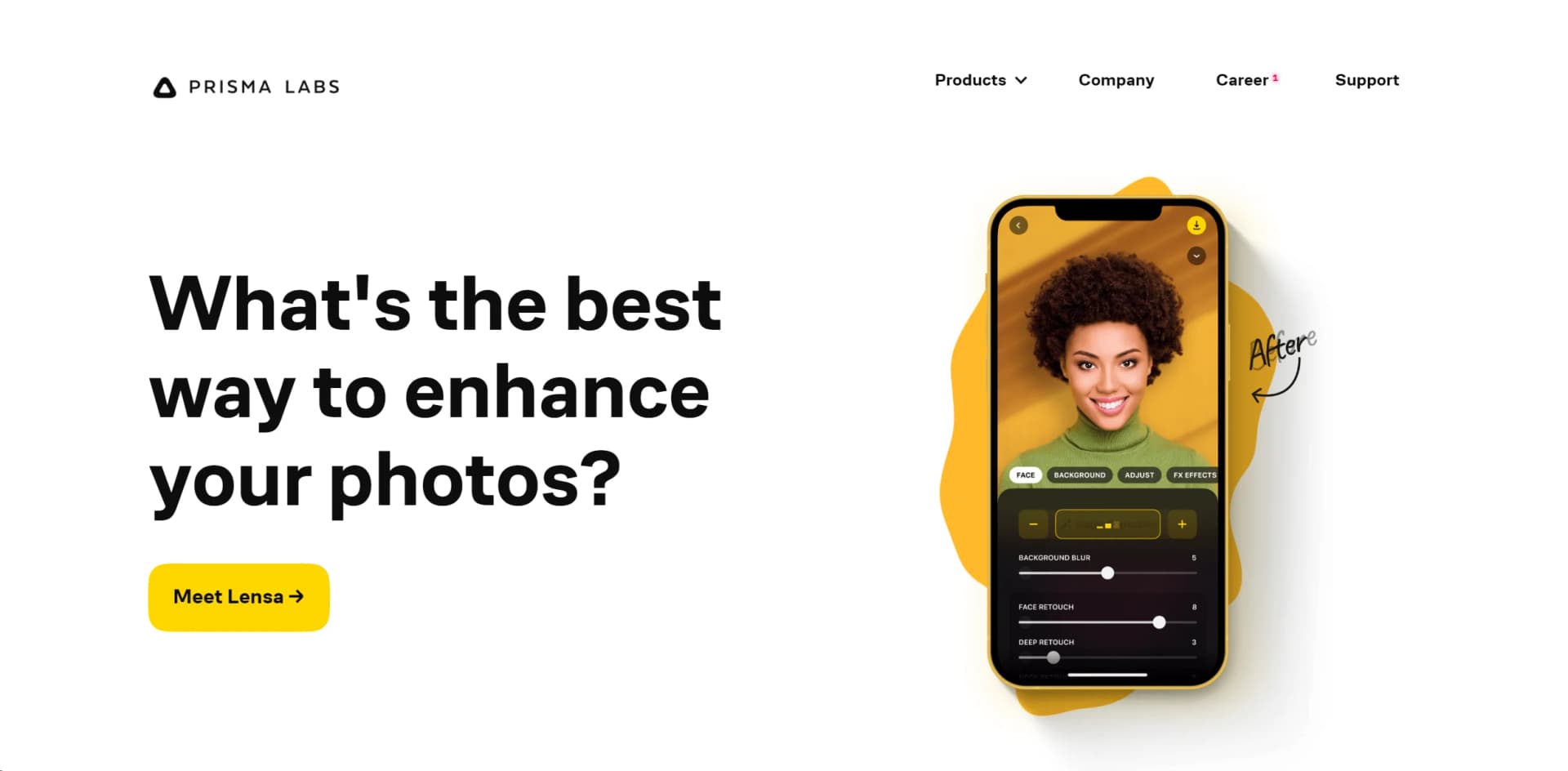
Prisma is a cutting-edge AI tool that transforms ordinary photos into extraordinary pieces of art using advanced neural networks and artificial intelligence. Tailored for both amateur and professional photographers, graphic designers, and digital artists, Prisma offers a unique blend of artistic filters and effects that simplify the process of creating visually stunning images.
Prisma stands out with its ability to turn ordinary images into high-quality art pieces instantly. Its proprietary technology, which intelligently applies the styles of various world-renowned artists, sets it apart from other photo-editing tools.
Prisma excels in transforming everyday images into stunning pieces of art, making it an indispensable tool for photographers and artists alike. Its unique filter technology offers an unmatched advantage in creating visually appealing images quickly and efficiently. Whether you're a professional looking to enhance your portfolio or a hobbyist wanting to experiment with digital art, Prisma provides the tools and features to unleash your creative potential.
Who is Using Prisma?
Professional Photographers
Utilizing the tool to add unique artistic flairs to their photographs.
Graphic Designers
Employing the tool to create eye-catching designs and artworks.
Content Creators
Leveraging the tool to produce distinctive visuals for social media and blogs.
Art Enthusiasts
Using the tool to experiment with digital art creation.
Uncommon Use Cases
Utilized by real estate agents to enhance property photos for listings; adopted by educators to introduce students to digital art concepts.
Key Features
Rating Breakdown
Pricing Plans
Free Tier
Free
- Experience Prisma with basic features at no cost
Premium Tier
$19.99 per year
Which Prisma plan should you pick?
Start with Prisma’s free functionality and upgrade to Prisma Premium when you need enhanced services and additional features.
Prisma Premium
Good for creators who need enhanced services, additional features, and access to premium photo-editing content.
Prisma Use Cases
Turn photos into digital art
Apply artistic styles inspired by famous artists to ordinary photos.
Outcome: A stylized, reimagined image.
Create stylized portraits
Use portrait styles designed for selfies and portrait photography.
Outcome: A more artistic portrait.
Edit photos with creative filters
Upload photos and apply creative filters or art effects.
Outcome: An edited photo suitable for saving or sharing.
Workflow Ideas with Prisma
Create and share a stylized photo
- 1Upload a photo to Prisma
- 2Apply an artistic style or creative filter
- 3Save or share the edited photo
Process privately on-device
- 1Open Prisma's processing settings
- 2Turn off online processing
- 3Apply an available style using on-device processing
How Prisma fits into your stack
Mobile Compatibility
Prisma is readily available on iOS and Android, ensuring users can edit on-the-go.
Cloud Storage Integration
Seamlessly works with cloud storage services like Google Drive and Dropbox for easy access and management of photos.
Social Media Integration
Direct integration with social media platforms allows for instant sharing of edited images.
Continuous Updates
Regular updates add new features and filters, continuously enhancing user experience.
Pros
- +Enhanced Creativity: Empowers users to explore their creativity by transforming photos into different artistic styles.
- +Time-Saving: Quickly applies complex artistic effects, saving time for artists and designers.
- +Versatility: Suitable for various professional and personal applications, enhancing everything from social media posts to professional artwork.
- +Accessibility: Available on multiple platforms, including iOS and Android, making it accessible to a wide range of users.
Cons
- −Data Consumption: High-quality transformations may consume significant amounts of data, potentially impacting users with limited bandwidth.
- −Overuse of Filters: The distinctive look of some filters might lead to a uniformity in aesthetics, especially noticeable on popular social media platforms.
- −Learning Curve: New users may require some time to fully explore and utilize the extensive features and filter settings.
Limitations & when to consider alternatives
Known limitations
- Offline mode limits some features. Turning off online processing can make processing slower and can make some styles and HD processing unavailable.
- Online processing stores photos on servers. Photos processed online or used to improve Prisma Styles may be stored on Amazon Web Services servers in the United States.
- Photo rights remain the user's responsibility. Users must own uploaded photos or have the rights and permissions required to upload them and depict other people.
- Security is not guaranteed absolutely. Prisma says internet transmission is not completely secure and does not guarantee that information cannot be accessed, disclosed, altered, or destroyed.
- Age restrictions apply. Prisma is not intended for children under 13, and users in the EEA or UK must be at least 16.
Look elsewhere when
- You need a documented developer API.
- You need a browser extension or desktop application.
How to Use Prisma
- 1
Explore the extensive tutorial series available on the Prisma website and YouTube, covering everything from basic setup to mastering advanced artistic effects.
Who is Prisma For?
Anyone without prior editing experience
Prisma says its AI apps help anyone achieve results in seconds without skills or prior experience.
Frequently Asked Questions
What does Prisma do?
Prisma turns photos into digital art using hundreds of art and portrait styles inspired by famous artists.
Can I process photos offline?
Yes. Users can choose online or offline, on-device processing. Offline processing may be slower and may limit some styles and HD processing.
Are uploaded photos stored?
Photos may be stored on Prisma's AWS-hosted servers when online processing or style-improvement consent is enabled. Otherwise, uploaded photos are automatically deleted within 24 hours by default.
Can I save original photos for future editing?
Yes. Prisma provides a setting to save original photos on its server for future editing.
Who owns photos edited with Prisma?
Users retain rights to their original and edited content, subject to the license granted to Prisma for providing the service.
Community reviews
Be the first to share your experience.
Sign in to leave a review for Prisma.
Prisma Alternatives
Looking for alternatives to Prisma? Here are similar tools in the same category:
Learn to Master Prisma
With Skill Leap courses
Get in-depth training on Prisma and 50+ other AI tools with our expert-led video courses.
Start 7-Day Free Trial