
Prisma AIRS
Enterprise AI security for protecting models, agents, and live AI traffic.
Key Takeaways
- What it is
- Enterprise AI security for protecting models, agents, and live AI traffic.
- Pricing
- $4,353 per 12 months · $3 per hour
- Best for
- AI Gateway
- AI Runtime Security
- AI Red Teaming
- Rating
- 4.1/5
What is Prisma AIRS?
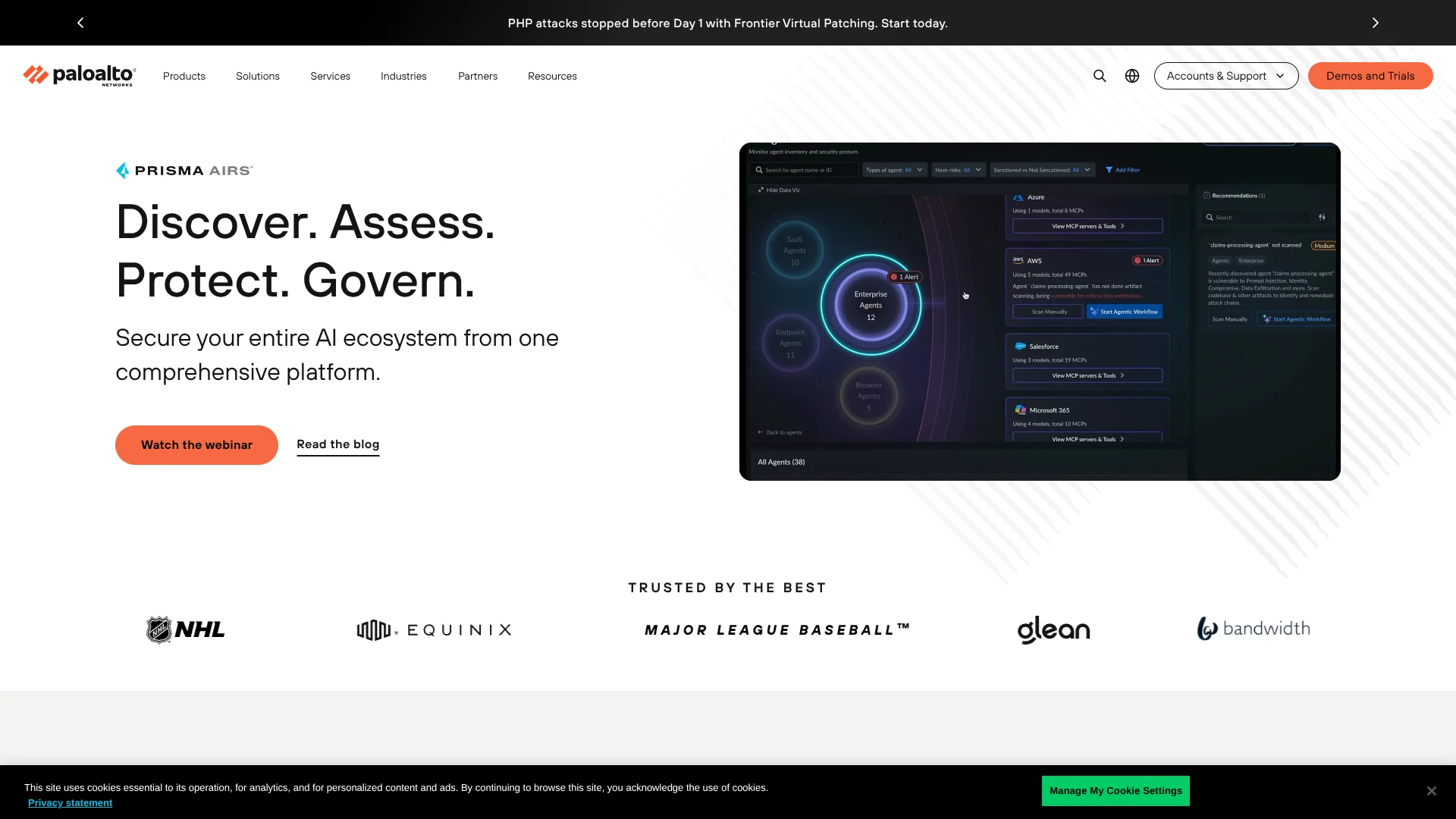
Prisma AIRS helps enterprise security and development teams find, test, and protect AI applications, agents, models, and data. Its coverage starts with model and agent artifacts, continues through red-team testing, and extends to live AI traffic. The platform addresses threats such as prompt injection, sensitive data leakage, unsafe agent actions, model tampering, and malicious content.
A single Prisma AIRS environment can scan model files, red-team an AI agent, route LLM traffic through policy controls, and block threats during runtime. Its four independent capability pillars let organizations deploy only the areas they need, rather than adopting every capability at once.
Prisma AIRS fits large organizations with security teams, cloud infrastructure, and multiple AI workloads to govern. It is less suitable for a small team seeking a self-serve tool with public subscription pricing, since deployment involves licenses, cloud infrastructure, and Palo Alto Networks management products. The strongest use case is enterprise AI security that spans development, deployment, and live operations.
Who is Using Prisma AIRS?
Chief information security officers
Set organization-wide controls for AI adoption, data protection, agent behavior, and audit visibility.
AI security engineers
Investigate AI traffic, create security profiles, run red-team scans, and review findings across models and agents.
Application security engineers
Scan model files, agent code, skills, and tools before they reach production.
Cloud security engineers
Deploy network interception and protect AI workloads across public, private, and hybrid cloud environments.
AI platform engineers
Connect LLM providers, MCP servers, agent backends, and private models through governed AI Gateway workspaces.
Uncommon Use Cases
Test voice-enabled AI applications with audio attacks; inspect tool-chaining risks in agents that combine multiple approved tools.
Key Features
Rating Breakdown
Pricing Plans
Prisma AIRS
- Bring-your-own license, activated with an authcode from the Palo Alto Networks support portal
- Funded from a shared pool of Software NGFW credits
- Covers AI Runtime Security, AI Supply Chain Security, and AI Red Teaming
- API intercept usage is metered in monthly tokens (one token equals four characters) and resets each calendar month
- Per-credit rates are not published
Prisma AIRS API
$4,353 per 12 months
- 12-month contract sold by Palo Alto Networks on AWS Marketplace
- Billed on calls to the Prisma AIRS API, with each request counting as one call
- The number of calls included is not listed
- 24-month and 36-month contracts are available, priced on request
Managed AIRS for AWS
$3 per hour
- Pay-as-you-go subscription in AWS Marketplace
- Premium rate of $1.50 base plus $1.50 premium per hour
- Traffic billed at $0.065 per GB up to 15 TB, $0.045 per GB from 15 to 30 TB, and $0.030 per GB above 30 TB
- Add-on security services are billed separately
- Free trial available; adding Software NGFW credits ends the trial and starts the contract
Which Prisma AIRS plan should you pick?
Use Managed AIRS for AWS to try pay-as-you-go protection inside AWS, buy the Prisma AIRS API contract to protect your own apps and agents, or contact Palo Alto Networks for a credit-funded license that covers runtime security, supply chain security, and red teaming.
Prisma AIRS
Good for enterprises that want AI Runtime Security, AI Supply Chain Security, and AI Red Teaming funded from one credit pool.
Prisma AIRS API
Good for development teams adding security checks to AI applications and agents through API calls, bought through AWS Marketplace.
Managed AIRS for AWS
Good for AWS customers who want pay-as-you-go network protection for AI traffic, starting with a free trial.
Prisma AIRS Use Cases
Protect live AI traffic
AI Runtime Security inspects traffic between users, applications, agents, models, and external services.
Outcome: Threats such as prompt injection and sensitive data leakage can be detected or blocked during execution.
Test an AI application before launch
AI Red Teaming probes an application, model, or agent with adversarial prompts and multi-turn attack scenarios.
Outcome: Security teams receive reports that show discovered weaknesses before deployment.
Govern LLM access
AI Gateway gives teams a controlled path to providers such as OpenAI, Anthropic, Google, AWS Bedrock, and self-hosted models.
Outcome: Teams can manage access, budgets, rate limits, routing, and guardrails from shared workspaces.
Scan models and agent components
AI Model Security and Agent Artifact Scanning inspect models, source code, skills, and tools before production use.
Outcome: Potential backdoors, malicious code, unsafe capabilities, and attack paths are identified earlier.
Secure autonomous agents
AI Agent Identity and runtime controls govern agent access to MCP servers, tools, data, and enterprise workflows.
Outcome: Security teams gain clearer control over what agents can access and do.
Workflow Ideas with Prisma AIRS
Pre-deployment AI review
- 1Scan the model files and agent artifacts.
- 2Run AI Red Teaming against the target endpoint.
- 3Fix findings and repeat the scan before release.
Live agent protection
- 1Route agent traffic through Network Intercept or API Intercept.
- 2Apply policies for prompts, tools, data, and generated content.
- 3Review threat logs and adjust security profiles.
Centralized LLM governance
- 1Connect approved LLM providers and private models to AI Gateway.
- 2Create workspaces with virtual keys, budgets, and rate limits.
- 3Monitor requests, responses, usage, cost, and policy violations.
How Prisma AIRS fits into your stack
AI applications and agents
Prisma AIRS sits between users, applications, agents, models, and tools to inspect traffic and enforce AI-specific policies.
Cloud and network security
Network Intercept works across AWS, Azure, GCP, Kubernetes, private cloud, and on-premises environments. It can protect AI and traditional application traffic.
Developer workflows
AI Model Security and Agent Artifact Scanning fit before deployment, while API Intercept adds security controls directly to application code through a REST API or Python SDK.
LLM and MCP access
AI Gateway connects LLM providers, MCP servers, agent backends, and self-hosted models through governed workspaces and a shared management surface.
Security operations
Strata Cloud Manager provides centralized policy management, dashboards, logs, and reporting for the Prisma AIRS capabilities you deploy.
Pros
- +Lifecycle coverage: Protects models, agents, applications, data, and live AI traffic.
- +Runtime enforcement: Supports network-level and code-level controls for blocking threats.
- +Red-team depth: Tests AI systems with more than 50 attack techniques and 500 attack scenarios.
- +Deployment choice: Offers SaaS and hybrid options for AI Gateway, plus cloud, Kubernetes, private cloud, and on-premises options for runtime security.
Cons
- −Mostly quote-based: Only the AWS Marketplace offers show public prices; credit-funded licenses need a quote.
- −Deployment effort: Runtime protection can involve cloud firewalls, Kubernetes infrastructure, APIs, and Strata Cloud Manager.
- −Specialized scope: The product is built for organizational AI security, not everyday individual AI use.
Limitations & when to consider alternatives
Known limitations
- Some controls require API Intercept. Contextual grounding for retrieval-augmented generation applications and inline data redaction are currently available only through API Intercept.
- AI Gateway availability. The AI Gateway documentation lists the Americas region and requires a Prisma AIRS license plus Strata Cloud Manager access.
- Private Hugging Face repositories. AI Model Security cannot scan private Hugging Face repositories directly. Private models must be downloaded and scanned locally.
- Runtime sizing. AI traffic inspection requires at least 4 vCPUs. Two-vCPU Prisma AIRS deployments support non-AI workloads only.
- WebSocket scan configuration. Multi-turn configuration is not available for WebSocket targets in AI Red Teaming.
Look elsewhere when
- You need a self-serve AI security tool with public subscription pricing.
- Your team needs an individual mobile, desktop, or browser-based AI application.
- Your priority is AI content creation rather than enterprise security controls.
How to Use Prisma AIRS
- 1
Choose the capability pillar
Start with AI Runtime Security, AI Red Teaming, AI Supply Chain Security, or AI Gateway based on the risk you need to address.
- 2
Set up the deployment
Activate the relevant license and configure the deployment profile in Palo Alto Networks management systems.
- 3
Connect your AI systems
Add AI endpoints, model sources, LLM providers, MCP servers, or agent backends through the matching integration method.
- 4
Create security policies
Define protections for prompts, model responses, data, tools, agents, and generated content.
- 5
Run tests or route traffic
Use AI Red Teaming for pre-deployment testing, or send live traffic through Network Intercept, API Intercept, or AI Gateway.
- 6
Review findings and improve controls
Use reports, threat logs, observability data, and remediation guidance to refine your AI security posture.
Who is Prisma AIRS For?
Enterprise security teams
Centralize AI risk discovery, policy enforcement, runtime protection, and security testing across the organization.
AI and application developers
Add API-level protections, test AI endpoints before release, and scan models or agent artifacts in development workflows.
Cloud and infrastructure teams
Protect AI and non-AI traffic across AWS, Azure, GCP, Kubernetes, private cloud, and on-premises environments.
Organizations deploying AI agents
Control agent identities, tool access, MCP workflows, and behavior after deployment.
Frequently Asked Questions
What does Prisma AIRS protect?
It protects AI applications, agents, models, datasets, and infrastructure across development, deployment, runtime operations, and ongoing governance.
Does Prisma AIRS have an API?
Yes. API Intercept provides a RESTful API and Python SDK that can be embedded into AI applications or agents.
Which LLM providers can AI Gateway connect to?
Supported examples include OpenAI, Anthropic, Google, AWS Bedrock, Azure OpenAI, Mistral, Cohere, and self-hosted models. The documentation states that AI Gateway connects to more than 1,600 LLMs across more than 50 providers.
Can Prisma AIRS test custom AI endpoints?
Yes. AI Red Teaming supports REST API, streaming, WebSocket, and Custom Target Adapter connection methods for targets that do not use a preconfigured integration.
Does Prisma AIRS offer SaaS deployment?
AI Gateway supports SaaS deployment, where Palo Alto Networks hosts the data plane, and hybrid deployment, where the customer hosts the data plane in its own Kubernetes environment.
Is Prisma AIRS free?
There is no free tier. Managed AIRS for AWS offers a free trial, and the Prisma AIRS API is listed on AWS Marketplace at $4,353.00 for a 12-month contract. Credit-funded Prisma AIRS licenses are quoted by Palo Alto Networks.
Community reviews
Be the first to share your experience.
Sign in to leave a review for Prisma AIRS.
Prisma AIRS Alternatives
Looking for alternatives to Prisma AIRS? Here are similar tools in the same category:
Learn to Master Prisma AIRS
With Skill Leap courses
Get in-depth training on Prisma AIRS and 50+ other AI tools with our expert-led video courses.
Start 7-Day Free Trial