Profile Picture AI
Polish your own photo into a profile-ready image for social accounts.
Key Takeaways
- What it is
- Polish your own photo into a profile-ready image for social accounts.
- Pricing
- Freemium
- Best for
- In-browser background removal
- Platform-size exports
- Circle crop preview
- Rating
- 4.1/5
What is Profile Picture AI?
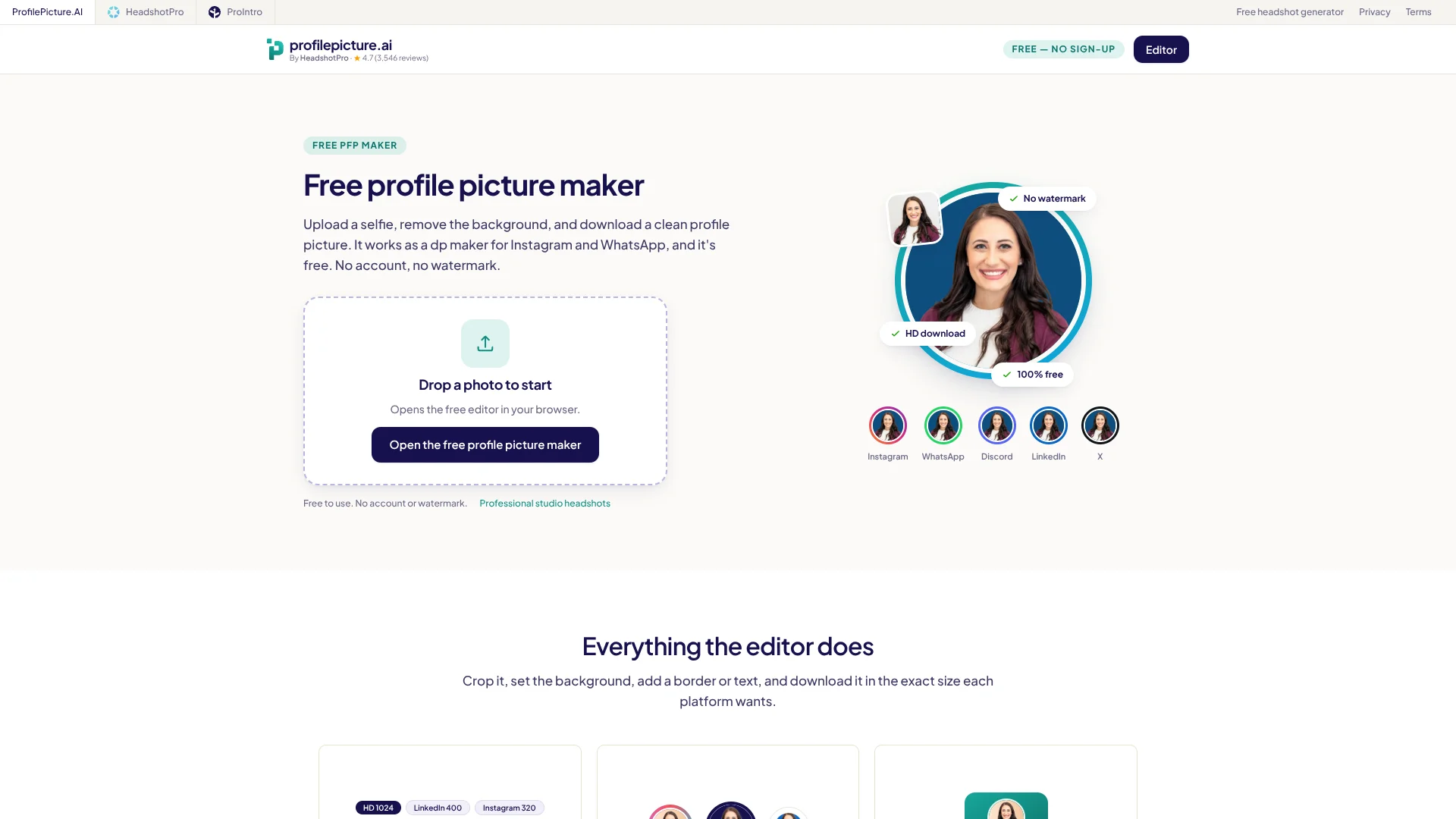
ProfilePicture.ai turns a photo you already have into a profile image sized for social accounts or a CV. Its browser editor removes the background on your device, then lets you adjust the crop and add a background, frame, filter, or text. It is for people who want a more polished profile photo without asking an AI image generator to create a new portrait.
For background removal, your photo stays on your device. The editor is built around styling your existing image, so the result remains your photo rather than an AI-generated face.
It suits social profile owners, creators, and job seekers who need a tidy image in the right dimensions. It does not generate a new studio-style portrait; ProfilePicture.ai points people who need that to its paid HeadshotPro product.
Who is Using Profile Picture AI?
Content creators
A high-contrast crop and background help an avatar stay clear beside videos and posts.
Social media managers
Platform-specific exports make it easier to prepare profile images in the right dimensions.
Job seekers
A clean background and centered crop help adapt an existing photo for LinkedIn or a CV.
Community moderators
A consistent circle crop and border can make a personal profile image easier to recognize.
Uncommon Use Cases
Coordinating profile pictures for a couple or friend duo; making a plain-background photo for a CV.
Key Features
Rating Breakdown
Pricing Plans
Free
Free
- No account required
- HD PNG or JPEG download without a watermark
Which Profile Picture AI plan should you pick?
The free browser editor covers profile-photo cleanup and sizing; choose the separately linked HeadshotPro product if you need an AI-generated studio portrait.
Free
Good for anyone who wants to edit an existing photo and download a profile image without an account or watermark.
Profile Picture AI Use Cases
Social profile refresh
A round preview and platform export presets help prepare one photo for services such as Instagram, TikTok, and Discord.
Outcome: A profile image sized for the selected platform.
Professional profile photo
A plain background and centered crop can make an existing photo look more suitable for LinkedIn.
Outcome: A clean LinkedIn-sized profile image.
CV photo
A simple background and an appropriately sized export help prepare a photo for a resume.
Outcome: A CV-ready profile photo.
Matching profile pictures
Repeating the same background, crop, and border gives two photos a coordinated look.
Outcome: Two profile pictures with a shared style.
Branded avatar
A frame, background, or name around the image can make an avatar more recognizable.
Outcome: A customized profile image in PNG or JPEG.
Workflow Ideas with Profile Picture AI
Prepare a social profile image
- 1Add a photo from your device in the browser editor.
- 2Remove the background and adjust the circle crop.
- 3Choose the platform export size and download the image.
Make a professional profile photo
- 1Choose a clear, well-lit photo.
- 2Set a plain background and position the face in the crop preview.
- 3Export a LinkedIn-sized image or a 1024×1024 HD square.
Create a matching pair
- 1Style the first photo with a background, crop, and border.
- 2Apply the same choices to the second photo.
- 3Download both as PNG or JPEG.
How Profile Picture AI fits into your stack
Browser photo editor
The editing workflow runs in a web browser on desktop or mobile. It is a photo editor, not a native mobile app.
Social and professional profiles
Preset sizes are available for Instagram, WhatsApp, Discord, TikTok, YouTube, X, LinkedIn, and CV photos.
Local photo processing
Background removal runs in the browser, so the image is not uploaded to the service for that step.
Image export
Finished profile pictures download as PNG or JPEG for you to add to the destination service yourself.
Pros
- +No-cost downloads: The editor offers HD PNG or JPEG exports without an account or watermark.
- +Private background cutout: Background removal runs in the browser without sending the photo to the server for that step.
- +Useful size presets: Exports are tailored to common profile-picture dimensions, including a 1024×1024 HD square.
Cons
- −Edits rather than recreates: It styles your photo but does not produce a newly imagined AI portrait.
- −Limited to profile-photo tasks: Its crop, background, and text tools are focused on profile images rather than broader photo editing.
Limitations & when to consider alternatives
Known limitations
- No AI-generated portrait. The free maker edits a photo you provide; it does not reshoot you into a studio-style AI portrait.
- Source photo quality matters. The site recommends a sharp, well-lit face and notes that the editor cannot add detail missing from the original photo.
Look elsewhere when
- You need an AI-generated studio-style portrait rather than an edit of an existing photo.
How to Use Profile Picture AI
- 1
Open the editor
Visit the browser-based maker; no account is needed to edit or download.
- 2
Choose a photo
Add a photo from your device. The maker accepts JPEG, PNG, or WebP.
- 3
Set the crop and background
Remove the background, adjust the crop, and choose a color, gradient, or pattern.
- 4
Add finishing details
Add a border, frame, filter, or text if it improves readability at small profile-image sizes.
- 5
Export the image
Choose a platform preset or the 1024×1024 HD square, then download as PNG or JPEG.
Who is Profile Picture AI For?
Social profile owners
Platform presets and round-crop previews help prepare a photo for social profiles.
Job seekers
A plain background and LinkedIn-sized export can make an existing photo more suitable for a professional profile or CV.
Creators
Backgrounds, frames, and text help give a channel or social avatar a more deliberate look.
Couples and friends
Repeating the same crop, background, and border can give two profile pictures a coordinated style.
Frequently Asked Questions
Is ProfilePicture.ai free?
Yes. The profile picture maker is free, with no account or watermark required.
Does it generate a new AI portrait?
No. This editor styles a photo you already have. The site points people seeking studio-style AI portraits to HeadshotPro.
What file types can I use and download?
The maker accepts JPEG, PNG, or WebP and exports the finished image as PNG or JPEG.
Does the editor work on a phone?
Yes. It runs in a mobile browser, where you can choose a photo from your camera roll, edit it, and download the result.
Does my photo get uploaded for background removal?
No. Background removal runs in your browser, so the photo is not sent to the server for that step.
Community reviews
1 review from people who use Profile Picture AI.
Sign in to leave a review for Profile Picture AI.
RJ Mustang
Profile Picture AI Alternatives
Looking for alternatives to Profile Picture AI? Here are similar tools in the same category: