
PrometheanAI
Revolutionize digital art with AI-driven asset management and world building.
Key Takeaways
- What it is
- Revolutionize digital art with AI-driven asset management and world building.
- Best for
- Asset Management
- AI World Building
- Enterprise Features & API
- Rating
- 4.5/5
What is PrometheanAI?
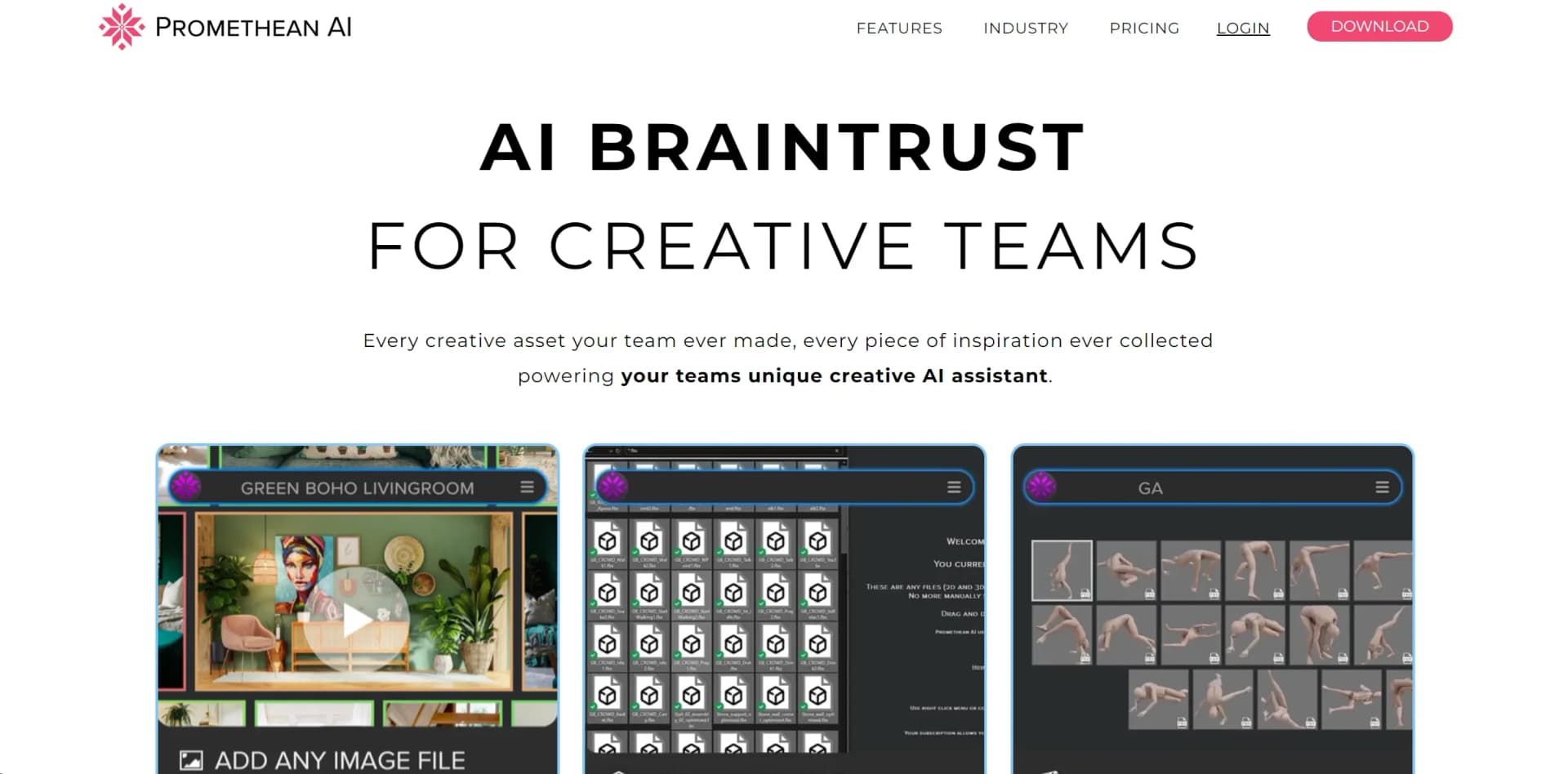
PrometheanAI is a revolutionary AI tool designed to enhance digital art production by acting as an AI braintrust for creative teams. It manages assets and facilitates AI-driven world-building, significantly streamlining complex processes and allowing teams to focus on storytelling and creativity. PrometheanAI is intended for game developers, film and animation studios, architectural visualization firms, and other creative sectors, transforming time-consuming tasks into efficient, creativity-enhancing experiences.
PrometheanAI stands out from other digital art production tools with its unparalleled AI-driven approach to asset management and world building. Its ability to integrate seamlessly into existing workflows without the need to upload assets or switch editors is a game-changer. Furthermore, its support from industry giants like Disney Accelerator and adoption by leading studios underscore its reliability and transformative potential in creative production.
PrometheanAI excels at empowering creative teams by streamlining digital art production and enhancing creative storytelling. Its unique AI-driven approach to asset management and world building, combined with the ease of integration into existing workflows, sets it apart as an essential tool for a wide range of creative professionals. With its robust enterprise features, proven reliability, and support from industry leaders, PrometheanAI represents a significant advancement in the way creative projects are developed and realized.
Who is Using PrometheanAI?
Game Developers and Studios
Leveraging AI for efficient world-building and asset management.
Film and Animation Studios
Utilizing the tool to speed up production and enhance storytelling through detailed environments.
Architectural Visualization Firms
Employing AI to quickly generate and iterate on complex, realistic 3D models.
Outsourcing & Asset Production Companies
Streamlining their workflows and improving delivery times for clients.
Uncommon Use Cases
Educational institutions incorporating it into digital art and design curriculums; independent creators using it to bring their visions to life more efficiently.
Key Features
Rating Breakdown
Which PrometheanAI plan should you pick?
Start with the Free Version for individual asset management and basic AI functionality; upgrade to Enterprise for collaboration, SSO, API access, custom models, and advanced world-building features.
Free Version
Good for individuals who need AI asset management, palettes, asset browsing, and basic command-line functionality.
Enterprise
Good for teams and studios that need shared asset libraries, customizable deployment, SSO, APIs, computer vision, advanced world building, and custom AI models.
PrometheanAI Use Cases
Asset management
Index and manage creative assets through an AI asset browser and metadata library.
Outcome: Faster asset discovery and reuse.
AI world building
Use natural-language requests and existing assets to construct virtual worlds and scenes.
Outcome: Reduced world-building time.
Set dressing and kitbashing
Reuse and combine existing assets to prototype scenes and create new environments.
Outcome: Faster scene creation.
Production collaboration
Share palettes, project metadata, and asset libraries across teams.
Outcome: More consistent communication and collaboration.
Computer vision labeling
Apply computer vision labeling to asset thumbnails and improve asset-management metadata.
Outcome: More searchable and organized asset libraries.
Workflow Ideas with PrometheanAI
Build a searchable asset library
- 1Add reference and inspiration files in Browser
- 2Drag and drop a folder of 3D assets into Source File mode
- 3Sync the folder so the library updates as assets change
Create a real-time 3D scene
- 1Add 3D and material assets from Unreal or Unity
- 2Ask design questions using natural language
- 3Use the selected assets to build assets and worlds
Share a project with a team
- 1Keep source assets in their existing location
- 2Create a shared metadata library using a shared folder, MySQL, or S3
- 3Let teammates access the shared library and palettes
How PrometheanAI fits into your stack
Workflow Customization
Easily adapts to both custom and proprietary pipelines, ensuring a good fit for a variety of creative teams.
Tech Art Friendly
Designed to be extendable, meeting the needs of technical artists for fully customized solutions.
Enterprise Security
Meets high standards for data security and privacy, including SSO and enterprise-level API access.
Community Support
Backed by a growing community and professional support, offering tutorials and resources for users.
Pros
- +Manufactures Time: Frees up valuable time for creative teams by automating mundane tasks, allowing more focus on creativity.
- +No Uploading of Assets Required: Simplifies the workflow by eliminating the need to upload assets, facilitating easier integration into existing processes.
- +No Editor Switching Required: Works seamlessly within the team’s current editor, ensuring a smooth and uninterrupted creative process.
- +Extensive Industry Adoption: With over 10,000 users, including major names like PlayStation Studios, PrometheanAI has a proven track record of success and reliability.
Cons
- −Learning Curve: New users may need time to fully grasp the capabilities and integration of the AI into their workflow.
- −Potential Overreliance: Teams might become overly dependent on AI for creative processes, potentially stifling individual creativity.
- −Complexity in Advanced Features: Some of the more advanced features and customizations may require technical expertise to fully exploit.
Limitations & when to consider alternatives
Known limitations
- The free release is feature-limited. The public version focuses on Asset Browser, Palettes, command-line asset search, and a few command-line commands; many enterprise features are unavailable.
- Some editor versions may be incompatible. Unreal is the primary integration, and not all versions of other supported editors have been tested.
- Computer vision uploads thumbnails. Computer vision labeling uploads asset thumbnails to a private AWS server, and thumbnail data may be used to improve the vision model.
- The workflow requires artist input. Promethean AI describes itself as a tool that requires artist input throughout the creative process.
Look elsewhere when
- You need a native mobile version of Promethean AI
- You need a browser extension for Promethean AI
- You need a general-purpose code-generation tool
How to Use PrometheanAI
- 1
Explore a range of tutorials available on the PrometheanAI website, covering everything from basic setup to advanced feature utilization, designed to help new users get up to speed and enable experienced users to delve deeper into its capabilities.
Who is PrometheanAI For?
Professional artists
Promethean AI is designed for artists building virtual worlds and seeking AI assistance without replacing artistic input.
Outsourcing and asset-production teams
It supports asset management, prototyping, set dressing, asset reuse, and production collaboration.
Games and film teams
It streamlines asset management, set dressing, world building, and collaboration across production teams.
Architectural visualization teams
It supports AI-assisted world building and the use of creative assets in visualization workflows.
Frequently Asked Questions
Do I have to change my entire pipeline to use Promethean AI?
No. Promethean AI is designed to work with existing assets, editors, and proprietary workflows.
Do I have to upload my assets to your cloud?
No. Promethean says it does not upload, store, or train on users’ actual asset files.
What is Promethean AI in a nutshell?
It is an AI engine that understands creative assets, reasons about them, and configures them into new combinations using natural language.
How do I share my Promethean AI project?
Share the metadata library through a shared folder, Dropbox, MySQL, or S3-based storage.
What is the easiest way to get started?
Add inspiration files, sync a folder of 3D assets, and use those assets in 3D projects to build worlds.
What engines and pipelines do you support?
Unreal Engine is the primary integration, with open-source plugins for Unity, 3ds Max, Maya, and Blender.
Community reviews
Be the first to share your experience.
Sign in to leave a review for PrometheanAI.
PrometheanAI Alternatives
Looking for alternatives to PrometheanAI? Here are similar tools in the same category:
Learn to Master PrometheanAI
With Skill Leap courses
Get in-depth training on PrometheanAI and 50+ other AI tools with our expert-led video courses.
Start 7-Day Free Trial