
PulpoAR
Revolutionize beauty shopping with virtual try-ons and AI skin diagnostics.
Key Takeaways
- What it is
- Revolutionize beauty shopping with virtual try-ons and AI skin diagnostics.
- Best for
- Facial Makeup Virtual Try-On
- Hyper-Realistic Hair Color Simulation
- Nail Polish Virtual Application
- Rating
- 4.6/5
What is PulpoAR?
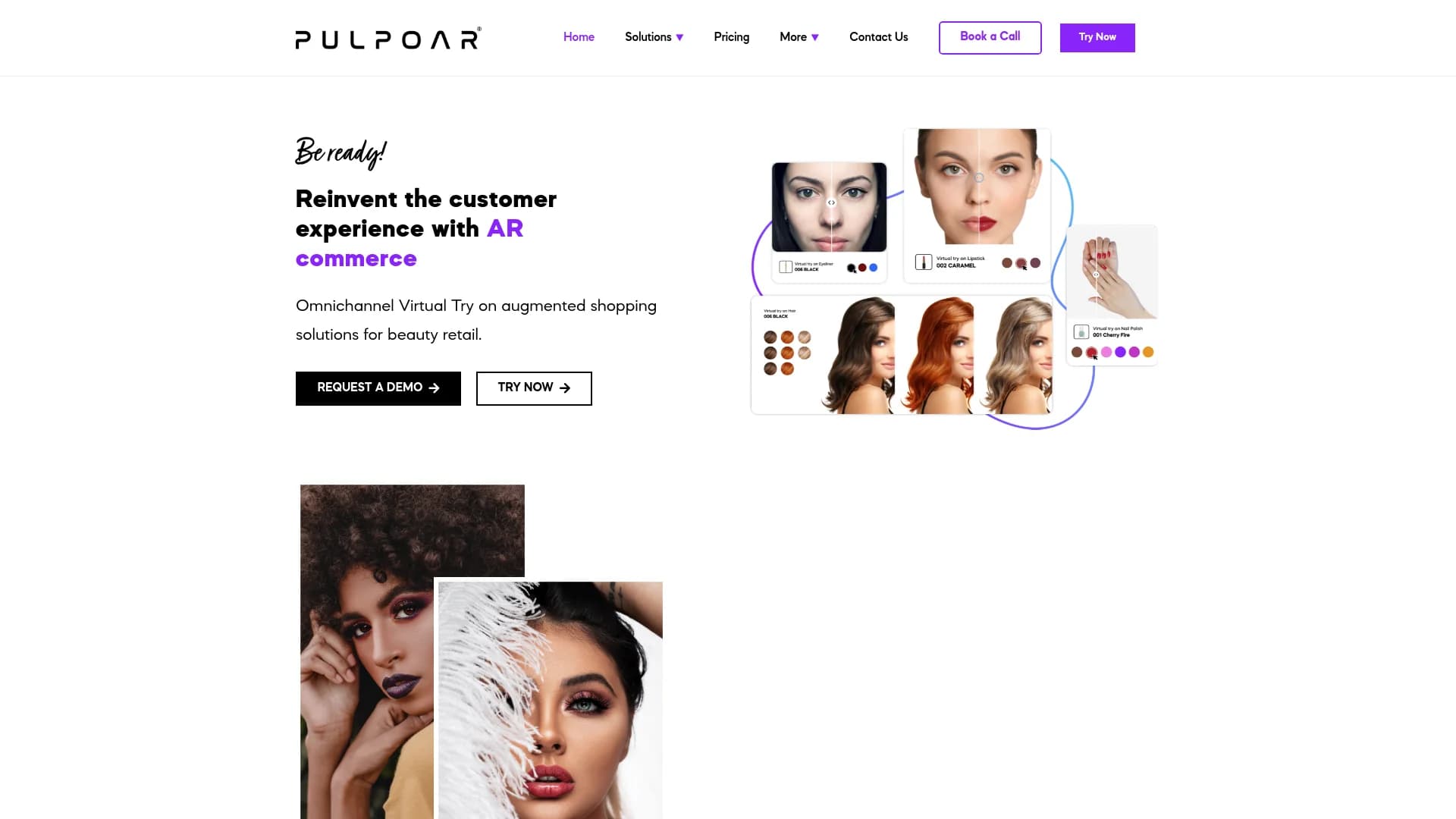
PulpoAR is a cutting-edge augmented reality (AR) platform designed to elevate the customer experience in the beauty retail industry. It allows users to virtually try on makeup, nail polish, and hair color through various digital platforms, including desktop web, mobile apps, and smart mirrors. Aimed at businesses looking to boost customer engagement and conversion rates, PulpoAR integrates advanced technologies such as face and hand tracking, color-changing algorithms, and AI-powered skin diagnostics to deliver a seamless and highly realistic virtual try-on experience.
PulpoAR's comprehensive approach to beauty experiences sets it apart. It integrates multiple aspects of virtual try-on technology into a single platform, offering a full virtual makeover experience, skin health assessments, and customized product recommendations based on advanced AI analysis.
PulpoAR stands out for its ability to revolutionize the beauty retail experience through advanced AR solutions. By offering virtual try-ons and AI-driven skin diagnostics, PulpoAR not only enhances customer engagement but also drives significant business growth. Its unique integration of technology with user experience makes it a valuable tool for modern beauty retailers and e-commerce platforms.
Who is Using PulpoAR?
Beauty Retailers
Implementing AR solutions to offer a virtual makeup counter experience.
E-commerce Platforms
Enhancing online shopping experiences with AR technology.
Cosmetic Brands
Using AR for product promotion and customer engagement.
Physical Stores
Employing smart mirrors for a safe and interactive in-store experience.
Uncommon Use Cases
Dermatologists use PulpoAR for skin assessments; beauty schools utilize it for educational purposes.
Key Features
Rating Breakdown
Pricing Plans
Request a Demo
- PulpoAR provides personalized demonstrations to showcase its AR solutions
Which PulpoAR plan should you pick?
Start with Starter for a small Shopify beauty catalog, upgrade to Professional for collection widgets and higher usage, or choose Enterprise for unlimited SKUs and advanced analytics.
Starter
Good for smaller merchants who need product-page try-on, up to 1,500 monthly VTO sessions, and 50 SKUs.
Basic
Good for merchants who need product-page try-on, up to 5,000 monthly VTO sessions, and 100 SKUs.
Professional
Good for growing catalogs that need product and collection widgets, 25,000 monthly sessions, and 300 SKUs.
Enterprise
Good for large retailers needing 100,000 monthly sessions, unlimited SKUs, advanced modules, analytics, and dedicated support.
PulpoAR Use Cases
Virtual makeup try-on
Users apply makeup products virtually, layer multiple products, and explore preset looks.
Outcome: More confident digital beauty purchases.
AI skin analysis
Users submit a camera image for analysis across skin parameters such as spots, redness, pores, oiliness, and wrinkles.
Outcome: Personalized skincare recommendations.
Shade finding
Users analyze their skin tone to find foundation, concealer, or blush matches.
Outcome: Faster product selection and improved shade confidence.
Nail polish try-on
Users preview nail colors and finishes, including matte, glitter, and metallic options.
Outcome: A mess-free way to compare nail shades.
AI beauty content generation
Brands upload model photos and train AI models to generate product collections and beauty transformations.
Outcome: Customized beauty imagery and virtual experiences.
Workflow Ideas with PulpoAR
Add virtual try-on to a beauty storefront
- 1Sync supported products and variants with PulpoAR
- 2Configure the product or collection widget
- 3Enable the Shopify theme app block or app embed
Integrate PulpoAR into a website
- 1Request the unique plugin ID and configuration
- 2Insert the PulpoAR iframe with camera permissions
- 3Use documented postMessage functions to apply or remove products
Build an AI skincare recommendation journey
- 1Ask the user to provide a camera image
- 2Analyze skin concerns and facial features
- 3Recommend suitable skincare products and track improvement
How PulpoAR fits into your stack
Desktop and Mobile Web Compatibility
Ensures a consistent experience across various devices and platforms.
Smart Mirror Integration
Combines physical shopping with digital innovation for an enhanced in-store experience.
Social Media Integration
Facilitates sharing of virtual makeovers on social platforms, boosting user engagement.
API for Custom Integrations
Provides flexibility for integrating PulpoAR’s features into existing systems.
Pros
- +Enhanced Customer Engagement: Allows customers to try products virtually before purchasing, increasing interaction.
- +Increased Conversion Rates: Reduces basket drop rates by up to 30%, boosting sales significantly.
- +Hygienic In-Store Experience: The smart mirror option provides a touchless, hygienic way to try products in physical stores.
- +Customization and Personalization: Delivers tailored recommendations based on individual user data analysis.
Cons
- −Dependency on Technology: Requires reliable hardware and internet connectivity from users.
- −Complex Integration Process: Integration with existing systems may demand significant time and resources.
- −Limited Physical Interaction: Some users may prefer traditional physical product testing over virtual try-ons.
Limitations & when to consider alternatives
Known limitations
- Supported products must be registered. Products need to be registered in PulpoAR's CMS by its digitalization team before they can be applied in the plugin.
- Camera permission is required. Web integrations must request camera permission for real-time try-on and image capture.
- Production domains must be registered. Unregistered production or staging subdomains are not allowed for integration.
- Shopify setup requires theme configuration. Merchants must sync supported variants and enable the theme app block or app embed before storefront testing.
- Usage and SKU limits vary by plan. Shopify plans impose monthly virtual try-on session limits and SKU limits, with additional usage charged separately.
Look elsewhere when
- You need a free permanent plan.
- You need a native PulpoAR mobile app.
- You need a browser extension.
- You need SSO or SAML.
How to Use PulpoAR
- 1
Explore a variety of tutorials on the PulpoAR website, covering everything from basic setup to advanced features, to maximize the benefits of AR technology in beauty retail.
Who is PulpoAR For?
Beauty retailers
Retailers can add virtual try-on widgets to product and collection pages or use in-store smart mirrors.
Cosmetics brands
Brands can offer makeup, nail polish, shade matching, and personalized beauty experiences.
Skincare brands
Skincare companies can use AI skin analysis, concern detection, and personalized product recommendations.
Beauty technology partners
Partners can integrate PulpoAR solutions into websites, mobile applications, and smart mirror platforms.
Frequently Asked Questions
What is Virtual Try-On?
Virtual Try-On lets users digitally test products such as makeup, hair color, or accessories in real time using augmented reality.
Is PulpoAR safe and effective for all skin types?
PulpoAR says its solutions are designed for all skin types and tones, using diverse datasets for analysis and recommendations.
Can users try multiple products at once?
Users can layer products such as foundation, lipstick, eyeshadow, and hair color to create complete looks.
Is PulpoAR suitable for professional or in-store use?
The solutions are designed for online and offline environments, including retail stores, beauty counters, and professional consultations.
How does PulpoAR handle privacy and data protection?
PulpoAR states that personal images and biometric data are not stored or shared, with processing designed to comply with GDPR.
Community reviews
Be the first to share your experience.
Sign in to leave a review for PulpoAR.
PulpoAR Alternatives
Looking for alternatives to PulpoAR? Here are similar tools in the same category:
Learn to Master PulpoAR
With Skill Leap courses
Get in-depth training on PulpoAR and 50+ other AI tools with our expert-led video courses.
Start 7-Day Free Trial