
Qbiq
Streamline data analysis with real-time insights and predictive analytics.
Key Takeaways
- What it is
- Streamline data analysis with real-time insights and predictive analytics.
- Pricing
- $29.99 per month
- Best for
- Real-Time Analytics
- Customizable Dashboards
- Predictive Analytics
- Rating
- 4.6/5
What is Qbiq?
Qbiq is a sophisticated AI tool designed to enhance data analysis and decision-making processes by transforming raw data into actionable insights with speed and accuracy. Targeted at both tech-savvy professionals and business analysts, Qbiq simplifies complex data analytics, making it accessible to a broader audience.
Qbiq's real-time data processing capabilities and integration of predictive analytics make it exceptional, offering users foresight that is not commonly available in typical analytics tools.
Qbiq excels at converting complex data into actionable insights with its real-time analytics and predictive capabilities. Its user-friendly interface and scalability make it a valuable tool for a range of professionals, ensuring businesses stay agile and informed in a fast-evolving market.
Who is Using Qbiq?
Financial Analysts
For financial forecasting and risk assessment.
Marketing Teams
To optimize marketing strategies and enhance consumer engagement.
Healthcare Providers
For real-time data utilization to improve patient care and operational efficiency.
Retail Managers
To manage inventory and improve customer service through predictive analytics.
Uncommon Use Cases
Non-profits for donor data management; urban planners for traffic analysis and infrastructure development.
Key Features
Rating Breakdown
Pricing Plans
Free Trial
- Available for a 30-day trial period
Standard Plan
$29.99 per month
Enterprise Solutions
- Larger organizations or specific requirements
Qbiq Use Cases
Preliminary office space planning
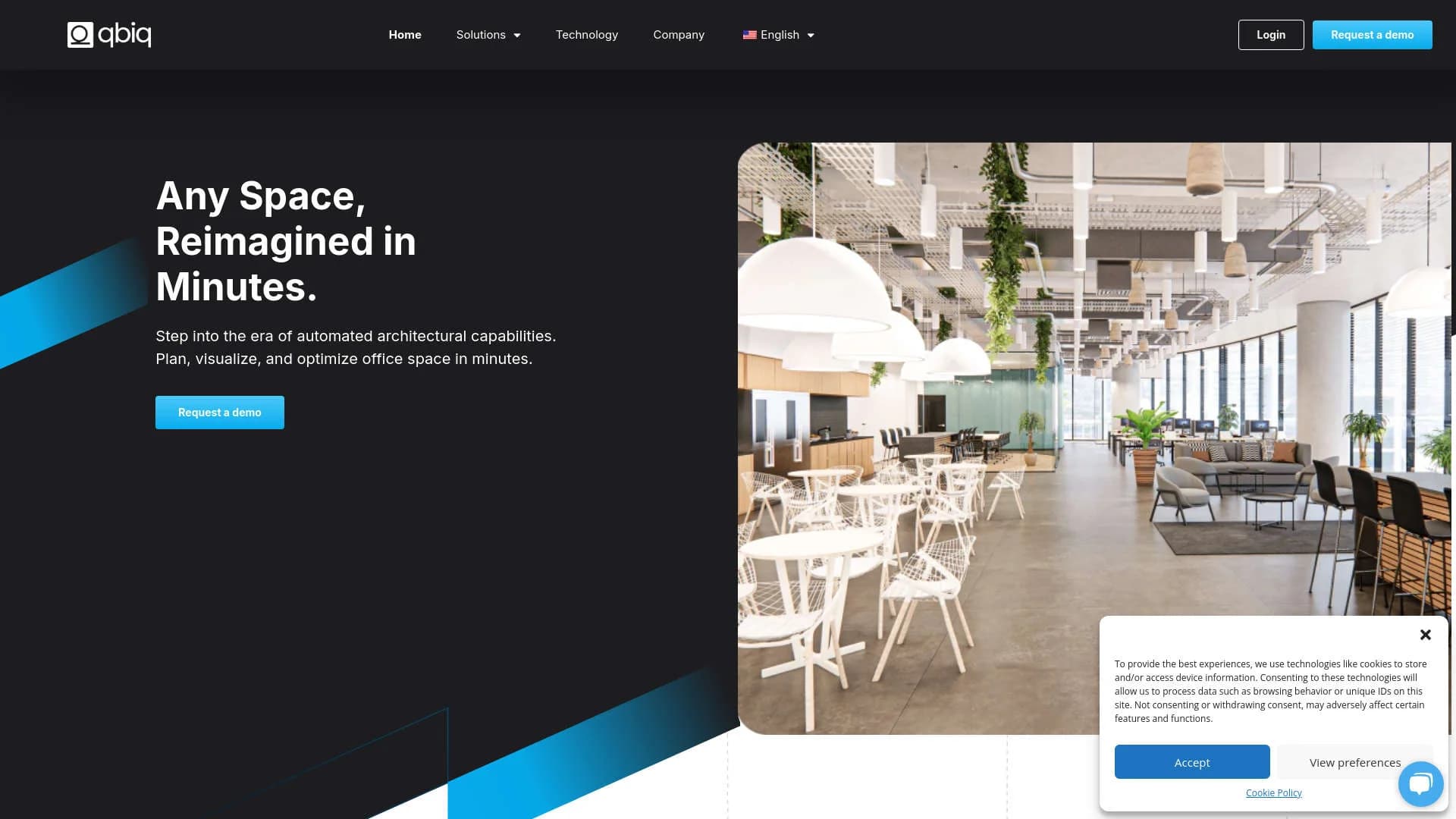
Upload a floor plan, define capacity and usage requirements, and generate alternative layouts.
Outcome: Faster early-stage planning and evaluation.
Multi-floor workplace planning
Use the Detailed program to define departments, amenities, dimensions, and floor stacking.
Outcome: Coordinated layouts across multiple floors.
Property marketing
Create rendered images, virtual tours, and embeddable marketing packages for available spaces.
Outcome: More compelling property presentations and tenant engagement.
Architectural documentation
Generate structured, editable CAD and Revit models from planned layouts.
Outcome: A faster transition from concept planning to documentation.
Quantity takeoff and cost estimation
Generate inventories of materials and furniture and customize costs, suppliers, and finishes.
Outcome: More informed fit-out and budgeting decisions.
Workflow Ideas with Qbiq
Create a workplace test fit
- 1Upload a CAD, PDF, or JPEG floor plan
- 2Define usage, capacity, and space requirements
- 3Review generated layout alternatives and metrics
Prepare a leasing presentation
- 1Upload the available floor plan
- 2Customize themes, finishes, and furniture
- 3Generate rendered images and a 3D virtual tour
Move from planning to documentation
- 1Generate and refine the preferred layout
- 2Review space efficiency and quantity information
- 3Download CAD or Revit outputs
How Qbiq fits into your stack
Cloud Storage Services
Integrates with major providers like AWS and Google Cloud.
CRM Systems
Enhances customer relationship management platforms with deeper analytics.
ERP Systems
Connects with Enterprise Resource Planning systems for better data cohesion.
API Access
Provides extensive API support for custom integrations.
Pros
- +Enhanced Decision Making: Facilitates quick, informed decisions, improving business efficiency.
- +User-Friendly Interface: Intuitive design accommodates users of varying technical skills.
- +Scalability: Adapts to growing data needs as businesses expand.
- +Strong Support System: Provides robust customer support and extensive resources.
Cons
- −Initial Learning Curve: Some time may be needed for new users to master Qbiq's features.
- −Advanced Features Require Training: Advanced analytics might need additional training or expertise.
- −Dependency on Data Quality: The effectiveness of insights is contingent on the quality of the input data.
Limitations & when to consider alternatives
Known limitations
- Multi-floor projects require Detailed. The help center states that multi-floor projects require the Detailed program.
- Rendering Suite does not create new floor-plan designs. Rendering Suite skips the design phase and is intended for visualizing pre-designed, furnished floor plans.
- Outputs are not instant. qbiq states that its architects review and refine AI-generated options, with delivery within 24 hours.
- Final code compliance remains external. qbiq says its designs do not check compliance with specific codes; architects and local authorities must verify compliance.
- Credits limit submissions. When an account runs out of credits, users cannot submit new projects or redlines until credits replenish or additional credits are arranged.
Look elsewhere when
- You need a public developer API.
- You need final building-code compliance verification inside the platform.
How to Use Qbiq
- 1
Explore a range of tutorials on the Qbiq website, covering both basic and advanced features to help users maximize the tool's potential.
Who is Qbiq For?
Architects and construction firms
qbiq helps them automate preliminary planning, generate layouts, and produce CAD, Revit, and visualization outputs.
Landlords
Landlords can centralize portfolios, test-fit vacant floors, and create marketing visualizations for prospective tenants.
Real estate service providers
The platform supports space planning, comparisons, visualizations, and faster leasing workflows.
Leasing and marketing managers
They can generate pre-fitted layouts, rendered tours, and marketing packages to engage tenants.
Tenant companies
Tenants can define requirements and visualize potential office layouts before build-out decisions.
Frequently Asked Questions
What program types does qbiq offer?
qbiq offers Concept, Detailed, and Rendering Suite programs. Concept supports early-stage layouts, Detailed supports customized and multi-floor planning, and Rendering Suite creates visualizations from pre-designed floor plans.
What file formats can users upload?
qbiq accepts CAD, PDF, JPEG, and image files such as PNG for floor-plan inputs.
What outputs does qbiq generate?
Outputs include floor plans, rendered images, virtual tours, Revit and CAD files, quantity takeoffs, and data analysis.
Does qbiq support multi-floor planning?
Yes. Multi-floor projects are supported through the Detailed program.
How long does delivery take?
qbiq states that architectural outputs and reviewed iterations are delivered within 24 hours.
Does qbiq offer an API?
qbiq states that it currently does not offer an API and lists API availability as a roadmap item.
Community reviews
Be the first to share your experience.
Sign in to leave a review for Qbiq.
Qbiq Alternatives
Looking for alternatives to Qbiq? Here are similar tools in the same category:
Learn to Master Qbiq
With Skill Leap courses
Get in-depth training on Qbiq and 50+ other AI tools with our expert-led video courses.
Start 7-Day Free Trial