
QR Code AI
Elevate engagement with artistic, insightful QR codes.
Key Takeaways
- What it is
- Elevate engagement with artistic, insightful QR codes.
- Pricing
- Freemium
- Best for
- Custom AI Generation QR Code Art
- Advanced Analytics
- Adaptive QR Code Customization
- Rating
- 4.6/5
What is QR Code AI?
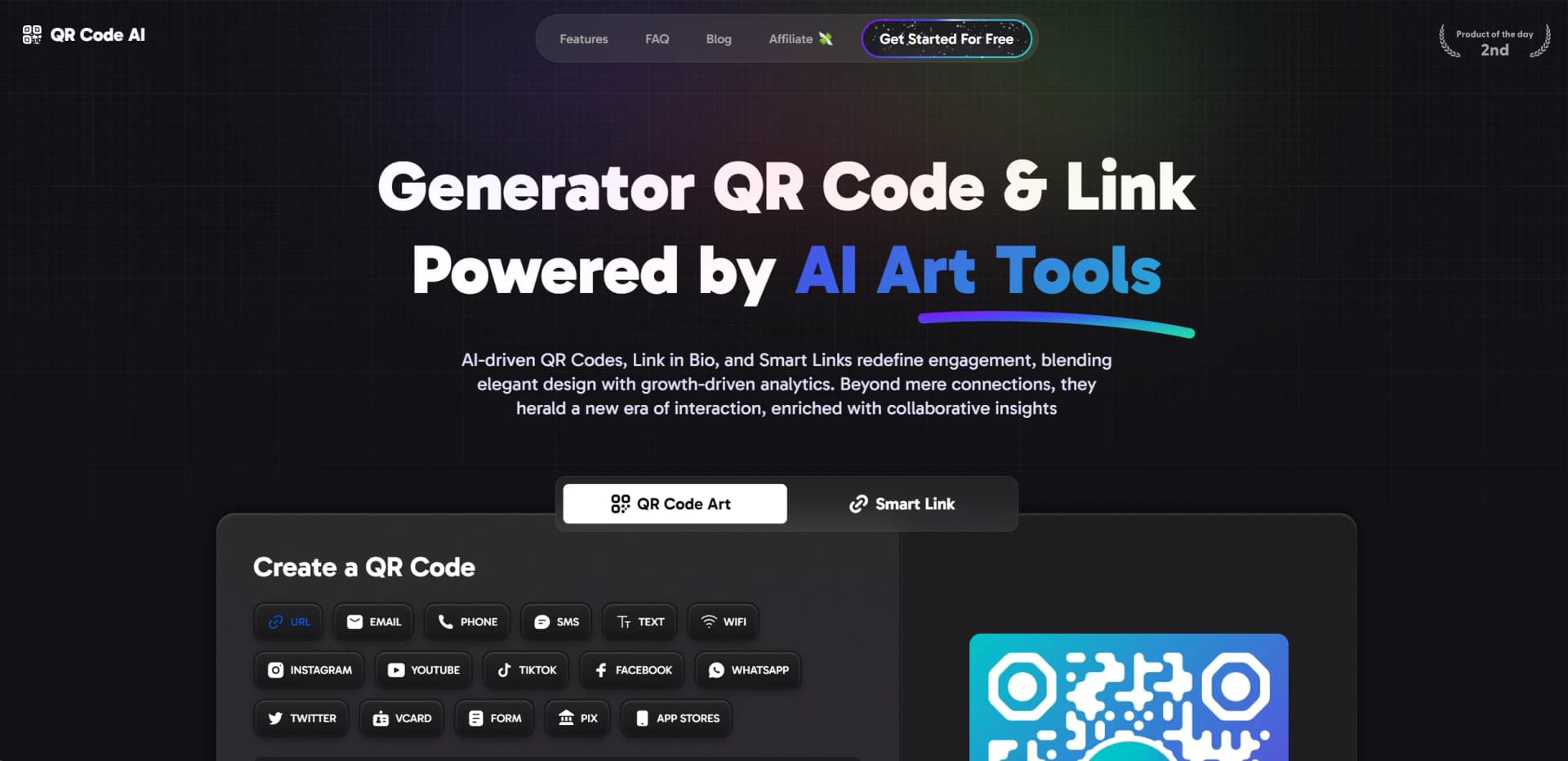
In the digital age where quick access and stylish presentation are paramount, QR Code AI emerges as a groundbreaking tool designed to elevate user engagement through aesthetically pleasing and highly functional QR codes. Hosted at https://qrcode-ai.com, this platform isn't just about creating QR codes; it's about redefining how they're used in marketing, branding, and personal communication. Leveraging advanced AI technology, QR Code AI transforms simple QR codes into captivating pieces of art that do more than just link to a destination. They engage, they impress, and they provide valuable data-driven insights.
QR Code AI sets itself apart by not just creating QR codes but enhancing them with artistic flair and smart technology. The integration of AI to produce QR Code Art ensures that each code is not only a pathway to a digital destination but also a part of the brand's visual identity, enhancing recognition and engagement.
QR Code AI excels in transforming traditional QR codes into powerful marketing tools that captivate and engage audiences. With its unique blend of art and technology, it offers unmatched advantages for businesses looking to enhance their digital strategy. Whether you're looking to boost brand visibility, streamline collaborations, or gain deeper insights into customer interactions, QR Code AI provides the tools and features to take your engagements to the next level.
Who is Using QR Code AI?
Marketing Professionals
Employing the tool to create visually engaging campaigns that track user engagement.
Retail Businesses
Using QR codes in stores to enhance shopping experiences and provide product information.
Event Organizers
Leveraging QR codes for event tickets, information dissemination, and interactive experiences.
Educational Institutions
Incorporating QR codes into educational content for interactive learning.
Uncommon Use Cases
Utilized by artists for integrating digital elements into physical artworks; adopted by non-profits for innovative fundraising campaigns.
Key Features
Rating Breakdown
Pricing Plans
Free Tier
Free
- Start with QR Code AI at no cost and explore its basic features
Subscription Plans
- Detailed pricing plans are available on the website
- Tailored to different user needs and scaling requirements
Which QR Code AI plan should you pick?
Start with Free for small projects or testing, then upgrade to Premium for unlimited creation, dynamic tracking, advanced analytics, workspaces, and expanded AI access.
Free
Good for personal projects, small campaigns, and testing with limited QR codes, AI generations, and Smart Links.
Premium
Good for businesses needing unlimited QR codes and Smart Links, advanced analytics, dynamic tracking, team workspaces, CRM enrichment, and full AI designs.
QR Code AI Use Cases
Branded marketing QR codes
Add logos, brand colors, custom shapes, and AI-generated artwork to QR codes.
Outcome: More distinctive branded materials.
Restaurant menu updates
Link table tents and signage to editable digital menus with specials and allergen information.
Outcome: Update menus without reprinting.
Campaign analytics
Create dynamic QR codes and review scan locations, devices, browsers, and engagement trends.
Outcome: Measure campaign performance.
Coupon campaigns
Link discount URLs to QR codes, customize the designs, and track scans across campaign placements.
Outcome: Track offer engagement across marketing surfaces.
Forms and feedback collection
Turn form, survey, review, or feedback URLs into branded QR codes with scan tracking.
Outcome: Make feedback and registration links easier to access.
Workflow Ideas with QR Code AI
Launch a branded campaign QR code
- 1Choose the QR content type or destination URL
- 2Customize the logo, colors, shape, and background
- 3Download the QR code and track scans
Update a restaurant menu without reprinting
- 1Upload or paste the hosted menu URL or PDF
- 2Brand and download the menu QR code
- 3Edit the dynamic destination when specials or prices change
Run a tracked coupon campaign
- 1Paste the discount or redemption URL
- 2Add campaign branding and UTM parameters
- 3Print the QR code and compare scan performance
How QR Code AI fits into your stack
Analytics Integration
Seamlessly integrates with analytics tools to provide real-time data.
Social Media Platforms
Easily embed QR codes on various social media to enhance digital marketing strategies.
E-commerce Compatibility
Integrates with online stores to link directly to products or promotions.
Mobile Optimization
QR codes are optimized for mobile devices, ensuring a smooth user experience across all platforms.
Pros
- +Enhanced Brand Recognition: Custom-designed QR codes ensure your brand stands out in every scan.
- +Higher Engagement Rates: Attractive designs and smart link options increase interaction and visibility.
- +Data-Driven Insights: Optimize your marketing strategies with actionable analytics.
- +Ease of Collaboration: Team workspaces facilitate easy management and creativity in QR code campaigns.
Cons
- −Initial Setup Time: Getting accustomed to the plethora of features and customization options can take some time.
- −Overwhelming Options: The extensive range of templates and customization might be daunting for new users.
- −Dependency on Tech: Requires consistent internet access for optimal functionality and data syncing.
Limitations & when to consider alternatives
Known limitations
- Free usage limits. The free plan includes 5 AI generations, 3 QR codes, and 3 Smart Links.
- Dynamic-code availability. Dynamic QR codes with editable destinations and live tracking require an active premium plan.
- No individual scanner identification. QR Code AI reports aggregate scan context but does not identify individual people.
- API billing is separate. The API operates independently on a credit-based system with usage tracked in the API dashboard.
- Refunds are not offered. The pricing FAQ says refunds are not provided after the free trial or upgrade.
Look elsewhere when
- You need a native Android app.
- You need programming-code generation.
- You need a dedicated desktop installer.
How to Use QR Code AI
- 1
Explore a range of tutorials on QR Code AI's website, covering everything from basic setup to advanced customization techniques.
Who is QR Code AI For?
Businesses
Create branded QR codes, manage links, and measure scans across marketing channels.
Restaurants and cafés
Create menu QR codes for daily specials, allergens, prices, and seasonal updates without reprinting.
Retailers
Use branded QR codes on packaging, receipts, tags, and promotional materials.
Hotels
Create QR codes for menus, guest information, offers, and hotel keycard materials.
Event organizers
Use QR codes for event promotions, registrations, tickets, forms, and campaign tracking.
Frequently Asked Questions
How can I make a QR code for free?
Enter content into QR Code AI, customize the color, logo, or artistic design, then download PNG, SVG, or PDF.
Can I add a logo in the middle of my QR code?
Yes. You can customize the logo size, placement, and color while keeping the QR code scannable.
How do I change the color or background of my QR Code?
Choose customization options to apply brand colors, transparent backgrounds, logos, and other design settings.
What is a dynamic QR code generator and how does it work?
Dynamic codes use an editable short redirect, allowing destination changes, A/B tests, and scan tracking.
What formats are available for downloading my QR Code?
QR Code AI supports PNG, SVG, PDF, and EPS downloads.
Does QR Code AI support API integration for bulk QR Code generation?
Yes. The API supports bulk generation with customizable logos, shapes, colors, and design elements.
Community reviews
Be the first to share your experience.
Sign in to leave a review for QR Code AI.
QR Code AI Alternatives
Looking for alternatives to QR Code AI? Here are similar tools in the same category:
Learn to Master QR Code AI
With Skill Leap courses
Get in-depth training on QR Code AI and 50+ other AI tools with our expert-led video courses.
Start 7-Day Free Trial