
QR Diffusion
AI transforms QR codes into engaging, custom artistic visuals.
Watch QR Diffusion in Action
Key Takeaways
- What it is
- AI transforms QR codes into engaging, custom artistic visuals.
- Pricing
- Freemium
- Best for
- AI-Powered Artistic Transformation
- Customization with ControlNet
- User-Friendly Interface
- Rating
- 4.4/5
What is QR Diffusion?
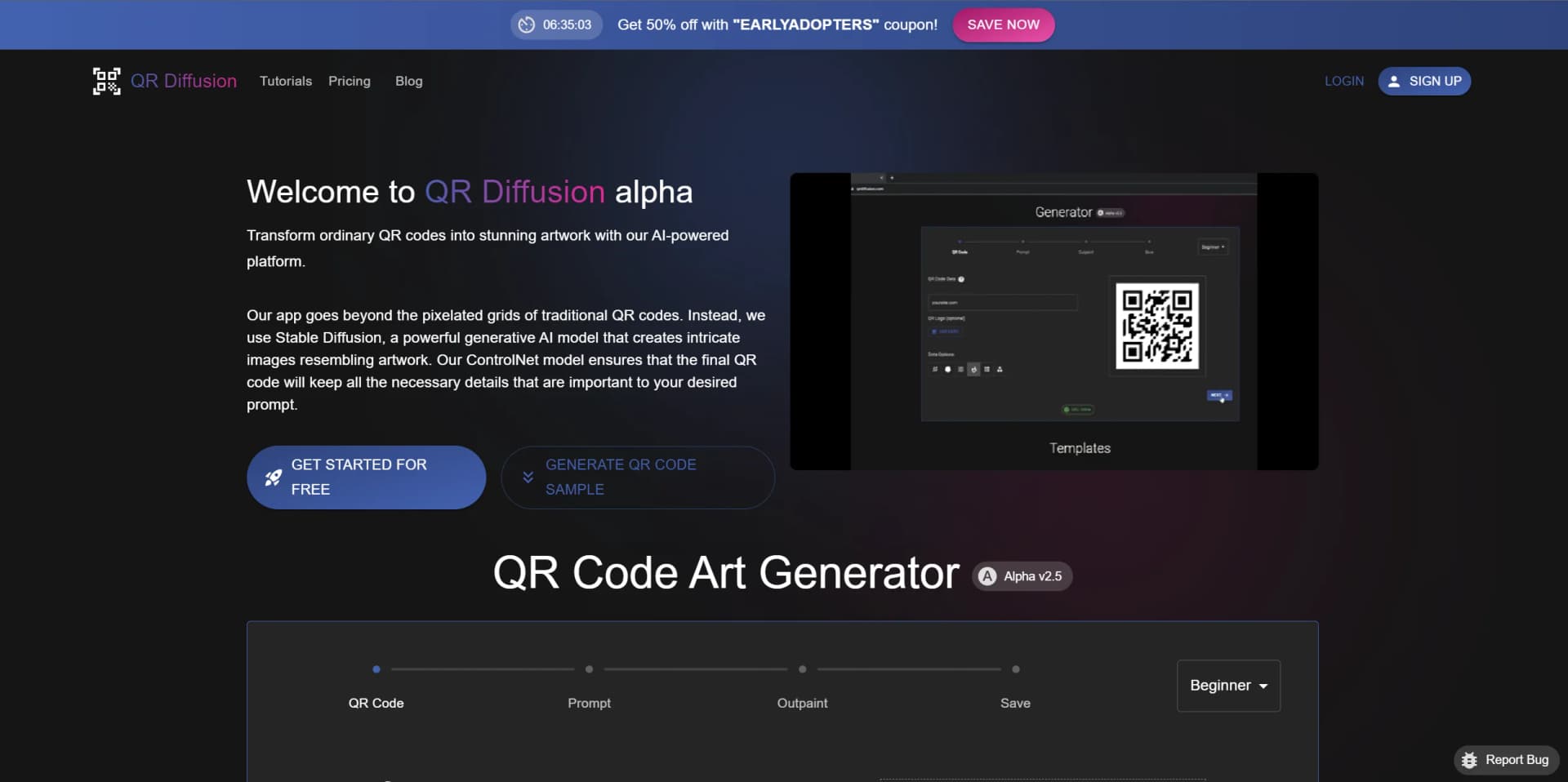
In the bustling digital age, QR Diffusion emerges as a groundbreaking platform that elevates the mundane QR code into a captivating piece of art. At its core, QR Diffusion is an AI-powered tool that reimagines how we use QR codes—those square-shaped, black-and-white symbols we scan to retrieve information. By leveraging the capabilities of Stable Diffusion, a state-of-the-art generative AI model, QR Diffusion transforms these codes from simple patterns into stunning, intricate images that carry the same functionality but with an aesthetic twist.
QR Diffusion distinguishes itself with its innovative approach to QR code design. By incorporating artistic elements that go beyond the standard black and white grid, QR Diffusion offers a new dimension to information sharing that is both functional and visually engaging.
QR Diffusion excels at blending functionality with creativity, offering a refreshing take on QR code generation. Its unique ability to create QR codes that are visually aligned with a brand or theme makes it an invaluable tool for those looking to enhance engagement and brand presence. Despite being in beta and some potential device compatibility issues, its strengths lie in its user-friendly interface, customization options, and the artistic flair it brings to the table. QR Diffusion is poised to change the way we think about and interact with QR codes.
Who is Using QR Diffusion?
Retailers and Marketers
Enhancing promotional materials with QR codes that double as eye-catching graphics.
Event Organizers
Invitations and event signage with QR codes that align with thematic visuals.
Designers
Incorporating QR codes into design projects without compromising on aesthetics.
Educators and Students
Using QR codes for interactive learning materials and projects.
Uncommon Use Cases
Artists embedding QR codes in artworks for interactive exhibitions; Restaurants using QR codes as a part of table decor that links to menus.
Key Features
Rating Breakdown
Pricing Plans
Free Tier
Free
- Get started with basic QR code generation at no cost
Subscription Plan
- Access advanced features and customization options with a premium subscription
Which QR Diffusion plan should you pick?
Start with the free option for occasional basic QR generation; upgrade to Lite, Pro, or Ultimate for higher limits, better GPUs, and additional design features.
QR Diffusion Lite
Good for users who need basic QR options, standard layouts, and up to 40 QR codes weekly.
QR Diffusion Pro
Good for users who need full QR options, faster GPU performance, up to 1,200 QR codes weekly, and Pro templates.
QR Diffusion Ultimate
Good for high-volume users who need full layout options, up to 4,000 QR codes weekly, VIP queue priority, and Ultimate templates.
QR Diffusion Use Cases
Marketing and advertising
Create visually distinctive QR codes for promotional materials and campaigns.
Outcome: More attention-grabbing QR-code artwork.
Website and social links
Encode URLs, email addresses, or social-media links into artistic QR codes.
Outcome: A branded visual entry point to digital destinations.
Dynamic QR campaigns
Create editable dynamic QR codes with tracking and analytics.
Outcome: Destinations can be updated and scan performance monitored.
QR codes inside existing graphics
Insert generated QR codes into existing images or artwork.
Outcome: QR functionality integrated into designed visuals.
Template-based QR design
Start from pre-made artwork templates and edit them.
Outcome: Faster creation of themed QR-code designs.
Workflow Ideas with QR Diffusion
Create an artistic static QR code
- 1Enter the QR-code destination
- 2Describe the desired visual style with a prompt
- 3Generate and save the artwork
Create a dynamic tracked QR code
- 1Choose the Dynamic QR option
- 2Enter the destination and customize the design
- 3Review tracking and analytics for the generated link
Refine an advanced QR design
- 1Choose corner and dot styling options
- 2Adjust Stable Diffusion and ControlNet settings
- 3Test scan readability and save the final image
How QR Diffusion fits into your stack
Browser-Based
Access QR Diffusion from any modern web browser without the need for additional software.
Custom Models
Ability to modify Stable Diffusion parameters for unique QR code designs.
Device Compatibility
Works across a variety of devices, though readability can vary.
File Formats
Generated QR codes can be saved in common image formats for easy sharing and printing.
Pros
- +Increased Engagement: Artistic QR codes are more likely to catch the eye, increasing the likelihood of scans.
- +Brand Reinforcement: Customized QR codes can strengthen brand identity by incorporating logos or brand-related imagery.
- +Ease of Use: The platform is accessible and straightforward, making the creation process a breeze.
- +Versatility: Suitable for a range of applications, from marketing to personal use.
Cons
- −Readability Concerns: Highly stylized QR codes may not be scannable by all devices.
- −Beta Stage: Being in beta, there may be occasional bugs or areas in need of refinement.
- −Learning Curve: Advanced features require some learning for those new to generative AI.
Limitations & when to consider alternatives
Known limitations
- Static QR codes cannot be edited afterward. The generator recommends Dynamic QR codes when destinations may need editing or tracking.
- Artistic QR codes may not scan on every device. The site warns that some artistic QR codes may have compatibility problems with certain scanning devices.
- Readability depends on design settings. Lower error correction and more complex QR data can make generated codes harder to scan.
- Some documentation is still work in progress. The Stable Diffusion and expert documentation pages identify portions as work in progress.
Look elsewhere when
- You need a native mobile app.
- You need a documented developer API.
- You need team workspaces or SSO.
How to Use QR Diffusion
- 1
The platform offers several tutorials ranging from getting started to creating advanced AI QR code art, available on their website.
Who is QR Diffusion For?
Marketers and advertisers
QR Diffusion supports marketing and advertising use cases with visually distinctive QR codes designed to attract attention and increase scans.
Brands and designers
The tool supports artistic QR customization, uploaded logos, existing graphic material, templates, and branded QR-code concepts.
Frequently Asked Questions
Is QR Diffusion free?
Yes. QR Diffusion offers a free option for generating basic QR codes, with paid subscriptions adding more features and customization.
How does QR Diffusion work?
It uses Stable Diffusion and ControlNet to combine QR-code data with artistic visual elements.
Can I customize QR-code appearance?
Yes. Users can customize artistic elements, shapes, dots, layouts, models, prompts, and error-correction settings.
Are artistic QR codes readable on all devices?
Not always. QR Diffusion states that some artistic QR codes may not be readable on certain devices.
Can I cancel a subscription?
Yes. Subscriptions can be canceled from account subscription settings and remain active through the current billing cycle.
What is the refund policy?
The pricing page states that refunds can be requested within 30 days of purchase.
Community reviews
Be the first to share your experience.
Sign in to leave a review for QR Diffusion.
QR Diffusion Alternatives
Looking for alternatives to QR Diffusion? Here are similar tools in the same category:
Learn to Master QR Diffusion
With Skill Leap courses
Get in-depth training on QR Diffusion and 50+ other AI tools with our expert-led video courses.
Start 7-Day Free Trial