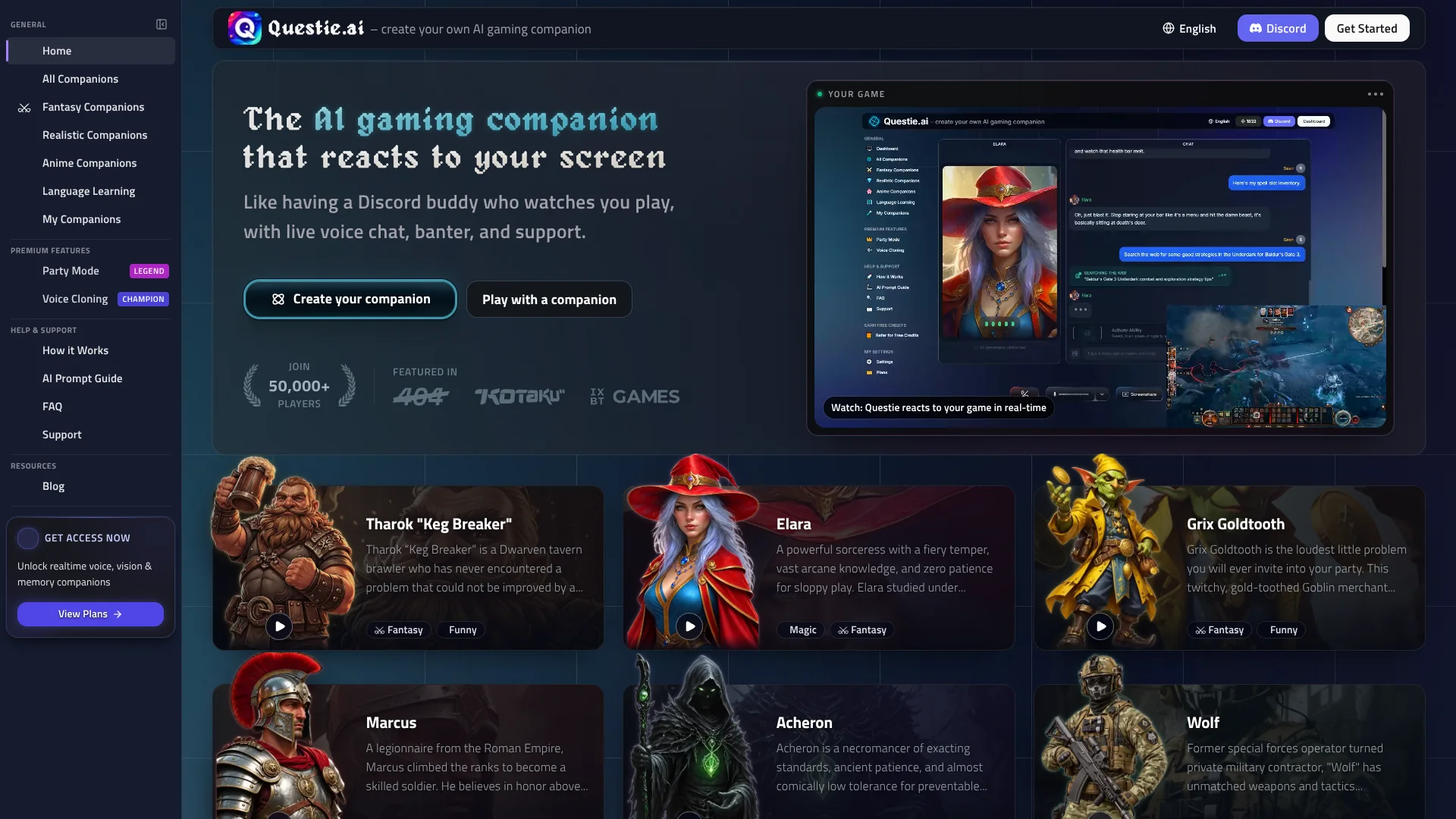
Questie AI
Live voice companions react to what’s happening on your game screen.
Key Takeaways
- What it is
- Live voice companions react to what’s happening on your game screen.
- Pricing
- $19.99 per month · $49.99 per month · $149.99 per month
- Best for
- Screen Vision
- Real-Time Voice Chat
- Persistent Memory
- Rating
- 4.0/5
What is Questie AI?
Questie AI watches your game screen and responds through voice chat, giving gamers a companion that can react to what is happening instead of waiting for a typed description. It also offers text chat, persistent memory, and a library of ready-made characters. You can shape a custom companion’s personality, backstory, voice, and AI model.
Screen Vision reads what is visible on your monitor and lets a companion comment on game events in real time, without a game-specific plugin. That means it can react to different games through what it sees on screen, rather than relying on a separate integration for each title.
Questie is best suited to gamers who want live commentary, strategy conversation, or roleplay while playing, plus streamers who want a spoken co-host.
Who is Using Questie AI?
Twitch Streamers
A spoken AI co-host can react to gameplay and fill quiet stretches during a stream.
Competitive Players
Live screen reactions can provide commentary on positioning, boss patterns, and game events.
Roleplay Creators
Custom personalities and backstories give characters a defined voice for interactive scenes.
Language Learners
Spoken conversations with a language-learning companion offer a way to practice aloud.
Uncommon Use Cases
Discuss game lore while exploring; practice speaking with a language-learning companion.
Key Features
Rating Breakdown
Pricing Plans
Questie Adventurer
$19.99 per month
- 500 credits every month, listed as about 25 hours.
- Includes access to all AI companions, text and voice chat, memory, and real-time screen vision.
- Yearly billing is $180 per year.
Questie Champion
$49.99 per month
- 1,750 credits every month, listed as about 85 hours.
- Adds custom voice cloning, 1080p screen vision, and bring-your-own API keys.
- Yearly billing is $449.99 per year.
Questie Legend
$149.99 per month
- 7,500 credits every month, listed as about 375 hours.
- Includes Party Mode with up to four companions at once.
- Yearly billing is $1,349.99 per year.
Which Questie AI plan should you pick?
Start with Adventurer for the core companion features, then consider Champion or Legend if you need more monthly credits or their added features.
Questie Adventurer
Good for gamers who want voice chat, screen vision, memory, custom companions, and 500 credits per month.
Questie Champion
Good for heavier use, with 1,750 monthly credits, custom voice cloning, and 1080p screen vision.
Questie Legend
Good for dedicated users who want 7,500 monthly credits and Party Mode with up to four companions.
Questie AI Use Cases
Live Gameplay Commentary
During a game, Screen Vision gives a companion visual context for reactions to on-screen events.
Outcome: A companion that can respond to gameplay as it unfolds.
Streaming Co-Host
For quiet moments on stream, a voice companion can react to gameplay and provide spoken commentary.
Outcome: An additional voice for stream commentary, with OBS-compatible audio routing.
Custom Character Roleplay
A defined backstory and personality give roleplay conversations a consistent character to return to.
Outcome: A custom companion with persistent memory across sessions.
In-Game Strategy Conversation
Screen-aware voice chat lets players discuss visible game situations without stopping to type.
Outcome: Spoken conversation tied to what is on screen.
Spoken Language Practice
A language-learning companion provides a character to talk with through voice chat.
Workflow Ideas with Questie AI
Set Up a Gameplay Companion
- 1Choose a companion from the library or create a custom character.
- 2Start voice chat and share your game screen.
- 3Toggle Screen Vision on when you want reactions to gameplay.
Prepare an AI Stream Co-Host
- 1Choose or create a companion suited to your stream.
- 2Enable voice chat and screen vision during gameplay.
- 3Route the companion’s voice as a separate audio source in OBS.
Build a Roleplay Character
- 1Set the companion’s personality and backstory in the character creator.
- 2Choose its voice and AI model.
- 3Return to the conversation later and continue with persistent memory.
How Questie AI fits into your stack
Browser Gameplay
Questie runs in the browser and uses screen sharing to give a companion visual context. Screen Vision works best with games in windowed or borderless-windowed mode.
Mobile Companion Chat
The iOS and Android apps let you chat with companions away from your PC. The full screen-sharing experience is optimized for desktop.
Streaming Audio
OBS-compatible audio routing lets streamers send the companion’s voice as a separate audio source.
Pros
- +Live game reactions: Screen Vision can comment on what appears on your screen without a game-specific plugin.
- +Hands-free conversation: Voice chat lets you keep playing while talking with a companion.
- +Character control: Custom companions can have their own backstory, personality, voice, and model.
- +Streaming audio: OBS compatibility lets creators route the companion voice separately.
Cons
- −Credit-based plans: Monthly credits put a limit on how much interaction each subscription includes.
- −Desktop-focused gameplay: The mobile app supports companion chat, but screen sharing is optimized for desktop.
- −Tier-gated extras: Custom voice cloning and Party Mode are not included with every plan.
Limitations & when to consider alternatives
Known limitations
- Screen Vision may be limited in exclusive fullscreen. Questie recommends windowed or borderless-windowed mode because exclusive fullscreen can limit screen capture depending on the operating system.
- Monthly credit allowances vary by plan. Adventurer includes 500 credits per month, Champion includes 1,750, and Legend includes 7,500.
- Mobile is not the full gameplay setup. The mobile app supports companion chat, while screen sharing and the full voice experience are optimized for desktop.
Look elsewhere when
- You need screen capture that is confirmed to work in exclusive fullscreen mode.
How to Use Questie AI
- 1
Create an Account
Start with a free account and trial to try voice chat and screen sharing before subscribing.
- 2
Choose a Companion
Browse the companion collection or create a character with your preferred personality and backstory.
- 3
Set Up the Character
Choose its voice and AI model, then adjust its conversation style to suit gaming or roleplay.
- 4
Start Voice Chat
Talk through your microphone or use text chat while playing.
- 5
Share Your Screen
Enable Screen Vision when you want the companion to react to gameplay; windowed or borderless mode is recommended.
Who is Questie AI For?
Gamers
Live screen reactions and voice chat add a conversational companion to solo gaming sessions.
Roleplay Fans
Custom characters with persistent memory support ongoing, personalized roleplay.
Streamers
A companion can react to gameplay and provide spoken commentary routed through OBS.
Language Learners
Questie’s companion library includes characters for language-learning practice through conversation.
Frequently Asked Questions
Is Questie AI free?
Questie offers a free trial, but its pricing page lists paid subscriptions rather than a free plan.
What does the Adventurer plan cost?
Adventurer is $19.99 per month and includes 500 monthly credits.
Can Questie watch any game?
Screen Vision works with games visible on your screen and does not require game-specific plugins. Windowed or borderless-windowed mode is recommended.
Can I use Questie on my phone?
Questie has iOS and Android apps for chatting with companions. Screen sharing and the full voice experience are optimized for desktop.
Can I use Questie while streaming?
Yes. Questie supports OBS-compatible audio routing, so the companion’s voice can be sent as a separate audio source.
Does Questie support multiple languages?
The site says companions can understand and speak more than 50 languages through voice chat.
Community reviews
Be the first to share your experience.
Sign in to leave a review for Questie AI.
Questie AI Alternatives
Looking for alternatives to Questie AI? Here are similar tools in the same category: