
Quizgecko
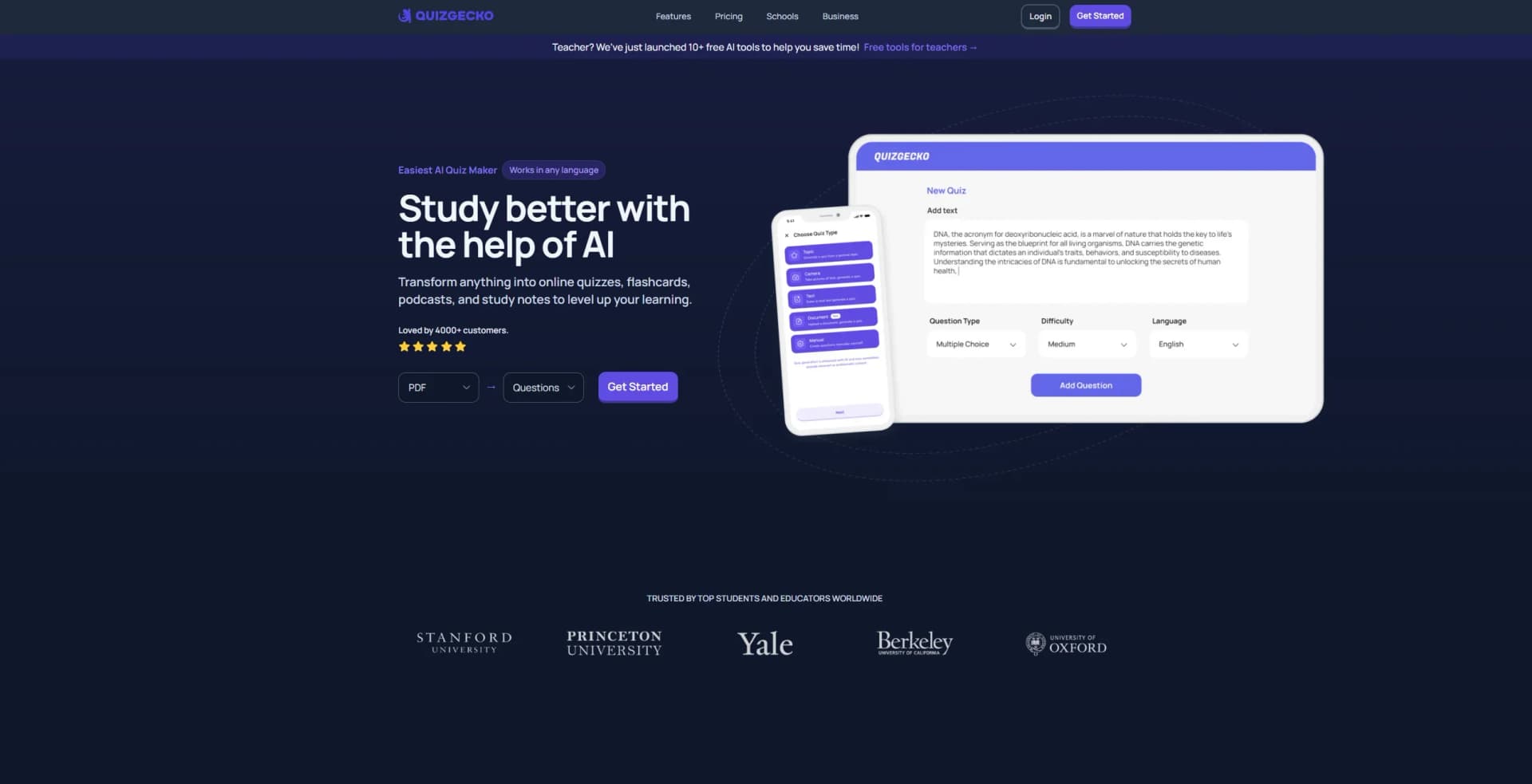
Transforms content into quizzes, flashcards, and podcasts.
Key Takeaways
- What it is
- Transforms content into quizzes, flashcards, and podcasts.
- Pricing
- Freemium · $16 per month. Unlock unlimited AI lessons · $29 per month
- Best for
- AI Question Generator
- AI Flashcard Generator
- AI Podcast Generator
- Rating
- 4.6/5
What is Quizgecko?
Quizgecko is an innovative AI-driven platform designed to revolutionize the way quizzes, flashcards, and study materials are created and utilized. By leveraging advanced AI technology, Quizgecko transforms various content formats into interactive quizzes, flashcards, podcasts, and study notes. This tool is tailored for students, educators, and businesses looking to optimize learning and assessment processes, making it easier to generate, customize, and distribute educational content efficiently.
Quizgecko stands out with its ability to transform any educational content into a comprehensive set of learning tools, including quizzes, flashcards, and podcasts. Its unique feature of analyzing text to generate relevant questions makes it a game-changer for educators and learners alike, providing a seamless and efficient way to enhance educational content.
Quizgecko offers a powerful suite of AI-powered tools that transform traditional educational content into interactive and engaging learning experiences. Its ability to quickly generate quizzes, flashcards, and podcasts from a variety of inputs makes it an invaluable resource for students, educators, and businesses alike. With its user-friendly interface and robust feature set, Quizgecko is poised to redefine how we approach learning and assessment in the digital age.
Who is Using Quizgecko?
Students
Benefit from tailored quizzes and flashcards to enhance their study sessions and exam preparation.
Educators
Use the platform to generate quizzes and assessments, saving time on content creation and grading.
Businesses
Create training assessments and certification tests to evaluate and improve employee skills.
Tutors
Leverage the tool for personalized tutoring sessions with custom quizzes and feedback.
Uncommon Use Cases
Employed by language learners for vocabulary practice; utilized by content creators for generating audience engagement quizzes.
Key Features
Rating Breakdown
Pricing Plans
Basic
Free
- Includes web and mobile access—no credit card required
Premium
$16 per month. Unlock unlimited AI lessons
- 30 podcasts per month
- Offline mode
- Ad-free studying
- A 20MB file limit
Ultra
$29 per month
- Includes the most powerful and accurate AI with everything in Premium plus 50 podcasts per month, custom prompt input, and a 50MB file limit
Organization
- Designed for schools
- Families
- Businesses with team management
- LMS export
- Invoice payments
- Security controls
Which Quizgecko plan should you pick?
Start with the free tier to test generation from your own materials; upgrade to Plus for higher study capacity, or Ultra for advanced training and larger-scale use.
Plus
Good for students who need more generation capacity and premium study features beyond the free tier.
Ultra
Good for individual trainers and heavier users who need advanced training tools, employee progress tracking, and higher capacity.
Quizgecko Use Cases
Exam preparation
Upload notes, PDFs, lecture slides, or textbook excerpts and generate quizzes, flashcards, notes, and podcasts.
Outcome: A structured study course for active recall and review.
Course material creation
Create educational materials from source documents, then edit questions, activities, modules, and notes.
Outcome: Customizable learning content for students or learners.
Classroom sharing
Create a class, invite students, and share lessons with the class to view results and reports.
Outcome: Distributed classroom practice and progress visibility.
Employee training
Generate training courses and distribute interactive quizzes, flashcards, notes, and podcasts.
Outcome: Reusable training content and employee progress tracking.
Document tutoring
Upload a document and ask the AI Tutor questions, request explanations, summarize sections, or solve problems.
Outcome: Interactive understanding of source material.
Workflow Ideas with Quizgecko
Turn lecture notes into an exam course
- 1Upload lecture notes, PDFs, slides, or photos with text
- 2Choose question types, difficulty, language, and question count
- 3Generate and study the resulting quizzes, flashcards, notes, podcasts, and mind maps
Build a shared class lesson
- 1Create a class and invite students by email or class link
- 2Create or open a Course and choose Share
- 3Set class visibility so students can access the lesson
Study from a difficult PDF
- 1Open Chat and upload the PDF
- 2Ask questions or highlight a section
- 3Use Add to Chat, Summarize, Explain, Solve, or Add to Question Generation
How Quizgecko fits into your stack
Browser
Quizgecko is primarily used as a web learning platform for generating and studying courses, quizzes, flashcards, notes, podcasts, and mind maps. Its Chrome extension can create quizzes, flashcards, and summaries from the page or YouTube video currently open.
Knowledge and files
Users upload PDFs, PowerPoint files, notes, photos, audio, video, and other study materials, or provide URLs and YouTube links. Quizgecko transforms these sources into structured courses and study activities.
Team chat and tickets
For classes and workplace training, instructors or managers invite people to classes, share courses, and review progress reports. The product also provides Chat tutoring over uploaded documents.
Automation and APIs
Quizgecko publishes an API for programmatic course and quiz generation, and supports exporting content to LMS platforms such as Blackboard, Brightspace, Schoology, Sakai, and CYPHER.
Pros
- +Comprehensive Content Transformation: Converts a wide array of inputs, including PDFs, Word documents, and YouTube videos, into study materials.
- +User-Friendly Interface: Intuitive design simplifies the creation and management of quizzes and study aids.
- +Time-Saving Automation: Drastically reduces the time needed to create educational content, freeing up valuable hours for educators and students.
- +Versatile Application: Suitable for a variety of educational and professional contexts, from classroom learning to corporate training.
Cons
- −Limited Free Access: The free tier offers limited content generation, which may not suffice for heavy users.
Limitations & when to consider alternatives
Known limitations
- Input quality affects output quality. Very short or unfocused inputs can produce vague, repetitive, or less accurate questions.
- YouTube sources must be public. YouTube videos need spoken content and must be publicly viewable for transcript-based generation.
- Upload limits depend on the plan. Available file counts and sizes vary by plan, with current limits shown in the upload screen.
- AI accuracy is not guaranteed. Quizgecko states that AI can make factual mistakes even when using high-quality source material.
- LMS exports are organization-only. Aiken, CSV, QTI, and related LMS export options are available only on Organization plans.
Look elsewhere when
- You need enterprise SSO or SAML.
- You need a native Windows, macOS, or Linux application.
- You need programming-code generation.
How to Use Quizgecko
- 1
Create an account
Sign up for a free Quizgecko account, then open the Generate flow to create your first Course.
- 2
Choose your source
Upload a document, paste text, enter a public URL or YouTube link, record audio, import from Quizlet or Anki, or enter a topic.
- 3
Customize the Course
Select language, question types, difficulty, maximum questions, complexity, flashcard style, notes style, podcast settings, and custom instructions.
- 4
Generate and review
Generate the Course, then use quizzes, flashcards, notes, podcasts, mind maps, and Chat to study the material.
- 5
Edit and organize
Edit questions and activities, add images, reorder modules, duplicate Courses, and organize them into folders.
- 6
Share or export
Share by link, embed the Course, invite a class, or export questions to supported LMS formats where your plan permits.
Who is Quizgecko For?
Students
Students can turn lecture notes, textbooks, PDFs, slides, and other study material into active-recall practice.
Medical and nursing students
Quizgecko is positioned for high-stakes preparation such as MCAT, USMLE, NCLEX, and other licensing exams.
Law students
Law students can use source material to prepare for bar exams and practice issue-focused recall.
Teachers and tutors
Teachers and tutors can create course materials, custom learning paths, quizzes, and shared classroom lessons.
Businesses and training managers
Businesses can create onboarding and employee-training content, assign learning, and track progress.
Frequently Asked Questions
What is Quizgecko?
Quizgecko transforms PDFs, text, documents, webpages, and YouTube videos into structured courses with quizzes, flashcards, notes, and podcasts.
What can I use Quizgecko for?
It supports exam preparation, professional learning, onboarding, knowledge assessment, and creating educational materials.
What languages does Quizgecko support?
Courses can be generated in virtually any language, and the interface supports English, French, German, Spanish, Portuguese, Hindi, Korean, and Chinese.
Can I generate a quiz from a YouTube video?
Yes. Public YouTube URLs with spoken content can be processed, or the Chrome extension can use the video transcript.
Can I add an image to a quiz or question?
Yes. You can upload images or GIFs as course covers or attach them to individual questions.
How can I share my Course?
Courses can be shared by direct link, exported to LMS platforms, embedded on websites, or shared with classes.
Community reviews
4 reviews from people who use Quizgecko.
Sign in to leave a review for Quizgecko.
Nitin Sarkar
James Blackwell
Thibault BM
Amy Watkins
Quizgecko Alternatives
Looking for alternatives to Quizgecko? Here are similar tools in the same category:
Learn to Master Quizgecko
With Skill Leap courses
Get in-depth training on Quizgecko and 50+ other AI tools with our expert-led video courses.
Start 7-Day Free Trial