
quso.ai
Effortlessly create, manage, and analyze engaging social media content.
Watch quso.ai in Action
Key Takeaways
- What it is
- Effortlessly create, manage, and analyze engaging social media content.
- Pricing
- Freemium · $29 per month · $39 per month · $49 per month. Unlocks full scheduling automation
- Best for
- AI Content Creator
- AI Clips Generator
- AI Social Media Manager
- Rating
- 4.6/5
What is quso.ai?
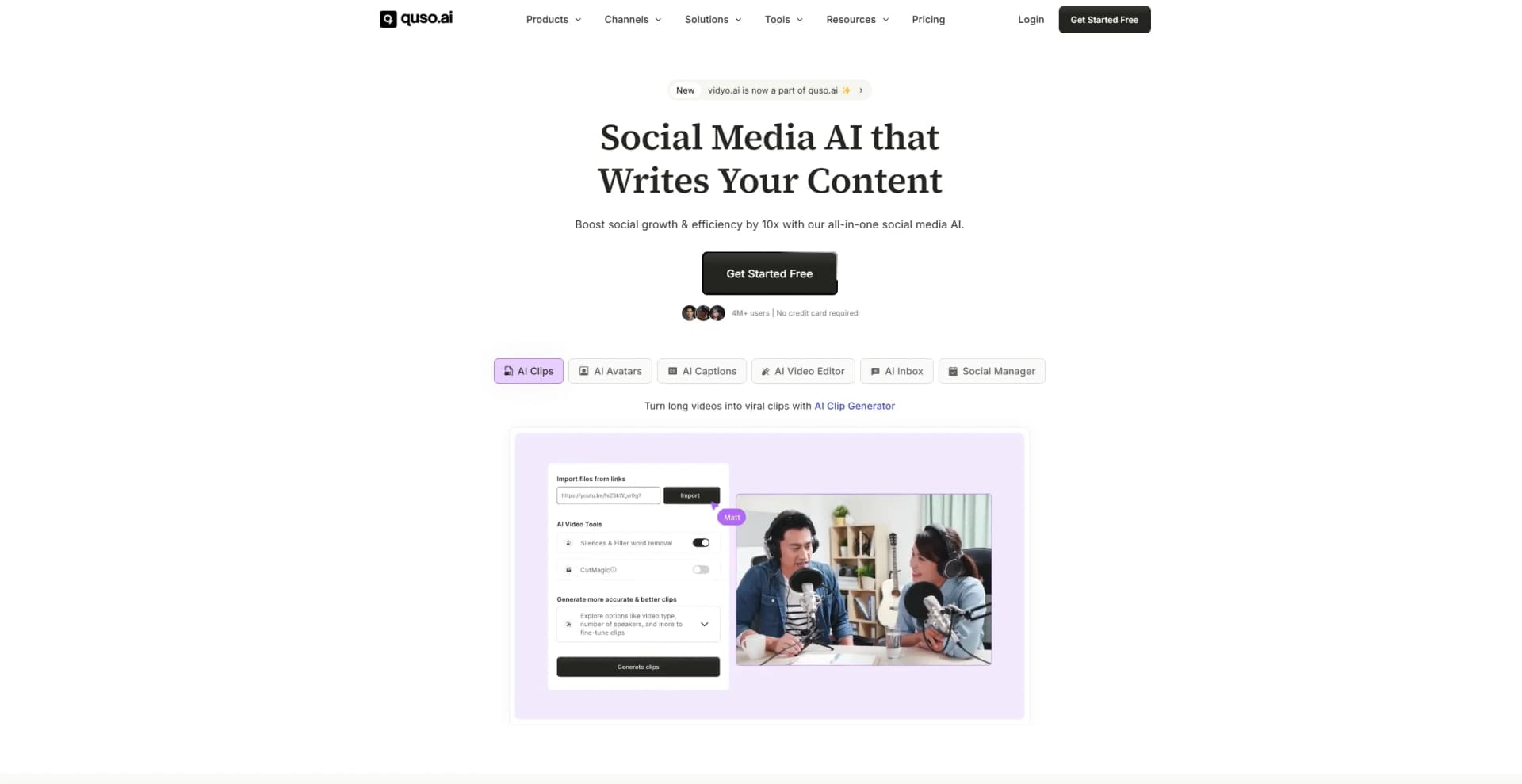
quso.ai is an all-encompassing social media AI suite designed to revolutionize how content is created, managed, and analyzed across various platforms. Formerly known as vidyo.ai, quso.ai provides an array of tools that transform creative ideas into engaging content, from scripts to viral videos, driving growth and engagement on social channels. Tailored for content creators, marketers, and businesses of all sizes, quso.ai simplifies the process of social media management, making it an ideal choice for those looking to enhance their online presence efficiently.
quso.ai stands out with its comprehensive suite of AI-driven tools that cover every aspect of social media management, from content creation to analytics. Its ability to automate and streamline processes, while maintaining a high level of customization, sets it apart from other tools in the market, making it a game-changer for digital marketers and content creators.
quso.ai offers an impressive range of tools that not only enhance content creation but also streamline social media management. Its capacity to automate and innovate makes it an invaluable asset for anyone looking to amplify their social media presence effectively. Whether you're a small business owner, a content creator, or part of a large marketing agency, quso.ai provides the tools you need to succeed in today's digital landscape.
Who is Using quso.ai?
E-commerce Businesses
Enhancing product marketing through engaging video and social media content.
Digital Marketing Agencies
Streamlining client campaigns with automated content creation and scheduling.
Social Media Managers
Managing multiple platforms efficiently with scheduling and analytics tools.
Video Content Creators
Simplifying video editing and repurposing for various social channels.
Uncommon Use Cases
Adopted by educational institutions for creating educational video content; Used by healthcare organizations for patient engagement through social media.
Key Features
Rating Breakdown
Pricing Plans
Free
Free
- Includes 75 monthly credits, 720p renders, AI clips and captions, YouTube chapters, TikTok publishing, and no watermark
Lite
$29 per month
- Adds 1080p exports
- AI video generation
- Video resizing for multiple aspect ratios
Essential
$39 per month
- Includes all Lite features plus 10+ premium AI tools, content planner, and platform scheduling
Growth
$49 per month. Unlocks full scheduling automation
- Bulk publishing
- Analytics
- Custom templates
- Carousels
- Priority support
Which quso.ai plan should you pick?
Start with Free to test clipping and captions; upgrade to Lite for regular 1080p content, Essential for multi-platform scheduling and advanced AI tools, or Growth for branding, analytics, bulk publishing, and team-heavy workflows.
Free
Good for testing AI clips, captions, TikTok publishing, and 720p exports with 75 monthly credits.
Lite
Good for solo creators who need unlimited 1080p clips, editing, and publishing to multiple platforms.
Essential
Good for creators scaling output who need filler removal, external content support, a content planner, and broader scheduling.
Growth
Good for teams, agencies, and serious creators who need brand kits, templates, analytics, priority support, and higher credit limits.
quso.ai Use Cases
Repurpose long videos
Upload a long-form video and generate short clips with captions and platform-specific formatting.
Outcome: A single recording becomes multiple ready-to-publish social videos.
Create AI videos from scripts
Enter an idea, script, or prompt and generate visuals, subtitles, voiceover, and formatting.
Outcome: Produce social-ready videos without filming or traditional editing.
Schedule social content
Queue posts across connected social platforms from a shared calendar.
Outcome: Publish consistently across multiple channels.
Create branded videos
Save logos, colors, fonts, backgrounds, and reusable templates in brand kits.
Outcome: Apply consistent visual branding across future content.
Generate written content from videos
Upload a video and use Viddy to create blog posts, newsletters, captions, emails, and ad copy.
Outcome: Extend one video into multiple written marketing assets.
Workflow Ideas with quso.ai
Podcast-to-social campaign
- 1Upload a podcast episode
- 2Generate AI clips and animated captions
- 3Schedule the clips across connected social platforms
Script-to-video publishing
- 1Enter an idea, script, or trending topic
- 2Generate visuals, subtitles, voiceover, and formatting
- 3Export the MP4 or publish it directly to social platforms
Client content production
- 1Create separate social account sets for clients
- 2Apply the appropriate brand kit and template
- 3Bulk publish or schedule content for each client
How quso.ai fits into your stack
Browser
Quso.ai is a browser-based workspace for turning long videos, podcasts, and streams into short-form content. Users upload or import media, review generated clips, edit them, and schedule publishing from the web app.
Knowledge and files
The product sits on top of a team's video and audio sources, accepting local uploads and imports from YouTube, Google Drive, Box, Zoom, Dropbox, Vimeo, Loom, LinkedIn, X, Facebook, Twitch, and Rumble.
Social publishing
Quso.ai connects content production to publishing by scheduling posts to TikTok, Instagram, YouTube, LinkedIn, Facebook, X, and Pinterest from one calendar.
Team collaboration
Teams can add members to workspaces and share credits across members while managing branded templates, content production, scheduling, and analytics.
Pros
- +Time Efficiency: Significantly speeds up content creation and editing, saving users up to 120 hours monthly.
- +Cost-Effective: Reduces content creation costs by up to three times, offering a high return on investment.
- +User-Friendly: Intuitive interface caters to both beginners and experienced users, minimizing the learning curve.
- +Comprehensive Toolset: All-in-one platform eliminates the need for multiple tools, streamlining workflow and boosting productivity.
Cons
- −Initial Overwhelm: The vast array of features might be overwhelming for first-time users.
- −Limited Language Support: Currently supports English, Spanish, German, and French, which may limit accessibility for non-speakers.
Limitations & when to consider alternatives
Known limitations
- Free-plan upload and export limits. The Free plan supports uploads up to 5 GB and 720p output; paid plans support up to 15 GB and 1080p or higher.
- AI clips require suitable source video. The source video must be over three minutes, contain spoken words, and use the correct selected language.
- Monthly credits expire. Unused base-plan credits do not roll over on monthly subscriptions.
- Some editing controls are unavailable. The help center states that rotation and flipping are not currently available.
- Free social publishing is limited. The Free plan includes direct TikTok publishing, while broader scheduling is included on paid plans.
Look elsewhere when
- You need a documented API for programmatic video processing.
- You need native mobile apps rather than mobile web access.
- You need SSO or enterprise identity-provider login.
- You need model fine-tuning on your own data.
How to Use quso.ai
- 1
Create an account
Sign up and open the dashboard; free accounts receive 75 credits for testing the platform.
- 2
Upload or import a video
Start a new project and upload a supported video file or use an available import source.
- 3
Generate clips or captions
Choose AI Clips or AI Captions to create short videos and subtitles automatically.
- 4
Customize in the editor
Adjust captions, aspect ratio, audio, B-roll, branding, and saved templates.
- 5
Connect social accounts
Link supported platforms and organize accounts into social sets for brands or clients.
- 6
Schedule and analyze
Publish or schedule posts from the calendar, then review connected-platform analytics and Social Score insights.
Who is quso.ai For?
Video creators
Repurpose long videos into short-form clips with captions, resizing, branding, and scheduling.
Content creators
Turn ideas and existing videos into recurring social content faster.
Podcasters
Convert podcast episodes into clips, subtitles, captions, and platform-ready posts.
Freelancers
Deliver branded client content quickly using reusable templates and multiple social account sets.
Social media managers
Manage connected client or brand accounts, schedule content, and monitor performance from one dashboard.
Frequently Asked Questions
Does Quso.ai offer an API?
Not at the moment; the help center suggests contacting support to register interest.
Is Quso.ai free?
Yes. The Free Forever plan includes 75 credits per month, AI clips, captions, and 720p exports.
What video formats can I upload?
Supported formats are MP4, MOV, WEBM, and M4V. Free uploads are limited to 5 GB; paid plans support up to 15 GB.
Which social platforms can Quso.ai publish to?
Quso.ai supports Facebook, Instagram, LinkedIn, Pinterest, TikTok, YouTube, and X/Twitter.
How do credits work?
One credit represents approximately one minute of processed video. Monthly-plan credits expire at the end of the billing period.
Does Quso.ai have a mobile app?
The Plus plan is described as mobile web browser access and explicitly says no app is required.
Community reviews
Be the first to share your experience.
Sign in to leave a review for quso.ai.
quso.ai Alternatives
Looking for alternatives to quso.ai? Here are similar tools in the same category:
Learn to Master quso.ai
With Skill Leap courses
Get in-depth training on quso.ai and 50+ other AI tools with our expert-led video courses.
Start 7-Day Free Trial