
REimagine Home
Generative AI to redesign any room in seconds
Key Takeaways
- What it is
- Generative AI to redesign any room in seconds
- Pricing
- Freemium · $99 per month. offering AI Virtual Staging
- Best for
- AI Virtual Staging
- AI Virtual Renovation
- AI Space Decluttering
- Rating
- 4.6/5
What is REimagine Home?
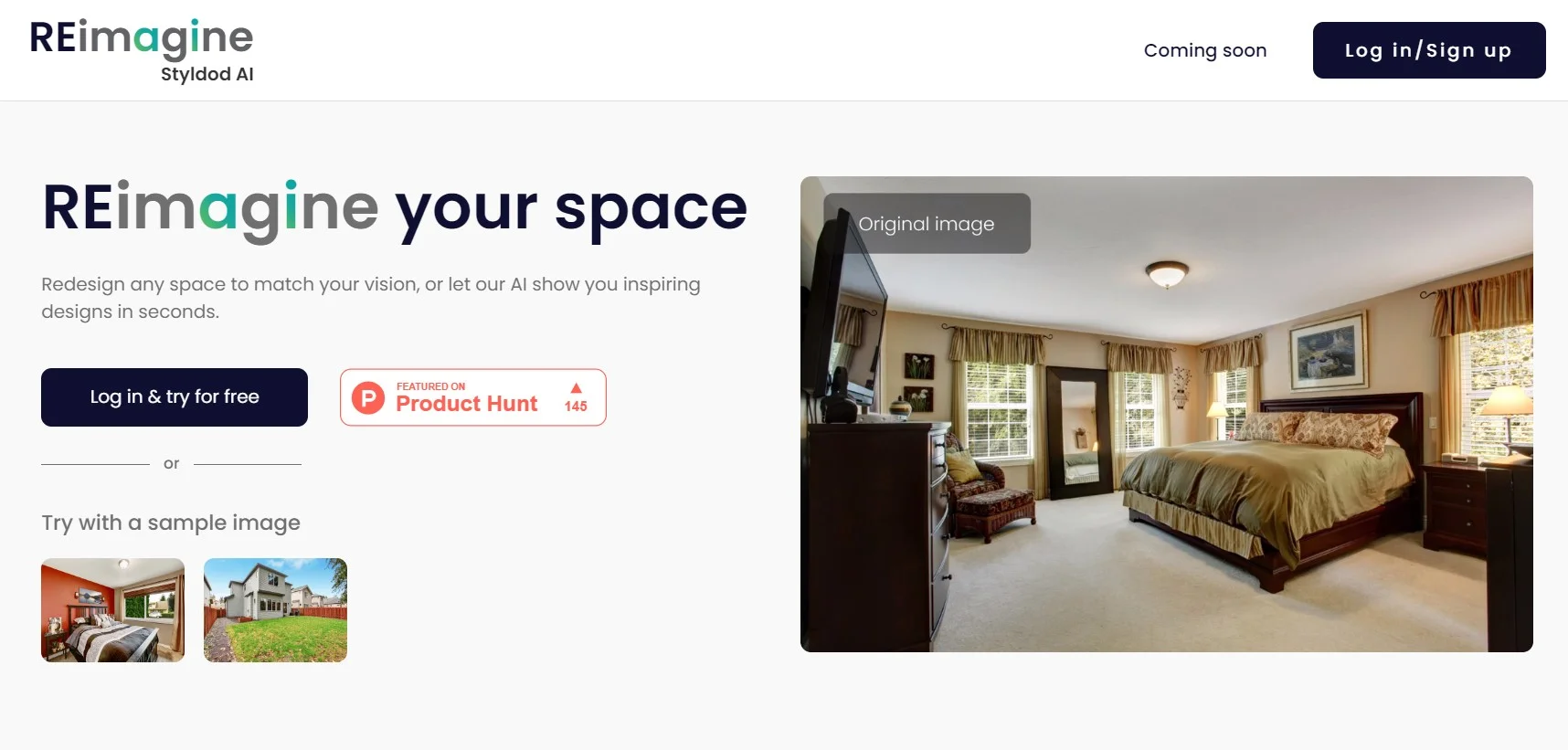
REimagine Home is a cutting-edge platform designed to revolutionize the real estate and interior design industries. With its array of AI-driven tools, it offers innovative solutions for virtual staging, remodeling, landscaping, and interior designing. Tailored specifically for realtors, marketers, photographers, developers, and interior designers, REimagine Home streamlines the process of transforming spaces, making it effortless to visualize renovations or design concepts in a photorealistic manner.
REimagine Home distinguishes itself with its comprehensive suite of AI tools that cater to the specific needs of the real estate and interior design industries. Its ability to generate instant, photorealistic design visualizations with minimal user input sets it apart from traditional methods.
REimagine Home excels at providing quick, customizable, and photorealistic design visualizations, making it an invaluable tool for professionals in real estate and interior design. The platform's user-friendly interface, combined with its powerful AI capabilities, offers a unique advantage for those looking to elevate their property presentations and design conceptualizations.
Who is Using REimagine Home?
Real Estate Agents
For virtually staging properties to attract potential buyers.
Interior Designers
To generate and present design ideas to clients.
Homeowners
Looking to envision renovations or upgrades to their property.
Developers
For visualizing the final look of under-construction properties.
Uncommon Use Cases
Used by event planners for visualizing venue setups; Utilized by film and TV set designers for creating realistic sets.
Key Features
Rating Breakdown
Pricing Plans
Free Tier
Free
Pro Tier
$99 per month. offering AI Virtual Staging
- Renovation
- More
Which REimagine Home plan should you pick?
Start with the free five-design allowance; upgrade to Pro when you need conversational design, reference photos, real products, incremental editing, or repeated work.
Essential
Good for basic virtual staging, light redesigns, simple landscaping, and watermark-free shareable images.
Pro
Good for repeat users who need conversational design, reference photos, real-product visualization, batch processing, and incremental editing.
Advanced
Good for higher-volume multi-space or multi-listing work using the Pro feature set.
Agency
Good for teams and studios producing design work at sustained, high volume.
REimagine Home Use Cases
Virtual staging
Upload an empty-room photo and generate a furnished, listing-ready version.
Outcome: A more presentable property image for marketing.
Interior renovation preview
Visualize paint, flooring, cabinetry, lighting, furniture, and decor changes in an existing room.
Outcome: A clearer basis for renovation decisions.
Exterior and landscaping design
Redesign facades, yards, patios, gardens, pools, and other outdoor areas from images.
Outcome: Photorealistic options for exterior improvements.
Real-product visualization
Find real furniture and decor and visualize products inside the user's space.
Outcome: Buyable design options with product context.
Floor-plan visualization
Upload a floor plan and turn it into a believable visual scene.
Outcome: A more accessible view of a proposed space.
Workflow Ideas with REimagine Home
Room redesign decision
- 1Upload a photo of the room
- 2Describe the desired style, finishes, or constraints
- 3Generate and refine design options
Listing preparation
- 1Upload an empty or existing listing photo
- 2Request virtual staging or listing-ready improvements
- 3Download or share the resulting visual
Shoppable room plan
- 1Upload the space and set a budget or ZIP code
- 2Generate a design using real products
- 3Review product options and proceed to a retailer
How REimagine Home fits into your stack
Web-Based Platform
Accessible from any device with internet connectivity.
File Compatibility
Supports various image file types for uploads.
User Account Integration
Offers a seamless experience across devices through user accounts.
Social Media Integration
Enables easy sharing of designs on social media platforms.
Pros
- +Speed and Efficiency: Delivers design visualizations quickly, saving time for professionals.
- +Ease of Use: Intuitive user interface requires no prior learning curve.
- +Customization: Offers fully customizable design options to match client preferences.
- +Diverse Applications: Serves a wide range of users from real estate to interior design.
Cons
- −Limited Free Trial: Access to full features is only available during the initial 7-day free trial.
- −Image Limitations: Free version limits the number of output images per month.
- −Potential for Overdependence: Users might rely heavily on AI suggestions, potentially limiting creativity.
Limitations & when to consider alternatives
Known limitations
- Outputs are conceptual. The service states that outputs are not professional plans, construction drawings, permits, guarantees, product warranties, or legal-compliance opinions.
- Free usage is limited. New users receive five free designs; additional usage requires a paid plan or credits.
- Credits expire. Subscription credits generally expire at the end of the billing cycle and do not roll over.
- Structural changes are constrained. The default workflow preserves walls, windows, doors, and existing layout unless the user requests a change.
- Image content restrictions apply. The service may reject or remove unsupported content, including sensitive imagery, people, prohibited content, or images the user lacks permission to process.
Look elsewhere when
- You need professional construction drawings or permit-ready plans.
- You need a documented developer API.
- You need document or spreadsheet processing.
How to Use REimagine Home
- 1
Comprehensive tutorials are available to guide users through each feature of REimagine Home, ensuring a smooth user experience.
Who is REimagine Home For?
Real Estate Agents
Virtually stage listings, create listing-ready visuals, and present properties without changing their structure.
Interior Designers
Prototype design concepts, explore finishes and layouts, and refine visuals for client work.
Landscape Designers
Visualize gardens, backyards, patios, pools, and other exterior transformations.
Homeowners
Preview renovations, furniture, layouts, and styles before spending money or starting work.
Renters
Explore renter-friendly design changes and visualize possibilities without structural alterations.
Frequently Asked Questions
Is REimagineHome free to use?
New users receive five free designs with the same AI quality as paid plans, and no credit card is required.
What can I design with REimagineHome?
You can visualize interiors, exteriors, staging, landscaping, floor plans, renovations, furniture, and decor.
Will REimagineHome change the structure of my space?
By default, the tool works within the existing layout and focuses on staging, finishes, lighting, and objects.
Can I control what changes?
Yes. You can refine specific elements without restarting, such as furniture, layout, or colors.
Does REimagineHome show real products?
Yes. It surfaces real, available furniture and decor from third-party retailers, with optional shopping links.
Do I need a credit card to try it?
No. You can start with five free designs without entering a credit card.
Community reviews
2 reviews from people who use REimagine Home.
Sign in to leave a review for REimagine Home.
abdel nor
Mimi Cico
REimagine Home Alternatives
Looking for alternatives to REimagine Home? Here are similar tools in the same category:
Learn to Master REimagine Home
With Skill Leap courses
Get in-depth training on REimagine Home and 50+ other AI tools with our expert-led video courses.
Start 7-Day Free Trial