Ren
Give managers instant coaching on real people issues.
Key Takeaways
- What it is
- Give managers instant coaching on real people issues.
- Pricing
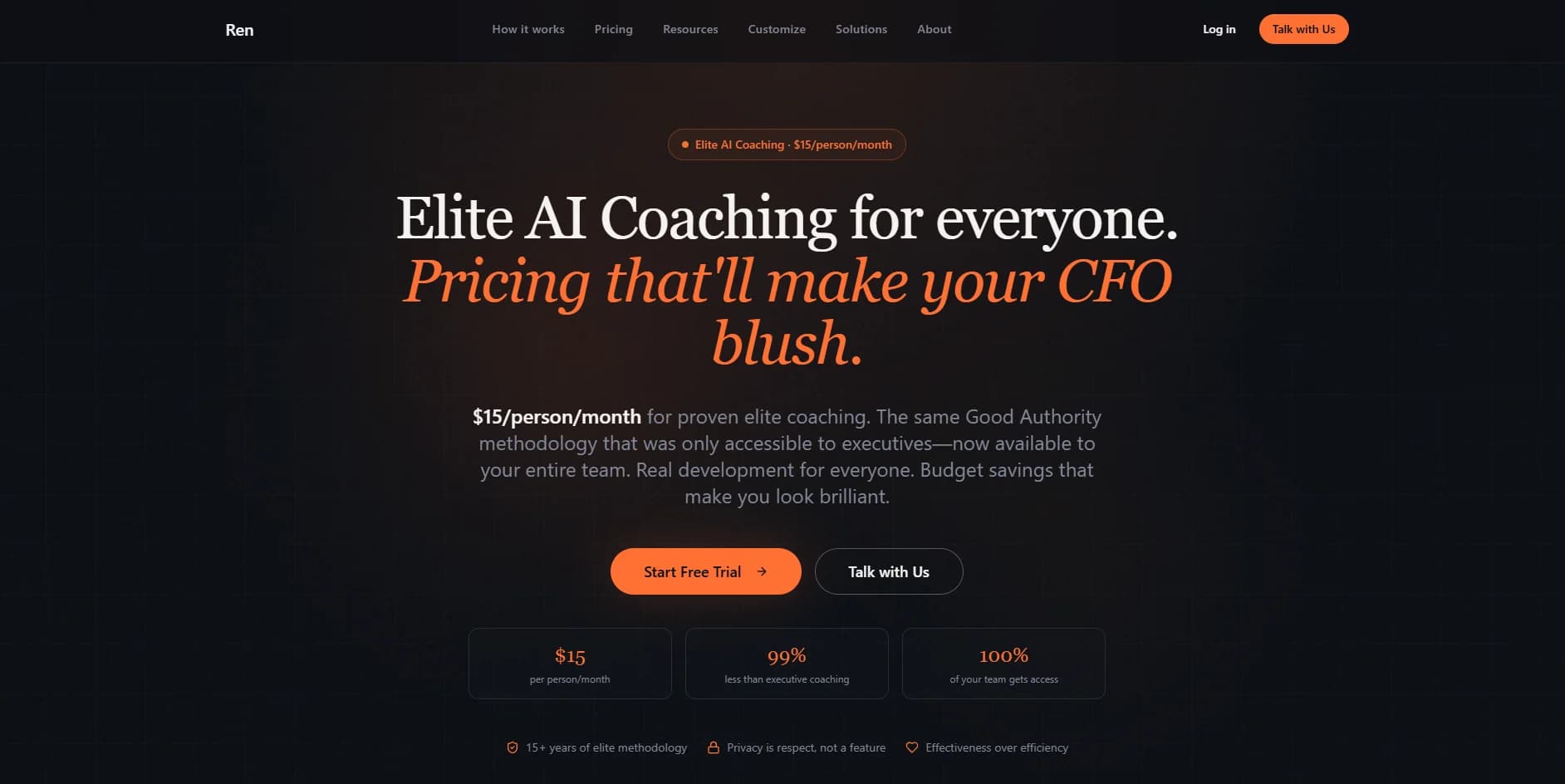
- $15 per person per month · $12 per person per month · $10 per person per month · $8 per person per month
- Best for
- AI Leadership Coach
- Values and Goal Alignment
- Executive Coaching Methodologies
- Rating
- 4.1/5
What is Ren?
Ren is an AI coaching platform focused on managers and teams. It delivers on‑demand, conversational coaching that mirrors proven executive coaching methods, but at a scale traditional one‑to‑one coaching cannot reach. Accessible 24/7, it helps employees at every level work through leadership challenges, people issues, and career decisions, while giving organizations privacy‑safe insights into development trends. Ren aligns coaching with a company’s stated values and goals so the guidance people receive supports the culture and performance expectations leaders are trying to build.
Ren stands out by centering coaching specifically on managers and their teams instead of offering a generic wellness or productivity chatbot. Its emphasis on aligning every coaching interaction with company values and leadership principles helps organizations drive real behavioral consistency, not just individual reflection. Combining executive‑style questioning with organizational dashboards gives both sides value: managers get a private coach, while HR gains a live pulse on leadership challenges without breaching confidentiality.
Ren offers a focused solution for organizations that want more than one‑off leadership workshops. By turning AI into a practical, always‑on coach that respects company values and individual privacy, it helps managers handle real problems in real time while giving people leaders a sharper view of where support is needed. For companies serious about scaling strong management habits without exploding coaching budgets, it is a compelling tool to consider.
Who is Using Ren?
HR and People Operations Teams
Using it to extend coaching access across management layers and track emerging people challenges.
Learning and Development Leaders
Pairing it with leadership programs so managers get ongoing support between workshops.
Frontline and Midlevel Managers
Turning to the coach for day‑to‑day guidance on feedback, performance conversations, and team motivation.
Executives in High‑Growth Companies
Using it as a way to keep leadership standards consistent as headcount scales quickly.
Uncommon Use Cases
Adopted by startup accelerators to support founders as first‑time people leaders; used by internal ERG or mentoring communities to give members an on‑call coaching companion.
Key Features
Rating Breakdown
Pricing Plans
Starter
$15 per person per month
- A personal AI coach, unlimited conversations, Good Authority methodology, growth focus tracking, manager dashboard, and 100% private coaching
Growth
$12 per person per month
- Everything in Starter plus a 20% volume discount, team onboarding support, Growth Loop framework, priority email support, and usage analytics
Scale
$10 per person per month
- Everything in Growth plus a 33% volume discount, 30-day training with Jonathan Raymond, guided rollout and integrations, custom team configurations, and a dedicated success manager
Enterprise
$8 per person per month
- Everything in Scale plus custom methodology training, value and competencies integration, SSO/SAML, HRIS integrations, and multi-team orchestration
Which Ren plan should you pick?
Start with Free to test Ren personally, move to Personal for one user, choose Team for shared workspaces, and upgrade to Business or Enterprise when you need larger deployments, SSO, or procurement support.
Free
Good for trying Ren with a limited number of conversations and no credit card.
Personal
Good for one person who wants uncapped access to Ren’s coaching features.
Team
Good for teams that need shared workspace access, seats, and aggregate organization visibility.
Business
Good for 50–60-person organizations that need SSO, workspace customization, and quarterly organizational readouts.
Enterprise
Good for larger rollouts above 60 people that need custom deployment and commercial terms.
Ren Use Cases
Prepare a difficult conversation
Ask Ren to identify the Accountability Dial stage and draft an opening in your voice.
Outcome: A specific conversation becomes easier to start.
Run a Morning Brief
Review daily coaching opportunities drawn from connected Slack, Teams, and calendar context.
Outcome: Important conversations and follow-ups surface before they become larger issues.
Manage employee growth plans
Set a living growth plan for each direct report and track Plan, Practice, and Progress.
Outcome: Development becomes visible and repeatable.
Improve cross-team coordination
Connect relevant channels and use Ren to notice missed handoffs, recurring friction, or unrecognized contributions.
Outcome: Problems are named earlier across reporting lines.
Record accountability outcomes
Move conversations through the Accountability Dial and retain a record of commitments and follow-through.
Outcome: Teams preserve outcomes without storing private conversation contents.
Workflow Ideas with Ren
Morning coaching loop
- 1Connect Slack, Microsoft Teams, or Google Calendar
- 2Review the daily Morning Brief
- 3Open a surfaced opportunity and work through it with Ren
- 4Mark the item handled or follow up after the conversation
Direct-report growth loop
- 1Open My Team
- 2Set a growth plan for a direct report
- 3Prepare for and reflect on a monthly Connect
- 4Review Plan, Practice, and Progress over time
Cross-team handoff loop
- 1Connect the channels where the project happens
- 2Review Ren’s surfaced handoff or friction signal
- 3Use the Accountability Dial to draft an opening
- 4Record what was owned and what changed
How Ren fits into your stack
Browser
Ren provides a web app with a Morning Brief, team views, growth plans, chat history, and an Ask Ren interface.
Team chat and tickets
Ren operates inside Slack and Microsoft Teams, surfacing coaching opportunities, preparing conversations, and delivering Morning Briefs.
Pros
- +Scales Coaching Access: Makes high‑quality coaching available to every manager, not just executives with budget approval.
- +Always Available: 24/7 access helps managers get support in the moment, whether before a tough 1:1 or after a difficult team meeting.
- +Culture‑Aligned Guidance: Alignment with company values helps reinforce the behaviors leadership actually wants to see on the ground.
- +Action‑Oriented Conversations: Coaching structure encourages reflection plus concrete next steps, which is more useful than static training content.
- +Insight for People Leaders: Dashboards give HR and L&D a view into recurring challenges, informing future programs and enablement.
Cons
- −AI Limits vs Human Coaches: Some nuanced interpersonal or sensitive issues will still benefit from a skilled human coach or HR partner.
- −Adoption Required: Managers who are skeptical of AI tools or coaching in general may need encouragement and change management to use it consistently.
- −Integration Uncertainty: Public information does not clearly spell out which HRIS, communication, or learning tools it connects with today.
Limitations & when to consider alternatives
Known limitations
- Zoom support is not yet generally available. Zoom meeting transcripts are listed as coming soon rather than as a currently available integration.
- HRIS synchronization is limited to a future Enterprise integration. HRIS is documented as coming soon for Enterprise customers.
- Ren only reads explicitly connected or invited sources. Ren does not scan an entire Slack or Teams workspace and does not read private direct messages between other people.
- Messages are not retained as full transcripts. Connected messages are read once to generate the Morning Brief; only the summary is retained.
- AI suggestions require human review. Ren states that drafts and coaching suggestions are AI-generated and may not always be accurate.
Look elsewhere when
- You need a native mobile app.
- You need a dedicated desktop installer.
- You need file or image analysis.
- You need a general-purpose coding assistant.
How to Use Ren
- 1
Create an account
Start from the Free option or begin a trial without entering a credit card.
- 2
Connect workplace tools
Connect Slack, Microsoft Teams, or Google Calendar so Ren can surface relevant context.
- 3
Review the Morning Brief
Open the daily brief to see which people, conversations, and follow-ups need attention.
- 4
Ask Ren for conversation help
Use the chat to prepare a difficult conversation, reflect on a 1:1, or draft an opening in your voice.
- 5
Set growth plans
If you manage people, create a growth plan for each direct report and use My Team to track progress.
- 6
Record outcomes and follow through
Move work through the Accountability Dial, revisit past briefs, and follow up on whether conversations landed.
Who is Ren For?
Team members
Use Ren for peer-to-peer tension, surfacing problems, personal coaching, and a profile that helps teammates work with you.
Managers
Use Ren to maintain growth plans, prepare meaningful 1:1s, and see direct-report progress in My Team.
Workspace admins
Manage integrations, people, groups, invitations, roles, and organization settings.
Tech leads
Track conversations across people who do not report to you and address handoff or coordination problems.
CEOs, COOs, and founders
Use Ren to extend development and accountability across the organization while preserving private coaching conversations.
Frequently Asked Questions
Is Ren free to use?
Yes. The Free option starts with 15 conversations, requires no credit card, and lets users choose a paid plan when those conversations run out.
What does Ren do?
Ren surfaces coaching opportunities from connected workplace tools, helps users prepare conversations, and maintains growth plans and follow-through.
Which tools can Ren connect to?
Ren supports Slack, Microsoft Teams, and Google Calendar. Zoom meeting transcripts and HRIS synchronization are documented as coming soon.
Who can use Ren?
Ren supports team members, managers, workspace admins, and people such as tech leads who coordinate work without formal authority.
Are Ren conversations private?
Private coaching conversations stay with the user and Ren. Leaders see aggregate outcomes and themes rather than readable conversation contents.
Does Ren support SSO?
SSO and SAML are available, with Okta, Entra, and Google named in Ren’s trust documentation.
Community reviews
Be the first to share your experience.
Sign in to leave a review for Ren.
Ren Alternatives
Looking for alternatives to Ren? Here are similar tools in the same category:
Learn to Master Ren
With Skill Leap courses
Get in-depth training on Ren and 50+ other AI tools with our expert-led video courses.
Start 7-Day Free Trial