
Rendernet
Create lifelike characters and videos with seamless customization.
Watch Rendernet in Action
Key Takeaways
- What it is
- Create lifelike characters and videos with seamless customization.
- Pricing
- Freemium · $9 per month
- Best for
- Advanced Character Creation
- Pose Control
- TrueTouch Technology
- Rating
- 4.1/5
What is Rendernet?
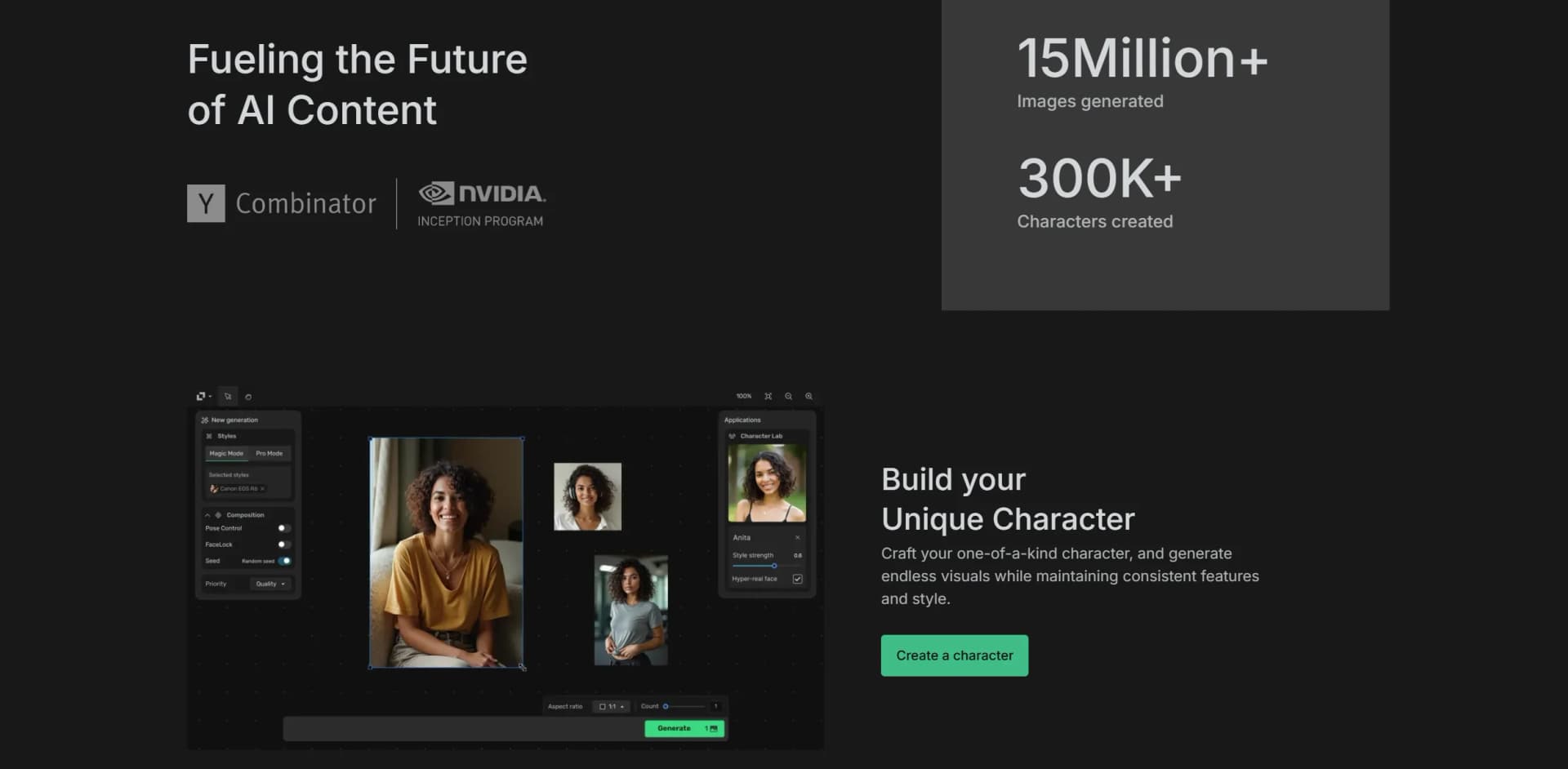
Rendernet revolutionizes the creation of character-driven images and videos, offering unparalleled control over character design, composition, and style. Designed for creatives, marketers, and digital content producers, it simplifies the process of bringing stories alive with AI-generated characters, ensuring consistency and realism in every frame.
Rendernet stands out with its FaceLock and ControlNet features, a game-changer for maintaining character consistency across various media. Its ability to produce highly customized, realistic images and videos sets it apart, offering creators a powerful tool to bring their narratives to life.
Rendernet excels in providing unparalleled control over character-driven image and video creation, making it an essential tool for creatives and marketers seeking to captivate and connect with their audience. Its unique features, particularly FaceLock and ControlNet, offer an unmatched advantage in maintaining character consistency and realism.
Who is Using Rendernet?
Digital Content Creators
Utilizing the tool for producing engaging video content and images.
Marketing Agencies
Employing Rendernet for crafting visually appealing campaigns.
Social Media Influencers
Leveraging the tool to create standout characters and narratives.
Educators
Using the tool to develop character-driven educational content.
Uncommon Use Cases
Adopted by independent filmmakers for pre-visualization; used by VR developers for character creation in virtual environments.
Key Features
Rating Breakdown
Pricing Plans
Free Tier
Free
Pro Tier
$9 per month
Which Rendernet plan should you pick?
Start with Standard for occasional solo work, upgrade to Ultra or Pro Max for higher volume, and choose Team for shared agency or team production.
Standard
Good for solo creators who need 2,000 monthly credits and standard support.
Ultra
Good for creators shipping weekly who need 7,000 monthly credits and priority support.
Pro Max
Good for high-volume creators who need 35,000 monthly credits.
Team
Good for teams and agencies needing shared credits and up to 25 seats.
Rendernet Use Cases
Fashion content
Create on-model shoots, lookbooks, and runway video.
Outcome: Styled fashion imagery and video ready for use.
Product visualization
Generate hero shots, lifestyle scenes, and 360-degree product turntables.
Outcome: Product assets from multiple angles and settings.
AI influencer content
Maintain one persona across posts and formats using character consistency.
Outcome: A consistent influencer identity across outputs.
UGC and advertising
Create creator-style UGC and advertising formats.
Outcome: Ad-ready creative sized for campaign use.
Real estate and interiors
Stage, relight, and restyle empty spaces.
Outcome: Listing-ready interior imagery.
Workflow Ideas with Rendernet
Reference image to video
- 1Upload or provide a reference image
- 2Generate or edit the still image
- 3Animate the still into video
Consistent character campaign
- 1Lock a face, product, or brand
- 2Generate multiple scenes and formats
- 3Reuse the consistent identity across outputs
Product creative pipeline
- 1Upload a product reference
- 2Create hero and lifestyle shots
- 3Upscale, edit, or extend the selected assets
How Rendernet fits into your stack
Browser
Affogato is presented as a browser-based creative studio for generating, editing, upscaling, and managing image and video work.
Automation and APIs
The documented API supports authenticated programmatic media generation, model and style discovery, asset uploads, and generation-status retrieval.
Pros
- +Creative Flexibility: Offers extensive control over character design and customization.
- +Community Engagement: Connect with a vibrant community of creators for idea sharing and collaboration.
- +Realistic Outputs: TrueTouch technology enhances realism in generated images and videos.
- +Multilingual Support: Narration feature supports over 25 languages, broadening accessibility.
Cons
- −Initial Learning Curve: Requires time to master advanced features and tools.
- −Resource Intensive: High-quality image and video generation may require substantial computing resources.
- −Limited Free Credits: Free plan offers only 50 credits per month, which may be limiting for heavy users.
Limitations & when to consider alternatives
Known limitations
- Paid plans are required. The current pricing page lists paid Standard, Ultra, Pro Max, and Team plans without a free plan.
- Credit-based usage. Images, videos, upscales, and edits consume credits from the selected plan.
- Rollover caps apply. Unused credits roll over only up to the cap defined by each plan.
- Adult-oriented service. The service requires users to be at least 18 years old or the age of majority.
- Generated output may be imperfect. The terms state that output may be inaccurate, non-unique, or similar to other users’ output.
How to Use Rendernet
- 1
Choose a plan
Select Standard, Ultra, Pro Max, or Team based on required monthly credits and collaboration needs.
- 2
Open the studio
Start creating in the Affogato studio and choose a dedicated workflow such as Fashion, Product, or UGC & Ads.
- 3
Add references
Upload reference assets or provide prompts to establish the subject, product, character, or scene.
- 4
Select a model or tool
Choose among image, video, editing, upscaling, lipsync, face-swap, inpainting, and other available tools.
- 5
Generate and refine
Create the image or video, then edit, extend, relight, restore, or upscale it in the same workspace.
- 6
Export for use
Use paid-plan outputs commercially; still renders are delivered without watermarks.
Who is Rendernet For?
Creators
The platform provides models, creative tools, and workflows for producing image and video content.
Marketers
Preconfigured studios support product visuals, UGC, advertising, and branded content.
Fashion teams
The Fashion studio supports on-model shoots, lookbooks, and runway video.
Product teams
The Product studio supports hero shots, lifestyle scenes, and 360-degree turntables.
Teams and agencies
The Team plan provides shared credits and up to 25 included seats.
Frequently Asked Questions
What is Affogato?
Affogato is an all-in-one AI studio for generating, editing, and upscaling images and video with more than 170 models.
Can Affogato keep a character or product consistent?
Yes. Users can lock a face, product, or brand and keep it consistent across shots, scenes, and formats.
Which AI models does Affogato support?
It supports more than 170 image and video models, including Google Veo, Kling, FLUX, ByteDance Seedream, and OpenAI Sora.
Can Affogato turn an image into a video?
Yes. Users can animate a generated still into video or create video directly from text.
How much does Affogato cost?
Paid plans start at $24 per month for 2,000 credits. Team plans start at $99 per month with up to 25 seats.
Can I use what I create commercially?
Every paid plan includes a commercial license and watermark-free still renders.
Community reviews
Be the first to share your experience.
Sign in to leave a review for Rendernet.
Rendernet Alternatives
Looking for alternatives to Rendernet? Here are similar tools in the same category:
Learn to Master Rendernet
With Skill Leap courses
Get in-depth training on Rendernet and 50+ other AI tools with our expert-led video courses.
Start 7-Day Free Trial