Reply.io
AI SDRs help sales teams turn outbound prospecting into booked meetings.
Watch Reply.io in Action
Key Takeaways
- What it is
- AI SDRs help sales teams turn outbound prospecting into booked meetings.
- Pricing
- $59 per user per month · $99 per user per month · $500 per month · $800 per month · $2,500 per month · $210 per month · $500 per month per client
- Best for
- Jason AI SDR
- Multichannel Sequences
- Reply Data
- Rating
- 4.1/5
What is Reply.io ?
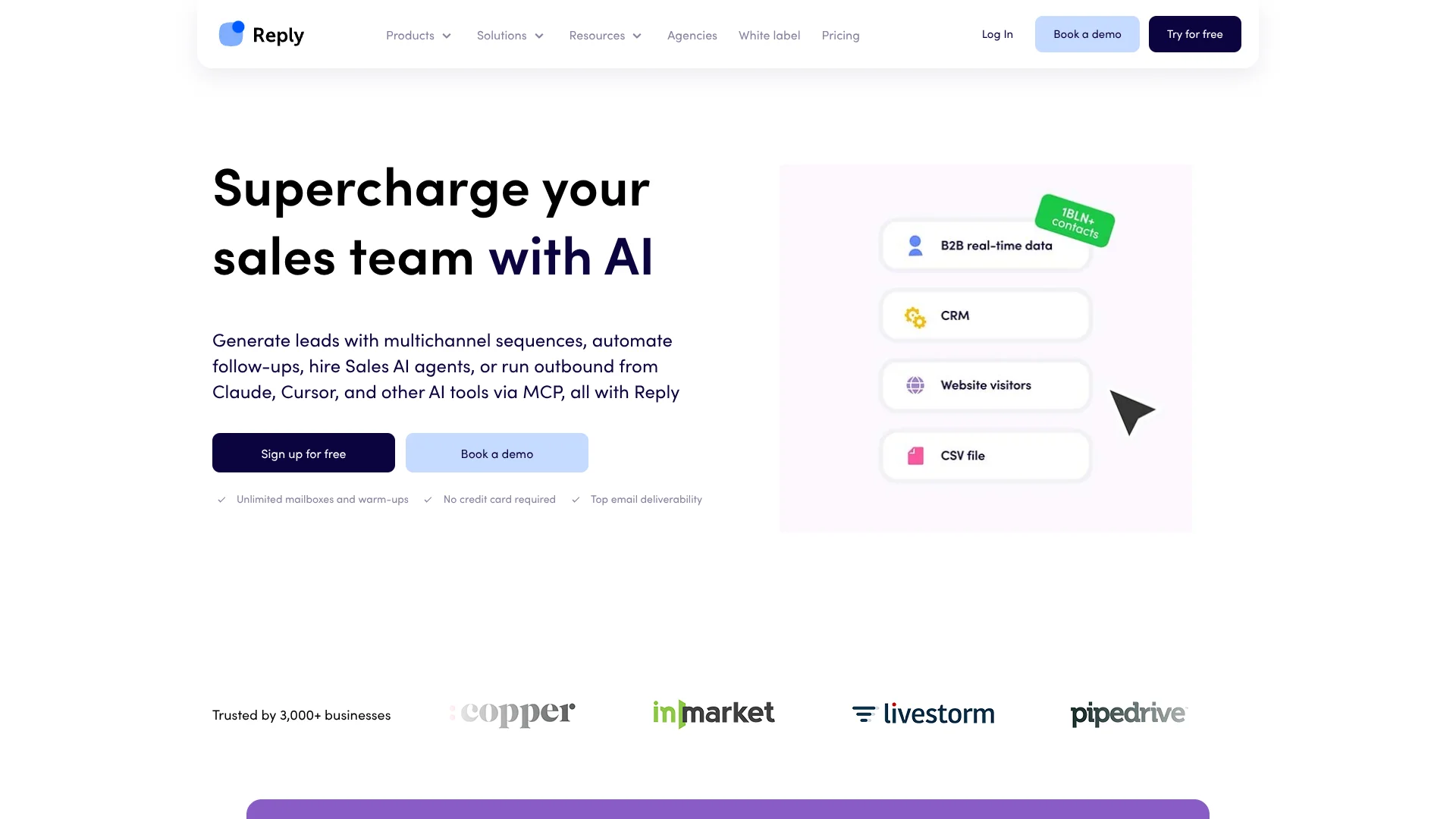
Reply.io helps sales teams find prospects and run outbound campaigns across email, LinkedIn, calls, SMS, and WhatsApp. Its Jason AI SDR can research contacts, personalize messages, manage replies, and book meetings, while teams can review drafts or let Jason run outreach on Autopilot. It is built for companies that need a repeatable way to reach potential customers and track the conversations that follow.
Jason can take an outbound campaign from prospect search through follow-up and meeting booking, with a choice between Copilot review and Autopilot execution. That makes Reply useful for teams deciding how much of their sales outreach they want AI to handle.
Reply is best suited to sales teams, founders, and agencies focused on outbound prospecting. The number of active contacts affects plan pricing, and mailbox access is subject to a fair-use policy, so teams should check their expected volume before choosing a plan.
Who is Using Reply.io ?
Sales Development Representatives
Their goal is to find suitable prospects and keep personalized follow-ups moving through a sequence.
Sales Managers
Team reports and sequence analytics help them monitor outreach and compare channel results.
Founders
Jason can take on prospect research and outreach when a founder is also responsible for sales.
Agency Account Managers
Separate client workspaces help them organize campaigns and review performance across accounts.
Uncommon Use Cases
Multilingual outreach to prospects in new markets; AI-assisted replies and meeting booking for sales teams
Key Features
Rating Breakdown
Pricing Plans
Email Volume
$59 per user per month
- Starting price; varies by active-contact volume.
- Unlimited emails to active contacts, subject to the Fair Usage Policy for mailboxes.
Multichannel
$99 per user per month
- Annual billing starts at $89.00 per user per month.
- Includes 5 mailboxes per user and multichannel outreach.
Hire Jason AI SDR
$500 per month
- The listed starting price includes 24/7 operations, real-time contact search, intent signals, AI personalization, and AI-generated responses.
AI SDR Starter
$800 per month
- Monthly billing price shown on Reply's AI SDR pricing page.
- Includes unlimited users, AI personalization, multichannel automation, and Copilot and Autopilot modes.
AI SDR Growth
$2,500 per month
- Monthly billing price shown on Reply's AI SDR pricing page.
- Includes unlimited users, multichannel automation, and additional onboarding and playbook support.
AI SDR Enterprise
- For large-scale operations.
Agency Core
$210 per month
- Annual billing starts at $166.00 per month.
- Includes multiple client workspaces, unlimited clients and users, and an agency dashboard.
Agency AI SDR
$500 per month per client
- Adds AI agents and AI-personalized multichannel outreach for agency clients.
Which Reply.io plan should you pick?
Start with Email Volume for email-led campaigns, choose Multichannel for built-in outreach across more channels, and consider Jason or an agency plan when AI-led or client-based operations are central.
Email Volume
Good for sales teams focused on email sequences and choosing a plan based on active-contact volume.
Multichannel
Good for teams that want broader outreach channels and team performance reporting.
AI SDR Starter
Good for smaller teams that want Jason to find prospects and run AI-personalized outreach.
Agency Core
Good for agencies organizing multiple client workspaces under one account.
Reply.io Use Cases
Outbound Prospecting
A sales team can search for contacts that fit its target customer profile and add them to a campaign.
Outcome: A targeted prospect list ready for outreach.
Multichannel Follow-Up
Sequences can mix email with LinkedIn, calls, SMS, and WhatsApp steps.
Outcome: Prospects receive follow-ups across the channels supported by the campaign.
AI-Personalized Sales Outreach
Jason adapts messages to prospects and can run outreach in Copilot or Autopilot mode.
Outcome: Personalized outreach with a level of human review chosen by the team.
Agency Client Campaigns
Agency workspaces keep client outreach organized under one account structure.
Outcome: Client campaigns and reporting grouped for agency operations.
International Prospecting
Jason can write sales outreach in multiple languages for campaigns aimed at different markets.
Outcome: Outreach messages written in the selected language.
Workflow Ideas with Reply.io
Find Prospects and Start a Campaign
- 1Set the target customer profile and search Reply Data for matching contacts.
- 2Review and add suitable prospects to a list.
- 3Place the list into a multichannel sequence.
Run AI-Assisted Outreach
- 1Set Jason's playbook, offer, and messaging context.
- 2Choose Copilot to review drafts or Autopilot to run outreach.
- 3Monitor replies and meetings in the inbox and reports.
Manage Client Outreach
- 1Create a workspace for each client.
- 2Organize client sequences and connected mailboxes.
- 3Review results in the agency dashboard.
How Reply.io fits into your stack
Sales Outreach
Reply is the campaign layer for outbound prospecting, combining sequences across email, LinkedIn, calls, SMS, and WhatsApp.
Prospect Data
Reply Data supports contact search and prospecting before people enter an outreach sequence.
CRM Connections
Native CRM connections include Salesforce, HubSpot, Pipedrive, Copper, and Close.
Automation and APIs
Reply offers an API and connections through tools including Zapier, Make, and n8n.
Browser and Mobile
The Findy Chrome extension supports prospect research, while the Jason AI mobile app covers inbox, approvals, and notifications.
Pros
- +AI outreach control: Choose to review Jason's work or let it run on Autopilot.
- +Multiple sales channels: Coordinate email, LinkedIn, calls, SMS, and WhatsApp in sequences.
- +Contact discovery: Search Reply Data and move prospects into campaigns.
- +Sales stack connections: Sync with CRMs including Salesforce, HubSpot, and Pipedrive.
Cons
- −Volume-based pricing: Email Volume pricing rises with the number of active contacts.
- −Add-on costs: LinkedIn automation and calls or SMS may cost extra on some plans.
Limitations & when to consider alternatives
Known limitations
- Mailbox Fair-Use Policy. For Email Volume plans, the number of included mailboxes depends on active contacts and sending activity.
- Active Contact Pricing. An active contact is a unique contact sent one first-step email during a month; follow-up emails to that contact are unlimited.
- Some Features Are Desktop-Only. The sequence builder canvas and administration are not available in the mobile app.
How to Use Reply.io
- 1
Start a Trial
Create a Reply account and use the 14-day trial to explore core features, integrations, and AI tools.
- 2
Connect Sales Tools
Connect a sending mailbox and, if needed, a CRM such as Salesforce, HubSpot, or Pipedrive.
- 3
Choose a Prospect Source
Search Reply Data for contacts or organize your own contacts in Reply.
- 4
Build a Sequence
Set up email and other supported channel steps, with timing and conditions for follow-up.
- 5
Set Jason's Level of Control
Add your sales context and choose Copilot for draft review or Autopilot for automated execution.
- 6
Review Responses and Results
Track conversations in the unified inbox and use reports to check sequence and channel performance.
Who is Reply.io For?
Sales Teams
Outbound teams can coordinate prospect research, multichannel campaigns, and reply tracking.
Founders
Founders handling their own sales can use AI to research prospects and keep follow-ups moving.
Sales and Lead Generation Agencies
Agency plans provide separate client workspaces and an agency dashboard.
Business Development Teams
Teams building new business can run targeted sequences and track responses across channels.
Frequently Asked Questions
Does Reply.io have a free plan?
Reply offers a 14-day free trial, but its pricing page does not list a permanent free plan.
How is Email Volume priced?
The monthly price starts at $59 per user and varies with the number of active contacts.
Which CRMs does Reply.io connect to?
Reply lists direct integrations for Salesforce, HubSpot, Pipedrive, Copper, and Close, as well as connections through Zapier and Make.
Can I use Reply.io on a phone?
Yes. Reply has a Jason AI mobile app for iOS and Android that supports inbox conversations, approvals, alerts, and Agentic Chat.
Does Reply.io have an API?
Yes. Reply provides a documented API for connecting sales workflows and data with other systems.
Community reviews
Be the first to share your experience.
Sign in to leave a review for Reply.io .
Reply.io Alternatives
Looking for alternatives to Reply.io ? Here are similar tools in the same category: