
RewarxStudio
Turn product photos into studio images and videos.
Key Takeaways
- What it is
- Turn product photos into studio images and videos.
- Pricing
- $9.90 per month · $54.90 per month · $129.90 per month · $249.90 per month
- Best for
- Physics-Based Lighting Simulation
- Virtual Lighting Rigs
- Cinematic Motion Generation
- Rating
- 4.1/5
What is RewarxStudio?
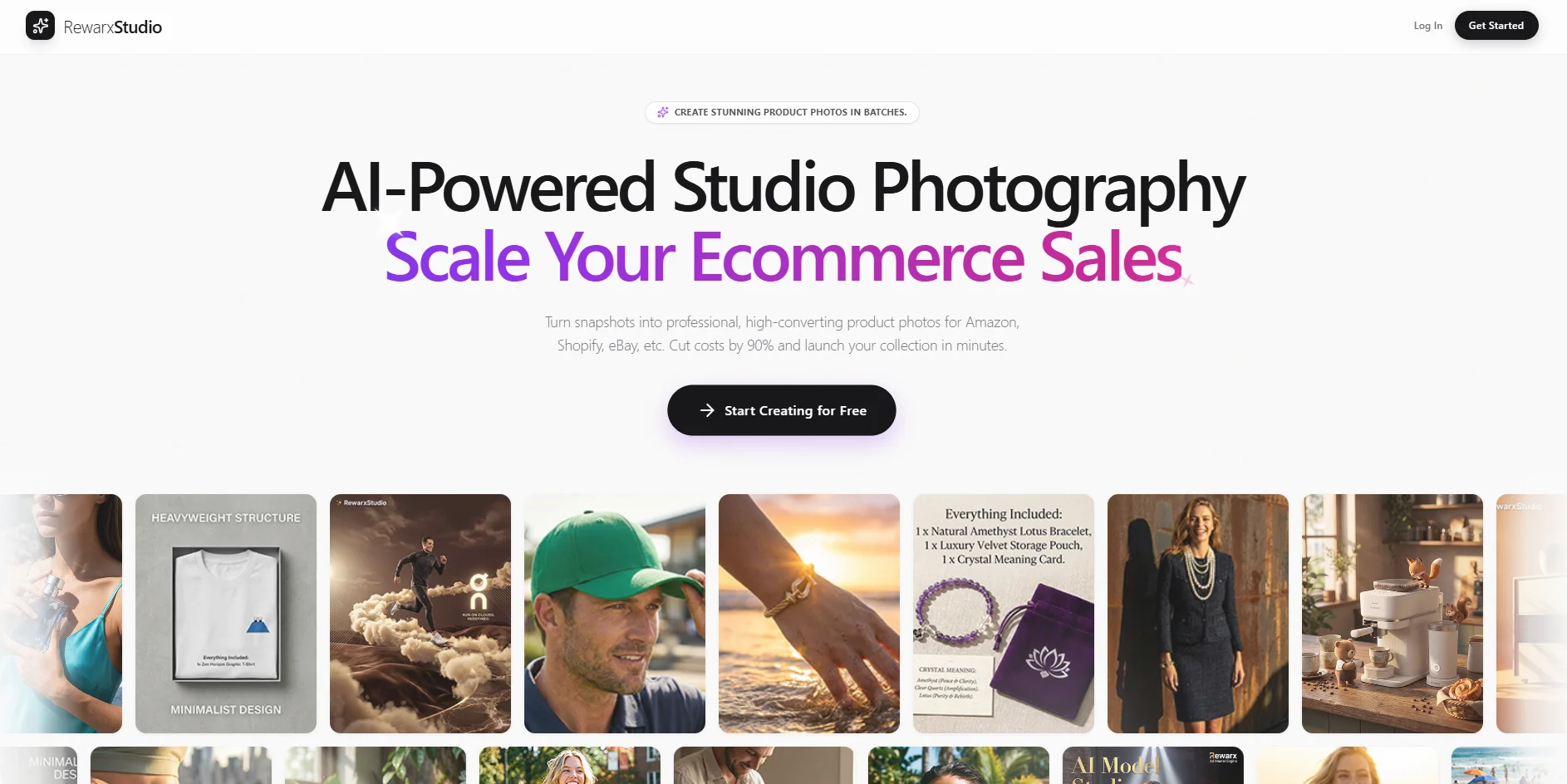
RewarxStudio is a virtual product photography studio that turns raw product snapshots into studio-style images and short motion assets for e-commerce. Its AI focuses on realistic lighting and material behavior so products like glass, metal, and fabric keep believable reflections, texture, and shape. It is built for teams that need repeatable listing sets, ad variations, and on-brand visuals without running a physical shoot every time.
RewarxStudio puts realism and repeatability first. Instead of only swapping backgrounds, it aims to keep the product physically believable through material-aware lighting simulation, then scales that look across catalogs with templates and batch workflows. The mix of studio rigs, motion creation, and poster-style marketing assets makes it especially useful for commerce teams that need volume and consistency, with results that can feel a little unfair in the best way when the starting point was a simple snapshot.
RewarxStudio is best suited for e-commerce teams and agencies that need consistent product imagery, motion creatives, and promotional assets at scale. It shines when brands want a repeatable studio look across many SKUs, with lighting and material realism that helps products look trustworthy on the page. Credit planning and tier selection matter for high-volume teams, but for many workflows, it can replace a large chunk of traditional production while keeping outputs commerce-ready.
Who is Using RewarxStudio?
E-commerce Brands
Producing consistent product imagery for Shopify, Amazon, and other storefronts.
Marketplace Sellers
Refreshing listing assets across platforms without repeated shoots.
Creative Agencies
Delivering repeatable, brand-matched visuals for multiple clients and catalogs.
Performance Marketers
Generating more product ad variations and motion creatives for paid campaigns.
Uncommon Use Cases
Used by hardware startups to create launch visuals before mass production; Adopted by packaging teams to preview finishes under different studio lighting styles.
Key Features
Rating Breakdown
Pricing Plans
Basic
- Free (includes 10 credits and free-trial access to features)
Starter
$9.90 per month
- 100 credits per month, no watermark, commercial poster studio, e-commerce listing asset sets, ~100 standard photos or ~33 4K ultra photos, or 5 cinematic videos
Growth
$54.90 per month
- 200 credits per month, all Starter features, bulk generation optimization, ~200 standard photos or ~66 4K ultra photos, or 10 cinematic videos
Scale
$129.90 per month
- 500 credits per month, batch template studio, optimized for multi-SKU stores and high-volume sellers, dedicated support manager
Agency
$249.90 per month
- 1,000 credits per month, unlimited cloud asset storage, API access for workflows, multi-user access, priority GPU queue, white-label delivery portal, and custom style training
RewarxStudio Use Cases
Product catalog photography
Upload product snapshots and generate professional studio-style ecommerce images in batches.
Outcome: Faster catalog production with consistent product visuals.
Fashion model imagery
Combine apparel product images with AI-generated models, poses, backgrounds, and realistic contact shadows.
Outcome: On-model fashion assets without hiring models or organizing a studio shoot.
Ghost mannequin creation
Convert apparel photos into invisible-mannequin images showing garment volume and inner structure.
Outcome: Professional apparel catalog imagery.
Lifestyle mockups
Apply products, graphics, or patterns to contextual 3D scenes and objects.
Outcome: Marketing-ready lifestyle and product mockup assets.
Marketplace listing assets
Use the Product Page Builder to create structured asset sets for Amazon and Shopify listings.
Outcome: More complete ecommerce product-page image packages.
Workflow Ideas with RewarxStudio
Create a model-photo product asset
- 1Upload a clear product photo.
- 2Select a model persona, pose, and background.
- 3Generate and export the neural render.
Build a jewelry campaign image
- 1Upload a raw smartphone product photo.
- 2Apply background removal, lighting, reflections, and caustics.
- 3Export a 4K asset formatted for Shopify or social media.
Automate enterprise visual production
- 1Generate an enterprise API key.
- 2Send product data through the REST API.
- 3Receive completed assets through webhook notifications.
How RewarxStudio fits into your stack
Browser
Rewarx Studio is used as a web-based visual production workspace for uploading product references, generating assets, reviewing results, and exporting ecommerce-ready imagery.
Automation and APIs
Its REST API connects RewarxStudio with ERP, PIM, and ecommerce platforms, using API keys, OAuth2, JSON requests, webhooks, and SDKs for Node.js, Python, and Go.
Pros
- +Faster Asset Production: Helps teams create listing sets and ad variants in far less time than a traditional workflow.
- +More Consistent Catalog Visuals: Templates and lighting presets reduce the “every SKU looks different” problem.
- +Commerce-First Outputs: Built around practical needs like marketplaces, product pages, and short-form ad creatives.
- +Reduced Photoshoot Dependence: Can lower the need for reshoots and physical studio coordination.
Cons
- −Input Quality Still Matters: Poor lighting, blur, or extreme angles in the original photo can limit results.
- −Credit-Based Usage Requires Planning: High-volume testing or constant variations can burn through monthly credits quickly.
- −Best Features May Require Higher Tiers: Team access, batch workflows, and API-level options are typically tied to higher plans.
Limitations & when to consider alternatives
Known limitations
- API access is enterprise-oriented. Rewarx states that API access is available to Enterprise partners and requires contacting sales for a sandbox and pricing.
- Initial inputs still require product photos. The documented workflows begin by uploading a clear or raw product image.
- Outputs require review. Rewarx's workflow guidance recommends reviewing product accuracy, fidelity, visual consistency, and channel readiness before scaling.
- Browser-dependent usage. The visual suite is documented as browser-based rather than as a native desktop or mobile application.
Look elsewhere when
- You need a native mobile app.
- You need a browser extension.
- You need code-generation features.
How to Use RewarxStudio
- 1
Start with a product image
Upload a clear, well-lit product photo so Rewarx can isolate and prepare the item for visual generation.
- 2
Choose the appropriate studio
Select Photography Studio, Model Studio, Ghost Mannequin, Mockup Generator, Group Shot Studio, or another module based on the desired asset.
- 3
Set the visual direction
Choose the model persona, pose, background, lighting, product context, or reference aesthetic.
- 4
Generate variations
Use batching and multiple visual treatments to create catalog, lifestyle, marketplace, or advertising variations.
- 5
Review product accuracy
Check labels, materials, colors, scale, geometry, and marketplace suitability before publishing.
- 6
Export or integrate
Download the finished asset or connect Rewarx through its API for automated ERP, PIM, or ecommerce workflows.
Who is RewarxStudio For?
Ecommerce sellers
They can turn product snapshots into marketplace-ready imagery for storefronts such as Shopify, Amazon, Etsy, and TikTok Shop.
Fashion and apparel brands
The model studio, virtual try-on, and ghost mannequin tools support apparel presentation at scale.
Jewelry brands
The jewelry workflow provides 4K renders, reflections, caustics, and 1:1 scale controls.
Marketing teams
Teams can create lifestyle scenes, commercial posters, and campaign variations without traditional photoshoots.
Enterprise ecommerce platforms
Enterprise partners can connect Rewarx to ERP, PIM, and ecommerce systems through its developer API.
Frequently Asked Questions
What is Rewarx Studio?
Rewarx Studio is an AI-powered product photography and visual production platform for creating ecommerce imagery in batches.
What types of visual assets can Rewarx create?
Its tools include product photography, model imagery, ghost mannequins, mockups, group shots, product-page asset sets, and commercial ad posters.
Can I use my own model as a reference?
Yes. Rewarx says its Lookalike technology can use a reference model and maintain that face and body type across production.
What resolution can exported images reach?
Generated assets can be exported at up to 4K resolution, or 4096×4096 pixels.
Does Rewarx provide an API?
Yes. Rewarx offers an enterprise REST API with API keys, OAuth2 support, webhooks, and SDKs for Node.js, Python, and Go.
Are generated assets commercially usable?
Rewarx states that paying subscribers retain commercial ownership of generated assets.
Community reviews
Be the first to share your experience.
Sign in to leave a review for RewarxStudio.
RewarxStudio Alternatives
Looking for alternatives to RewarxStudio? Here are similar tools in the same category:
Learn to Master RewarxStudio
With Skill Leap courses
Get in-depth training on RewarxStudio and 50+ other AI tools with our expert-led video courses.
Start 7-Day Free Trial