
Robopost AI
Automates and enhances social media content creation.
Key Takeaways
- What it is
- Automates and enhances social media content creation.
- Pricing
- Freemium · $9.99 per month
- Best for
- AI-Driven Post Generation
- Dall-E Integration for Image Creation
- Effortless Post Scheduling
- Rating
- 4.6/5
What is Robopost AI?
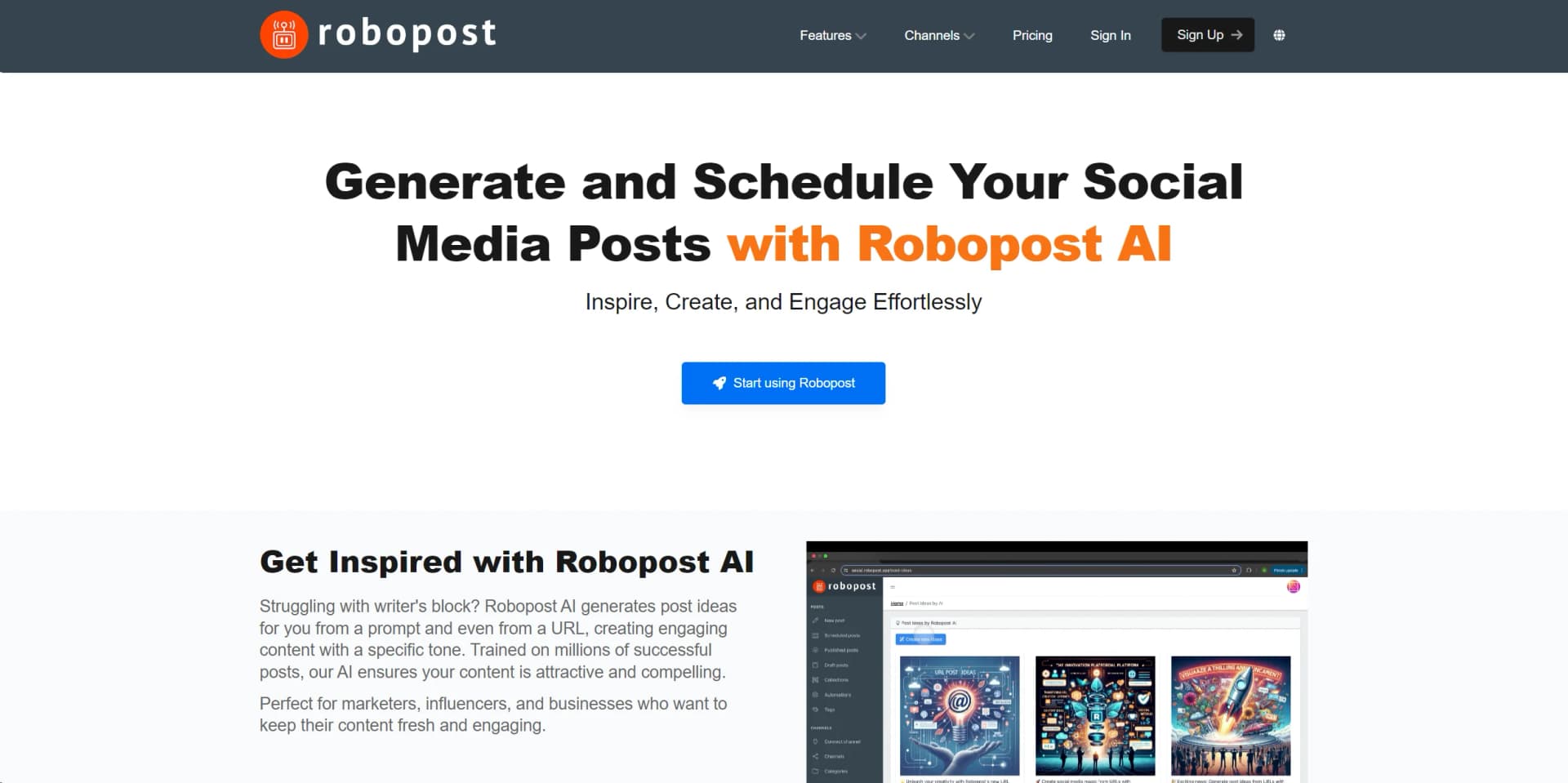
In the ever-evolving world of digital marketing and social media management, staying ahead with engaging, timely, and relevant content is key. This is where Robopost AI comes into play. Designed primarily for marketers, influencers, and businesses, Robopost AI is a robust tool that automates the generation and scheduling of social media posts. By leveraging advanced AI technologies, it helps users overcome creative hurdles such as writer's block by generating fresh post ideas and crafting compelling content with specific tones. Moreover, its integration with Dall-E allows for the creation of stunning visuals, enhancing the overall impact of your social media presence.
Robopost AI distinguishes itself with its seamless integration of content generation and image creation tools, powered by AI. This unique combination not only enhances the efficiency of social media management tasks but also ensures a high level of engagement and aesthetic appeal in the content produced.
Robopost AI excels in transforming the way businesses and individuals manage their social media content. With features like AI-driven content generation, Dall-E integrated image creation, and versatile scheduling options, it offers a comprehensive solution that caters to a wide array of social media management needs. Its user-friendly interface and broad platform support make it an indispensable tool for anyone looking to enhance their digital presence.
Who is Using Robopost AI?
Digital Marketers
Utilizing the tool to streamline content creation and distribution across multiple channels.
Social Media Managers
Leveraging AI to maintain a consistent and engaging online presence.
Small Business Owners
Employing the tool to handle social media without the need for dedicated staff.
Content Creators
Using AI-generated suggestions to maintain creative output.
Uncommon Use Cases
Non-profits using the tool to engage with their communities effectively; Educational institutions incorporating it into digital literacy training.
Key Features
Rating Breakdown
Pricing Plans
Free Tier
Free
- Get started with Robopost AI at no cost
- Basic features
Pro Tier
$9.99 per month
Which Robopost AI plan should you pick?
Start with Free to test core scheduling and AI features; upgrade to Basic for larger teams, Pro for API access and unlimited channels, or Agency for unlimited brands and white labeling.
Free
Good for individuals testing Robopost with up to 3 social channels, 10 scheduled posts per month, and limited AI usage.
Starter
Good for small-scale users who need 150 scheduled posts per month and increased AI video allowances.
Basic
Good for teams needing up to 10 channels, 500 scheduled posts per month, unlimited team members, and access controls.
Pro
Good for users who need unlimited channels, unlimited scheduling and automations, API access, and up to 3 brands.
Agency
Good for agencies needing unlimited channels, scheduling, team members, brands, and white-label capabilities.
Robopost AI Use Cases
Generate social posts from a URL
Enter a webpage URL and have Robopost generate social content from it.
Outcome: Faster conversion of articles and product pages into social posts.
Create posts from images or videos
Upload images or video and use AI to generate content ideas with adjustable tone, word count, hashtags, and emojis.
Outcome: More efficient visual-content repurposing.
Automate blog-to-social publishing
Connect RSS, WordPress, Ghost, Shopify, WooCommerce, or Squarespace as a content source and publish to social channels.
Outcome: New content is distributed automatically.
Create faceless video series
Define a topic, style, format, voice, posting schedule, and target social accounts for an automated video series.
Outcome: Recurring short-form video production and publishing.
Manage client approvals
Invite team members or external users to review, comment on, and approve draft posts.
Outcome: A structured review process before publication.
Workflow Ideas with Robopost AI
Automated blog-to-social workflow
- 1Connect an RSS, WordPress, Ghost, Shopify, WooCommerce, or Squarespace source
- 2Configure post templates and optional AI text or image generation
- 3Publish generated posts to selected social channels
AI visual-content workflow
- 1Upload images or a video
- 2Set tone, word count, hashtags, emojis, and instructions
- 3Generate and schedule social posts
Faceless-video publishing workflow
- 1Create a video series with a topic, format, style, and voice
- 2Choose posting frequency and social accounts
- 3Review generated videos and schedule or publish them
How Robopost AI fits into your stack
Broad Social Media Platform Support
Integrates with major platforms like Facebook, Twitter, Instagram, and more.
API for Custom Integrations
Offers API access for developers to create bespoke integrations.
Analytics Tools Compatibility
Easily works with popular analytics tools to track post performance and user engagement.
Cross-Platform Scheduling
Enables content scheduling across different platforms from a single interface.
Pros
- +Enhanced Content Quality: Elevates the attractiveness and engagement of your posts through high-quality text and visuals.
- +Time Savings: Automates scheduling and post creation, freeing up valuable time for other business activities.
- +User-Friendly Interface: Intuitive design makes it accessible even for those with minimal technical expertise.
- +Versatility: Supports a broad spectrum of social media platforms, making it a versatile tool for comprehensive social media management.
Cons
- −Learning Curve: New users may need some time to fully leverage all advanced features.
- −Dependency on Internet Connectivity: Requires a stable internet connection for optimal functionality.
- −Limited Customization in Free Version: Some advanced customization options are only available in paid tiers.
Limitations & when to consider alternatives
Known limitations
- No personal Facebook profile publishing. Robopost cannot publish to personal Facebook profiles through third-party services.
- Facebook Groups are unsupported. Robopost no longer supports Facebook Groups because Meta closed the Facebook Groups API.
- Short-form video focus. The documented AI video feature supports videos up to 90 seconds and does not currently create long-form content.
- Analytics exclusions. The pricing page states that analytics for X, Google Business, Telegram, and WordPress are not supported.
- No refunds. The AI video FAQ states that refunds are unavailable because upstream providers charge for GPU processing time.
How to Use Robopost AI
- 1
Discover a range of tutorials on the Robopost AI website and YouTube channel, covering everything from basic setup to advanced features utilization.
Who is Robopost AI For?
Marketers
Robopost AI helps marketers generate social content, create visuals, schedule posts, and automate distribution.
Influencers
Influencers can use AI-generated ideas, image generation, scheduling, and multi-platform publishing to maintain a consistent presence.
Businesses
Businesses can manage social channels, automate posts, analyze performance, and coordinate publishing with teams.
Freelancers
Robopost supports freelancers who create, schedule, publish, and automate content for themselves or clients.
Social media teams
Social media teams can collaborate through invitations, permissions, approvals, and channel-specific access.
Frequently Asked Questions
What can Robopost AI generate?
It can generate social post ideas from prompts, URLs, images, or videos, and can also generate images and improve grammar.
Can Robopost automate social media posting?
Yes. Automations can monitor RSS, WordPress, Ghost, Shopify, WooCommerce, Squarespace, or a Facebook Page and publish content to selected channels.
Does Robopost support multiple languages?
Yes. Robopost lists support for 20 languages, including English, French, German, Japanese, Korean, Portuguese, Russian, and Spanish.
Can teams collaborate in Robopost?
Yes. Teams can invite members, assign permissions, limit channel access, and request approvals from external users.
Can Robopost create long-form videos?
Not currently. The documented AI video feature specializes in short-form videos up to 90 seconds.
Can I post to personal Facebook profiles or Facebook Groups?
No. Personal Facebook profiles are not supported, and Facebook Groups are no longer supported because Meta closed the relevant API.
Community reviews
Be the first to share your experience.
Sign in to leave a review for Robopost AI.
Robopost AI Alternatives
Looking for alternatives to Robopost AI? Here are similar tools in the same category:
Learn to Master Robopost AI
With Skill Leap courses
Get in-depth training on Robopost AI and 50+ other AI tools with our expert-led video courses.
Start 7-Day Free Trial