Rokoko Video
Turn ordinary performer videos into character motion without a mocap suit.
Key Takeaways
- What it is
- Turn ordinary performer videos into character motion without a mocap suit.
- Pricing
- Freemium · $12 per month · $28 per month · $70 per month · $150 per month starting from
- Best for
- Vision 3.0 video-to-motion
- Rokoko Create
- Rokoko Studio editing
- Rating
- 4.2/5
What is Rokoko Video?
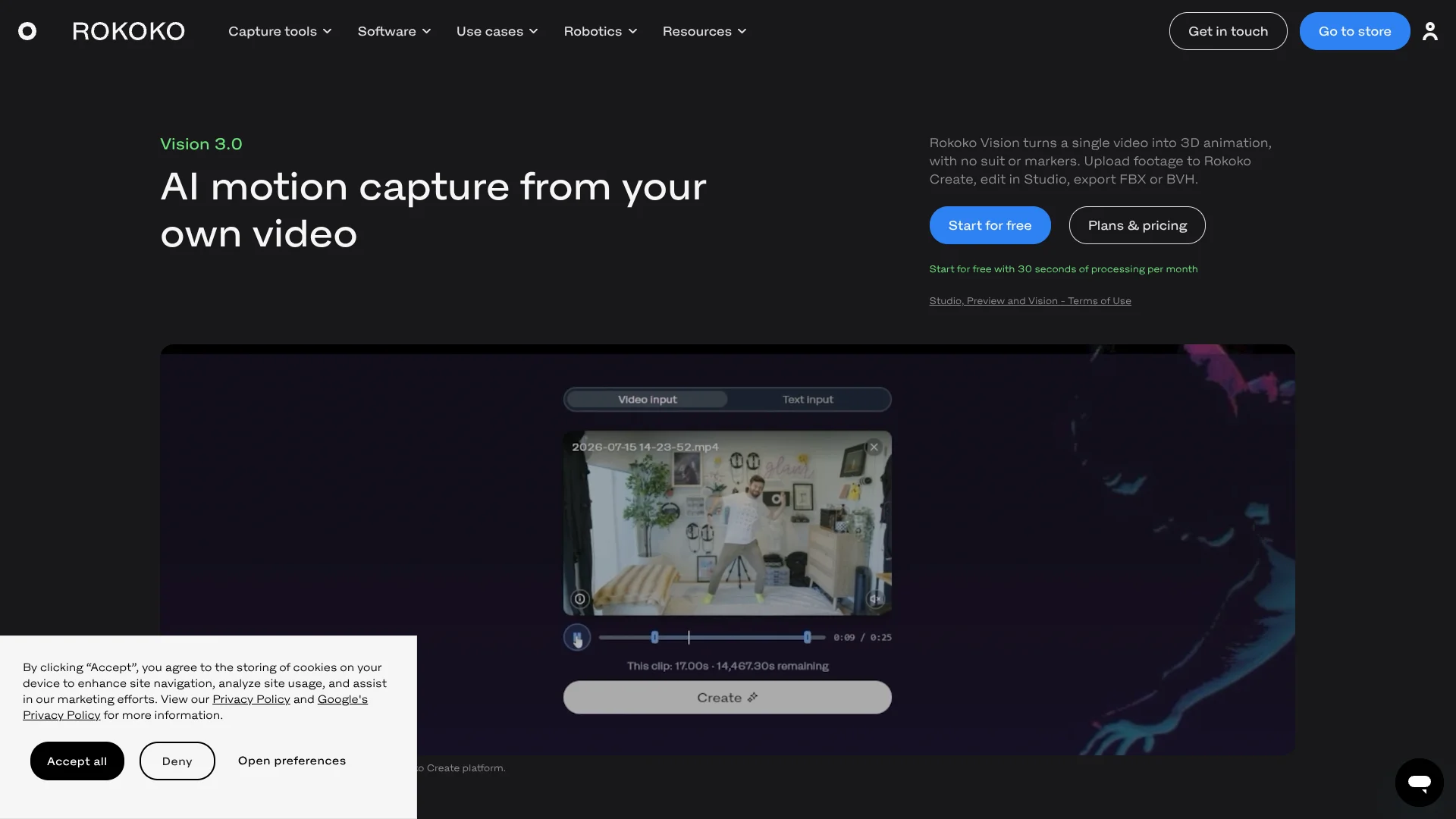
Rokoko Vision turns a prerecorded video of a person moving into 3D body animation, without a motion-capture suit or tracking markers. It runs in Rokoko Create, where animators, game developers, and other character creators can generate motion, then bring it into Rokoko Studio to edit or retarget it to a custom character. The goal is to turn ordinary footage into usable animation data.
Vision is part of Rokoko Create, which also generates motion from text; clips from either method can move into Rokoko Studio for editing and export. That connects video-based motion capture to Rokoko’s own character-animation workflow, including custom-character retargeting on eligible plans.
It suits creators who need body movement for animation or previsualization but do not own capture hardware. Its results depend on clear footage, and it does not capture fingers, so it is less suited to performances that need detailed hand motion.
Who is Using Rokoko Video?
Character animator
A recorded performance becomes a starting point for an animated character in Rokoko Studio.
Game developer
Prototype movement can be generated from footage and exported for use in a game engine.
Previsualization artist
Recorded blocking can become 3D body motion for planning a scene.
Independent filmmaker
A performer’s movement can be captured without arranging a suit-based motion-capture setup.
Uncommon Use Cases
Testing how a custom character moves before final animation; turning a reference performance into a reusable motion clip.
Key Features
Rating Breakdown
Pricing Plans
Starter
Free
- Free forever
- 30 seconds of Vision AI video processing per month
- 5 Text-to-Motion clips imported into Studio per month
- FBX export and one month of cloud storage
Basic
$12 per month
- $10 per month billed annually
- 600 seconds of Vision AI video processing per month
- Custom-character import and retargeting
- BVH export and unlimited cloud storage
Plus
$28 per month
- $20 per month billed annually
- 3,000 seconds of Vision AI video processing per month
- Live streaming to third-party tools
- Unlimited team members and user management
Pro
$70 per month
- $50 per month billed annually
- 15,000 seconds of Vision AI video processing per month
- Advanced command API and UDP trigger messages
- CSV export and designated Customer Success Manager
Enterprise
$150 per month starting from
- $100 per month starting from when billed annually
- Local storage with no cloud sync
- Custom support hours, onboarding, and SLA
Which Rokoko Video plan should you pick?
Start with Starter to test video capture; choose Basic for more monthly processing, custom-character retargeting, and BVH export.
Starter
Good for trying Vision with 30 seconds of monthly processing and FBX export.
Basic
Good for AI mocap users who need 600 seconds of monthly processing, custom-character retargeting, and BVH export.
Plus
Good for workflows that also need live streaming to third-party tools, team member management, and 3,000 seconds of monthly Vision processing.
Pro
Good for users who need 15,000 seconds of monthly Vision processing, CSV export, or the advanced command API.
Enterprise
Good for larger teams needing local storage, custom support hours, or tailored onboarding.
Rokoko Video Use Cases
Turn a performance video into animation
A prerecorded person’s movement becomes 3D body motion for a character workflow.
Outcome: An editable motion capture clip.
Prototype character movement
Early game movement can be explored from recorded footage before investing in capture hardware.
Outcome: Motion data for testing character animation.
Retarget motion to a custom character
A captured clip can be transferred to an imported character in Rokoko Studio on eligible plans.
Outcome: The captured movement applied to a custom character.
Prepare animation for a 3D tool
Exported animation can be brought into tools such as Blender, Unreal Engine, or Unity.
Outcome: An FBX or BVH animation file for a supported workflow.
Generate motion from text
Rokoko Create can also make motion from a text description, alongside video-based capture.
Outcome: A generated motion clip.
Workflow Ideas with Rokoko Video
From recorded performance to character animation
- 1Record a performer with their full body in view.
- 2Upload the video to Rokoko Create and process it with Vision.
- 3Import the motion into Rokoko Studio, retarget it, and export.
Build and compare movement options
- 1Generate a movement clip from video or a text description in Rokoko Create.
- 2Review the motion in Rokoko Studio.
- 3Export the preferred version for the target 3D tool.
Check footage before capture
- 1Set a stable camera at chest height and keep the full performer in frame.
- 2Choose clear lighting and clothing that stands out from the background.
- 3Upload the recording to Rokoko Create for processing.
How Rokoko Video fits into your stack
Video input
Rokoko Create takes a prerecorded video as the motion source. The performer should stay fully in frame, with a stable camera and clear lighting.
Motion generation
Vision AI turns video into body motion, while Rokoko Create also offers Text-to-Motion.
Editing and retargeting
Rokoko Studio is where creators can review and edit clips, and retarget motion to an imported character on eligible plans.
3D animation tools
Exported motion can be used in tools such as Blender, Unreal Engine, Unity, Maya, Cinema 4D, Houdini, MotionBuilder, and iClone.
Pros
- +No capture suit required: A regular prerecorded video can provide the motion input.
- +Free monthly processing: Starter includes 30 seconds of Vision AI video processing each month.
- +Editing in Rokoko Studio: Captured motion can be reviewed and refined before export.
- +Useful export choices: FBX is available on Starter, with BVH on paid plans.
Cons
- −Footage preparation matters: Camera movement, poor lighting, or an obscured body can hurt tracking.
- −Processing allowance: The free plan provides only 30 seconds of video processing each month.
- −No finger capture: Hand and finger detail requires a separate Rokoko solution.
Limitations & when to consider alternatives
Known limitations
- No browser-based live recording. Vision 3.0 requires a prerecorded video file uploaded to Rokoko Create.
- No finger tracking. Vision does not capture finger motion; Rokoko points users to Smartgloves II for finger capture.
- Full-body visibility matters. The capture guidance says the performer’s full body must remain in frame, and recommends a stationary camera and clear lighting.
- Video processing is capped by plan. Monthly Vision AI processing ranges from 30 seconds on Starter to 15,000 seconds on Pro.
Look elsewhere when
- You need finger motion captured along with body movement.
- You need live motion capture rather than processing a prerecorded video.
- Your scene needs multiple performers captured at the same time.
How to Use Rokoko Video
- 1
Record a clear performance
Film the movement before opening Create; browser-based live recording is not supported.
- 2
Check framing and lighting
Keep the performer fully visible, use a stable camera, and avoid blocked body outlines.
- 3
Process the video in Rokoko Create
Sign in, upload the video, and run Vision AI processing against the allowance on your plan.
- 4
Review the resulting motion
Open the generated clip and check whether the body movement fits the intended animation.
- 5
Edit or retarget in Rokoko Studio
Bring the clip into Studio to refine it or transfer it to a custom character when your plan supports that feature.
- 6
Export for your 3D workflow
Export in a supported format such as FBX or BVH for tools including Blender, Unreal Engine, or Unity.
Who is Rokoko Video For?
Animators
Video-to-motion gives character animators a way to turn recorded performances into editable body movement.
Game developers
Game creators can produce character motion for prototypes and animation workflows without capture suits.
Film and VFX creators
Previsualization and animation work can start with a performer recorded on an ordinary camera.
Motion-capture beginners
Creators exploring motion capture can try video-based capture before investing in Rokoko hardware.
Frequently Asked Questions
Is Rokoko Vision free?
The Starter plan is free forever and includes 30 seconds of Vision AI video processing per month.
How much does the Basic plan cost?
Basic costs $12 per month with monthly billing, or $10 per month billed annually. It includes 600 seconds of Vision AI video processing per month.
Can Vision record directly from a webcam?
No. Vision 3.0 requires you to record first and upload the video file to Rokoko Create.
Which 3D tools can use the exported motion?
Rokoko lists Blender, Unreal Engine, Unity, Cinema 4D, Maya, Houdini, MotionBuilder, and iClone among supported tools.
Can I use generated motion commercially?
Rokoko says motion generated with Video-to-Motion and Text-to-Motion can be used commercially.
Community reviews
Be the first to share your experience.
Sign in to leave a review for Rokoko Video.
Rokoko Video Alternatives
Looking for alternatives to Rokoko Video? Here are similar tools in the same category: