RoomGPT
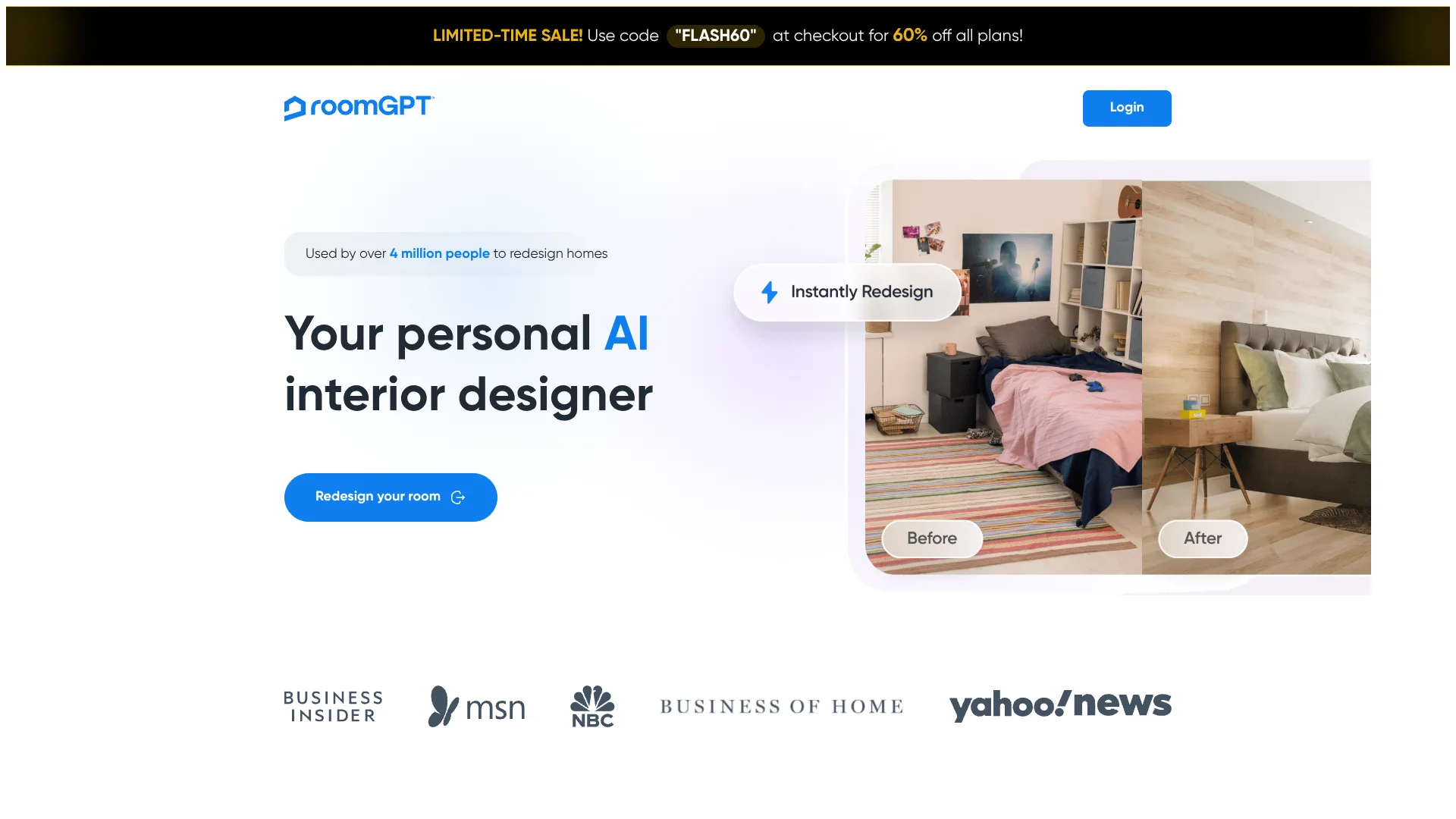
Preview new room styles from a photo before decorating or renovating.
Key Takeaways
- What it is
- Preview new room styles from a photo before decorating or renovating.
- Pricing
- Freemium
- Best for
- Photo-Based Room Redesign
- Different Room Themes
- One Free Generation
- Rating
- 3.8/5
What is RoomGPT?
RoomGPT turns a photo of your room into a visual redesign, helping people explore a different look before they decorate or renovate. The site presents it as a way to redesign a room from one photo, so you can see possibilities for your own space rather than rely only on inspiration pictures. You sign in with Google to get one free generation.
RoomGPT sells credits per use rather than through a subscription, and says unused credits remain valid indefinitely. That makes it possible to buy credits when you need more designs without taking on a recurring plan.
It fits people who want a quick visual starting point for a room refresh, not a detailed renovation plan. The public site does not show credit prices, so check the cost after signing in before deciding whether to buy more.
Who is Using RoomGPT?
Homeowners
A room redesign gives them a visual reference while considering changes to their home.
Renters
Room concepts can help them explore decorating ideas for their current space.
Interior Designers
A generated concept can serve as an early visual prompt for a room discussion.
Home Renovation Planners
Different themes help them compare possible directions before starting a room project.
Uncommon Use Cases
Compare possible room styles before buying decor; share a visual idea to start a decorating conversation.
Key Features
Rating Breakdown
Pricing Plans
Free Tier
Free
- RoomGPT offers a basic level of service accessible to all users
- Encouraging them to explore its capabilities
Premium Options
- While specific details may vary
- RoomGPT provides enhanced features and capabilities for a subscription fee
Which RoomGPT plan should you pick?
Start with the 25 credits pack for a small test, then upgrade to 75 or 200 credits when redesigning multiple rooms or themes.
25 credits
Good for users who need a small number of room redesigns to test the service.
75 credits
Good for users who need a larger set of room and theme variations.
200 credits
Good for high-volume redesign work and repeated generation across projects.
RoomGPT Use Cases
Explore a Room Refresh
A photo of an existing room becomes a visual starting point for considering a new look.
Outcome: A redesigned room concept based on your photo.
Compare Decorating Themes
Different themes help you consider how your room might look before changing its decor.
Outcome: Visual room ideas to compare.
Prepare for a Renovation
Room redesigns can help you explore a direction before you begin updating the space.
Outcome: A visual reference for planning.
Workflow Ideas with RoomGPT
Preview a Room Refresh
- 1Sign in with Google to create a free account.
- 2Submit a photo of the room you want to redesign.
- 3Review the generated concept as a starting point for your decorating plans.
Explore Before Buying
- 1Choose a room you are considering updating.
- 2Generate a redesign from its photo.
- 3Use the result to guide a conversation about possible room themes.
How RoomGPT fits into your stack
Room Photos
RoomGPT starts with a photo of the space you want to redesign and returns a visual concept.
Design Exploration
Generated room themes can support early decorating or renovation discussions. Treat the result as a visual reference.
Credit Purchases
Additional generations use purchased credits. The official fulfillment policy says credits are only usable on RoomGPT.io.
Pros
- +Try before buying: One free generation lets you see a redesign of your own room.
- +No recurring subscription: Additional designs are purchased with credits.
- +Credits stay available: Unused credits do not expire.
- +Personal room previews: The redesign starts from a photo of your own space.
Cons
- −Price is not public: You cannot compare credit costs on the public site.
- −One free design: The free account offers only one generation.
- −Credits are platform-specific: Purchased credits cannot be transferred or used outside RoomGPT.io.
Limitations & when to consider alternatives
Known limitations
- Credit prices are not shown publicly. The public site advertises credit purchases but does not display their prices before sign-in.
- Credits cannot be transferred. Purchased credits can only be used on the RoomGPT.io platform.
- Refunds are reviewed individually. Refund requests are considered case by case, and approval is at RoomGPT.io management's discretion.
Look elsewhere when
- You need to compare published credit prices before creating an account.
- You need a detailed renovation plan rather than a visual room concept.
How to Use RoomGPT
- 1
Create an Account
Sign in with Google on the RoomGPT site to access the free generation.
- 2
Start a Room Redesign
Submit a photo of the room you want the AI to redesign.
- 3
Review the Result
Look at the generated room concept as a visual idea, not a detailed renovation plan.
- 4
Buy Credits If Needed
Purchase credits for additional generations; check the cost after signing in because the public site does not show prices.
Who is RoomGPT For?
Homeowners
A photo-based redesign can help you picture a different look for a room before you change it.
People Planning a Renovation
Room themes offer a visual way to explore directions before committing to a room update.
Decorating Enthusiasts
Generated room concepts give you a starting point when you are unsure which look to choose.
Frequently Asked Questions
Can I try RoomGPT for free?
The RoomGPT sign-in page says a new free account includes one generation.
How does RoomGPT charge for additional designs?
The official fulfillment policy says users buy credits per use, with no subscription model.
Do RoomGPT credits expire?
No. The official fulfillment policy says unused credits remain valid indefinitely.
Can RoomGPT credit purchases be refunded?
Refund requests are considered individually. The site says approved refunds are processed within 5 to 10 business days.
Community reviews
Be the first to share your experience.
Sign in to leave a review for RoomGPT.
RoomGPT Alternatives
Looking for alternatives to RoomGPT? Here are similar tools in the same category: