RowSpeak
Turn messy spreadsheets into clear, ready reports.
Key Takeaways
- What it is
- Turn messy spreadsheets into clear, ready reports.
- Pricing
- $9.90 per month · $29.90 per month · $59.90 per month
- Best for
- AI Spreadsheet Assistant
- Messy Data Understanding
- Business-Aware AI Analysis
- Rating
- 4.4/5
What is RowSpeak?
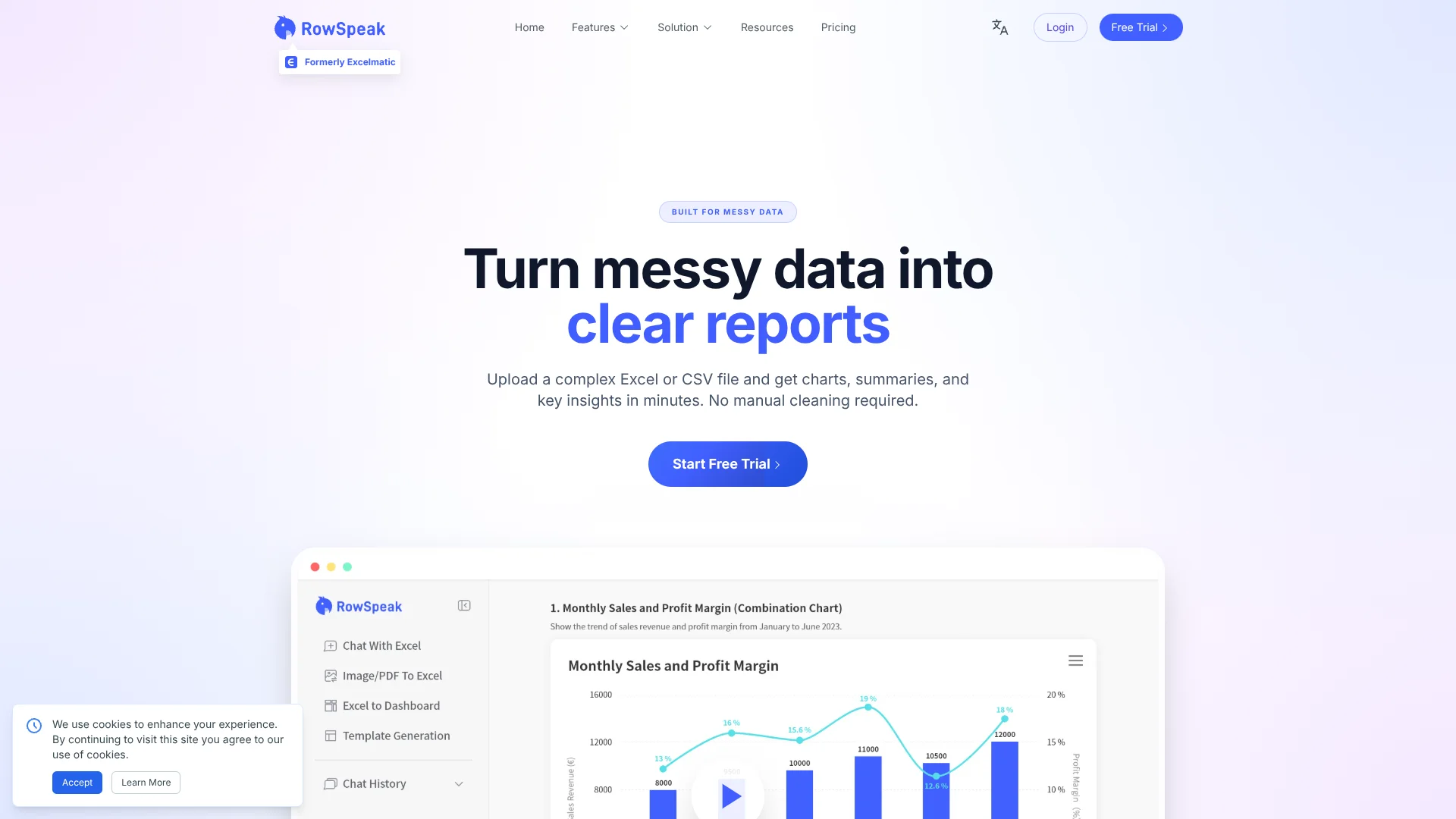
RowSpeak focuses on turning messy business spreadsheets into clear, report-ready analysis using AI. Formerly known as Excelmatic, it ingests Excel or CSV exports, automatically parses structure and business meaning, then returns charts, summaries, anomalies, and key metrics in minutes. It is aimed at operators, finance and growth teams who live in files, want fast answers, and do not want to build a full BI stack or babysit a general-purpose chatbot.
RowSpeak is purposely built for messy operational spreadsheets, not just for neat demo datasets. Instead of stopping at a text answer, it produces report-style outputs with charts, summaries, anomalies, and clear metric framing that are ready for leadership review. The ability to quickly correct AI mistakes through the UI, combined with strong security practices, gives non-technical teams AI help on their numbers that feels both practical and trustworthy.
RowSpeak gives spreadsheet-heavy teams a fast path from messy exports to analysis they can actually present. Its AI focuses on understanding business data, generating charts and summaries that feel familiar to operators, and then letting humans nudge the logic the last mile. For anyone juggling recurring Excel or CSV reports and wishing those files would just “turn into the Monday slide,” RowSpeak is a smart, surprisingly approachable assistant to bring into the workflow.
Who is Using RowSpeak?
E-commerce operations teams
Interpreting GMV, refunds, ad spend, channel performance, and margins from platform exports.
Marketing and growth teams
Reviewing campaign performance, conversion trends, ROAS, and CAC from ad platform and CRM dumps.
Finance and business operations
Turning revenue, cost, and profitability spreadsheets into clear KPI dashboards and narrative summaries.
Sales operations and RevOps
Analyzing pipeline health, win rates, and segment performance from recurring CRM exports.
Agencies and client service teams
Converting client-exported spreadsheets into board-ready reports without rebuilding analysis from scratch.
Uncommon Use Cases
Used by customer success teams to track account health from service and usage logs; adopted by solo founders to prepare investor-ready metrics without hiring an analyst.
Key Features
Rating Breakdown
Pricing Plans
Essential
$9.90 per month
- 150 chat messages per month, 5 uploaded files per chat, 50 MB file upload limit, chat history saved for 180 days, 150 image-to-excel conversions per month, 10 excel-to-dashboard conversions per month, 20 editable blocks per dashboard, 4 dashboard themes, basic analysis, all charts, template generation, 500 MB storage, Excel downloads, chart downloads, and email support
Professional
$29.90 per month
- Everything in Essential, plus unlimited chat messages, 10 uploaded files per chat, 100 MB file upload limit, chat history saved for 360 days, unlimited image-to-excel conversions, 30 excel-to-dashboard conversions per month, 30 editable blocks per dashboard, 6 dashboard themes, model analysis and prediction, custom themes, 1 GB storage, and exclusive support
Premium
$59.90 per month
- Everything in Professional, plus 30 uploaded files per chat, 300 MB file upload limit, 100 excel-to-dashboard conversions per month, unlimited editable blocks, all dashboard themes, and 10 GB storage
Annual billing
- Save 17% with yearly billing
Which RowSpeak plan should you pick?
Start with Essential for occasional individual reporting, upgrade to Professional for frequent analysis and prediction, and choose Premium for larger files, more dashboards, and higher storage.
Essential
Good for individual users who need basic analysis, charts, template generation, 150 chat messages monthly, and 10 dashboard generations monthly.
Professional
Good for frequent spreadsheet work requiring unlimited chat, unlimited image-to-Excel conversion, model analysis and prediction, and 30 dashboard generations monthly.
Premium
Good for heavier workloads requiring 300 MB uploads, up to 100 dashboard generations monthly, unlimited editable dashboard blocks, and 10 GB of storage.
RowSpeak Use Cases
Monthly financial reporting
Upload financial spreadsheets and ask RowSpeak to generate P&L, cash-flow, variance, and management reporting outputs.
Outcome: Cleaner, reviewable reports with charts and explanations.
Sales forecasting
Upload historical deals and pipeline data, then create base, upside, and downside revenue scenarios.
Outcome: Forecast views that support forecast calls and board reporting.
Pipeline risk detection
Analyze sales exports to identify stalled deals, aging stages, conversion drops, and regional risks.
Outcome: Earlier visibility into threats to revenue performance.
Image or PDF table extraction
Upload screenshots, scanned tables, or PDF reports and convert their contents into structured spreadsheet data.
Outcome: Editable data that can be cleaned, analyzed, charted, or exported.
Inventory monitoring
Upload inventory or ERP/WMS exports to review stock levels, movement, aging, and replenishment priorities.
Outcome: Faster inventory reporting and identification of stockout or overstock risks.
Workflow Ideas with RowSpeak
Recurring monthly report
- 1Upload the latest Excel or CSV export
- 2Ask RowSpeak to clean the data and calculate the required metrics
- 3Generate charts, commentary, and a shareable report
Sales pipeline review
- 1Upload the CRM pipeline export
- 2Ask for stalled deals, aging stages, conversion changes, and forecast scenarios
- 3Review the charts and export the sales summary
Screenshot-to-dashboard workflow
- 1Upload a screenshot or image-based table
- 2Convert it to structured Excel data with Image to Excel
- 3Ask RowSpeak to create a dashboard or chart from the extracted data
How RowSpeak fits into your stack
Browser
RowSpeak is a browser-based workspace where users upload business files, ask natural-language questions, and review generated analysis, charts, dashboards, and reports.
Knowledge and files
The product sits on top of spreadsheet-heavy workflows: users upload Excel, CSV, PDF, and image-based tables, then clean, analyze, convert, and export the resulting data.
Pros
- +Huge time savings for operators: Routine spreadsheet clean-up and pivoting that once took hours can drop to a few minutes per file.
- +Friendly for non-analysts: Plain-language interactions and guided UI suit users who are not fluent in advanced Excel or BI tools.
- +Strong data protection posture: SOC 2 Type II, GDPR and CCPA alignment, plus end-to-end encryption, suit financial and operational data.
- +Flexible deployment options: Cloud product with on-premises deployment available for organizations with strict security or compliance rules.
Cons
- −Limited public pricing detail: Exact plan tiers and usage limits are not clearly listed in the publicly available materials.
- −File-centric focus: Best suited to Excel and CSV exports, so it complements rather than replaces warehouse-centric BI for some companies.
- −AI outputs still need review: Metric definitions and field mappings occasionally need correction, which requires users to validate key results.
Limitations & when to consider alternatives
Known limitations
- File-size limits vary by plan. The help center lists 50 MB for Free, 100 MB for Professional, and 300 MB for Premium.
- Image and PDF extraction depends on source quality. RowSpeak recommends overhead photos with good lighting and digital PDFs for higher OCR precision.
- Forecast accuracy depends on data quality. Forecast outputs rely on historical deal data, win rates, pipeline information, and the quality of uploaded files.
- Not a live real-time dashboard platform. RowSpeak is designed for file-based analysis and dashboard-style outputs rather than continuously refreshed operational dashboards.
- Complex creations are better on desktop. The browser-based mobile experience supports viewing and light editing, while complex dashboard creation is best done on desktop.
Look elsewhere when
- You need live warehouse-connected dashboards.
- You need in-cell Excel automation.
- You need a native desktop spreadsheet application.
- You need PowerPoint export for sales reports.
How to Use RowSpeak
- 1
Upload a business file
Upload an Excel, CSV, PDF table, screenshot, or image-based table so RowSpeak can recognize and structure the data.
- 2
Ask a plain-English question
Describe the analysis, cleanup, comparison, chart, forecast, or report you want without writing formulas.
- 3
Review and refine the result
Inspect assumptions, labels, filters, fields, and chart choices, then use follow-up prompts to correct or refine the output.
- 4
Create a report or dashboard
Turn the analyzed data into charts, KPI views, dashboards, summaries, or management-ready reporting structures.
- 5
Share or export the output
Share a dashboard or conversation link, download charts or Excel output, and reuse the saved workflow for future reporting.
Who is RowSpeak For?
Finance and accounting teams
They can upload financial exports to create P&L reports, cash-flow analysis, variance explanations, charts, and management summaries.
Sales and RevOps teams
They can analyze pipeline exports, forecast revenue, detect deal risks, and generate recurring sales reports.
Marketing teams
They can turn campaign and channel data into ROI reports, charts, dashboards, and written insights.
Operations teams
They can clean messy business files, calculate metrics, identify trends, and produce reviewable reports.
Inventory and supply-chain teams
They can analyze inventory movement, stock levels, aging, replenishment risks, and warehouse or ERP exports.
Frequently Asked Questions
What file types does RowSpeak support?
RowSpeak supports Excel, CSV, PDF tables, screenshots, and image-based tables. Sales workflows also list .xlsx, .csv, .xls, .xlsm, and .ods.
Is RowSpeak free to use?
RowSpeak offers free access without requiring a credit card. Paid plans provide higher message, file, storage, image-to-Excel, and dashboard limits.
Can RowSpeak analyze CRM exports?
Yes. RowSpeak supports CRM export files, including Salesforce, HubSpot, Pipedrive, and other CSV or Excel exports.
Can RowSpeak create dashboards and reports?
Yes. It can create charts, KPI views, dashboards, summaries, variance notes, management updates, and reusable reporting structures.
Is RowSpeak a real-time dashboard platform?
No. RowSpeak is designed for file-based analysis and dashboard-style outputs rather than continuously refreshed operational dashboards.
How is uploaded data protected?
RowSpeak states that it uses TLS transmission, encryption at rest, access controls, data isolation, audit mechanisms, and SOC 2 Type II compliance.
Community reviews
Be the first to share your experience.
Sign in to leave a review for RowSpeak.
RowSpeak Alternatives
Looking for alternatives to RowSpeak? Here are similar tools in the same category: