RunDiffusion
Harness cloud AI for high-quality, versatile image generation.
Watch RunDiffusion in Action
Key Takeaways
- What it is
- Harness cloud AI for high-quality, versatile image generation.
- Pricing
- $35.99/month. plus server time cost
- Best for
- Automatic1111 WebUI
- Fooocus
- ComfyUI
- Rating
- 4.7/5
What is RunDiffusion?
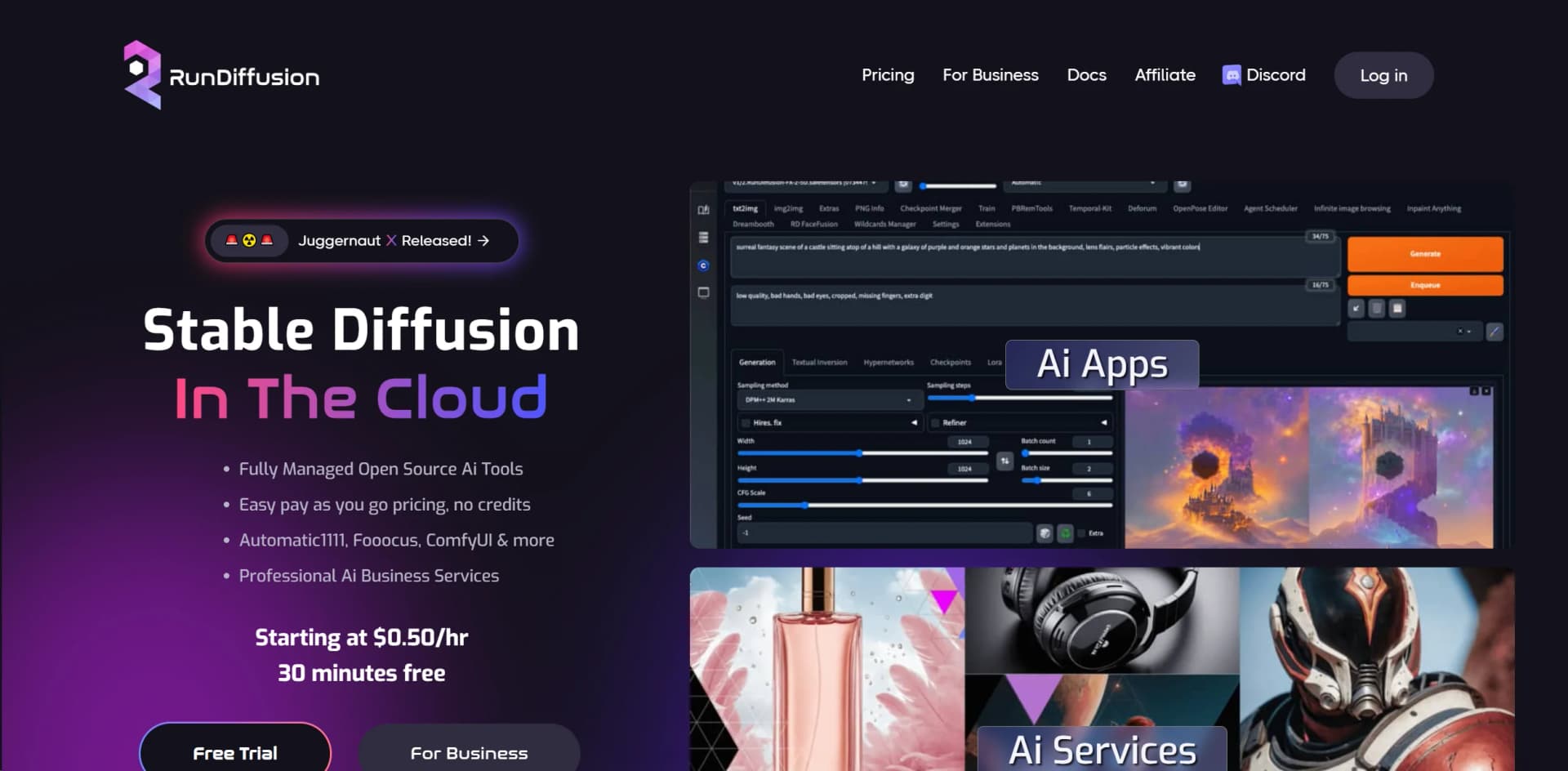
RunDiffusion is a cutting-edge platform that brings the power of Stable Diffusion AI models to the cloud, making it accessible for everyone from hobbyists to professionals and businesses. Designed to streamline the process of generating high-quality AI-powered images, RunDiffusion offers a suite of tools, including Automatic1111, Fooocus, ComfyUI, and more, tailored for various creative needs. Whether you're looking to integrate faces into scenes with Kohya, leverage the advanced capabilities of SD.Next, or utilize the simplicity of Fooocus for image creation, RunDiffusion positions itself as a comprehensive solution for AI-driven image generation.
RunDiffusion distinguishes itself with its comprehensive suite of Stable Diffusion tools in the cloud, offering unparalleled ease of access and quality. Its unique selling point is the blend of professional-grade AI services with user-friendly interfaces, making advanced AI tools accessible for a broad audience. The platform's commitment to quality, innovation, and cost-effectiveness positions it as a leader in the AI-driven image generation space.
RunDiffusion excels in providing a versatile and user-friendly platform for AI-driven image generation, catering to a wide range of creative needs. Its suite of tools, including Automatic1111 and Fooocus, combined with professional AI services, makes it an indispensable resource for individuals and businesses looking to leverage the power of AI for creative ventures. With its pay-as-you-go pricing model and comprehensive tutorials, RunDiffusion stands out as a leading solution for anyone looking to explore the potential of Stable Diffusion in the cloud.
Who is Using RunDiffusion?
Graphic Designers
For creating visually compelling content with ease.
Digital Marketers
Leveraging AI to generate unique imagery for campaigns.
Content Creators
To produce innovative and engaging visual content.
Businesses
For product staging and promotional materials.
Uncommon Use Cases
Educational institutions for teaching AI and marketing; Musicians for creating music videos.
Key Features
Rating Breakdown
Pricing Plans
Pay As You Go
- A 30 minutes free trial
Creator's Club Membership
$35.99/month. plus server time cost
- Offering additional storage and features
Which RunDiffusion plan should you pick?
Start with Free to test daily-token generation, upgrade to Runnit Hobby or Pro for more usage, and choose Team or Enterprise for collaboration and governance.
Free Plan
Good for individuals who want to test browser-based generation with daily tokens and open-source applications.
Runnit Hobby
Good for startups and individuals who need more monthly tokens, premium tools, and LoRA training.
Runnit Pro
Good for serious creators who need substantially more tokens, premium editing, and trained-model downloads.
Team
Good for teams of up to four people who need shared workspaces, collaboration, and centralized usage controls.
Enterprise
Good for large organizations needing SSO, role-based permissions, budgets, analytics, governance, and dedicated support.
RunDiffusion Use Cases
Text-to-image generation
Write a prompt, choose an image-generation model, and run the generation in the browser.
Outcome: Create visual concepts quickly.
Image-to-image editing
Upload a source image and guide edits using prompts, denoising, inpainting, or upscaling.
Outcome: Preserve composition while changing style, details, or selected areas.
Sketch-to-render
Upload a sketch, select a model and resolution, describe the desired result, and generate.
Outcome: Turn rough sketches into polished visual renders.
Custom model training
Upload custom models or assets and train LoRA models using RunDiffusion tools.
Outcome: Create reusable personalized models.
Cloud ComfyUI workflows
Load curated or custom ComfyUI workflow JSON files and run node-based image or video pipelines.
Outcome: Build repeatable, scalable creative workflows without local GPU hardware.
Workflow Ideas with RunDiffusion
Sketch to architectural render
- 1Upload an architectural sketch or floorplan
- 2Choose a rendering model and describe materials, lighting, and environment
- 3Generate, refine, and download the architectural render
Image-to-image refinement
- 1Upload a reference image
- 2Describe the targeted edit or style change
- 3Generate variations, inpaint selected areas, or upscale the result
Automated ComfyUI generation testing
- 1Launch ComfyUI with API Mode enabled
- 2Submit workflows or prompt variations through the documented API
- 3Poll for completion and download generated outputs
How RunDiffusion fits into your stack
Cloud-Based
Accessible from anywhere with an internet connection.
Multi-App Support
Seamlessly switch between different AI apps within the platform.
File Browser Integration
Efficiently manage your files and images in the cloud.
Smart Timer
Helps manage session times and costs effectively.
Pros
- +Ease of Use: Even with a learning curve, the interfaces are designed for simplicity and efficiency.
- +Versatility: Catering to a wide range of creative needs with various apps and tools.
- +Quality and Innovation: High-quality image outputs with continuous updates and new features.
- +Cost-Effective: Flexible and straightforward pricing, including a pay-as-you-go system.
Cons
- −Learning Curve: Some tools require time to master their full capabilities.
- −Dependency on Cloud: Requires internet access, which might not suit all users.
- −Limited Free Trial: The 30-minute free trial could be insufficient for extensive testing.
Limitations & when to consider alternatives
Known limitations
- Pay-as-you-go storage is temporary. Files on pay-as-you-go servers are cleared 72 hours after shutdown or inactivity, so essential files must be downloaded.
- API access depends on an active session. API URLs work only while the associated RunDiffusion server is running, and the URL changes when the server is booted.
- Free usage is limited. The Free Plan provides up to 100 daily tokens and 10GB of cloud storage retained for 72 hours.
- Training and model downloads vary by plan. Pricing shows LoRA training is included on paid tiers, while downloading trained LoRA models is unavailable on Free and Hobby.
Look elsewhere when
- You need a native mobile app.
- You need a downloadable desktop application.
- You need a first-party model API with always-on production endpoints.
How to Use RunDiffusion
- 1
Explore the "Docs" section on the RunDiffusion website for comprehensive guides and tutorials, covering everything from basic setup to advanced features of each tool.
Who is RunDiffusion For?
Architects
Use browser-based image and rendering tools to explore architectural concepts, interiors, exteriors, and floorplans.
Interior designers
Upload room references, sketches, or floorplans and generate alternate styles, materials, and layouts.
Homeowners
Visualize room redesigns and interior concepts without expensive software or local hardware.
Visualization artists
Create, refine, upscale, and iterate on visual concepts using cloud AI workflows.
Creative teams
Use shared workspaces, roles, budgets, analytics, and collaborative generation workflows.
Frequently Asked Questions
What happens to my data when I am not using the platform?
Files remain available according to the selected plan. Creator’s Club includes 100GB of private storage without a deletion policy.
Is there a free trial available?
RunDiffusion offers 30 free minutes, while the platform also provides free daily tokens through its free plan and rewards.
What AI models are available?
The platform provides access to image and video tools including ChatGPT Image, Flux, Stable Diffusion, Ideogram, Kling, Seedance, and others.
Do you offer commercial licenses?
RunDiffusion offers commercial licensing with manager tools for teams using supported AI image and video tools.
What are Runnit Scenes?
Runnit Scenes turns static visuals into dynamic video sequences using specialized AI models and effects.
How do you protect my data?
RunDiffusion states that customer data is protected and is not used to train or reinforce third-party or foundational AI models.
Community reviews
3 reviews from people who use RunDiffusion.
Sign in to leave a review for RunDiffusion.
Jessica Jellyfish
Darin Holbrook
Greg
RunDiffusion Alternatives
Looking for alternatives to RunDiffusion? Here are similar tools in the same category:
Learn to Master RunDiffusion
With Skill Leap courses
Get in-depth training on RunDiffusion and 50+ other AI tools with our expert-led video courses.
Start 7-Day Free Trial