Rythmex
AI-driven tool transcribing audio to text with precision.
Key Takeaways
- What it is
- AI-driven tool transcribing audio to text with precision.
- Best for
- Multi-Format Support
- Language Versatility
- Advanced Editing Tools
- Rating
- 4.6/5
What is Rythmex?
Rythmex is a cutting-edge AI-powered tool designed to convert audio to text with remarkable efficiency and accuracy. Specializing in transcribing various audio formats into text, it caters to a diverse audience ranging from students and journalists to businesses and legal professionals. The platform is engineered to streamline the transcription process, supporting over 140 languages and offering fast turnaround times, making it an invaluable tool for anyone looking to save time and enhance productivity.
Rythmex stands out with its comprehensive support for over 140 languages, making it a versatile tool for users around the globe. Its ability to deliver rapid and accurate transcriptions with minimal setup time is a game-changer for professionals who require fast and reliable text conversion from audio files.
Rythmex offers exceptional value to users seeking a reliable and efficient transcription service. With its broad format support, extensive language options, and user-friendly interface, it is a powerful tool for professionals across various industries. Whether you're a student looking to transcribe lectures or a business needing to convert meetings into text, Rythmex provides a seamless experience that enhances productivity and saves time.
Who is Using Rythmex?
Journalists
Relying on Rythmex for quick transcription of interviews and press conferences.
Educational Institutions
Utilizing the tool for transcribing lectures and educational materials.
Legal Professionals
Employing Rythmex for transcribing legal proceedings and notes.
Content Creators
Leveraging the platform to transcribe podcasts and video content for better accessibility.
Uncommon Use Cases
Radio Stations: Using Rythmex for transcribing episodes.; Transcription Agencies: Adopting it for efficient teamwork and bulk processing.
Key Features
Rating Breakdown
Pricing Plans
Free Trial
- Rythmex offers a 5-minute free trial for users to test its capabilities
Which Rythmex plan should you pick?
Start with Free for short tests, choose Premium for recurring individual use and small teams, and upgrade to Enterprise for advanced account management and larger deployments.
Free
Good for users who need limited transcription, a short free allowance, basic AI Text Assistant access, editing, and file sharing.
Premium
Good for individuals or small teams who need 2 free hours monthly, unlimited transcription duration, analytics, and up to 3 accounts.
Enterprise
Good for organizations needing special pricing, advanced user management, centralized billing, and more than 10 additional accounts.
Rythmex Use Cases
Interview transcription
Upload recorded interview audio or video and convert it into editable text.
Outcome: A text version suitable for articles or other written content.
Call and meeting transcription
Upload recorded calls or meetings for transcription and conversation analysis.
Outcome: Searchable text from recorded conversations.
Lecture transcription
Upload recorded lectures or educational material instead of taking notes manually.
Outcome: Transcribed educational content.
Podcast transcription
Transcribe podcast recordings and provide text versions to listeners.
Outcome: Podcast transcripts for distribution.
Subtitle preparation
Transcribe supported audio or video and export subtitle-oriented formats.
Outcome: Subtitle files such as SRT, VTT, or EBU-STL.
Workflow Ideas with Rythmex
Transcribe and edit a recording
- 1Upload an audio or video file
- 2Choose the recording language
- 3Edit the transcript and download or share it
Process recordings through the API
- 1Upload the file using the documented upload endpoint
- 2Start a transcription job and poll its status
- 3Save the completed transcription and retrieve it from history
Create subtitles from media
- 1Upload a supported audio or video format
- 2Review and edit the generated transcript
- 3Export the result in SRT, VTT, or EBU-STL format
How Rythmex fits into your stack
Browser
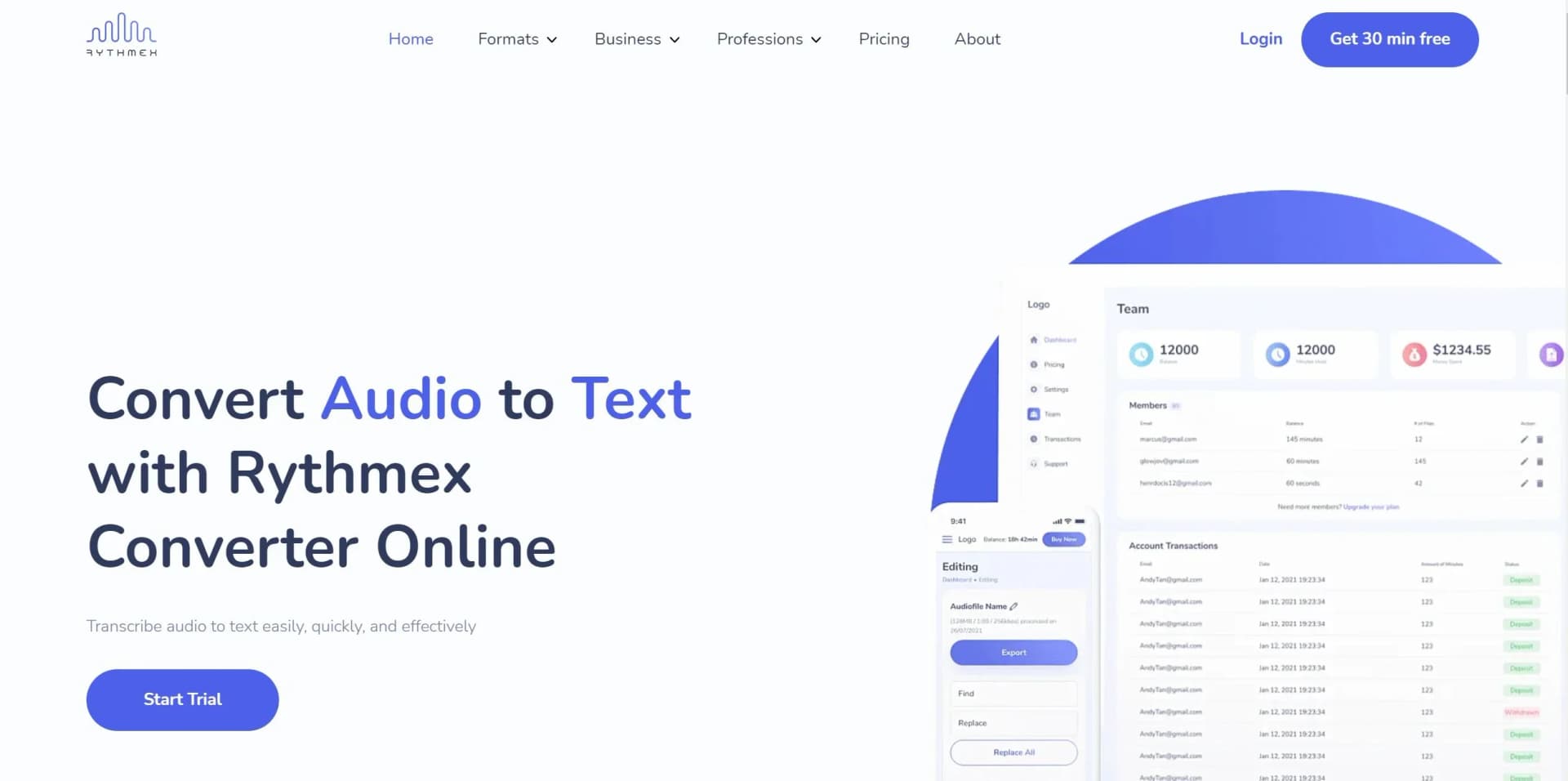
Rythmex is primarily used as a browser-based transcription workspace: upload audio or video, select a language, edit synchronized transcripts, and export results.
Docs and writing
Its online editor supports transcript correction, search and replace, speaker editing, notes, comments, and exports to TXT, DOCX, PDF, HTML, and subtitle formats.
Automation and APIs
The documented API supports multipart uploads, transcription jobs, status polling, result saving, and transcript-history retrieval. Rythmex also describes automated notifications, file assignment, and submission workflows.
Knowledge and files
Users can upload many audio and video formats, including files sourced through Dropbox, YouTube, or Google Drive, then search and reuse transcribed content.
Pros
- +Time Efficiency: Users can convert audio to text rapidly, significantly reducing the time spent on manual transcription.
- +High Accuracy: The AI-driven algorithms ensure precise transcription, minimizing errors and enhancing reliability.
- +User-Friendly Interface: The platform's design is intuitive, making it accessible even for users with minimal technical expertise.
- +Cost-Effective Solution: Offers a competitive pricing structure with options for discounts, making it accessible for both individuals and businesses.
Cons
- −Initial Setup Required: Users need to familiarize themselves with the platform's features, which might require a slight learning curve.
- −Limited Offline Functionality: Rythmex primarily operates online, which may be a limitation for users with unstable internet connections.
Limitations & when to consider alternatives
Known limitations
- API upload size. The API documentation currently states that large multipart uploads support files up to 200 MB.
- File retention. Uploaded files are removed after 30 days.
- Audio quality affects accuracy. Rythmex recommends clear speech, clean sound, and avoiding background noise.
- Mixed-language recordings. The format guidance advises avoiding transitions from one language to another in the same audio.
- Songs are discouraged. Rythmex format guidance says not to upload songs for transcription.
Look elsewhere when
- You need a native mobile app.
- You need named third-party integrations.
- You need SSO or SAML.
- You need image understanding or code generation.
How to Use Rythmex
- 1
Upload media
Drag and drop a supported audio or video file into Rythmex.
- 2
Select the language
Choose the language corresponding to the recording so Rythmex can process it.
- 3
Edit the transcript
Use the advanced editor to edit text, timeline information, speakers, and search-and-replace content.
- 4
Export or share
Download the transcript in supported text or subtitle formats, or share the transcribed file.
- 5
Use the API
For integrations, upload a file, start a transcription job, check its status, save results, and retrieve transcript history.
Who is Rythmex For?
Journalists
Rythmex helps journalists rapidly transcribe recordings and publish stories sooner.
Lawyers
The service provides automated legal transcription intended to save time and money.
Students
Students can automatically transcribe lectures and other educational material.
Marketers
Marketers can transcribe content quickly with an AI-powered transcription service.
Video producers
Video producers can transcribe footage and work with the resulting text.
Frequently Asked Questions
How can I test Rythmex before purchase?
Rythmex offers the first 15 minutes of audio transcription for free.
What is Rythmex and how does it work?
It is an online audio-to-text converter that transcribes different audio and video formats into text.
How long are uploaded files retained?
Uploaded files are stored for 30 days from creation and then removed.
Can Rythmex process more than 200 hours?
Users can contact Rythmex to discuss special rates for more than 200 hours.
How can users get support?
Users can contact Rythmex through its contact form or support email.
Community reviews
8 reviews from people who use Rythmex.
Sign in to leave a review for Rythmex.
Brendak Henry
Joyce Hancock
Adam Fort
Adam Edmond
Mathieu Bergougnoux
Lora Henley
Marvin Railey
Jeremy Clark
Rythmex Alternatives
Looking for alternatives to Rythmex? Here are similar tools in the same category:
Learn to Master Rythmex
With Skill Leap courses
Get in-depth training on Rythmex and 50+ other AI tools with our expert-led video courses.
Start 7-Day Free Trial