SeaArt AI
Create AI art with styles shared by a community of creators.
Key Takeaways
- What it is
- Create AI art with styles shared by a community of creators.
- Pricing
- Freemium
- Best for
- AI Image Generation
- AI Video Generation
- LoRA Training
- Rating
- 4.0/5
What is SeaArt AI?
SeaArt AI brings image and video generation together with a community gallery where creators can explore other people’s work and reuse its settings. Beginners can start with text prompts and ready-made tools, while more experienced artists can adjust generation settings or train LoRA models, which teach an image model a particular style or character. It helps creators move from an idea to visual content and learn from examples.
Creators can train image and video LoRAs on SeaArt, then publish them to the community marketplace, where eligible creators can enable monetization. That connects model training with sharing and discovery on the same platform.
SeaArt is a fit for digital artists, short-video creators, and teams making product or social content who want varied visual styles and community-made starting points. Its daily Stamina is limited and resets rather than carrying over, so frequent generation can require paid Credits or a subscription.
Who is Using SeaArt AI?
Digital illustrators
Style models and image controls help them explore alternate looks for a character or scene.
Social media creators
Image and video generation give them visual material for posts and short clips.
E-commerce marketers
Product image tools help them develop visual concepts for ads and listings.
AI model trainers
LoRA training lets them build style or character models from their own image datasets.
Uncommon Use Cases
A creator can publish a trained LoRA for other SeaArt users; a beginner can study a community creation by copying its settings.
Key Features
Rating Breakdown
Pricing Plans
Free
Free
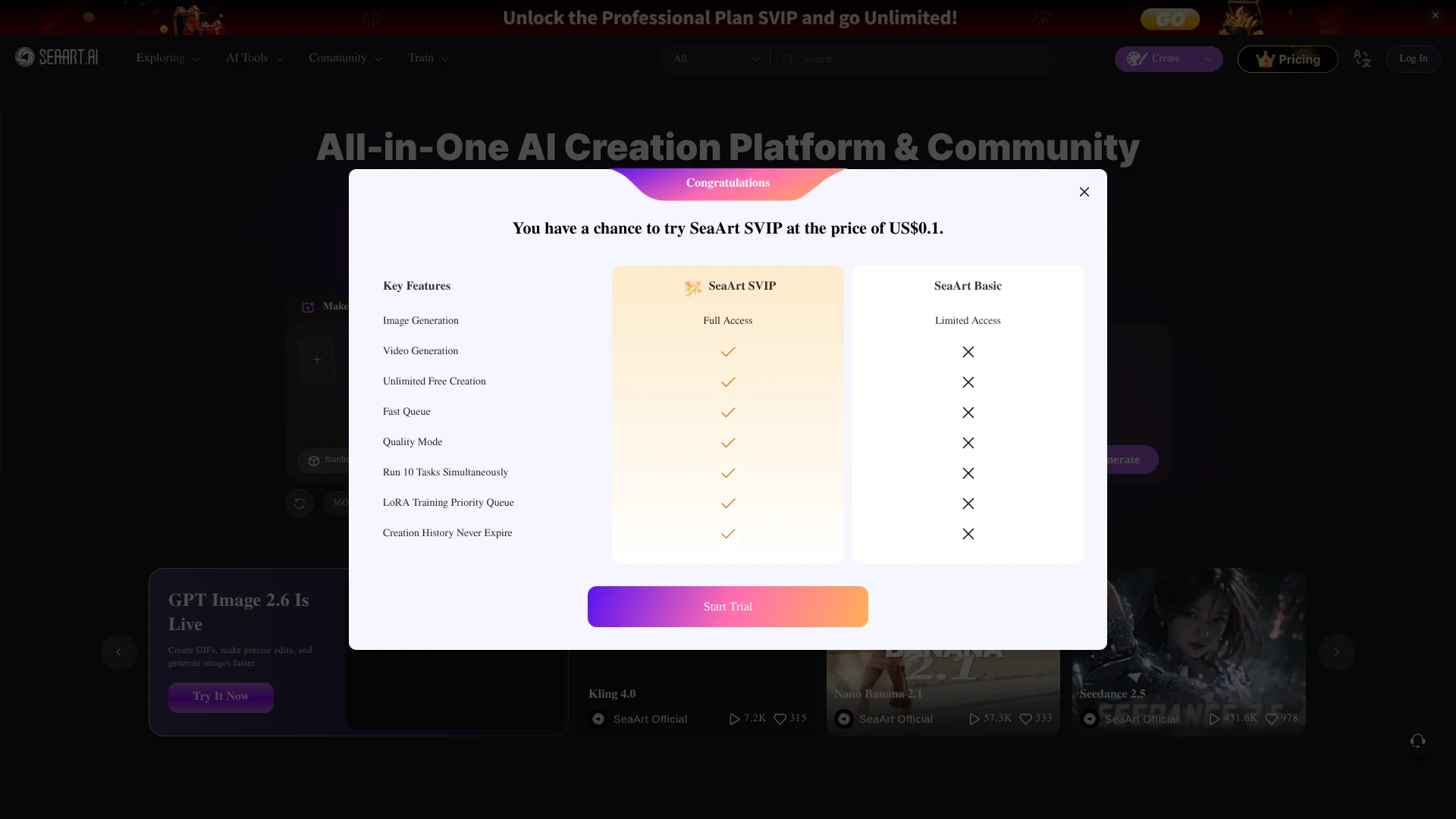
- Limited access
- Free users receive daily Stamina, which resets each day.
Which SeaArt AI plan should you pick?
Start with Free to test image and video creation, and consider an SVIP tier if you need more daily Stamina, faster generation, or private creation.
Free
Good for new creators testing SeaArt’s image and video tools with limited access.
Beginner
For creators who need more daily Stamina and generation capacity than the Free option.
Standard
For regular creators who need higher daily Stamina and more simultaneous generation tasks.
Professional
For frequent creators who need still more daily Stamina and task capacity.
Master
For intensive creators seeking the highest listed daily Stamina and additional generation privileges.
SeaArt AI Use Cases
Explore visual directions
A gallery example gives an artist a concrete style and settings to test against a new idea.
Outcome: A new image based on a community-made starting point.
Create short video concepts
Text prompts or still images can become short video drafts for a social post or creative pitch.
Outcome: A generated video draft.
Build a consistent character style
A trained LoRA can guide image or video generations toward a chosen character or visual style.
Outcome: A reusable custom model for later creations.
Develop product visuals
Image generation and editing tools help marketers test product-image and ad concepts.
Outcome: Visual concepts for product promotion.
Learn from other creators
Clone & Try reveals settings behind community work so new users can study how a similar result was made.
Outcome: A copied setup to experiment with.
Workflow Ideas with SeaArt AI
Make and refine a character image
- 1Choose an image model and describe the character and scene.
- 2Adjust the generation settings and create an image.
- 3Refine the result with image tools or train a LoRA for repeated character use.
Turn a still image into a clip
- 1Select an image that can work as the starting frame.
- 2Choose an image-to-video tool and describe the motion.
- 3Review the generated clip and revise the prompt if needed.
Learn from a community creation
- 1Browse the community gallery for a style or result you want to explore.
- 2Copy its settings with Clone & Try.
- 3Change the prompt or settings to make a new version.
How SeaArt AI fits into your stack
Web creation workspace
SeaArt’s web tools handle image generation, video generation, and editing. Use it as a visual creation workspace rather than a general-purpose writing tool.
Community gallery
The gallery offers examples to explore and settings to copy with Clone & Try. It can support visual research before or during a creation.
Custom model training
LoRA training lets creators build reusable image or video models from their datasets and publish them to the SeaArt community.
Mobile creation
SeaArt’s iOS and Android apps bring image, video, and character features to phones and tablets.
Pros
- +Community starting points: Clone & Try lets creators reuse settings from work they find in the gallery.
- +Image and video tools: The platform supports both still-image creation and text- or image-based video generation.
- +LoRA publishing: Trained models can be shared with the community, with monetization available to eligible creators.
- +Mobile access: SeaArt offers its own iOS and Android apps.
Cons
- −Daily allowance resets: Unused Stamina does not carry over to the next day.
- −Many controls: Image generation settings may take time to learn if you want more control than a prompt alone.
- −Credits can run out: Some creation and training tasks consume Credits, so frequent use may require a purchase.
Limitations & when to consider alternatives
Known limitations
- Daily Stamina does not accumulate. Stamina is valid for the current day only; after it is used, further creation may require Credits.
- Private creation requires SVIP. The creation page identifies private works as an SVIP feature.
- LoRA training consumes Credits. The platform says training costs depend on the model’s complexity and training duration.
- Commercial use depends on permissions. SeaArt says creators own their generated content, but using another person’s work commercially requires permission from its owner.
Look elsewhere when
- You need a documented developer API or named third-party integrations.
- Your team needs shared workspaces with user roles and collaboration controls.
- You need private creation without an SVIP subscription.
How to Use SeaArt AI
- 1
Choose a creation type
Open image or video creation based on the visual you want to make.
- 2
Select a model or tool
Pick a model or AI app suited to the style or task you have in mind.
- 3
Describe the result
Write a prompt with the subject and visual details that matter to your idea.
- 4
Adjust settings
Set options such as image size, generation mode, and the number of images.
- 5
Generate and review
Create the result, then revise the prompt or settings if it needs work.
- 6
Train a model when needed
For a reusable style or character, upload a dataset and follow the LoRA training presets.
Who is SeaArt AI For?
Digital artists
The model library, image controls, and community examples give artists ways to explore and refine visual styles.
Short-video teams
Text-to-video and image-to-video tools support making short animations and visual clips.
E-commerce advertisers
Image generation and editing tools can help produce product visuals and advertising concepts.
AI filmmaking enthusiasts
Video models and image-based animation offer a place to test visual ideas for AI-made films.
LoRA creators
Creators can train, preview, and publish custom image or video models through the platform.
Frequently Asked Questions
Can I use SeaArt AI for free?
Yes. SeaArt lists a Free option with limited access. Free users receive daily Stamina, and unused Stamina does not carry over.
Can SeaArt AI generate videos as well as images?
Yes. SeaArt offers image generation and video generation, including creating video from text or animating an image.
Can I train my own model on SeaArt?
Yes. SeaArt offers LoRA training for image and video models using an uploaded dataset.
Does SeaArt have a mobile app?
Yes. SeaArt offers apps for iOS and Android.
Can I use SeaArt creations commercially?
SeaArt says users own the intellectual property rights to content they generate, but commercial use of another creator’s work requires that creator’s permission.
Community reviews
5 reviews from people who use SeaArt AI.
Sign in to leave a review for SeaArt AI.
Sofia Vargas
Jaqueline Costa Santos (Divah Lilith!)
mian sheng (齐云)
David Perez
Fengming Zhang
SeaArt AI Alternatives
Looking for alternatives to SeaArt AI? Here are similar tools in the same category: