
Semrush Content Toolkit
Enhance content strategy with insights and optimization.
Key Takeaways
- What it is
- Enhance content strategy with insights and optimization.
- Pricing
- $60 per month
- Best for
- Content Audit
- Topic Research
- SEO Writing Assistant
- Rating
- 4.4/5
What is Semrush Content Toolkit?
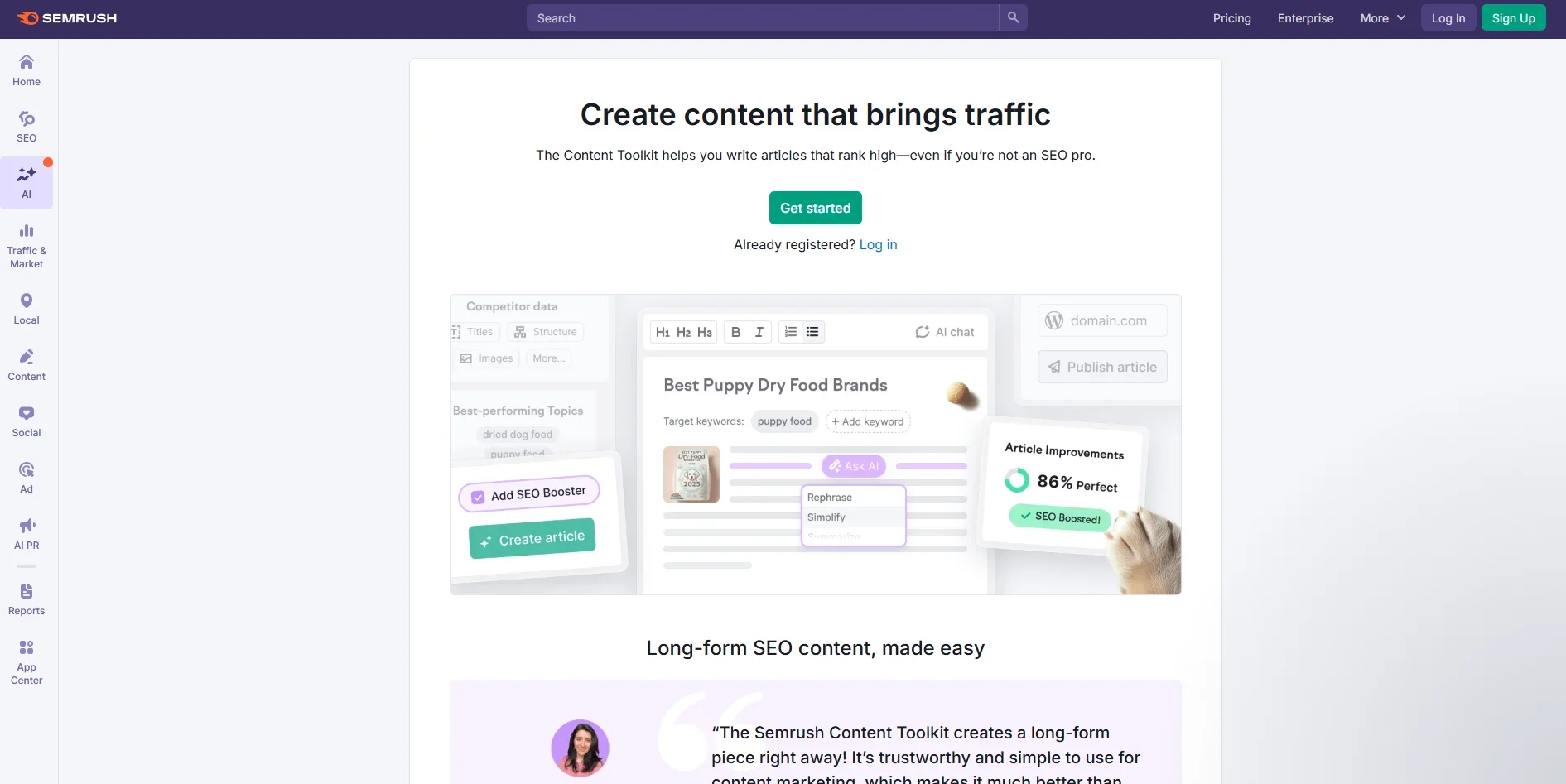
The Semrush Content Toolkit is a powerhouse for content creators and marketers, designed to enhance content strategy and execution. It offers a blend of AI-driven insights and tools that simplify the content creation process. Whether you're a digital marketer, a blogger, or a content strategist, Semrush Content Toolkit provides the resources to craft compelling and optimized content efficiently.
The Semrush Content Toolkit stands out with its AI-powered insights that streamline content creation and optimization. Its ability to provide real-time SEO recommendations and track content performance sets it apart from other content tools, making it a valuable asset for anyone looking to boost their content strategy.
The Semrush Content Toolkit proves to be an essential tool for those serious about enhancing their content strategy. Its blend of powerful features and AI-driven insights offers a comprehensive solution for content creation and optimization. Whether you're looking to improve existing content or generate new ideas, this toolkit provides the tools necessary to achieve your goals efficiently.
Who is Using Semrush Content Toolkit?
Digital Marketing Agencies
Leveraging the toolkit for crafting and optimizing client content strategies.
Content Creators
Utilizing it for generating fresh ideas and optimizing existing content.
SEO Specialists
Employing the toolkit to enhance content visibility and performance.
Bloggers
Using it to ensure their posts are engaging and well-optimized for search engines.
Uncommon Use Cases
Adopted by academic researchers for studying content trends; utilized by public relations professionals for crafting optimized press releases.
Key Features
Rating Breakdown
Pricing Plans
Base Plan
$60 per month
- Includes data-driven content ideas, up to 10,000 articles monthly, 5 SEO content boosts, SEO content briefs, and personalized brand voice generation. Comes with a free trial option before subscribing
Which Semrush Content Toolkit plan should you pick?
Start with the Base plan for the core Content Toolkit; upgrade or add users and SEO-boost credits when production volume or collaboration needs increase.
Base
Good for individuals and small teams who need topic research, briefs, AI article generation, optimization, brand voice, and five SEO content boosts per month.
Enterprise
Good for complex organizations managing multiple brands, regions, and teams that need custom limits, advanced automations, SSO, governance, audit logs, and custom integrations.
Semrush Content Toolkit Use Cases
Create SEO articles
Generate full-length articles from a topic, keyword, prompt, or SEO brief.
Outcome: A draft optimized for search and AI discovery.
Optimize existing content
Paste text or enter a URL to receive prioritized SEO and AI-search recommendations.
Outcome: A clearer, more visible article with actionable fixes.
Repurpose an article
Turn an existing article into social posts, email newsletters, or Google Business Profile updates.
Outcome: Multiple channel-ready content assets from one source.
Create branded content
Upload a writing sample, build a brand-voice profile, and apply it to future content.
Outcome: Generated content that matches the selected tone and vocabulary.
Publish content across channels
Send completed content to WordPress, Mailchimp, Google Docs, social publishing tools, or Canva.
Outcome: Less manual copying between content and publishing platforms.
Workflow Ideas with Semrush Content Toolkit
From topic idea to published article
- 1Find a topic with Topic Finder
- 2Generate an SEO Brief
- 3Create, optimize, and publish the article
Refresh an existing article
- 1Paste article text or enter its URL
- 2Review prioritized Content Optimizer recommendations
- 3Apply fixes and export or publish the improved article
Turn one article into a campaign
- 1Import an article or select a board item
- 2Choose social, email, or Google Business Profile formats
- 3Review, edit, and publish each generated asset
How Semrush Content Toolkit fits into your stack
Browser
The Content Toolkit is a web-based workspace in Semrush’s Content tab, with chat, board, editor, optimization, and publishing workflows.
Docs and writing
The Chrome extension works in Google Docs and other websites, while the Toolkit exports drafts to Google Docs and publishes to WordPress.
Automation and APIs
The Toolkit automates the content pipeline from topic discovery through publishing, with named integrations for WordPress, Mailchimp, Semrush Social Poster, and Canva.
Pros
- +User-Friendly Interface: Its intuitive design makes it accessible for users of all skill levels.
- +Comprehensive Analytics: Provides detailed insights into content performance, aiding data-driven decision-making.
- +Time-Saving Automation: Automates repetitive tasks, freeing up time for creative endeavors.
- +Integration Capabilities: Works well with various platforms, enhancing its utility across different workflows.
Cons
- −Initial Learning Curve: Some users may find it challenging to navigate the extensive features initially.
- −Cost: The pricing may be prohibitive for smaller businesses or individual users without a substantial budget.
Limitations & when to consider alternatives
Known limitations
- No permanent free plan. The documented offer is a 7-day free trial rather than a $0 Content Toolkit tier.
- SEO-boosted article limit. The Content Toolkit plan includes five SEO-boosted articles per month; ten additional articles cost $30 per month.
- Brand voice limit. The plan supports up to 50 saved brand voices.
- AI writing word limits in SEO Writing Assistant. Smart Writer Words vary by subscription: Pro has 500 lifetime words, Guru has 1,000 monthly words, and Business has 2,000 monthly words.
- Additional users cost extra. The Content Toolkit pricing page lists additional users as a $20 per month add-on.
Look elsewhere when
- You need a native mobile app for the full Content Toolkit.
- You need a developer API for Content Toolkit workflows.
- You need model fine-tuning on your own training data.
How to Use Semrush Content Toolkit
- 1
Open Content Toolkit
Go to the Content tab in Semrush to open the Content Dashboard, where creation, optimization, and repurposing workflows begin.
- 2
Choose a starting workflow
Select Create content, Optimize existing article, or Repurpose article, or type a request into the chat.
- 3
Research a topic
Use Topic Finder to discover high-potential topics based on your website, audience, competitors, and location.
- 4
Build and generate
Create an SEO Brief and use the AI Article Generator to produce a full draft from the brief or a prompt.
- 5
Optimize and review
Use Content Optimizer to apply prioritized SEO and AI-search recommendations, then review the draft in the editor.
- 6
Repurpose and publish
Convert the article into social or email formats, then publish or send it through supported integrations such as WordPress or Mailchimp.
Who is Semrush Content Toolkit For?
Content and SEO professionals
They can manage topic research, briefs, article generation, optimization, repurposing, and publishing in one workspace.
Marketers
They can create content for Google, AI search platforms, social networks, and email channels.
Small business owners
They can use guided chat, data-driven recommendations, and publishing workflows without switching between many tools.
Content creators
They can produce on-brand articles, social posts, emails, and visual assets using AI and Semrush data.
Frequently Asked Questions
What is Semrush Content Toolkit?
It is an all-in-one workspace for researching, creating, optimizing, repurposing, and publishing content across search, AI, social, and email channels.
Can I optimize content that was not created in the Toolkit?
Yes. You can paste text or provide a URL, and Content Optimizer will scan it and suggest improvements.
Does the AI adjust to my writing style?
The Toolkit learns from edits and prompts and can apply saved brand voices to generated content.
Is content repurposing automatic?
The Toolkit automatically drafts repurposed versions, but users can edit and approve each piece before publishing.
Which publishing integrations are available?
Documented integrations include WordPress, Mailchimp, Semrush Social Poster, Canva, and Google Docs transfers.
How much does Content Toolkit cost?
The listed Content Toolkit plan costs $60 per month when billed annually and includes a 7-day free trial.
Community reviews
Be the first to share your experience.
Sign in to leave a review for Semrush Content Toolkit.
Semrush Content Toolkit Alternatives
Looking for alternatives to Semrush Content Toolkit? Here are similar tools in the same category:
Learn to Master Semrush Content Toolkit
With Skill Leap courses
Get in-depth training on Semrush Content Toolkit and 50+ other AI tools with our expert-led video courses.
Start 7-Day Free Trial