
Semrush Social Toolkit
Streamline social media management with scheduling, analytics.
Key Takeaways
- What it is
- Streamline social media management with scheduling, analytics.
- Pricing
- $20 per month · $40 per month. Expands to 10 profiles · $250 per month. Adds influencer analytics and media monitoring tools for scaling teams
- Best for
- Social Media Scheduler
- Analytics and Reporting
- Social Listening
- Rating
- 4.3/5
What is Semrush Social Toolkit?
The Semrush Social Toolkit is a comprehensive suite designed for those keen to streamline their social media management efforts. It offers a variety of features that aim to simplify the often daunting task of managing multiple social media accounts. Tailored for marketers, businesses, and social media enthusiasts, this toolkit focuses on enhancing your social media strategy with AI-powered insights and automation.
The Semrush Social Toolkit stands out with its powerful AI-driven analytics, which provides users with actionable insights. This feature is a boon for those looking to refine their social media strategies effectively. Its ability to combine scheduling, listening, and analytics in one platform sets it apart from other tools in the market.
The Semrush Social Toolkit offers a robust platform that can transform how you manage social media. With its AI-powered insights and user-friendly interface, it caters to both beginners and seasoned marketers. While the initial learning curve may require some patience, the benefits it provides in terms of analytics and scheduling make it a valuable tool for anyone serious about social media management. Whether you're a small business or a large agency, this toolkit provides the resources needed to elevate your social media game.
Who is Using Semrush Social Toolkit?
Digital Marketing Agencies
Employ the toolkit to manage multiple client accounts efficiently.
Small Business Owners
Utilize the features to boost their brand's social media presence without needing a large team.
Content Creators
Leverage the tools to schedule and analyze their content performance.
Social Media Consultants
Use the analytics and scheduling features to enhance client campaigns.
Uncommon Use Cases
Non-profits using the toolkit to increase awareness of their causes; Event planners using it to promote events and engage with attendees.
Key Features
Rating Breakdown
Pricing Plans
Base Plan
$20 per month
- Includes essential SMM tools, management for up to 5 profiles, tracking for 10, 30 monthly content generations, and 50 posts to publish. Free trial available
Pro Plan
$40 per month. Expands to 10 profiles
- 20 tracked profiles
- Unlimited content generations and posts. Also offers a free trial
Business Plan
$250 per month. Adds influencer analytics and media monitoring tools for scaling teams
- A free trial option included
Which Semrush Social Toolkit plan should you pick?
Start with Base for basic social publishing and tracking; upgrade to Pro for unlimited scheduling or Business for influencer analytics and media monitoring.
Base
Good for individuals and small teams who need core publishing, analytics, competitor tracking, and up to 50 scheduled posts monthly.
Pro
Good for social media professionals, businesses, and agencies who need unlimited post scheduling and expanded profile limits.
Business
Good for scaling businesses, agencies, and brand marketing teams who need influencer analytics, campaign management, and media monitoring.
Semrush Social Toolkit Use Cases
Plan and schedule social posts
Create posts, organize them in an interactive calendar, and publish across supported social networks.
Outcome: A more organized publishing schedule.
Generate social content with AI
Use AI Assistant to create post copy, hashtags, visuals, images, and videos.
Outcome: Faster content creation.
Track competitor activity
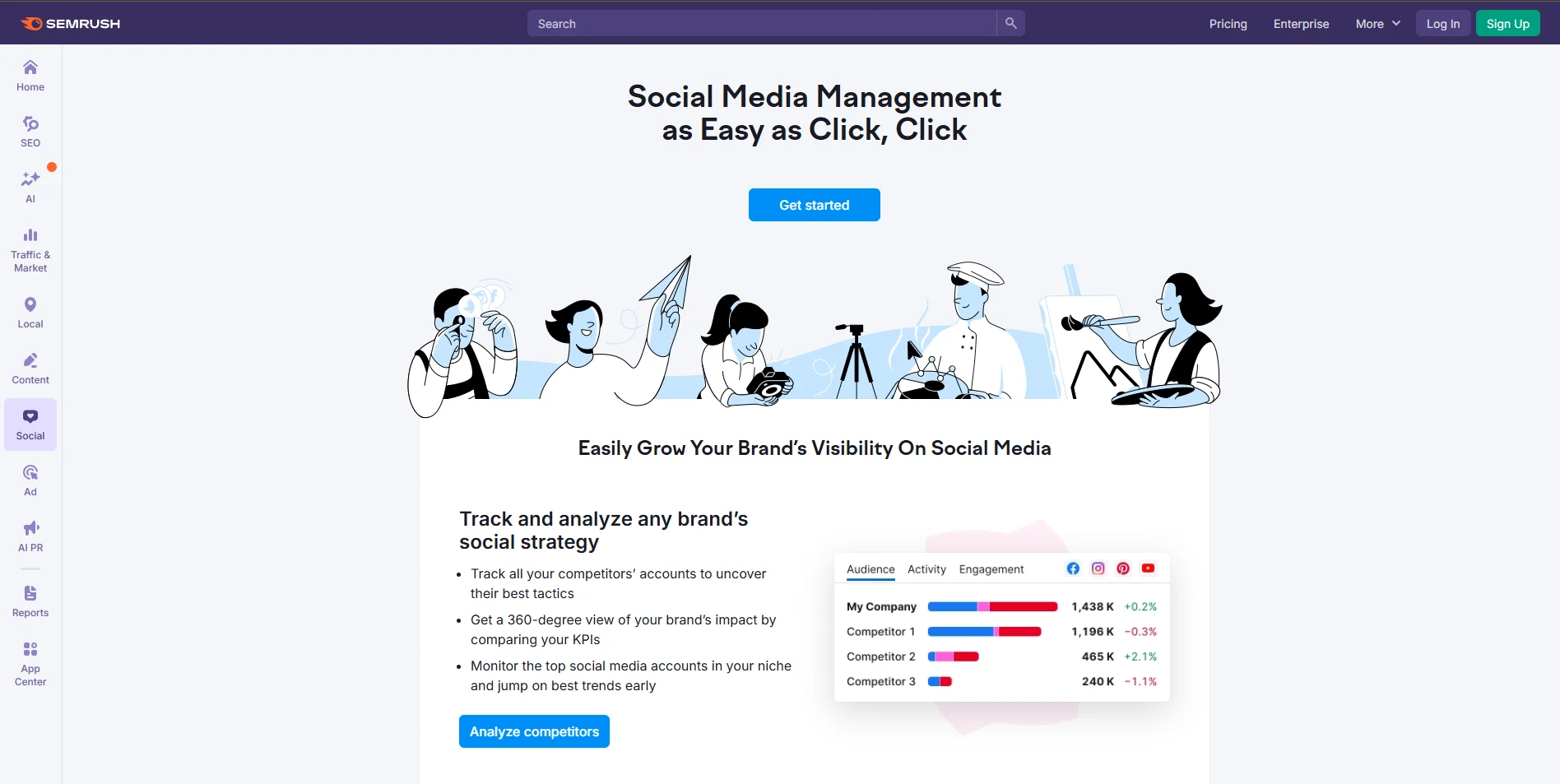
Monitor competitors’ audiences, posting habits, engagement, and top-performing content.
Outcome: Competitive social media benchmarks.
Analyze social performance
Review audience growth, reach, engagement, post-level results, campaigns, and tagged content.
Outcome: Clearer insight into what performs best.
Monitor brand conversations
Track brand mentions and sentiment across social media, forums, blogs, news, reviews, and podcasts.
Outcome: Better visibility into audience conversations.
Workflow Ideas with Semrush Social Toolkit
Build a recurring social calendar
- 1Connect your social profiles
- 2Create or generate posts in Social Poster
- 3Schedule posts in the interactive calendar
Turn competitor insights into content
- 1Add competitors in Social Tracker
- 2Review their top-performing content and posting habits
- 3Use the insights to plan new posts
Create automated performance reports
- 1Open Social Analytics
- 2Customize the report and add an AI-generated summary
- 3Schedule daily, weekly, or monthly PDF delivery
How Semrush Social Toolkit fits into your stack
Browser
The Social Toolkit is accessed from the Semrush dashboard and provides a centralized browser-based workspace for social planning, publishing, analytics, competitor tracking, influencer research, and media monitoring.
Automation and APIs
Social Poster automates scheduling and publishing across connected social networks, while the toolkit supports automated reporting on daily, weekly, or monthly schedules. Semrush documents APIs for other Semrush services, but not a dedicated public Social Toolkit API.
Knowledge and files
Teams can upload images, videos, and CSV files containing post schedules and content. The toolkit also uses RSS feeds, website links, blogs, news sites, and YouTube content as sources for social content ideas.
Pros
- +Time Efficiency: Streamlines social media management by allowing users to schedule posts in advance.
- +Data-Driven Insights: Offers detailed analytics to inform better decision-making.
- +User-Friendly Interface: Easy to navigate, making it accessible even for beginners.
- +Integration Capabilities: Supports integration with popular platforms like Facebook, Twitter, and Instagram.
Cons
- −Initial Learning Curve: Some users may find it challenging to master all features initially.
- −Limited Free Version: The free version offers limited access to features, which may not suffice for large-scale operations.
- −Customization Limitations: While it offers many features, customization options for specific needs might be restricted.
Limitations & when to consider alternatives
Known limitations
- Profile limits vary by plan. Base supports up to five managed profiles, while Pro and Business support up to ten, with additional profiles available by request.
- Base limits scheduled posts. The Base plan allows 50 scheduled posts per month; unlimited scheduling requires Pro or Business.
- Competitor tracking is capped. Base supports tracking 10 competitor profiles, while Pro and Business support 20.
- A connected social profile is required. At least one social media profile must be connected before using the toolkit.
- TikTok publishing has content restrictions. Because of API limitations, Social Poster currently supports only video publishing to TikTok.
Look elsewhere when
- You need a native mobile app.
- You need a documented Social Toolkit API.
- You need built-in fine-tuning or model training.
How to Use Semrush Social Toolkit
- 1
Open Social Dashboard
Go to Social > Social Dashboard in the Semrush dashboard to access the toolkit.
- 2
Connect social profiles
Connect at least one supported social account so publishing and analytics tools become active.
- 3
Set up competitor tracking
Open Social Tracker, add your company and competitors, and compare audience, posting, and engagement metrics.
- 4
Create and schedule posts
Use Social Poster to draft manually or with AI, add media, select channels, and schedule or publish.
- 5
Review performance
Use Social Content Insights and Social Analytics to evaluate post, campaign, audience, and engagement results.
- 6
Automate reports
Export customized PDF reports with optional AI summaries and schedule delivery daily, weekly, or monthly.
Who is Semrush Social Toolkit For?
Small business owners and solopreneurs
They can manage their own social presence, publishing, and performance tracking.
In-house social media managers
They can manage multiple social platforms and monitor content performance from one dashboard.
Agencies
Agencies can publish and report efficiently across multiple client accounts.
Marketing teams
Teams can unify planning, analytics, influencer marketing, and social listening.
Frequently Asked Questions
What is the Semrush Social Toolkit?
It combines social publishing, analytics, competitor tracking, influencer analytics, and media monitoring in one toolkit.
Which social networks does Social Poster support?
Social Poster supports Facebook, Instagram, LinkedIn, Google Business Profile, Pinterest, and TikTok.
Is there a free version?
Semrush offers a limited-feature free version, in addition to seven-day trials for paid plans.
How many posts can I schedule?
The Base plan allows 50 scheduled posts per month; Pro and Business provide unlimited scheduling.
Can I collaborate with other users?
Folders can be shared with Viewer or Editor permissions, and additional users can be added to Semrush accounts.
Can I schedule posts in bulk?
Yes. Social Poster accepts CSV uploads containing up to 100 posts.
Community reviews
Be the first to share your experience.
Sign in to leave a review for Semrush Social Toolkit.
Semrush Social Toolkit Alternatives
Looking for alternatives to Semrush Social Toolkit? Here are similar tools in the same category:
Learn to Master Semrush Social Toolkit
With Skill Leap courses
Get in-depth training on Semrush Social Toolkit and 50+ other AI tools with our expert-led video courses.
Start 7-Day Free Trial