
SEOZilla
Auto-generate and publish long-form SEO blog content.
Key Takeaways
- What it is
- Auto-generate and publish long-form SEO blog content.
- Pricing
- $19.99 per month · $49.99 per month · $99.99 per month · $189.99 per month · $299.99 per month · $199.99 per month · $499.99 per month · $999.99 per month · $1 · $2
- Best for
- AI SEO + GEO content engine
- Site and brand analysis
- Human style long form output
- Rating
- 4.3/5
What is SEOZilla?
SEOZilla focuses on fully automating SEO and GEO content creation so websites can publish search friendly, long form articles without constant manual writing. Specialized AI agents research a niche, mirror the brand voice, generate articles that aim to pass AI detection, then publish straight to popular CMS platforms. It targets founders, marketers, and agencies that want consistent organic traffic from both Google and AI search engines such as ChatGPT and Perplexity.
SEOZilla does not try to be a generic copywriting chatbot. It is narrowly focused on blog style SEO and GEO content, backed by continuous benchmarking against major AI detectors and a visible “humanisation” process. The blend of hands off automation, opinionated SEO structure, and optional human editor layer gives teams a practical path to publish AI assisted content that feels safer for regulators, clients, and brands.
SEOZilla gives marketers, founders, and agencies a focused way to keep blogs alive with long form, search friendly articles that are tuned for both human readers and AI detectors. Its strongest appeal lies in the “set it up once, then supervise” workflow that can quietly add dozens of articles per month, complete with links, visuals, and GEO structure. For anyone who cares about organic growth but cannot spend their day in a doc writing, it earns serious consideration as the content engine behind their SEO strategy.
Who is Using SEOZilla?
SaaS Startups
Publishing educational blog posts that explain features, use cases, and integrations without hiring a full writing team.
E commerce Brands
Creating buying guides, comparison posts, and category explainers that attract intent driven search traffic.
Marketing and SEO Agencies
Running always on content programs across multiple client sites with centralized oversight.
Niche Content Publishers
Scaling out topical clusters and supporting articles around affiliate or ad driven sites.
Solo Founders and Creators
Keeping a blog active while spending most of their time on product, community, or sales.
Uncommon Use Cases
Used by local service businesses to appear in AI assistant recommendations; adopted by non profits to grow educational resource sections with minimal staff time.
Key Features
Rating Breakdown
Pricing Plans
Basic
$19.99 per month
- 4 articles per month, 1 project, 4 AI images per month, 1 seat, WordPress integration, email support, and a fully automated SEO agent
Starter
$49.99 per month
- 10 articles per month, 1 project, 10 AI images per month, 1 seat, Webflow/Ghost/WordPress/Shopify integrations, email support, and a fully automated SEO agent
Pro
$99.99 per month
- 30 articles per month, 3 projects, 40 AI images per month, 2 seats, Webflow/Ghost/WordPress/Shopify integrations, API access, email support, and a fully automated SEO agent
Ultimate
$189.99 per month
- 70 articles per month, 5 projects, 100 AI images per month, 3 seats, Ghost/Webflow/Shopify/WordPress integrations, API access, priority email support, and a fully automated SEO agent
Ultimate+
$299.99 per month
- 120 articles per month, unlimited projects, 200 AI images per month, 4 seats, Ghost/Webflow/Shopify/WordPress integrations, API access, priority email support, and a fully automated SEO agent
Basic
$199.99 per month
- Expert-reviewed content, 4 articles per month, 1 project, 10 AI images per month, 1 seat, WordPress integration, email support, and a fully automated SEO agent
Starter
$499.99 per month
- Expert-reviewed content, 10 articles per month, 1 project, 30 AI images per month, 2 seats, Ghost/Webflow/WordPress integrations, email support, and a fully automated SEO agent
Pro
$999.99 per month
- Expert-reviewed content, 30 articles per month, 3 projects, 100 AI images per month, 3 seats, Ghost/Webflow/Shopify/WordPress integrations, API access, email support, and a fully automated SEO agent
Ultimate
$1
- 999.99 per month
- Expert-reviewed content, 70 articles per month, 5 projects, 250 AI images per month, 3 seats, Ghost/Webflow/Shopify/WordPress integrations, API access, priority email support, and a fully automated SEO agent
Ultimate+
$2
- 999.99 per month
- Expert-reviewed content, 120 articles per month, unlimited projects, 200 AI images per month, 4 seats, all CMS integrations, API access, priority email support, and a fully automated SEO agent
All plans
- Cancel anytime
- No long-term contracts
Full AI Suite
AI + Human Editor
Which SEOZilla plan should you pick?
Start with Basic for light WordPress-focused use, choose Starter for broader CMS access, and upgrade to Pro or higher when you need more credits, seats, or API access.
Basic
Good for individuals who need roughly four articles monthly and WordPress publishing.
Starter
Good for users who need about ten articles monthly and WordPress, Webflow, Ghost, or Shopify integrations.
Pro
Good for growing operations that need about thirty articles monthly, an extra seat, and API access.
Ultimate
Good for higher-volume teams needing about seventy articles monthly, two extra seats, and priority support.
Ultimate+
Good for large content programs needing about 120 articles monthly, three extra seats, and the highest listed credit allowance.
SEOZilla Use Cases
Automated SEO article production
Analyze a website, identify content opportunities, generate articles, and schedule publication.
Outcome: A consistent stream of search-optimized content.
Keyword and competitor research
Use AI agents to discover high-value keywords, inspect competitors, and turn findings into article ideas.
Outcome: A more targeted content pipeline.
Automated internal linking
Connect related articles and pages with contextual internal-linking recommendations and implementation.
Outcome: Stronger site structure and topical authority.
CMS publishing
Connect a CMS such as WordPress, Ghost, Webflow, Shopify, Wix, or HubSpot and publish articles automatically.
Outcome: Less manual copying and publishing work.
Multilingual SEO
Create language-specific child projects with separate internal-linking rules and publishing workflows.
Outcome: Localized content operations across multiple markets.
Workflow Ideas with SEOZilla
Create and publish the first article
- 1Run the free website analysis and import the analysis into a new project.
- 2Review, approve, refine, or generate content ideas.
- 3Connect a CMS and publish the generated article.
Automate a recurring blog schedule
- 1Connect the selected CMS under My Project and CMS Connections.
- 2Approve article ideas and choose publishing dates.
- 3Use My Project and Automation to define the publishing schedule.
Launch multilingual content
- 1Create a parent project for the main website.
- 2Add language sub-projects with language-specific internal-linking rules.
- 3Publish each language project to the appropriate blog structure.
How SEOZilla fits into your stack
Browser
SEOZilla is delivered as a web-based SEO and GEO content automation platform. Users analyze websites, create projects, review articles, and manage publishing from the browser.
Docs and writing
The platform researches topics, generates long-form SEO articles, supports editing and improvement, matches website brand voice, and adds internal linking, tables, images, and other article elements.
Automation and APIs
SEOZilla automates content research, generation, internal linking, and publishing. Higher plans include API access, and the product advertises a REST API.
Knowledge and files
SEOZilla analyzes a connected website to learn its niche, audience, keywords, and brand voice, then uses that analysis to generate content ideas and articles.
Pros
- +Serious time savings: Turns ongoing blog production into a background process that can drip feed articles while teams focus on product and distribution.
- +Human sounding focus: Explicitly tuned to avoid generic robotic copy, with measured improvements against common AI detectors.
- +Strong SEO structure out of the box: Articles arrive with headings, TLDR summaries, FAQs, and internal links already wired in.
- +AI search readiness: GEO support means content is structured so AI assistants are more likely to cite the site in answers, not just Google search.
- +Low friction onboarding: Users can start with a URL, receive a free analysis and article, then decide whether to scale up.
Cons
- −Not a full service SEO suite: It focuses on content production, so users still need separate tools or expertise for technical SEO and link building.
- −Content quality still depends on niche: Highly regulated or extremely specialist topics may require heavier editing by in house experts.
- −Editor packages add cost: Fully hands off AI plus human review plans starting near one hundred dollars per month may stretch very small hobby projects.
Limitations & when to consider alternatives
Known limitations
- Trial restrictions. The full-platform trial lasts three days and requires a credit card; the free article offer is limited to one per customer.
- Credit-based usage. Articles, images, website analyses, regenerations, editor improvements, and AI detection consume credits.
- CMS connection required for blog publishing. Generated articles remain inside the project view until a blog or CMS is connected.
- Free analysis eligibility. The free analysis is limited to websites owned by the requester and may be limited per customer.
- Compliance responsibility remains with the user. SEOZilla provides compliance-related tools and human review, but users remain responsible for regulatory compliance.
How to Use SEOZilla
- 1
Run a website analysis
Enter a website URL to receive content-quality findings, keyword opportunities, and article ideas.
- 2
Create a project
Import the analysis into a project so SEOZilla can organize content ideas and project intelligence.
- 3
Review content ideas
Approve relevant ideas, delete unsuitable ones, refine topics, or generate additional suggestions.
- 4
Generate articles
Use Generate for immediate production or approve ideas with a scheduled publishing date.
- 5
Connect a CMS
Open My Project and CMS Connections, then authenticate the chosen platform.
- 6
Automate publishing
Use My Project and Automation to define a recurring publishing schedule and streamline blog publication.
Who is SEOZilla For?
Solo founders
SEOZilla helps founders maintain content production without hiring writers or spending extensive time on SEO research.
Small startup teams
Automated research, writing, internal linking, and CMS publishing support lean teams with limited marketing capacity.
Marketing teams
Marketing teams can use SEOZilla to scale SEO content, manage multiple projects, and automate publishing.
SaaS companies
SEOZilla supports ongoing content production, multilingual projects, internal linking, and publishing for software businesses.
E-commerce businesses
E-commerce teams can use SEOZilla's SEO content workflows and CMS integrations to expand organic visibility.
Frequently Asked Questions
Who is SEOZilla designed for?
SEOZilla is built for solo founders, small startup teams, and marketing teams that want to maintain an active content pipeline.
How does SEOZilla grow organic traffic?
Its AI agents analyze websites, identify keywords, research competitors, generate content, optimize for search features, and build internal links.
How does SEOZilla adapt to brand voice?
The agents analyze existing website content to match vocabulary, sentence structure, themes, tone, and overall brand personality.
Can users edit generated articles?
Users can edit articles, regenerate sections, approve or decline ideas, and fine-tune content before publishing.
Which CMS platforms can SEOZilla connect to?
Documented connections include WordPress, Ghost, Webflow, Shopify, Wix, and HubSpot, with additional platforms supported or planned.
Is there a free way to try SEOZilla?
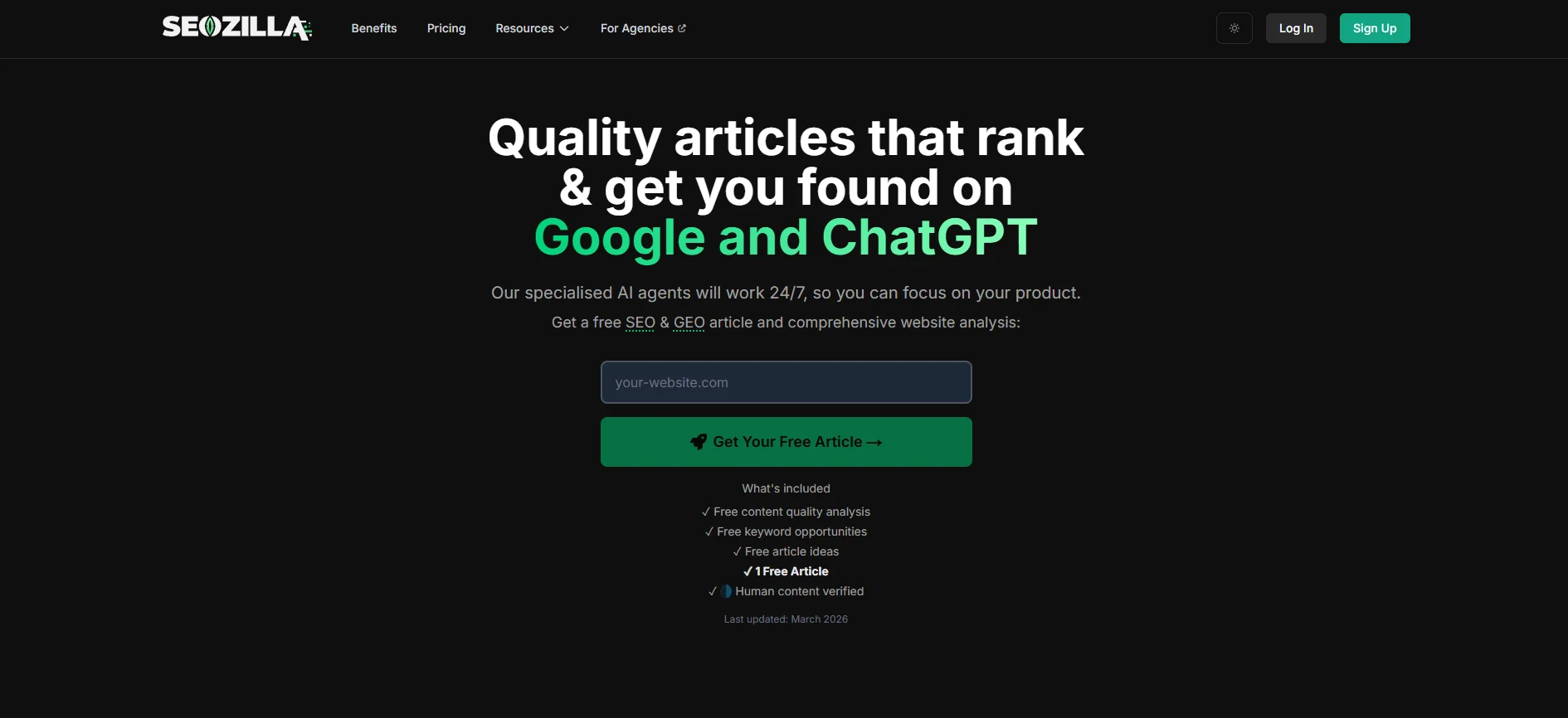
The free analysis provides content-quality analysis, keyword opportunities, article ideas, and one free article; paid plans also offer a trial.
Community reviews
Be the first to share your experience.
Sign in to leave a review for SEOZilla.
SEOZilla Alternatives
Looking for alternatives to SEOZilla? Here are similar tools in the same category:
Learn to Master SEOZilla
With Skill Leap courses
Get in-depth training on SEOZilla and 50+ other AI tools with our expert-led video courses.
Start 7-Day Free Trial