
Shopify Logo Maker
Effortlessly create professional logos with customizable templates.
Key Takeaways
- What it is
- Effortlessly create professional logos with customizable templates.
- Pricing
- Freemium
- Best for
- Extensive Template Library
- Complete Customization
- High-Resolution Downloads
- Rating
- 4.6/5
What is Shopify Logo Maker?
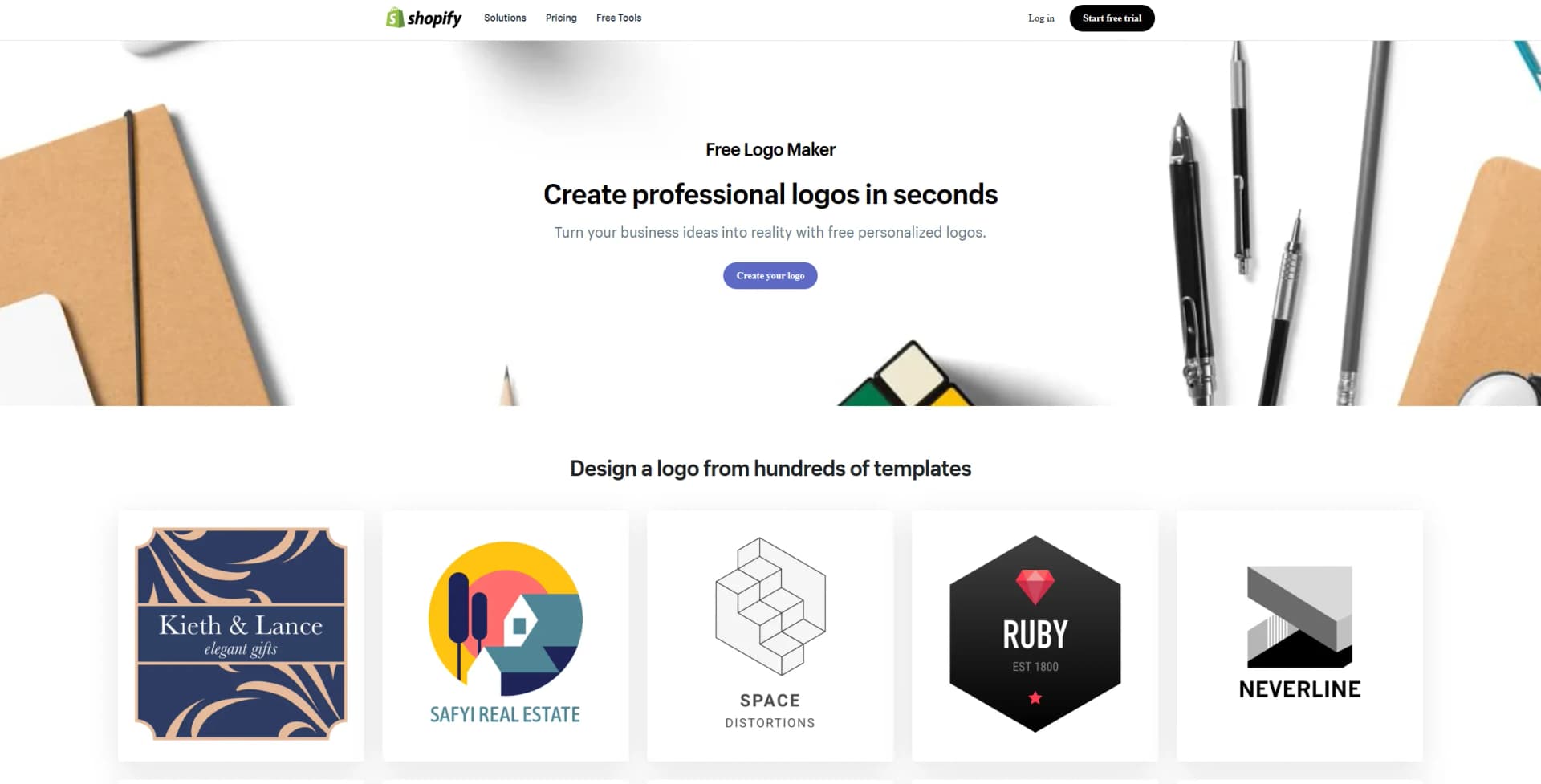
Shopify Logo Maker is an innovative, free tool designed to help entrepreneurs and small business owners create professional logos effortlessly. With its user-friendly interface and a vast library of templates, Shopify Logo Maker allows users to design high-quality logos that align with their brand identity without any prior design experience. This tool is perfect for those looking to establish a strong brand presence quickly and cost-effectively.
Shopify Logo Maker stands out with its comprehensive suite of free design tools, making professional logo creation accessible to everyone. Its integration with Shopify's broader ecosystem of business tools further enhances its appeal, allowing users to seamlessly incorporate their logos into their online stores and marketing materials.
Shopify Logo Maker offers an exceptional platform for creating a distinct brand logo without the hassle and expense of hiring a professional designer. Its ease of use and comprehensive customization options make it an invaluable tool for businesses of all sizes. Whether you're launching a new venture or rebranding an existing business, Shopify Logo Maker provides the resources needed to craft a memorable and impactful brand identity.
Who is Using Shopify Logo Maker?
E-commerce Businesses
Utilizing the tool to create branding elements for their online stores.
Startups and Entrepreneurs
Leveraging the tool to establish brand identity without breaking the bank.
Freelancers
Using it to create personal branding logos quickly.
Small Business Owners
Employing the tool for affordable and fast logo creation.
Uncommon Use Cases
Applied by non-profit organizations to design logos for campaigns; Adopted by event planners for branding event materials.
Key Features
Rating Breakdown
Pricing Plans
Free Tier
Free
- Experience Shopify Logo Maker at no cost
- Full access to all features and templates
Shopify Logo Maker Use Cases
Create a business logo
Enter a brand name, choose an industry and visual style, and select a logo design.
Outcome: A customizable logo for the business.
Add a slogan to branding
Include an optional slogan alongside the company name in the logo editor.
Outcome: A logo that communicates additional brand messaging.
Prepare social media branding
Download logo variations intended for social profiles and story-style formats.
Outcome: Logo assets suitable for social media use.
Brand a Shopify store
Upload the completed logo to Shopify store brand assets and use it across the store.
Outcome: More consistent store branding.
Workflow Ideas with Shopify Logo Maker
Create and download a logo
- 1Enter the brand name
- 2Choose an industry and visual style
- 3Customize the wording, fonts, colors, symbol, or layout
- 4Finalize and download the ZIP file
Apply a logo to a Shopify store
- 1Create and download the logo
- 2Open the Shopify store’s brand assets
- 3Upload the finished logo
- 4Use it across the store
How Shopify Logo Maker fits into your stack
Browser
Shopify Logo Maker runs directly in a device's web browser with no additional program required. Users enter a brand name, choose an industry and style, customize the logo, then download the resulting ZIP file.
Pros
- +Free to Use: Offers a completely free solution for creating and owning a custom logo, eliminating the need for costly design services.
- +Quick and Easy Process: Enables users to design a logo in minutes, saving time and effort.
- +No Design Experience Required: Simplifies the design process, making it accessible to everyone, regardless of their design expertise.
- +Versatile Usage Options: Logos are ready for immediate use across various platforms, enhancing brand visibility and recognition.
Cons
- −Limited Advanced Design Features: May lack the depth of customization options available in professional design software.
- −Template-Based Designs: The reliance on templates might result in less unique logos if not sufficiently customized.
Limitations & when to consider alternatives
Known limitations
- No custom asset importing. The Logo Maker does not allow users to upload or import their own images, logos, or other assets.
- Customization varies by design. Some editor options are unavailable for certain logo designs; for example, symbol editing is unavailable when the design has no symbol.
- Browser-based access. Shopify documents access through a device’s web browser and says no additional programs are required.
- PNG delivery documented in Help Center. The Help Center says the downloaded ZIP contains PNG logo files in horizontal, background, transparent-background, and vertical formats.
Look elsewhere when
- You need to import an existing logo or image.
- You need a native mobile application dedicated to logo creation.
- You need automated integrations or developer API access.
How to Use Shopify Logo Maker
- 1
Enter your brand name
Open Shopify Logo Maker and enter the business name to begin generating logo options.
- 2
Choose an industry
Select the industry that best matches the store so the recommendations fit the business niche.
- 3
Choose a visual style
Pick the main visual style that best matches the desired brand identity.
- 4
Edit the logo
Customize available wording, fonts, colors, symbols, and layout options in the editor.
- 5
Finalize the design
Click Finalize once the selected logo is ready for export.
- 6
Download the logo
Enter an email address to receive the ZIP file, or download it directly from the browser.
Who is Shopify Logo Maker For?
Entrepreneurs
Shopify positions Logo Maker as a free branding tool for entrepreneurs creating a business identity.
Store owners
The tool is designed for Shopify stores and supports using logos in themes, order notifications, and social media.
Non-designers
Shopify says no graphic design experience is needed to create and customize a logo.
Frequently Asked Questions
Is Shopify Logo Maker free?
Yes. Shopify describes Logo Maker as completely free, with no hidden fees or upfront costs.
Can you add a slogan to the logo?
Yes. You can add a slogan after entering your company name, or skip the slogan step.
How does Shopify Logo Maker work?
Enter your brand name, choose an industry and visual style, customize the design, then download the finished logo.
What can you customize?
Depending on the design, you can customize wording, fonts, colors, symbols, and layout.
Where can you use the finished logo?
Shopify says logos can be used on websites, business cards, packaging, company merchandise, and social media.
Can you upload your own image or logo?
No. The help documentation says you cannot upload or import your own images, logos, or other assets.
Community reviews
Be the first to share your experience.
Sign in to leave a review for Shopify Logo Maker.
Shopify Logo Maker Alternatives
Looking for alternatives to Shopify Logo Maker? Here are similar tools in the same category:
Learn to Master Shopify Logo Maker
With Skill Leap courses
Get in-depth training on Shopify Logo Maker and 50+ other AI tools with our expert-led video courses.
Start 7-Day Free Trial