
ShortMake
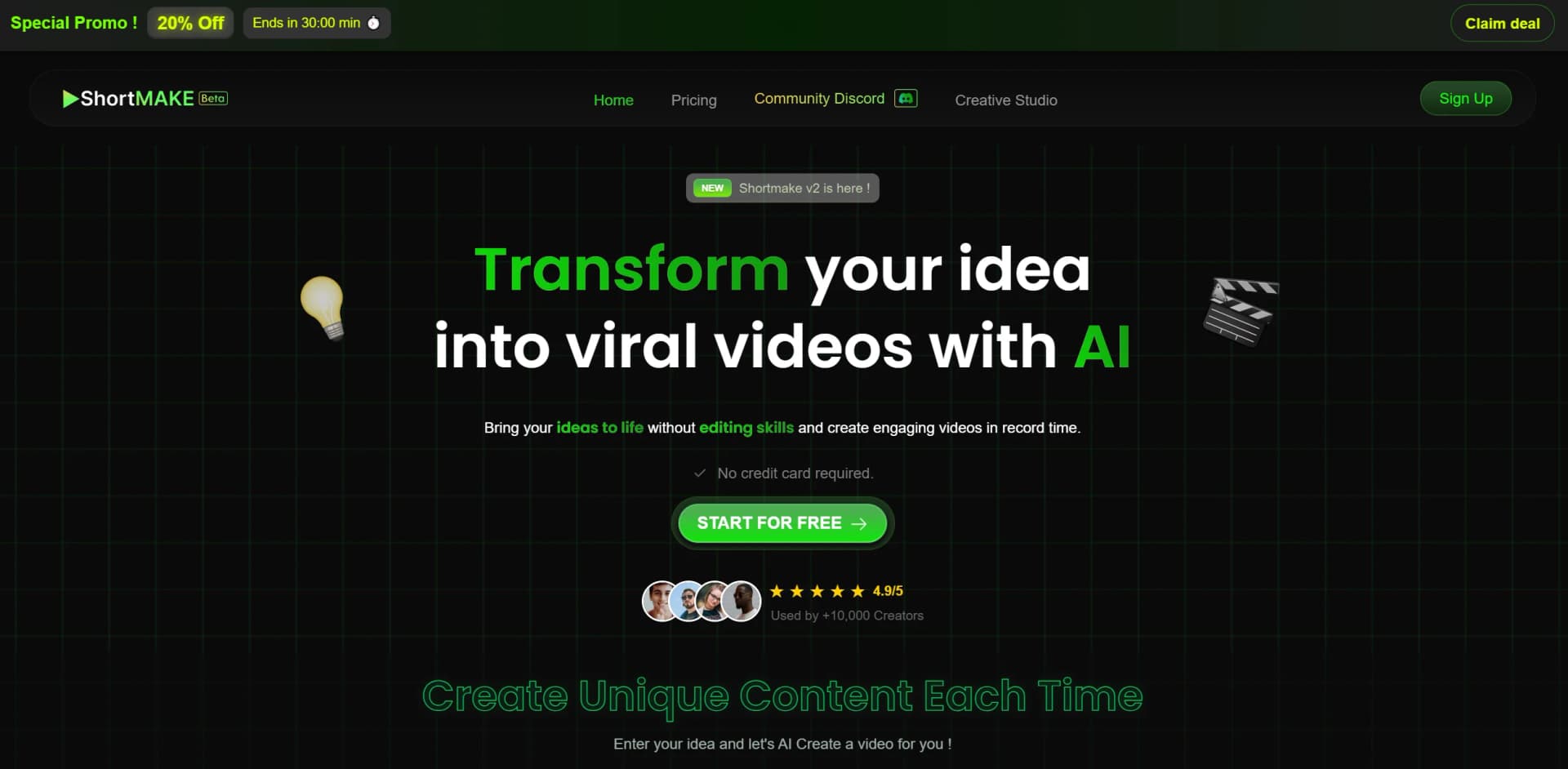
AI transforms ideas into viral videos effortlessly and quickly.
Key Takeaways
- What it is
- AI transforms ideas into viral videos effortlessly and quickly.
- Pricing
- Freemium
- Best for
- AI Script Generation
- Realistic AI Voiceovers
- High-Quality Visuals
- Rating
- 4.7/5
What is ShortMake?
Shortmake is an innovative AI-driven tool designed to revolutionize the way creators develop video content. It offers a seamless and efficient process for transforming ideas into captivating videos, without the need for extensive editing skills. Perfect for content creators aiming to enhance their social media presence, Shortmake simplifies the creation of viral videos for platforms like TikTok, YouTube Shorts, Instagram Reels, and Snapchat.
Shortmake stands out with its ability to transform simple ideas into fully-fledged videos in just minutes. Its AI-driven script and voiceover generation, coupled with high-quality visuals, make it a game-changer for content creators looking to produce viral content efficiently. The ease of use and absence of a credit card requirement further enhance its appeal.
Shortmake offers an unparalleled solution for content creators looking to produce high-quality, engaging videos with minimal effort. Its AI-powered features make video creation accessible and efficient, transforming ideas into viral content in record time. Whether you're a seasoned influencer or a small business owner, Shortmake provides the tools you need to captivate your audience and enhance your online presence.
Who is Using ShortMake?
Social Media Influencers
Utilizing Shortmake to create engaging content for platforms like TikTok and Instagram.
Digital Marketing Professionals
Leveraging the tool for quick video content creation for various campaigns.
Small Business Owners
Using Shortmake to produce promotional videos for their products and services.
Content Creators
Benefiting from the efficiency and ease of video creation for YouTube Shorts and other platforms.
Key Features
Rating Breakdown
Pricing Plans
Free Tier
Free
- Start using Shortmake with no credit card required
Which ShortMake plan should you pick?
Start with the free tier to test video generation, then upgrade to Starter, Creator, or Pro when you need more monthly credits and premium features.
STARTER
Good for individual creators who need about 1,000 monthly credits and roughly 10 videos.
CREATOR
Good for creators producing more frequent content who need about 2,000 monthly credits and roughly 20 videos.
PRO
Good for high-volume creators who need about 4,000 monthly credits and the largest listed voice allowance.
ShortMake Use Cases
Employed by educators for creating instructional videos; adopted by event planners for promotional clips.
Workflow Ideas with ShortMake
Create a short-form social video
- 1Type a video idea
- 2Review the generated script and choose voice and style
- 3Render the video and publish it to a supported social platform
Produce a fruit-story video
- 1Describe a fruit-story concept
- 2Edit the generated scenes, script, and images
- 3Generate the vertical video and post it to TikTok, Reels, or Shorts
Generate multiple content variations
- 1Enter a concept for a short video
- 2Create several versions with different styles or narration
- 3Compare the results and publish the strongest version
How ShortMake fits into your stack
Browser
ShortMake is accessed through its Creative Studio web application. Users enter an idea, select voice and style options, and receive a rendered short-form video.
Pros
- +Time Efficiency: Create a complete video in less than 8 minutes, saving over 95% of the time compared to traditional methods.
- +No Credit Card Required: Start using Shortmake for free, with no upfront financial commitment.
- +User-Friendly: Designed to be intuitive, making it accessible for users with no prior video editing experience.
- +Viral Content Creation: Optimized for creating content that aligns with current trends on TikTok and YouTube Shorts.
Cons
- −Beta Phase Limitations: As it's currently in beta, users might encounter bugs or limited features.
- −Voice Variety: While offering realistic voices, the current version has only four options, two of which are hyper-realistic.
- −Customization Constraints: Though customization is available, some users may find it limited in the beta version.
Limitations & when to consider alternatives
Known limitations
- Beta product status. ShortMake’s terms state that the platform is in beta and may contain bugs, errors, or incomplete features.
- Credit-based generation. A 60-second video uses approximately 100 to 120 credits, so output volume depends on the plan’s credit allowance.
- Custom voice cloning unavailable. The FAQ says custom voice cloning is coming soon rather than currently available.
- No refunds after credits are added. The terms state that refunds are not possible once purchased credits have been credited to an account.
- Generation is not instantaneous. Most videos take under seven minutes to generate, so rendering requires a waiting period.
Look elsewhere when
- You need a documented developer API with API keys and endpoints.
- You need native iOS or Android access.
- You need native Windows, Mac, or Linux software.
How to Use ShortMake
- 1
Open Creative Studio
Use ShortMake’s Creative Studio web app and sign in or create an account for free.
- 2
Enter your video idea
Describe the concept you want to turn into a short-form video; this starts script generation.
- 3
Customize the draft
Review the script, choose a voice and style, select visuals, and adjust subtitle appearance.
- 4
Render the video
Start rendering after customization; ShortMake combines the script, visuals, narration, subtitles, and editing.
- 5
Publish or export the result
Use the finished vertical video for TikTok, YouTube Shorts, Instagram Reels, Snapchat stories, or other social channels.
Who is ShortMake For?
Content creators
ShortMake helps content creators turn ideas into finished short-form videos quickly.
TikTokers
TikTokers can create vertical videos with scripts, visuals, narration, subtitles, and direct publishing support.
Digital entrepreneurs
Digital entrepreneurs can produce social-media video content without managing multiple creative tools.
Video editors
Video editors can accelerate script, visual, voiceover, subtitle, and rendering tasks.
Digital creators
Digital creators can test styles, narration, voices, and subtitle customization in one interface.
Frequently Asked Questions
What is ShortMake?
ShortMake is an AI-powered platform that transforms ideas into professional short-form videos in minutes without editing skills.
How does ShortMake work?
Type an idea and ShortMake generates a script, selects visuals, adds voiceover and subtitles, then renders the video automatically.
Is ShortMake free to try?
Yes. You can start for free without a credit card, using the available free tier.
What types of videos can I create?
ShortMake supports TikToks, YouTube Shorts, Instagram Reels, Snapchat stories, and other short-form vertical videos.
Can I use my own voice?
ShortMake currently offers dozens of AI voices in multiple languages; custom voice cloning is coming soon.
How long does video generation take?
Most videos are generated in under seven minutes, from idea to finished product.
Community reviews
3 reviews from people who use ShortMake.
Sign in to leave a review for ShortMake.
Louis Merain
Maxine French
Thibault BM
ShortMake Alternatives
Looking for alternatives to ShortMake? Here are similar tools in the same category:
Learn to Master ShortMake
With Skill Leap courses
Get in-depth training on ShortMake and 50+ other AI tools with our expert-led video courses.
Start 7-Day Free Trial