
Shortwave
AI-powered email tool enhances productivity and organization.
Key Takeaways
- What it is
- AI-powered email tool enhances productivity and organization.
- Pricing
- Freemium
- Best for
- AI Email Assistant
- AI-Powered Search
- Email Summarization
- Rating
- 4.6/5
What is Shortwave?
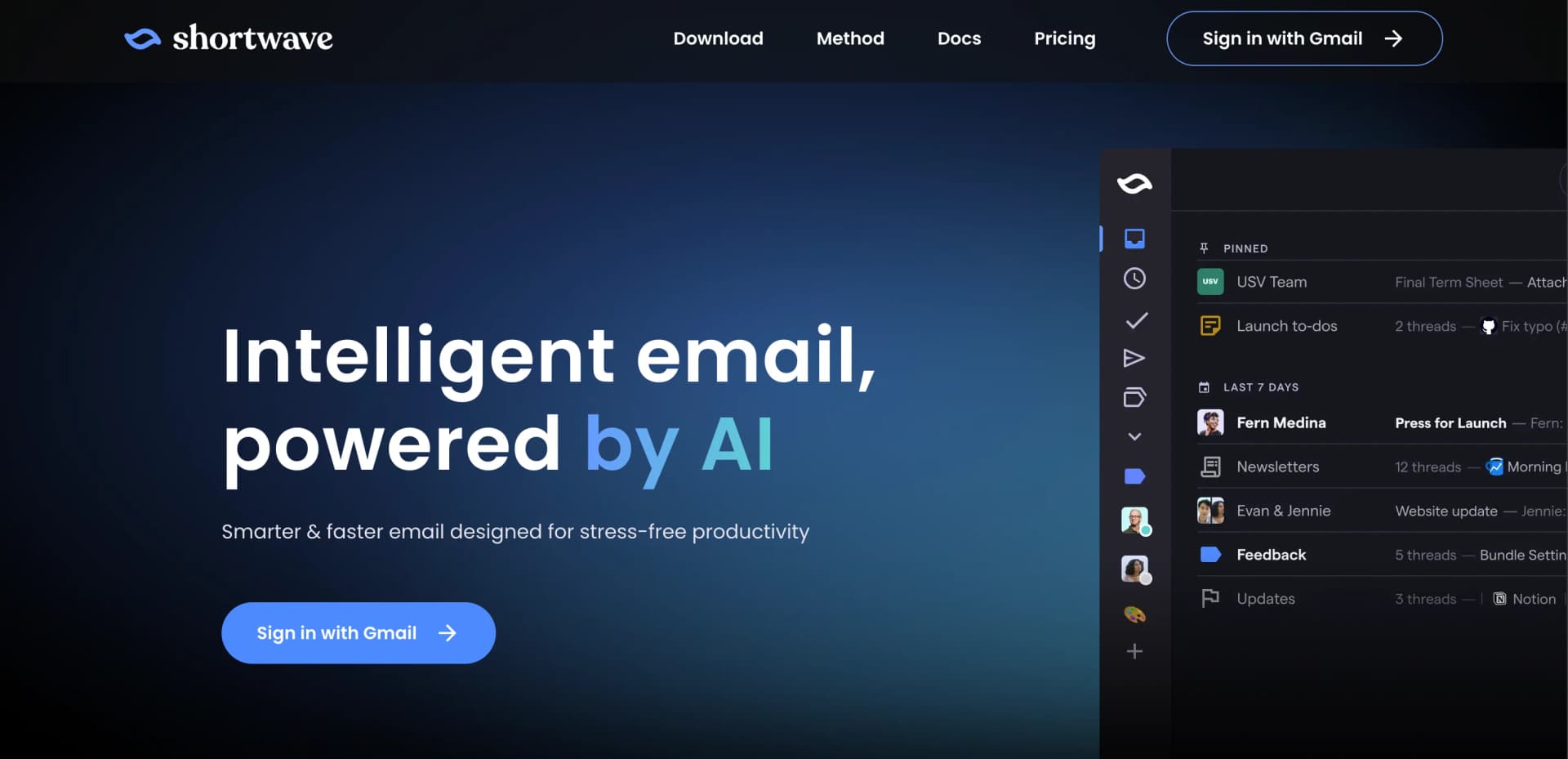
Shortwave is an innovative AI-powered email tool that transforms the way you interact with your inbox. Tailored for professionals who want to boost their productivity, Shortwave integrates advanced AI functionalities such as writing assistance, AI search capabilities, and smart scheduling into a seamless email experience. Whether you're a busy executive, a digital marketer, or anyone in between, Shortwave offers a suite of tools designed to make email management more efficient and less time-consuming.
Shortwave sets itself apart with its comprehensive AI integration into email management. The tool not only helps in writing and organizing emails but also transforms them into actionable items, enhancing overall productivity. Its ability to summarize emails and smart scheduling are particularly unique, providing significant value to busy professionals.
Shortwave excels at enhancing email productivity through its advanced AI features. It is particularly useful for professionals seeking to streamline their email management and improve communication efficiency. Its unique features like email summarization and AI-driven scheduling distinguish it in the crowded market of email tools, making it a top choice for those integrated within the Gmail ecosystem.
Who is Using Shortwave?
Demand Executives
Enhance communication and organization for high-volume email management.
Founders and CEOs
Manage their busy inboxes efficiently, allowing them to focus on strategic tasks.
Engineers
Keep their communication streamlined and organized to focus more on development tasks.
Digital Marketers
Leverage AI-assisted email writing and scheduling to optimize campaign management.
Uncommon Use Cases
Used by academic professionals for managing communications with students; utilized by freelancers to keep project communications organized.
Key Features
Rating Breakdown
Pricing Plans
Free Tier
Free
- Explore Shortwave's basic features at no cost
Premium Tier
- Offers full access to all features
- Pricing available upon request
Which Shortwave plan should you pick?
Start with the free plan for basic productivity, then choose Business for standard paid AI, Premier for complex workflows, or Max for the strongest models and highest limits.
Business
Good for teams needing standard AI, five years of AI search history, three AI filters, integrations, and attachment analysis.
Premier
Good for teams handling more complex workflows that need advanced intelligence, twice the AI usage, and ten AI filters.
Max
Good for teams needing the strongest models, six times the AI usage, 50 AI filters, and the largest search context.
Shortwave Use Cases
Inbox organization
Use AI to identify priorities, archive low-value messages, label email, delete junk, and create todos.
Outcome: A cleaner inbox and faster path to inbox zero.
AI email writing
Draft replies, improve existing messages, adjust tone and length, and use personalized autocomplete.
Outcome: Faster email composition in the user's writing style.
Team email collaboration
Share live threads, discuss messages privately, assign owners, and maintain shared labels.
Outcome: Better coordination without forwarding emails or pasting screenshots.
Calendar scheduling
Check availability, create calendar events, send invitations, and write scheduling emails through the AI Assistant.
Outcome: Less manual calendar and scheduling work.
Email research and analysis
Search email and attachments in natural language, summarize threads, extract information, and translate messages.
Outcome: Answers and actionable context without manually reviewing every message.
Workflow Ideas with Shortwave
Triage a crowded inbox
- 1Ask the AI Assistant to organize the inbox
- 2Review suggested archives, labels, deletions, and todos
- 3Confirm the actions and work from the resulting todo list
Handle a customer-support email
- 1Use AI to analyze the incoming thread and attachments
- 2Search email or connected tools for relevant customer context
- 3Draft a personalized reply and assign the thread to a teammate
Schedule a meeting from email
- 1Ask the AI Assistant to check calendar availability
- 2Create a calendar invite with participants and meeting details
- 3Generate and send a scheduling or confirmation email
How Shortwave fits into your stack
Gmail Integration
Fully integrated with Gmail, offering a seamless experience for Gmail users.
Multi-Account Support
Easily switch between different Gmail accounts within the app.
Calendar Integration
Manage calendar invites directly through the email platform.
Security Features
Includes robust security measures like blocked tracking pixels to protect user privacy.
Pros
- +Enhanced Productivity: Tools like email bundling and AI-powered search significantly reduce the time spent managing emails.
- +Customizable Organization: Features like email bundling and auto-labeling help users maintain a clean and organized inbox.
- +Intuitive User Interface: The user-friendly design makes it easy to navigate and utilize all features effectively.
- +Cross-Platform Availability: Available on iOS, Android, Mac, and Windows, ensuring accessibility across devices.
Cons
- −Learning Curve: New users may require some time to fully utilize all advanced features.
- −Platform Limitation: Currently limited to integration with Gmail, which might be restrictive for users of other email services.
- −Dependency on AI: Some users might find the AI features overly intrusive or prefer more manual control over their email management.
Limitations & when to consider alternatives
Known limitations
- Microsoft 365 and Exchange are not supported. Shortwave states that Microsoft 365 and Exchange accounts are not supported at this time.
- Some providers require forwarding. Outlook.com, Hotmail, Live, and ProtonMail support forwarding only and cannot send from the original address.
- MCP support is still in beta. MCP integrations are limited to tool calls, support up to 40 tools at once, and may affect Assistant performance.
- Local MCP servers are device-specific. Local MCP servers are not synchronized between devices and are available only in the desktop app.
- AI usage varies by plan. Business, Premier, and Max plans have different AI usage quotas, search limits, context sizes, and filter limits.
Look elsewhere when
- You need Microsoft 365 or Exchange support.
- You need 24/7 autonomous automation across thousands of apps.
- Your workflow requires a public developer API.
How to Use Shortwave
- 1
Explore a range of tutorials available on the Shortwave website, covering everything from basic setup to advanced features.
Who is Shortwave For?
Small business founders
Shortwave is positioned for founders who want to improve personal productivity and manage email more efficiently.
Large-company executives
The AI assistant helps executives search, organize, write, schedule, and analyze email from one workspace.
Business teams
Teams can collaborate through shared threads, private comments, assignees, channels, and shared labels.
Gmail and Google Workspace users
Shortwave is built around Gmail and Google Workspace accounts and synchronizes actions with Gmail.
Frequently Asked Questions
Can I use Shortwave for free?
Yes. Shortwave offers a free plan with most productivity features and its AI executive assistant.
What email accounts can I use with Shortwave?
Shortwave supports Gmail and Google Workspace directly. Yahoo, iCloud, Fastmail, and Zoho can be used through forwarding, while Microsoft 365 and Exchange are not currently supported.
Does Shortwave support team collaboration?
Yes. Teams can invite members, assign roles, share live threads, comment privately, assign emails, and use shared labels.
Does Shortwave analyze attachments?
Yes. The AI Assistant can read, summarize, and analyze PDFs, text, code, and other file types.
How does Shortwave keep data secure?
Shortwave stores data in Google Cloud, encrypts data at rest with AES256 and in transit with TLS 1.2+, and undergoes annual CASA audits.
Can Shortwave automate email workflows?
AI filters can automatically take actions on new emails, while Tasklet provides broader 24/7 automation across thousands of apps.
Community reviews
Be the first to share your experience.
Sign in to leave a review for Shortwave.
Shortwave Alternatives
Looking for alternatives to Shortwave? Here are similar tools in the same category:
Learn to Master Shortwave
With Skill Leap courses
Get in-depth training on Shortwave and 50+ other AI tools with our expert-led video courses.
Start 7-Day Free Trial