
Sigma AI Browser
AI-powered browser for content creation, privacy, and productivity.
Key Takeaways
- What it is
- AI-powered browser for content creation, privacy, and productivity.
- Pricing
- Freemium
- Best for
- AI-Driven Content Creation
- Smart Summarization Tool
- Private and Secure Browsing
- Rating
- 4.4/5
What is Sigma AI Browser?
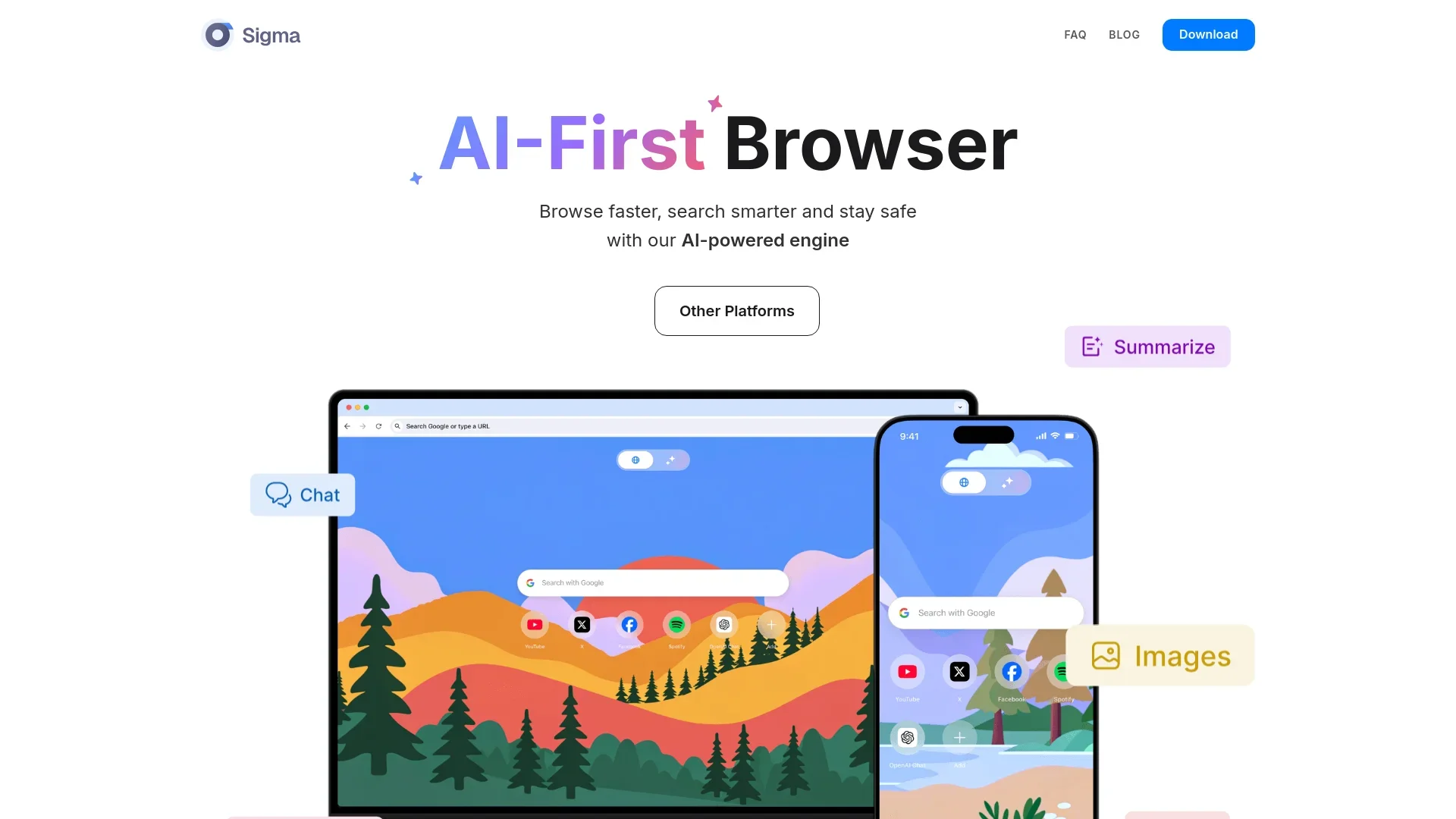
Sigma AI Browser revolutionizes the way we navigate the internet by integrating cutting-edge AI capabilities directly into the browsing experience. Designed for individuals and professionals who value speed, privacy, and creativity, Sigma AI Browser offers a suite of AI-powered tools that simplify tasks like content creation, language translation, and online privacy maintenance. This browser is not just a tool for accessing the web but a comprehensive platform that enhances productivity and security for its users.
Sigma AI Browser stands out with its seamless integration of AI technologies that transform traditional browsing into a personalized, efficient, and secure experience. Its unique ability to generate diverse content types and provide robust privacy tools sets it apart from conventional browsers, offering users a comprehensive digital assistant.
Sigma AI Browser offers a transformative browsing experience by harnessing the power of AI to enhance productivity, creativity, and security. Its suite of tools and features caters to a diverse range of users, from content creators to privacy advocates, making it a versatile choice for anyone looking to optimize their online activities. With its commitment to innovation and user safety, Sigma AI Browser is poised to redefine how we interact with the digital world.
Who is Using Sigma AI Browser?
Freelancers and Content Creators
Utilizing AI tools for writing, editing, and multimedia content generation.
Privacy-Conscious Users
Individuals focused on maintaining online privacy and data security.
Multilingual Professionals
Leveraging automatic language translation for seamless communication and content consumption.
Tech Enthusiasts
Exploring the latest in AI-driven browsing technology for personal and professional use.
Key Features
Rating Breakdown
Pricing Plans
Free Tier
Free
- Experience Sigma AI Browser with no initial cost
- Including access to basic AI tools and features
Which Sigma AI Browser plan should you pick?
Start with Free to evaluate Sigma's browser AI and page tools; upgrade to Plus for higher usage or Pro for unlimited files, searches, research, images, and AI Agent use.
Free
Good for users who need basic chat, page analysis, file and image analysis, and limited research or agent usage.
Plus
Good for regular users who need unlimited prompts, more file uploads, web searches, image generations, research, and additional AI Agent uses.
Pro
Good for heavy users who need unlimited file uploads, web search, image generation, Deep Research, and AI Agent usage.
Sigma AI Browser Use Cases
Deep research
Search across multiple sources, collect key details, and organize them into a structured answer.
Outcome: Clearer research findings with summaries and comparisons.
Page and document review
Open a webpage, PDF, or document and ask Sigma to summarize, explain, or extract important details.
Outcome: Faster understanding of long or unfamiliar content.
Browser task automation
Give the AI Agent a goal and let it navigate websites, fill forms, click buttons, and complete page workflows.
Outcome: Less manual clicking and fewer repetitive browser steps.
Private offline AI work
Use Sigma Eclipse or local models in Private Mode for writing, analysis, research, and coding assistance.
Outcome: Supported AI tasks processed locally without cloud transmission.
Writing and visual creation
Draft and rewrite text, generate ideas, and create images from prompts inside the browser.
Outcome: A faster path from research or prompts to usable content.
Workflow Ideas with Sigma AI Browser
Research and report workflow
- 1Open Sigma AI Chat and choose Deep Research
- 2Enter the research question or topic
- 3Review the organized source summary and key findings
Page review workflow
- 1Open the article, PDF, or documentation page in Sigma
- 2Launch Chat With Page
- 3Ask for a summary, key details, comparison, or checklist
Automated website task workflow
- 1Select Agent mode in Sigma Browser
- 2Choose OpenClaw or Hermes and connect an API key or local model
- 3Ask the agent to navigate pages, fill fields, review files, or complete the task
How Sigma AI Browser fits into your stack
Browser
Sigma is an AI-first browser with built-in page chat, web search, deep research, agent actions, and privacy features directly in the browsing experience.
Docs and writing
Its AI Chat includes text generation, rewriting, editing, summarization, code assistance, and document analysis.
Knowledge and files
Users can upload documents and ask Sigma to read, summarize, extract key points, and review files; local models can process sensitive files on-device.
Automation and APIs
The built-in browser agent handles multi-step website workflows such as navigating pages, filling forms, collecting information, and completing online tasks. Agent modes can connect to user-supplied API keys or local models.
Pros
- +Enhanced Productivity: With AI tools for content creation and summarization, tasks that used to take hours can now be completed in minutes.
- +Robust Privacy Features: Advanced security measures and anonymous browsing protect user data and identity.
- +Cross-Platform Compatibility: Available on Windows, macOS, Linux, Android, and iOS, allowing users to access their personalized browser environment anywhere.
- +User-Friendly Interface: Intuitive design makes navigation and usage straightforward, even for those new to AI-enhanced applications.
Cons
- −Initial Learning Curve: Users unfamiliar with AI tools may require some time to fully leverage all features.
- −Limited Third-Party Integration: While offering robust built-in tools, Sigma AI Browser currently has limited support for external extensions compared to other browsers.
Limitations & when to consider alternatives
Known limitations
- AI Agent standard mode requires an API key. Standard browsing agents require users to connect an API key; local models are available through Private Mode.
- Free-plan usage is limited. The Free plan limits AI Agent usage, image generation, web searches, Deep Research, file uploads, and text-writing features.
- Local AI depends on the device. Local model performance depends on the computer's available resources and the selected model.
- Linux is not currently available. Sigma lists Windows, macOS, iOS, and Android availability, with Linux described as coming soon.
- Some features require online services. Sigma notes that certain tasks may use online sources, APIs, or web access even though local AI workflows can run offline.
How to Use Sigma AI Browser
- 1
Install Sigma
Download Sigma for macOS or Windows, or install the official mobile app for iOS or Android.
- 2
Choose a plan
Use the Free plan to start, then upgrade to Plus or Pro when usage limits become restrictive.
- 3
Ask AI while browsing
Use AI Chat for questions, writing, rewriting, summaries, image generation, and web research.
- 4
Chat with a page
Open an article, website, PDF, or document and use Chat With Page to ask context-specific questions.
- 5
Run Deep Research
Select Deep Research, enter a topic, and review the multi-source organized answer.
- 6
Automate browser tasks
Open Agent mode, select OpenClaw or Hermes, connect an API key or local model, and describe the website task to complete.
Who is Sigma AI Browser For?
Students
Useful for summarizing webpages, researching topics, analyzing documents, and organizing information.
Marketers
Supports competitor-page analysis, research, writing, content creation, and browser-based task automation.
Researchers
Deep Research searches across sources, summarizes findings, and compares information.
Writers
AI Chat can draft, rewrite, summarize, improve, and structure text while browsing.
Founders and analysts
Useful for product research, multi-source analysis, page review, and turning scattered information into next steps.
Frequently Asked Questions
What is Sigma AI Browser?
Sigma is a private AI browser combining browser automation, AI chat, Deep Research, page-aware assistance, and local AI.
What can Sigma AI Chat do?
It can answer questions, rewrite text, summarize pages, search the web, analyze documents, generate images, and work with webpage content.
Can Sigma analyze webpages and documents?
Yes. Chat With Page can summarize and answer questions about webpages, PDFs, documents, reports, and guides.
What can Sigma AI Agent automate?
The agent can navigate pages, click buttons, type into fields, review files, handle forms, and complete multi-step website tasks.
Does Sigma offer local AI?
Yes. Sigma Eclipse runs locally on Windows and macOS, allowing supported AI work to happen offline on the device.
Is Sigma free?
Sigma offers a $0 Free plan. Plus and Pro plans provide higher or unlimited usage for prompts, files, web searches, image generation, research, and agents.
Community reviews
Be the first to share your experience.
Sign in to leave a review for Sigma AI Browser.
Sigma AI Browser Alternatives
Looking for alternatives to Sigma AI Browser? Here are similar tools in the same category:
Learn to Master Sigma AI Browser
With Skill Leap courses
Get in-depth training on Sigma AI Browser and 50+ other AI tools with our expert-led video courses.
Start 7-Day Free Trial