SiteExplainer
Plain-English summaries clarify what unfamiliar product websites actually offer.
Key Takeaways
- What it is
- Plain-English summaries clarify what unfamiliar product websites actually offer.
- Pricing
- Freemium
- Best for
- Website URL explanations
- Page text extraction
- Permanent explainer pages
- Rating
- 3.8/5
What is SiteExplainer?
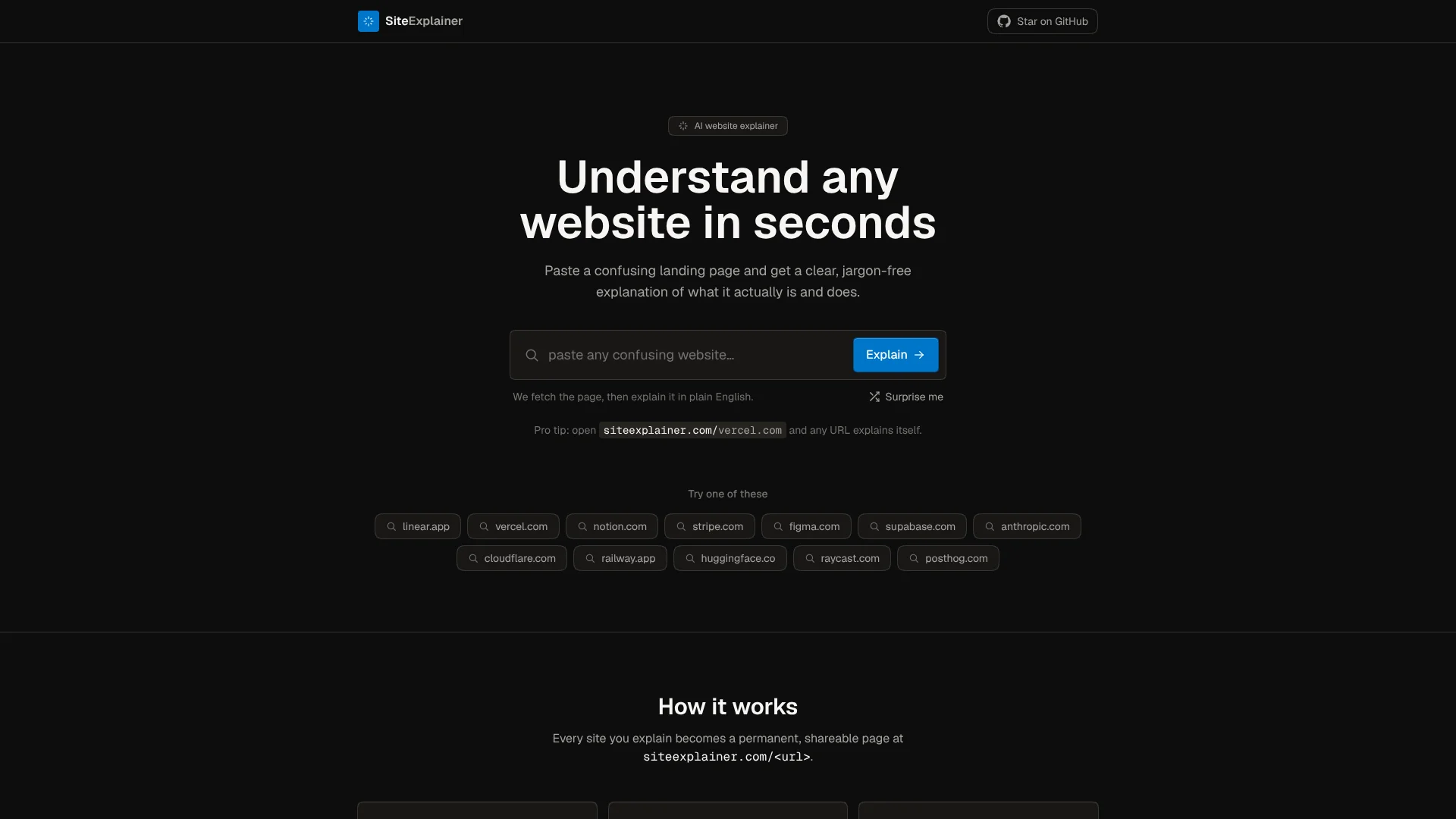
SiteExplainer turns a website’s own text into a plain-English explanation of what the site does and why it may help. It is for people who land on a confusing product or company page and want the main idea without sorting through marketing language. Enter a website address, and SiteExplainer fetches the page, pulls out meaningful text, and creates an overview.
Each explanation is saved as a permanent, shareable page at SiteExplainer, and later visitors can see the cached explanation instead of waiting for it to be generated again.
SiteExplainer suits people who want a quick first look at an unfamiliar website, but its summaries are based on page text and are not guaranteed to be accurate. Treat the result as an initial overview, not a substitute for checking details on the original site.
Who is Using SiteExplainer?
Prospective customers
A quick explanation helps them get the gist of an unfamiliar product page.
Product researchers
Saved explainers provide a first-pass view of what a company’s website describes.
Writers
Plain-English summaries can help them orient themselves before reading a website more closely.
Website visitors
The explainer page gives them a shareable overview of a site’s stated purpose.
Uncommon Use Cases
Sharing a saved explanation with someone who wants a quick overview; using the direct URL format to open an explainer page.
Key Features
Rating Breakdown
Pricing Plans
Free
Free
- Free to use.
- Rate limits apply; the site does not publish a specific allowance.
Which SiteExplainer plan should you pick?
Start with the free service for quick website overviews; consider another tool if you need verified analysis or published usage limits.
Free
Good for people who want a plain-English overview of a website, with rate limits in place.
SiteExplainer Use Cases
Understand a confusing landing page
A plain-English explanation helps clarify what a website says it does.
Outcome: A quick overview of the site’s purpose.
Get an initial read on an unfamiliar service
The page summary gives visitors a starting point before they explore the original site.
Outcome: A short explanation based on the website’s own text.
Share a website overview
A saved explainer page can be shared with others who want to understand the site.
Outcome: A permanent page with the generated explanation.
Workflow Ideas with SiteExplainer
Get a first-pass explanation
- 1Enter a website address on the SiteExplainer home page.
- 2Let SiteExplainer fetch the page and generate an explanation.
- 3Read the overview, then check the original site for details.
Open an explainer directly
- 1Go to SiteExplainer and add the website address after the slash.
- 2Read the saved explanation if one is available.
- 3Open the original website to verify details that matter to you.
Share an explanation
- 1Generate an explanation for a website.
- 2Copy the resulting explainer page address.
- 3Share it with someone who wants a quick overview.
How SiteExplainer fits into your stack
Website research
SiteExplainer sits at the start of website research, turning a page’s own text into a quick overview.
Direct URL access
You can enter a website address on the home page or open its explainer using the direct URL format.
Sharing summaries
Generated explanations are saved as permanent pages that can be shared with other readers.
Pros
- +Quick orientation: Turns confusing landing-page copy into a plain-English overview.
- +Easy access: Enter a URL on the home page or go directly to its explainer page.
- +Shareable results: Saved explanations can be viewed by others.
- +Free to use: The site says the service is free, with rate limits.
Cons
- −Page-dependent summaries: The explanation reflects text SiteExplainer can fetch from the website.
- −Not a fact check: The site cautions that its summaries are not guaranteed to be accurate.
- −Rate limits: Usage is limited, though the site does not state a specific threshold.
Limitations & when to consider alternatives
Known limitations
- Summaries use website text. SiteExplainer fetches a site’s page content and bases its explanation on that text.
- Accuracy is not guaranteed. The site describes the result as a helpful overview rather than a guarantee.
- Rate limits apply. The service has rate limits, but the site does not publish a specific allowance.
Look elsewhere when
- You need a guaranteed fact check rather than an automated overview.
- You need analysis of files or information beyond the website page text.
How to Use SiteExplainer
- 1
Choose a website
Pick a landing page whose purpose or wording is unclear.
- 2
Enter its address
Paste the URL on the home page, or use the direct address format shown by SiteExplainer.
- 3
Read the explanation
Review the plain-English overview of what the website says it does.
- 4
Check important details
The site describes its result as an automated summary, so verify decisions or specific claims on the original website.
- 5
Share the saved page
Pass along the permanent explainer page when someone else needs the same overview.
Who is SiteExplainer For?
People evaluating unfamiliar websites
A plain-English overview can help make a confusing product page easier to understand.
People comparing online services
Saved explanations offer a quick starting point for understanding what each site says it does.
Frequently Asked Questions
Is SiteExplainer free?
Yes. The site says it is free to use and has rate limits.
How do you get an explanation?
Paste a website address on the home page or use the direct URL format to open its explainer.
Does each website get its own explainer page?
Yes. The first explanation is saved as a permanent page, and later visits show the cached version.
Can I rely on an explanation as a complete account of a website?
No. SiteExplainer says its summaries are based on page text and are not guaranteed to be accurate.
Community reviews
Be the first to share your experience.
Sign in to leave a review for SiteExplainer.
SiteExplainer Alternatives
Looking for alternatives to SiteExplainer? Here are similar tools in the same category: