
SiteSpeakAI
Automate customer support with AI-powered, custom-trained chatbots.
Key Takeaways
- What it is
- Automate customer support with AI-powered, custom-trained chatbots.
- Pricing
- Freemium · $30/month · $60/month · $500/month
- Best for
- Custom-Trained Chatbots
- Escalation to Live Chat
- Branding and Customization
- Rating
- 4.4/5
What is SiteSpeakAI?
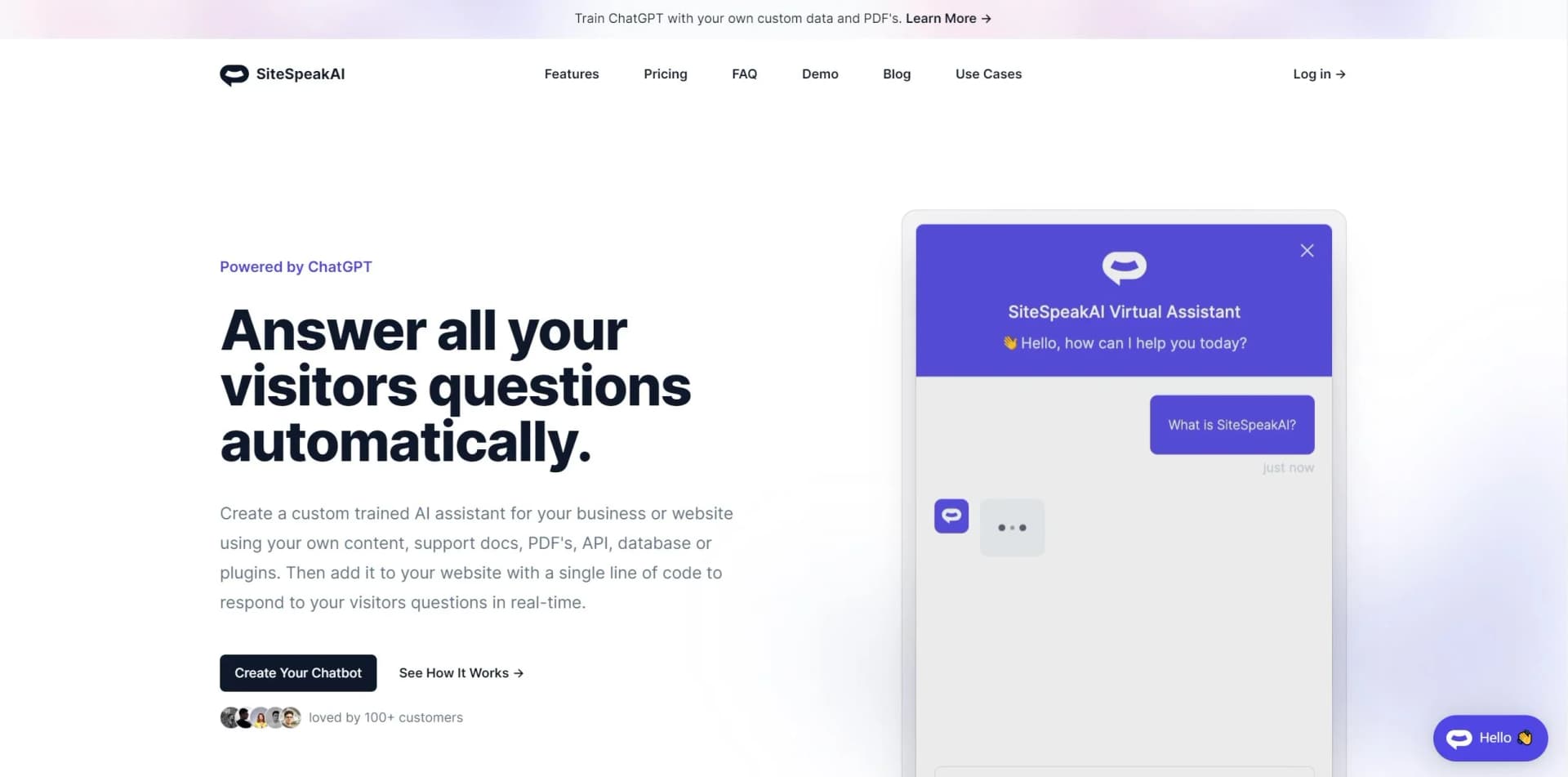
SiteSpeakAI is a cutting-edge solution that is transforming the way businesses handle customer support. It's an AI-powered chatbot platform that allows companies to automate their customer interactions by creating custom-trained GPT support chatbots. These chatbots can answer questions about products and services in real-time, effectively reducing support tickets and streamlining customer service operations. With its ability to integrate with a multitude of content sources and platforms, SiteSpeakAI is not just a chatbot builder; it's a dynamic tool designed to save both time and money while enhancing customer satisfaction.
SiteSpeakAI distinguishes itself with its custom training capabilities that allow the chatbot to be highly knowledgeable about a specific business. This level of personalization ensures that customer support is not just automated but also accurate and relevant. Furthermore, the ease of integration with existing tools and platforms makes SiteSpeakAI a versatile choice for businesses looking to enhance their customer support with AI technology.
SiteSpeakAI excels in providing an innovative approach to customer support, making it an essential tool for businesses of all sizes. Its ability to create custom-trained chatbots offers an unmatched advantage in delivering personalized and efficient customer service. The platform's ease of use, coupled with its powerful integration capabilities, ensures that businesses can provide a seamless support experience while saving on time and costs. With SiteSpeakAI, companies can not only meet but exceed modern customer service expectations.
Who is Using SiteSpeakAI?
E-commerce Stores
For automating customer service inquiries about products and shipping.
Tech Startups
To provide round-the-clock support for their software or app users.
Service Providers
Using the tool to handle appointment scheduling and common service questions.
Content Creators
To engage with their audience and automate responses to frequently asked questions.
Uncommon Use Cases
Non-profits using the tool to educate the public on their cause; Event organizers for handling attendee inquiries.
Key Features
Rating Breakdown
Pricing Plans
Free Tier
Free
- Ideal for personal use with basic features and a limited number of message credits
Startup Tier
$30/month
Pro Tier
$60/month
Business Tier
$500/month
Which SiteSpeakAI plan should you pick?
Start with Free to validate a basic chatbot; upgrade to Starter for more credits and sources, Pro for integrations, API access, and team collaboration, or Growth and Business for higher usage and enterprise controls.
Free
Good for evaluating SiteSpeakAI with 30 message credits per month, one AI Agent, 10 training sources, and a live chat widget.
Starter
Good for small deployments needing 1,000 monthly message credits, 200 training sources, lead capture, and removal of SiteSpeakAI branding.
Pro
Good for teams needing multiple AI Agents, more sources, all AI models, BYOK, WhatsApp, Google Chat, HubSpot, API access, and MCP Server access.
Growth
Good for organizations needing higher limits, 15 actions per agent, custom domains, and daily source synchronization.
Business
Good for larger deployments needing the highest listed message-credit allocation, more agents, advanced security, and enterprise-oriented controls.
SiteSpeakAI Use Cases
Automate customer support
Train an AI agent on website content, documentation, PDFs, and knowledge bases, then deploy it on a website or messaging channel.
Outcome: Visitors receive answers without requiring a support agent for every question.
Employee knowledge assistant
Connect internal wikis, intranets, Google Drive, SharePoint, Notion, or other documentation and let employees ask questions in natural language.
Outcome: Employees find internal information faster and reduce repetitive questions to colleagues.
Lead capture and CRM synchronization
Collect visitor details through chatbot forms and synchronize captured leads with tools such as HubSpot.
Outcome: New leads are added to CRM records with conversation context.
Appointment booking
Connect calendar tools such as Cal.com, Calendly, or HubSpot Meetings so the agent can check availability and make bookings.
Outcome: Visitors can schedule meetings directly in chat.
Agent actions and data lookup
Add API, database, ecommerce, search, payment, and MCP tools to an AI agent.
Outcome: The agent can retrieve live information and perform actions beyond answering from static content.
Workflow Ideas with SiteSpeakAI
Website support and escalation
- 1Add website URLs, documents, or app sources as training content
- 2Deploy the chatbot widget on the website
- 3Enable human handoff for questions the agent cannot resolve
Lead capture to CRM
- 1Enable lead capture in the chatbot
- 2Connect the HubSpot integration
- 3Automatically create or update HubSpot contacts when leads are captured
Knowledge base to AI tools
- 1Train a chatbot on internal documentation
- 2Enable the MCP server endpoint
- 3Connect Claude, Cursor, Windsurf, or another MCP-compatible client to query the knowledge base
How SiteSpeakAI fits into your stack
Slack Integration
For seamless communication within teams.
API Access
Allowing developers to create custom integrations.
Speech Recognition and Text-to-Speech (TTS)
Making chatbots more interactive and accessible.
Zapier Integration
Connect SiteSpeakAI with over 2000 other web services.
Pros
- +Efficiency in Support: Drastically reduces the amount of time spent on customer support by handling inquiries automatically.
- +Cost Savings: Offers significant savings by reducing the need for large customer support teams.
- +User Experience: Enhances the customer service experience by providing instant, accurate responses to inquiries.
- +Ease of Use: With a no-code AI chatbot builder, creating a chatbot is accessible to users without technical expertise.
Cons
- −Learning Curve: Users may need time to learn how to effectively train and manage their AI chatbots.
- −Message Credit Limits: The free and lower-tier plans come with a limited number of message credits per month.
- −Dependence on AI: As with any AI tool, there may be limitations in understanding complex customer queries or issues.
Limitations & when to consider alternatives
Known limitations
- Usage is credit-based. The Free plan includes 30 message credits per month, while paid plans use larger monthly credit allocations.
- Training-source limits vary by plan. Plans limit the number of training sources, with higher limits available on higher tiers.
- Some integrations are still coming soon. The integrations directory labels Microsoft Teams, Intercom, Messenger, and Zoom as coming soon.
- MCP access has plan and rate limits. MCP Server access is available on qualifying plans, with monthly query allowances and a documented limit of 30 requests per minute per IP address.
- Automatic syncing depends on the plan. Source synchronization frequency varies by plan, with daily syncing available on higher tiers.
Look elsewhere when
- You need a native mobile application.
- You need a downloadable desktop application.
- You need model-weight fine-tuning.
- You need a dedicated coding assistant.
How to Use SiteSpeakAI
- 1
SiteSpeakAI offers a range of tutorials and guides to help users get started and make the most out of their chatbots, from basic setup to leveraging advanced features.
Who is SiteSpeakAI For?
SaaS companies
SaaS businesses can train customer-support agents on product documentation, connect tools, capture leads, and automate support interactions.
E-commerce businesses
E-commerce teams can deploy shopping assistants, answer product questions, retrieve order information, and connect Shopify or other commerce tools.
Agencies
Agencies can manage isolated client workspaces, invite client users, assign roles, and create chatbots for clients.
Internal knowledge teams
Teams can index wikis, intranets, internal documents, and cloud files so employees can ask questions and find answers.
Customer-support teams
Support teams can automate repetitive questions, capture leads, escalate conversations to humans, and connect CRM or helpdesk workflows.
Frequently Asked Questions
What is SiteSpeakAI?
SiteSpeakAI is an AI chatbot platform that trains agents on websites, documents, and knowledge bases for customer support and visitor engagement.
Does SiteSpeakAI support team collaboration?
Yes. Teams can share chatbots and invite members with different roles and permissions.
Does SiteSpeakAI support multiple languages?
Yes. The AI detects the visitor's language and responds in that language; the documentation lists support for major languages including Spanish, French, German, Chinese, Japanese, Korean, Arabic, Hebrew, and Hindi.
Can visitors upload files to a chatbot?
Yes. File uploads can be enabled so visitors can submit files for the chatbot to process and use when answering questions.
Which knowledge-base platforms does SiteSpeakAI support?
Supported sources include BookStack, Confluence, Notion, SharePoint, Google Drive, Guru, Slite, web-accessible documentation, PDFs, and Markdown files.
How does SiteSpeakAI secure data?
SiteSpeakAI documents TLS encryption in transit, AES-256 encryption at rest, role-based access, multifactor authentication, and optional PII redaction.
Community reviews
1 review from people who use SiteSpeakAI.
Sign in to leave a review for SiteSpeakAI.
Thibault BM
SiteSpeakAI Alternatives
Looking for alternatives to SiteSpeakAI? Here are similar tools in the same category:
Learn to Master SiteSpeakAI
With Skill Leap courses
Get in-depth training on SiteSpeakAI and 50+ other AI tools with our expert-led video courses.
Start 7-Day Free Trial