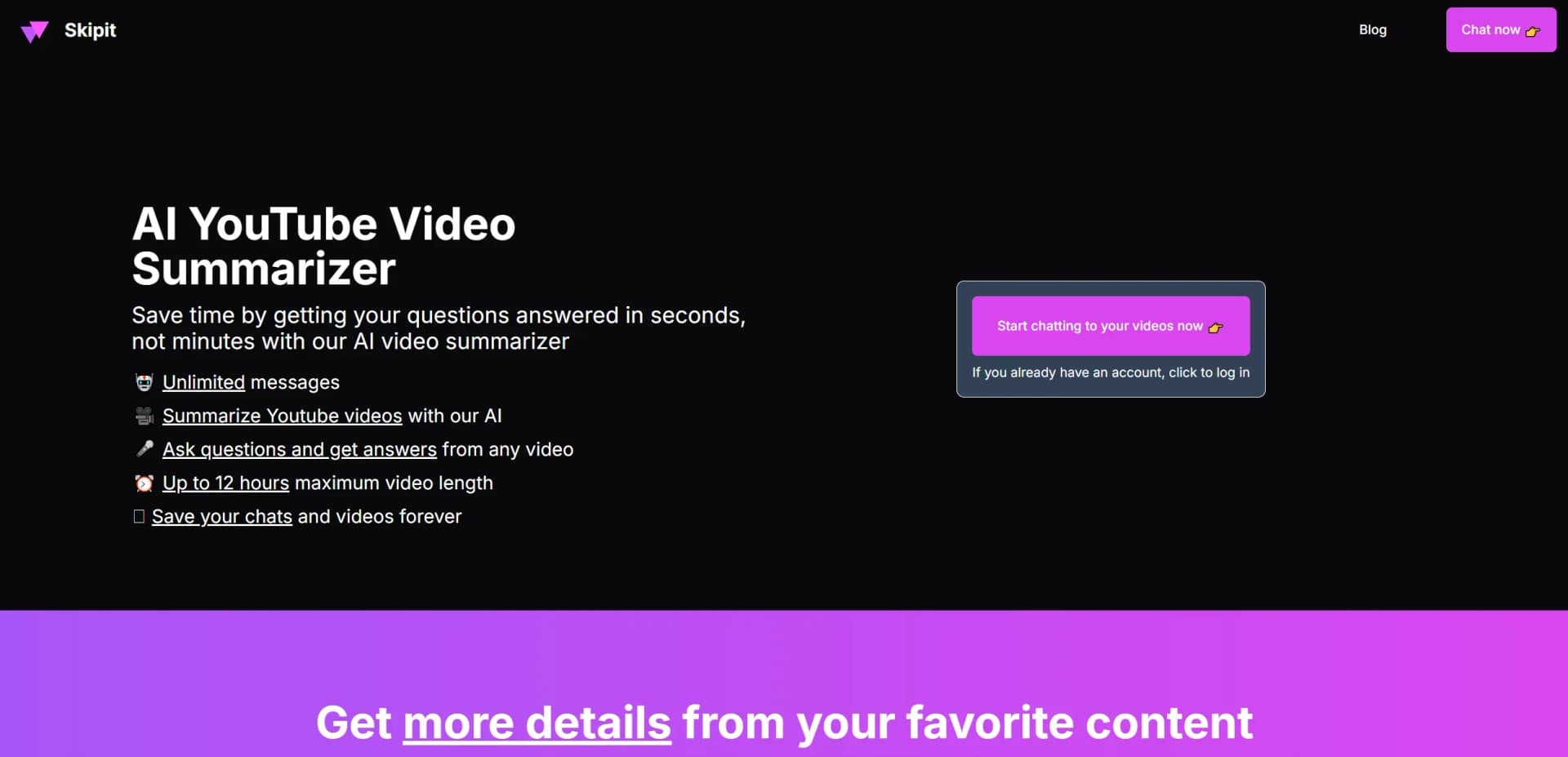
Skipit.ai
AI-powered tool for summarizing YouTube videos and answering questions.
Key Takeaways
- What it is
- AI-powered tool for summarizing YouTube videos and answering questions.
- Pricing
- $7.99 per month, billed annually at $99 · $12.99 per month
- Best for
- AI Video Summarization
- Interactive Q&A
- Extended Video Length Support
- Rating
- 4.6/5
What is Skipit.ai?
Skipit.ai revolutionizes the way we consume YouTube content by offering AI-powered video summarization. Designed for the AI community and anyone who values their time, this tool simplifies the task of extracting key information from lengthy videos. With Skipit.ai, you can effortlessly summarize YouTube videos, ask questions, and receive answers instantly, making it an essential tool for researchers, students, and content enthusiasts.
Skipit.ai stands out with its AI-driven question-answering feature, a game-changer for users seeking specific information from video content. Its ability to handle lengthy videos up to 12 hours and provide instant responses sets it apart from other summarization tools.
Skipit.ai offers a cutting-edge solution for anyone looking to maximize their productivity by efficiently summarizing video content. Its unique AI capabilities provide a seamless experience, allowing users to extract valuable insights from hours of footage in mere minutes. Whether you're a student, professional, or content creator, Skipit.ai empowers you to get smarter, one summary at a time.
Who is Using Skipit.ai?
Researchers and Academics
Utilizing the tool to quickly gather information from educational videos and lectures.
Students
Employing Skipit.ai to summarize video lessons and study materials efficiently.
Content Creators
Leveraging the tool to analyze competitors' videos and gather insights.
Business Professionals
Using it to extract key details from webinars and presentations.
Uncommon Use Cases
Adopted by language learners for summarizing foreign language videos; used by journalists for quick content gathering from press conferences.
Key Features
Rating Breakdown
Pricing Plans
Yearly Plan
$7.99 per month, billed annually at $99
- Includes support for 12-hour long videos, unlimited chats, and the latest AI model
Monthly Plan
$12.99 per month
- The same features as the yearly plan
Which Skipit.ai plan should you pick?
Start with the monthly plan for flexible use, or choose the yearly plan when you expect ongoing use and want annual billing.
YEARLY
Good for regular users who need 12-hour videos, unlimited chats, zero rate limits, the latest AI model, prompt library, and saved chat history at $7.99 per month billed annually at $99.
MONTHLY
Good for users who want the same unlimited summarization and chat features without an annual commitment at $12.99 per month.
Skipit.ai Use Cases
Summarize long videos
Paste a YouTube video link and receive an AI-generated summary.
Outcome: Understand the main points without watching the entire video.
Ask questions about videos
Chat with the AI about specific parts of a YouTube video.
Outcome: Find answers and explore details interactively.
Review lectures
Use summaries and follow-up questions on educational videos.
Outcome: Support faster learning and review.
Research talks and interviews
Extract key information from conferences, interviews, and documentaries.
Outcome: Process more information in less time.
Analyze content trends
Review videos in a content niche for ideas and inspiration.
Outcome: Identify useful themes without watching every video fully.
Workflow Ideas with Skipit.ai
Summarize and investigate a video
- 1Copy a YouTube video link
- 2Paste it into Skipit
- 3Read the summary and ask follow-up questions
Research a long lecture
- 1Submit a lecture video up to 12 hours long
- 2Review the generated overview
- 3Use chat to investigate specific concepts
How Skipit.ai fits into your stack
Browser
Skipit is a web-based application where users paste YouTube video links, receive summaries, and ask questions about the video content.
Pros
- +Time Efficiency: Quickly extracts essential information from lengthy videos, significantly reducing the time spent on content consumption.
- +User-Friendly Experience: Intuitive interface makes it easy for users to navigate and utilize the tool’s features.
- +Comprehensive Summaries: Provides accurate and detailed summaries, ensuring critical points are never missed.
- +Versatile Application: Suitable for a wide range of users, from casual viewers to professional researchers.
Cons
- −Learning Curve: New users may require some time to fully leverage all features effectively.
- −Platform Limitation: Currently supports only YouTube, limiting its application to other video platforms.
Limitations & when to consider alternatives
Known limitations
- Maximum video length. The official site lists a maximum supported video length of 12 hours.
- AI accuracy. Terms state that AI-generated responses can be incomplete or inaccurate.
- Supported content focus. The documented service focuses on supported video content, especially YouTube videos.
- Paid subscriptions renew. Paid plans renew according to the billing interval until canceled.
Look elsewhere when
- You need a native mobile app.
- You need an official developer API.
- You need file or image analysis.
How to Use Skipit.ai
- 1
Create or access an account
Sign up or log in to use Skipit's video summarization and chat features.
- 2
Paste a YouTube link
Copy a YouTube video URL into Skipit so the AI can process the content.
- 3
Review the summary
Read the generated overview to understand the video's key points quickly.
- 4
Ask follow-up questions
Chat with the AI to investigate specific details or concepts from the video.
- 5
Save the conversation
Use saved chats and videos to return to previous research.
- 6
Choose a paid billing option if needed
The site lists monthly billing at $12.99 per month and annual billing at $7.99 per month, billed annually at $99.
Who is Skipit.ai For?
Students
Summarize lectures and educational YouTube videos quickly.
Professionals
Extract key points from industry talks and conferences.
Researchers
Review long-form interviews and documentaries more efficiently.
Content creators
Analyze trending videos in a niche for inspiration.
Frequently Asked Questions
What is Skipit?
Skipit is an AI YouTube video summarizer that answers questions about video content.
How long can a video be?
Skipit supports videos up to 12 hours long.
Can I ask questions about a video?
Yes. Users can ask questions and receive answers from the video content.
Are chats saved?
Skipit says users can save chats and videos indefinitely.
Is there a free option?
Account management is available without a paid subscription; paid monthly and annual plans are also listed.
Are AI answers always accurate?
Skipit warns that AI-generated responses can be incomplete or inaccurate.
Community reviews
6 reviews from people who use Skipit.ai.
Sign in to leave a review for Skipit.ai.
Sebastián Haro
Steph Austin
omar nassiry
Brent Hardaway
Trent Green
Jael Madeleine
Skipit.ai Alternatives
Looking for alternatives to Skipit.ai? Here are similar tools in the same category: