Skippr
Live AI teammates guide people through software as they use it.
Key Takeaways
- What it is
- Live AI teammates guide people through software as they use it.
- Pricing
- Freemium
- Best for
- AI CSM
- AI Product Specialist
- AI Operator
- Rating
- 4.1/5
What is Skippr?
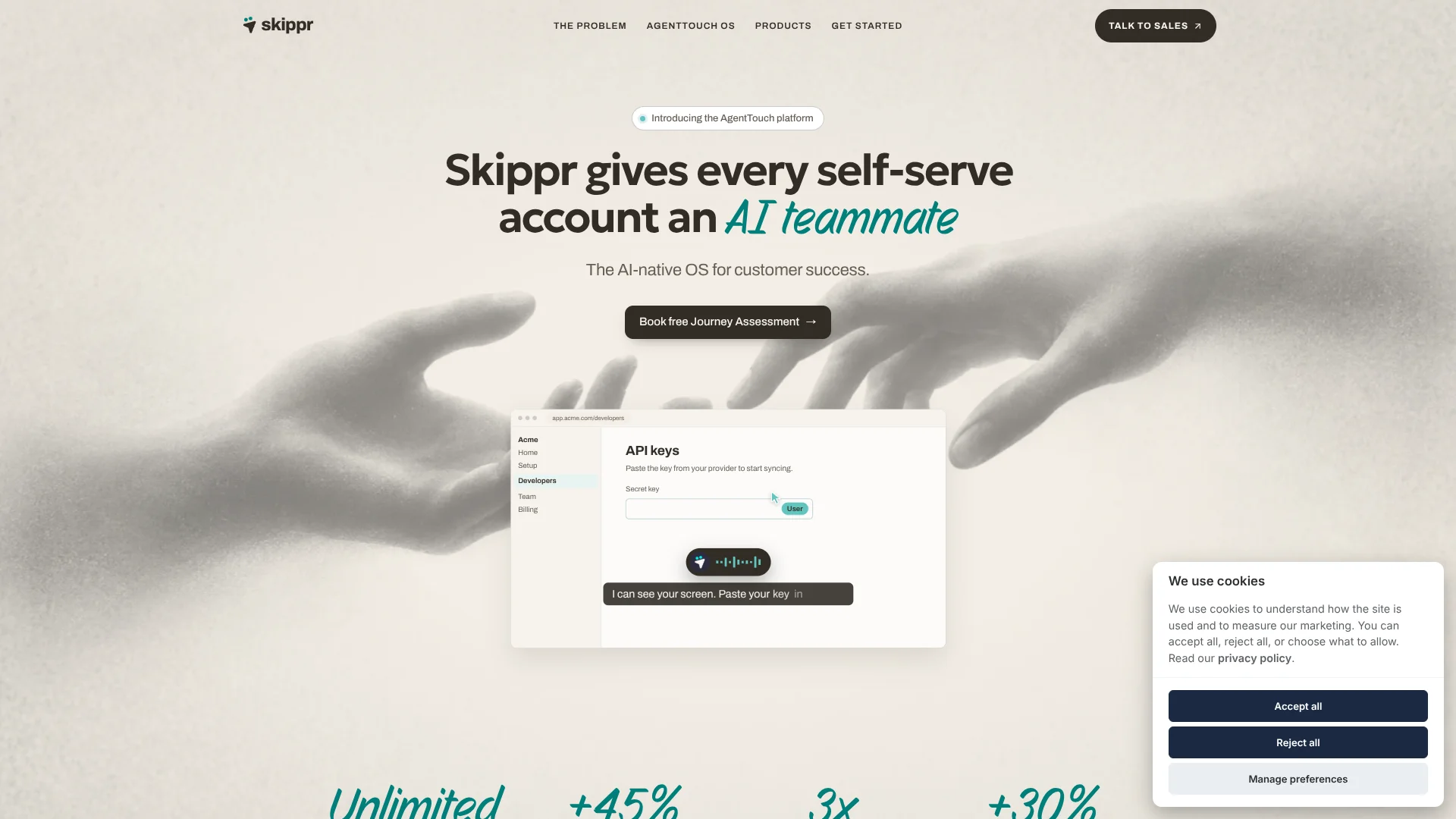
Skippr’s AgentTouch platform gives software companies AI teammates that can guide customers through a product, run live demos for prospects, and train employees or partners. The agents can see a user’s screen, talk by voice or text, and carry out permitted steps. This is aimed at teams that want to give self-service users personal help without relying on a person to join every session.
Its AI CSM is built to spot self-service accounts that stall, help the user finish setup, and record follow-up work in the CRM, with an approval step for offers. Skippr also sells AI Product Specialist, AI Operator, and Octopus, a product-knowledge engine that agents can access through MCP or API.
Skippr is best suited to software companies with customer success, sales, or training teams that need live, tailored guidance across many users. It may be less suitable for someone looking for a standalone, fixed-price tool: the current homepage lists AgentTouch OS as custom-priced. Its clearest fit is extending hands-on product help to accounts that would otherwise wait for a person.
Who is Using Skippr?
Customer success manager
Account progress and session notes help a CSM focus on users who are stuck or ready to expand.
Account executive
A live product specialist can demonstrate features and answer product questions alongside an AE.
Sales enablement manager
Practice sessions let sales reps rehearse product demos against a team playbook.
Customer trainer
Role-based walkthroughs guide customers or partners through the product workflows they need to learn.
Product marketer
Live demos can be linked from a website or campaign email and tailored to a prospect’s role and goals.
Uncommon Use Cases
Rehearse a sales demo with the agent acting as the buyer; train partner teams on tools beyond your own product.
Key Features
Rating Breakdown
Pricing Plans
Journey Assessment
Free
- Maps the customer journey from first visit to expansion
- Identifies where agents can guide, act, or sell
- Includes a rollout plan and expected impact
AgentTouch OS
- Choose any mix of the four products
- Connects with your CRM and product analytics
- Your team sets the approval rules
Which Skippr plan should you pick?
Start with the free Journey Assessment to map a use case, then request a quote if you want to deploy AgentTouch OS.
Journey Assessment
Good for teams that want a free map of where agents could guide, act, or sell before planning a rollout.
AgentTouch OS
Good for software companies that want a custom mix of Skippr products connected to their CRM and product analytics.
Skippr Use Cases
Self-service onboarding
A new customer gets individual guidance inside the product and can approve steps as the agent helps with setup.
Outcome: The user can complete setup and reach an initial product result.
Always-available product demos
Interested website visitors can see a live demo shaped around their role and goals, without first booking a meeting.
Outcome: The prospect can move to a meeting, trial, follow-up session, or purchase.
Product training
Employees and partners learn by following real workflows and practicing against a team playbook.
Outcome: Managers can see training progress and practice scores.
Account reviews and expansion
Customer success teams can track account progress, arrange reviews, and route suggested offers for approval.
Outcome: Account activity and follow-up can be logged to the CRM.
New-feature walkthroughs
A product specialist can show existing customers how a new feature works in a live session or a shared walkthrough.
Outcome: Customers can learn about features without waiting for a scheduled CSM call.
Workflow Ideas with Skippr
Guide a stalled customer to setup
- 1Connect the product’s customer success agent to the customer journey.
- 2Have it identify a user who stopped during setup and offer help.
- 3Require approval before it takes an action, then log the session to the CRM.
Turn a website visit into a product demo
- 1Add a demo entry point to the website or a marketing email.
- 2Have the AI Product Specialist learn the product information and demo flow.
- 3Review demo questions and route qualified prospects to the chosen next step.
Practice a team’s product workflow
- 1Prepare the playbook and product materials the team should learn.
- 2Assign practice sessions for the relevant roles.
- 3Review practice scores and see who needs another walkthrough.
How Skippr fits into your stack
Your product
Skippr agents can guide users on screen inside a product. The customer success and training pages describe adding the Skippr SDK for this use.
Website and marketing
AI Product Specialist can open from a website or a marketing and CRM email, offering a live demo in place of a scheduled meeting.
CRM and team tools
The homepage lists Salesforce, HubSpot, Slack, Intercom, Zendesk, Jira, and Linear among the tools Skippr works with.
Product knowledge
Octopus maintains product knowledge for Skippr agents and other agents that connect through MCP or API.
Product analytics
The listed stack includes Mixpanel and PostHog, while the customer success page describes connecting product analytics.
Pros
- +Live product guidance: Agents can point to items on screen and help a user complete a workflow.
- +Several customer journeys: The platform covers demos, customer onboarding, and employee or partner training.
- +Named integrations: The site lists Salesforce, HubSpot, Slack, Intercom, Zendesk, Jira, Linear, Notion, Mixpanel, PostHog, and Zoom.
- +Human approval: Teams can require permission before an agent acts or presents an offer.
Cons
- −Custom platform pricing: The homepage does not publish a standard AgentTouch OS price.
- −Business-focused product: Its main use is guiding people through a company’s software, not general-purpose personal AI tasks.
- −Setup involvement: The customer success page says Skippr sets up Ono, while other product pages describe dashboard setup.
Limitations & when to consider alternatives
Known limitations
- AgentTouch OS price is custom. The homepage lists AgentTouch OS as custom and says Skippr will provide a quote; it does not publish a standard price there.
- Actions require user approval. The customer success page says the agent asks before taking action in a user's account.
- Session data is retained. The privacy policy says session recordings, transcripts, analytics, and derived output are retained for 12 months by default.
Look elsewhere when
- You need a publicly listed price for the full AgentTouch OS platform.
- You need a general-purpose AI tool for tasks outside product demos, onboarding, and training.
How to Use Skippr
- 1
Choose the product and audience
Select AI CSM, AI Operator, AI Product Specialist, or Octopus based on whether the goal is customer success, user tasks, demos, or shared product knowledge.
- 2
Map the user journey
A free Journey Assessment can map where an agent could guide, act, or sell and provide a rollout plan.
- 3
Connect product knowledge and tools
Ground the agent in your product information and connect relevant CRM, analytics, or team tools.
- 4
Set action and offer rules
Decide which actions require user approval and which offers need your team’s approval.
- 5
Choose where users meet the agent
Depending on the product, place it in your software, on a website, in an email link, or in a live session.
- 6
Review sessions and progress
Check session insights, customer progress, or training scores to see where users need more help.
Who is Skippr For?
Customer success teams
Self-service account guidance can help CSMs reach users who need onboarding or adoption support.
Sales and marketing teams
Live demos can greet prospects, qualify their needs, and guide them toward a defined next step.
Training and enablement teams
Adaptive walkthroughs and practice sessions help employees, sales teams, and partners learn real product workflows.
Software companies
The platform is built for teams that want to connect agent guidance to their product and customer tools.
Frequently Asked Questions
Is there a free plan?
The homepage offers a free Journey Assessment, which maps a customer journey and provides a rollout plan. It does not describe this as a free software plan.
How much does Skippr cost?
The current homepage lists AgentTouch OS as custom-priced and asks interested teams to request a quote. Product pages also say plans start at $149 per month, so confirm pricing for the specific product and deployment.
Can Skippr act inside a user's account?
Its customer success page says the agent can perform steps with permission and asks before taking action. The team decides which actions are allowed.
Which tools does Skippr work with?
The homepage lists Salesforce, HubSpot, Slack, Intercom, Zendesk, Jira, Linear, Notion, Mixpanel, PostHog, and Zoom.
Can Skippr work in multiple languages?
Yes. The demo page says Sela can speak the buyer’s language, and the training page says people can be trained in their own language.
Does Skippr have an API?
The homepage says Octopus can provide product knowledge through MCP or API. The public pages reviewed do not confirm a documented developer API with keys and endpoints.
Community reviews
Be the first to share your experience.
Sign in to leave a review for Skippr.
Skippr Alternatives
Looking for alternatives to Skippr? Here are similar tools in the same category: