
Slazzer
AI tool automates precision image background removal effortlessly.
Key Takeaways
- What it is
- AI tool automates precision image background removal effortlessly.
- Pricing
- Freemium · $13 per month
- Best for
- AI-Powered Background Removal
- High-Quality Cutouts
- Desktop Application
- Rating
- 4.6/5
What is Slazzer?
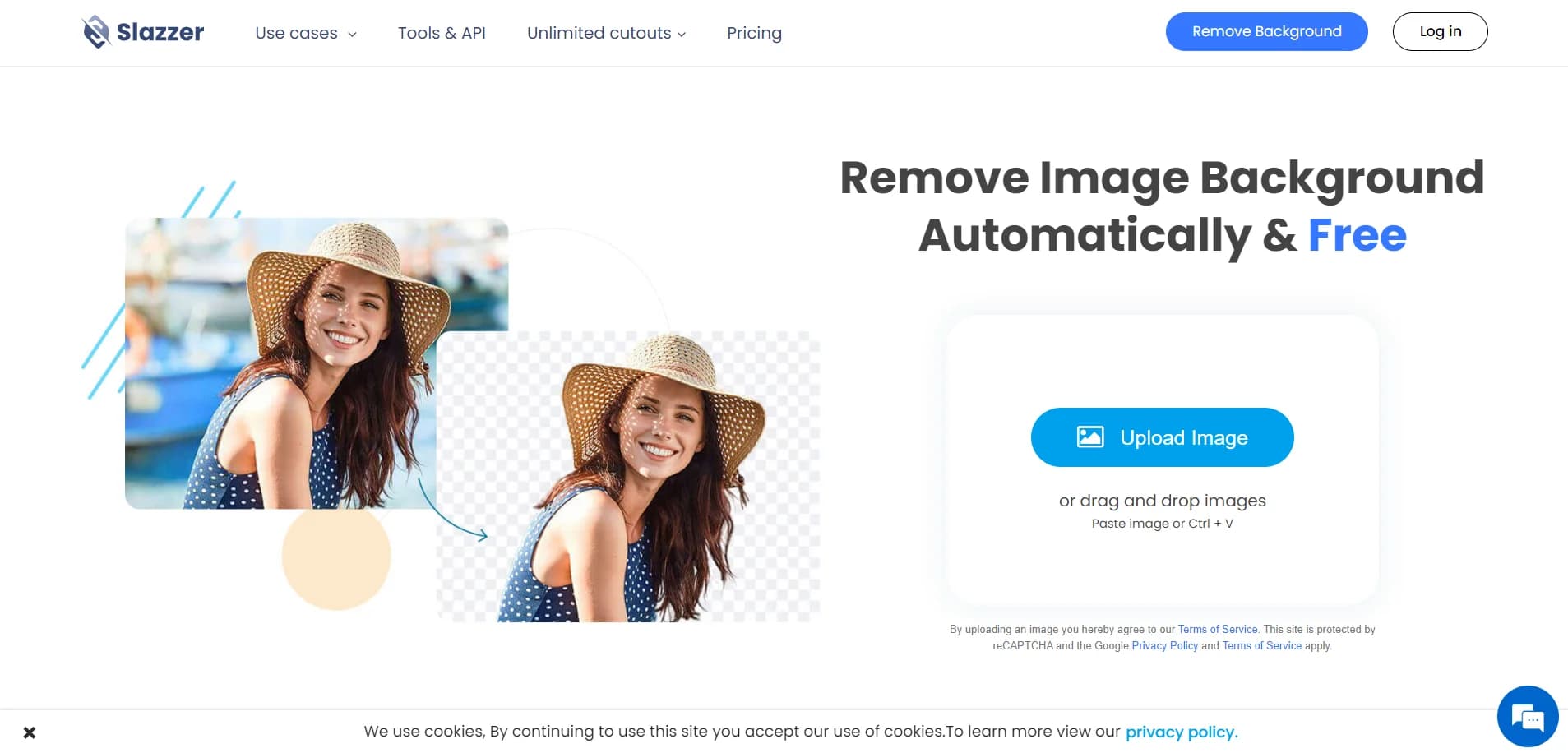
Slazzer is a cutting-edge AI tool designed to transform the way we handle image backgrounds. It automates the process of removing backgrounds from images, making it a go-to solution for professionals in need of sleek, high-quality cutouts. Whether you're a photographer, designer, or involved in e-commerce, Slazzer offers a powerful and efficient way to simplify the often tedious task of background removal.
Slazzer stands out with its ability to handle intricate details like hair and fur, a game-changer for photographers and designers. Its seamless integration with popular design tools and platforms, coupled with its bulk processing capabilities, sets it apart from other background removal tools.
Slazzer offers a seamless solution for anyone looking to enhance their image editing workflow. Its AI-powered capabilities ensure high-quality results, while its user-friendly interface and integration options make it a versatile tool for various professional needs. Whether you're in e-commerce, marketing, or photography, Slazzer provides an efficient and cost-effective way to achieve professional-grade image cutouts.
Who is Using Slazzer?
E-commerce Businesses
Leveraging Slazzer to enhance product imagery for online stores.
Digital Marketing Agencies
Utilizing the tool to create visually appealing campaign content.
Social Media Managers
Employing Slazzer to produce engaging social media visuals.
Photographers
Streamlining their editing processes with efficient background removal.
Uncommon Use Cases
Educational Institutions: Using it to teach digital media courses.; Car Dealerships: Creating sleek vehicle presentations with transparent backgrounds.
Key Features
Rating Breakdown
Pricing Plans
Free Tier
Free
- Provides basic functionality with limited credits
Pro Tier
$13 per month
- More extensive use and features
Which Slazzer plan should you pick?
Start with the Free plan for personal evaluation, use Top Up for one-time jobs, choose a Subscription Plan for recurring volume, and contact Slazzer about the Enterprise Plan for 100K-plus annual images or custom training.
Free plan
Good for personal users who need free previews and a small number of high-resolution test images.
Top Up
Good for one-time or occasional processing without a recurring subscription.
Subscription Plan
Good for ongoing image processing that benefits from monthly credits and rollover allowances.
Enterprise Plan
Good for high-volume organizations needing custom training, multiple API keys, customized rate limits, and dedicated support.
Slazzer Use Cases
Product-background removal
Upload product images and automatically create transparent or replacement backgrounds.
Outcome: Cleaner, consistent ecommerce imagery.
Bulk catalog processing
Process thousands of product, food, furniture, or grocery images through desktop tools or APIs.
Outcome: Faster catalog production at scale.
Advertising creative preparation
Extract subjects, swap backgrounds, and prepare campaign assets for advertising workflows.
Outcome: Campaign-ready visuals with less manual editing.
Image enhancement and upscaling
Use AI Enhance and AI Upscale to improve clarity, detail, and resolution.
Outcome: Higher-quality images for web, print, and marketplaces.
Automated application integration
Connect Slazzer to websites, apps, CMS systems, or automation services through the REST API and Zapier.
Outcome: Background processing embedded into existing workflows.
Workflow Ideas with Slazzer
Ecommerce catalog cleanup
- 1Upload product images or send them through the API
- 2Remove backgrounds and optionally add shadows or replacement backgrounds
- 3Download or route the processed images into the catalog workflow
Zapier image automation
- 1Connect Slazzer to a supported app through Zapier
- 2Trigger Slazzer when a new image is added
- 3Send the processed image to the next application or storage destination
Desktop batch processing
- 1Install Slazzer for Windows, macOS, or Linux
- 2Select a batch of images and configure the API key
- 3Process and export the resulting images locally
How Slazzer fits into your stack
Browser
Slazzer runs as a web app where users upload images, remove backgrounds, edit results, and download outputs.
Desktop / IDE
Windows, Mac, and Linux desktop applications support batch processing, while Photoshop, Figma, and Sketch plugins bring background removal into design workflows.
Automation and APIs
Developers can call the REST API, while Zapier connects Slazzer with services such as Shopify, WooCommerce, Google Drive, Excel, and other apps.
Pros
- +Time Efficiency: Slazzer's AI processes images in seconds, dramatically reducing the time spent on manual editing.
- +Cost-Effective: Offers a variety of pricing plans, including a free tier, making it accessible for different budgets.
- +Versatile: Suitable for a wide range of applications, from personal use to large-scale enterprise operations.
- +User-Friendly Interface: Intuitive design ensures a smooth user experience, even for those new to photo editing.
Cons
- −Limited Free Usage: The free tier may not be sufficient for users with high-volume needs.
- −Internet Dependency: Requires an internet connection for online processing and features.
Limitations & when to consider alternatives
Known limitations
- Commercial use requires paid credits. Commercial use requires a top-up plan or a monthly subscription of at least 300 credits.
- Supported input formats are limited. The documented web upload formats are JPG, JPEG, and PNG.
- Upload size and resolution limits apply. Images are limited to 12 MB and 25 megapixels on the documented pricing and FAQ page.
- API rate limits apply. The API supports up to approximately 500 one-megapixel images per minute, with lower rates for larger images.
- Quality depends on image content. Complex backgrounds, hair, translucent objects, and reflections can be more difficult for automated background removal.
Look elsewhere when
- You need a browser extension rather than a desktop or design-plugin integration.
- You need SSO or SAML-based identity management.
- You need multilingual text generation or conversational AI.
- You need code generation or code editing.
How to Use Slazzer
- 1
Create an account
Sign up for the Free plan to receive free credits and access previews.
- 2
Upload an image
Upload a supported JPG, JPEG, or PNG image through the web app, mobile app, or desktop application.
- 3
Choose the required operation
Remove the background or select available tools such as AI Enhance, AI Upscale, AI Shadow, or AI De-oldify.
- 4
Review the preview
Use the free low-resolution preview to check the result before spending a full-resolution credit.
- 5
Download the result
Use a credit to download the processed full-resolution image.
- 6
Automate recurring processing
For application or bulk workflows, configure the REST API, desktop app, Zapier, or an on-premise deployment.
Who is Slazzer For?
Individuals
Use Slazzer for personal background removal and low-resolution image previews.
Photographers
Process portraits and other photography with background removal and image-enhancement tools.
Ecommerce businesses
Create consistent product imagery for online catalogs and marketplaces.
Advertising teams
Prepare campaign visuals, remove backgrounds, and batch-process large collections of images.
Developers and enterprises
Integrate image processing through the API, Zapier, desktop apps, or on-premise deployment.
Frequently Asked Questions
Is Slazzer free?
Slazzer offers a free plan with two free credits and unlimited free low-resolution previews. Higher-resolution and commercial use require credits through subscriptions or top-ups.
What image formats and limits are supported?
The web product accepts JPG, JPEG, and PNG files up to 12 MB and 25 megapixels. Larger images are automatically resized to the maximum resolution.
What is the Slazzer API?
The REST API lets developers integrate Slazzer's background-removal technology into websites and applications using API keys and HTTP requests.
Can Slazzer process images in bulk?
Yes. The desktop applications support batch processing, and the API can process up to 500 images per minute under the documented rate limits.
Can Slazzer be used commercially?
Commercial use is available with any top-up plan or a monthly subscription of at least 300 credits.
Can unused subscription credits roll over?
Subscription plans allow unused credits to roll over up to six times the monthly credit budget.
Community reviews
Be the first to share your experience.
Sign in to leave a review for Slazzer.
Slazzer Alternatives
Looking for alternatives to Slazzer? Here are similar tools in the same category:
Learn to Master Slazzer
With Skill Leap courses
Get in-depth training on Slazzer and 50+ other AI tools with our expert-led video courses.
Start 7-Day Free Trial